소개
This manual provides detailed instructions for setting up, operating, and maintaining your Efolen Military Smart Watch. Please read this manual thoroughly to ensure proper use and to fully utilize all features of your device. This smart watch is designed for active lifestyles, featuring a large battery, Bluetooth calling, comprehensive health monitoring, and multiple sports modes.
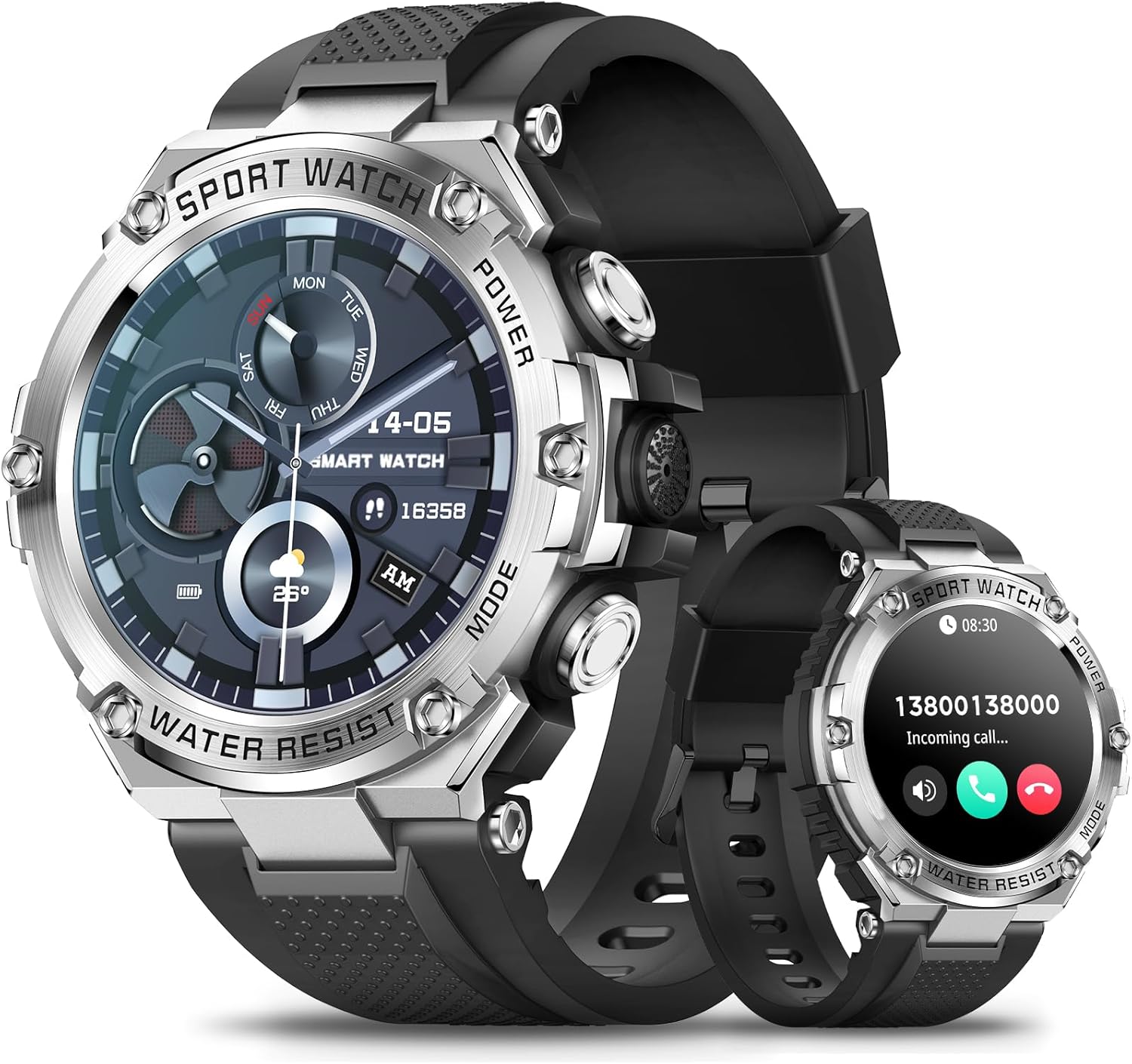
Figure 1: Efolen Military Smart Watch (Silver model)
상자 안에 무엇이 들어있나요?
패키지를 열 때 다음 품목이 모두 포함되어 있는지 확인하세요.
- 1 × Efolen Military Smart Watch
- 1 × Black silicone band
- USB 자석 충전기 1개
설정
1. 초기 충전
Before first use, fully charge your smart watch. Connect the USB magnetic charger to the charging contacts on the back of the watch and plug the USB end into a compatible power source (e.g., computer USB port, USB wall adapter). The watch features an 800mAh battery, providing extended usage time.
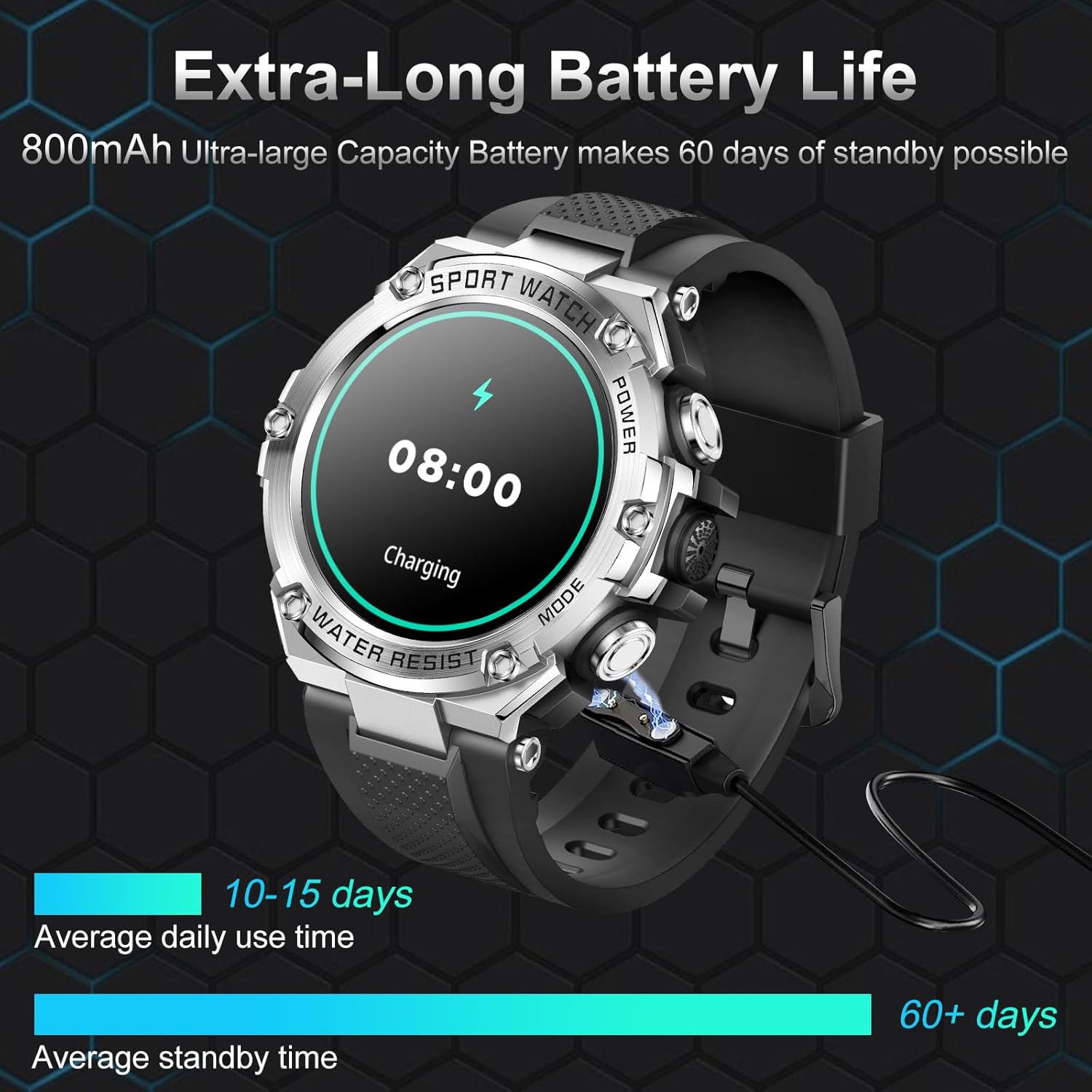
그림 2: 스마트 워치 충전
2. 앱 설치 및 페어링
To unlock the full functionality of your Efolen Military Smart Watch, you need to install the companion application on your smartphone.
- 앱 다운로드: 검색 "Da Fit" in your smartphone's app store (available for iOS 9.0+ and Android 6.0+).
- 블루투스 활성화: 스마트폰에서 Bluetooth가 활성화되어 있는지 확인하세요.
- Da Fit 앱을 여세요: Launch the "Da Fit" application and follow the on-screen instructions to create an account or log in.
- 장치 추가: Within the app, navigate to the device management section and select "Add Device" or similar option.
- 시계 페어링: The app will search for nearby devices. Select "Efolen Smart Watch" (or similar name) from the list to initiate pairing. Confirm the pairing request on both your phone and the watch if prompted.
The watch utilizes Bluetooth BLE5.0+BT3.0 technology for a stable and fast connection.
작동 지침
1. 표시 및 맞춤 설정
The Efolen Military Smart Watch features a 1.5-inch 360*360 HD full-touch color screen, providing clear visuals and easy navigation.

Figure 3: 1.5" HD Large Touch Screen
You can personalize your watch face through the "Da Fit" app. Access over 200 pre-designed dials or create your own custom wallpaper using images from your phone.

Figure 4: Customize Your Watch Face
2. Calling and Notifications
With Bluetooth connectivity, you can make and receive calls directly from your watch. It also supports notifications from various apps.
- 전화 걸기/받기: Once connected via Bluetooth, use the watch's dial pad or contact list to make calls. Incoming calls can be answered or rejected directly from the watch.
- 알림 수신: The watch displays alerts from SMS, Facebook, Twitter, WhatsApp, and other applications. Notifications are accompanied by vibration. Note: This watch does not support message reply functionality.
- AI 음성 비서: Utilize the integrated AI voice assistant for hands-free control and quick information retrieval.

Figure 5: AI Voice Assistant and Bluetooth Calling

그림 6: 스마트 알림
3. 건강 모니터링
The smart watch provides continuous health monitoring features to help you stay informed about your well-being.
- 심박수 모니터링 : 심박수를 24시간 내내 추적합니다.
- 혈압 모니터링 : 혈압을 측정합니다.
- 혈중 산소 모니터링: 혈중 산소 농도(SpO2)를 측정합니다.
- 수면 추적: Automatically monitors your sleep status, providing analysis of deep sleep, light sleep, and awake times.
- 알림: Includes Drink Reminder and Sedentary Reminder to promote healthy habits.
Note: Health data is for reference only and should not be used for medical diagnosis or treatment. Consult a healthcare professional for any health concerns.

Figure 7: Health and Sleep Monitoring

Figure 8: Daily Activity Tracking

그림 9: 수면 질 모니터링
4. 스포츠 모드 및 활동 추적
The watch supports over 100 sports modes, accurately recording your daily activities such as steps, distance, and calories burned.

Figure 10: 123 Sport Modes and All-day Activity Tracking
The watch is IP68 waterproof, making it suitable for daily use, including hand washing and rainy conditions. It is not recommended for diving or prolonged submersion.
5. 기타 기능
Your Efolen Military Smart Watch includes several additional useful features:
- 음악 제어: 연결된 스마트폰에서 음악 재생을 제어하세요.
- 원격 카메라: 시계를 휴대폰 카메라의 원격 셔터로 사용하세요.
- 일기 예보: 실시간 날씨 업데이트를 받아보세요.
- 알람 시계: 시계에서 바로 알람을 설정하세요.
- 스톱워치 및 타이머: 활동 타이밍을 위한 필수 도구입니다.
- 계산기: 이동 중에도 기본적인 계산을 수행하세요.
- 전화번호 찾기: 잃어버린 스마트폰을 알림음으로 찾아보세요.
- E-card: Digital card functionality.

그림 11: 스마트워치의 추가 기능
유지
To ensure the longevity and optimal performance of your Efolen Military Smart Watch, follow these maintenance guidelines:
- 청소: 시계와 시계줄은 부드럽고 마른 천으로 정기적으로 닦아주세요. 잘 지워지지 않는 얼룩은 약간 거친 천을 사용하세요.amp 천으로 닦아낸 후 완전히 말리세요.
- 방수 기능: The watch is IP68 waterproof. While it can withstand splashes, rain, and brief immersion, avoid hot water, steam, or prolonged exposure to water. Do not press buttons underwater.
- 충전 중: Use only the provided magnetic charger. Ensure the charging contacts are clean and dry before charging to prevent corrosion.
- 저장: 시계는 직사광선과 극한의 온도를 피해 서늘하고 건조한 곳에 보관하세요.
- 화학 물질을 피하세요: 강한 화학 물질, 용제 또는 세제에 시계를 노출시키지 마십시오. 이러한 물질은 시계 소재를 손상시킬 수 있습니다.
문제 해결
If you encounter issues with your Efolen Military Smart Watch, refer to the following common solutions:
| 문제 | 가능한 해결책 |
|---|---|
| 시계가 켜지지 않고 반응하지 않습니다. | Ensure the watch is fully charged. Connect it to the charger for at least 30 minutes. If it still doesn't respond, try a soft reset by pressing and holding the power button for 10-15 seconds. |
| 스마트폰과 페어링할 수 없습니다. |
|
| 알림을 받지 않습니다. |
|
| 부정확한 건강 데이터 판독값. | Ensure the watch is worn snugly on your wrist, about one finger's width from your wrist bone. Avoid excessive movement during readings. Clean the sensor on the back of the watch. |
| 배터리 수명이 짧습니다. |
|
명세서
| 특징 | 세부 사항 |
|---|---|
| 상표 | 에폴렌 |
| 모델 | B0CGTL4TL3 |
| 화면 크기 | 1.5 인치 |
| 화면 해상도 | 360*360 HD |
| 배터리 용량 | 800mAh 리튬 이온 |
| 일일 사용 시간 | 10-15일 |
| 대기 시간 | 60일 이상 |
| 연결성 | 블루투스 BLE5.0+BT3.0 |
| 운영 체제 호환성 | iOS 9.0 and above; Android 6.0 and above |
| 방수성 | IP68 |
| 건강 모니터링 | 심박수, 혈압, 혈중 산소량, 수면 추적 |
| 스포츠 모드 | 123개 이상의 모드 |
| 제품 치수 | 2.17 x 2.17 x 0.67 인치 |
| 품목 무게 | 8.4 온스 |
공식 제품 영상
비디오: 끝view of the Military Smart Watch features and design.
보증 및 지원
Efolen is committed to providing high-quality products and excellent customer service. For any questions, concerns, or warranty claims, please refer to the contact information provided with your purchase or visit the official Efolen store on Amazon: