
1. 서론
Thank you for choosing the FLEXISPOT L-Shaped Electric Standing Desk. This manual provides essential information for the safe assembly, operation, and maintenance of your new desk. Please read these instructions carefully before use and retain them for future reference. This desk is designed to provide a versatile and ergonomic workspace, allowing seamless transitions between sitting and standing positions.
2. 안전 지침
안전한 작동을 보장하고 부상이나 손상을 방지하려면 다음 안전 지침을 준수하세요.
- 사용하기 전에 모든 구성 요소가 단단히 고정되어 있는지 확인하십시오.
- 작동 중에는 어린이와 애완동물이 책상에 접근하지 못하도록 하세요.
- Do not place hands or other body parts near moving parts of the desk frame.
- Avoid overloading the desk. The maximum load capacity is 80 kg.
- 책상에 앉거나 서 있지 마십시오.
- 책상은 건조한 실내에서만 사용하십시오.
- 청소 또는 유지 보수 전에 전원을 차단하십시오.
- 부품이 손상되었거나 누락된 경우 즉시 고객 지원 센터에 문의하십시오. 책상을 직접 수리하려고 하지 마십시오.
3. 패키지 내용
Please verify that all parts are present and undamaged before beginning assembly. Refer to the assembly diagram for a complete list of components.
- L-Shaped Desktop (2 parts)
- 4-Leg Frame (Dual Motor Mechanism)
- 지능형 제어판
- 전원 어댑터 및 케이블
- 조립용 하드웨어(나사, 공구 등)
- 사용자 설명서
4. 설치 및 조립
조립에는 일반적으로 두 사람이 필요합니다. 다음 단계를 주의 깊게 따르세요.
- 구성 요소 풀기: 모든 부품을 포장에서 조심스럽게 꺼낸 후, 긁힘을 방지하기 위해 부드럽고 깨끗한 표면에 놓으세요.
- Assemble the 4-Leg Frame: Connect the frame components according to the included diagram. Ensure all bolts are tightened securely. The 4-leg design provides enhanced stability.
- Install Dual Motor Mechanism: The dual motor system is integrated into the frame. Ensure all motor connections are secure. This mechanism allows for smooth and precise height adjustments.
- 데스크탑 패널 부착: Carefully place the two desktop panels onto the assembled frame. Align the pre-drilled holes and secure the desktop to the frame using the provided screws. The L-shaped design offers amp르 워크스페이스.
- 마운트 제어판: Attach the intelligent control panel to the underside of the desktop in an easily accessible location. Connect the control panel cable to the main control box.
- 전원 연결: 전원 어댑터를 제어 상자에 연결한 다음 전원 코드를 일반 전기 콘센트에 꽂으십시오.
- 초기 재설정: After connecting power, perform an initial reset. Press and hold the 'Reset' button (usually marked with a circular arrow) until the desk reaches its lowest position and then slightly rises. This calibrates the desk.
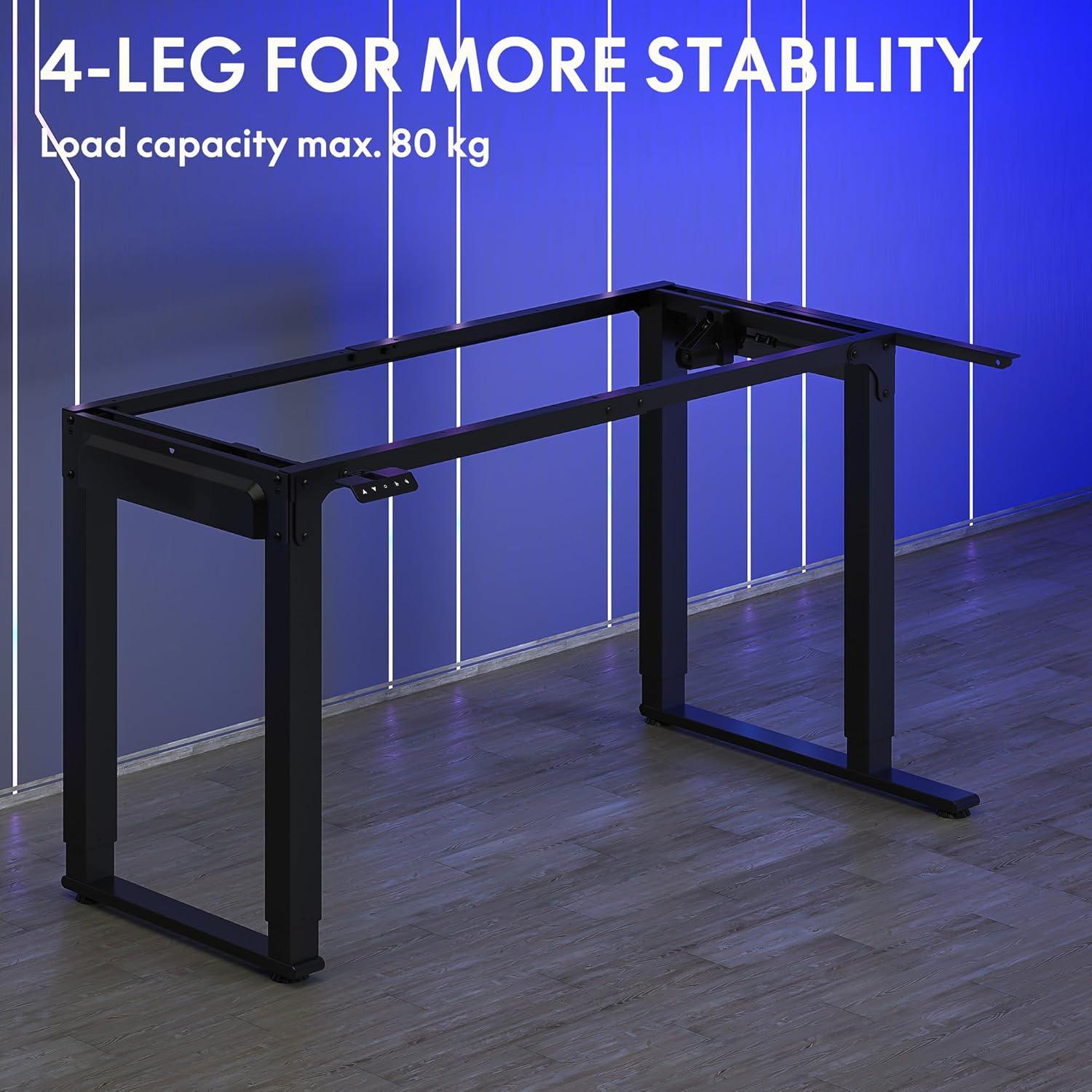
Image: The robust 4-leg frame provides superior stability for the L-shaped standing desk.

Image: Detail of the dual-motor mechanism, ensuring accurate and smooth height positioning.
5. 사용 설명서
Your FLEXISPOT L-Shaped Electric Standing Desk features an intelligent control panel for easy height adjustment and memory presets.
5.1 제어판 기능

Image: The intelligent control panel with clearly labeled buttons for desk operation.
- 위/아래 버튼(▲ / ▼): Press and hold to continuously adjust the desk height up or down. Release to stop at the desired height.
- Reset Button (↺): Used for initial calibration or to reset the desk if an error occurs. Press and hold until the desk moves to its lowest point and slightly rises.
- Sitting Preset Button (👭): Press to automatically move the desk to your programmed sitting height.
- Standing Preset Button (👭 with upward arrow): Press to automatically move the desk to your programmed standing height.
5.2 메모리 사전 설정
선호하는 앉은 높이 또는 선 높이를 저장하려면:
- 위/아래 버튼을 사용하여 책상 높이를 원하는 대로 조절하세요.
- Press and hold the desired preset button (Sitting or Standing) for approximately 3-5 seconds until you hear a beep or see the display flash. This indicates the height has been saved.

Image: The desk can be adjusted from a minimum height of 72cm to a maximum of 117cm.

Image: The spacious L-shaped desktop (180cm x 110cm) provides ample room for multiple computers and accessories.
6. 유지관리
정기적인 유지 관리는 책상의 수명과 최적의 성능을 보장합니다.
- 청소: 데스크탑과 프레임은 부드러운 천으로 닦아주세요.amp 천으로 닦으세요. 강한 화학 물질이나 연마성 세제는 피하세요.
- 점검: 모든 나사와 연결부가 단단히 조여져 있는지 정기적으로 점검하세요. 필요하면 다시 조이세요.
- 케이블 관리 : Ensure power cables and other device cables are properly managed to prevent entanglement or damage during height adjustments.
- 모터 케어: The dual motors are designed for durability. Avoid obstructing the desk's movement or exceeding the weight limit to prevent strain on the motors.

Image: The desk features safe and stylish rounded corners.
7. 문제 해결
책상에 문제가 발생하면 다음의 일반적인 문제와 해결 방법을 참조하세요.
| 문제 | 가능한 원인 | 해결책 |
|---|---|---|
| 책상이 움직이지 않습니다. | Power cable disconnected; Control panel cable loose; Overload protection activated. | Check power connections; Ensure control panel cable is secure; Reduce weight on desk and perform a reset. |
| 책상이 고르지 않게 움직이거나 이상한 소리가 납니다. | Unbalanced load; Loose connections; Obstruction. | Distribute weight evenly; Check and tighten all frame connections; Remove any obstructions. Perform a reset. |
| Height presets are not working. | 사전 설정이 올바르게 저장되지 않았습니다. | Re-save the desired height by holding the preset button until confirmation. |
| 책상이 움직이는 도중에 멈춤. | Overload protection; Overheating protection. | Reduce weight on the desk. Allow the desk to cool down for 20-30 minutes if it has been used continuously. |
이러한 해결 방법을 시도한 후에도 문제가 지속되면 FLEXISPOT 고객 지원팀에 문의하십시오.
8. 사양
| 특징 | 세부 사항 |
|---|---|
| 모델 번호 | QS2LB-1811 |
| 상표 | 플렉스팟 |
| 데스크 타입 | L자형 전동 스탠딩 데스크 |
| 모터 유형 | 듀얼 모터 |
| 프레임 유형 | 4-Leg Frame |
| 높이 조절 범위 | 72cm ~ 117cm |
| 데스크탑 크기 (길이 x 너비) | 180cm x 110cm |
| 최대 하중 용량 | 80kg |
| 소음 수준 | < 50dB (데시벨) |
| 재료 | 합금강(프레임) |
| 색상 | 검은색 |
| 품목 무게 | 30 킬로그램 |
9. 보증 및 지원
FLEXISPOT products are designed for quality and durability. For specific warranty information, please refer to the warranty card included with your purchase or visit the official FLEXISPOT website. If you require technical assistance, have questions about assembly, or need to report a missing/damaged part, please contact FLEXISPOT customer support directly. Ensure you have your model number (QS2LB-1811) and purchase details available when contacting support.
연락처 정보: 자세한 내용은 플렉시스팟 공식 웹사이트에 제공된 연락처 정보를 참조하십시오. web최신 지원 채널은 웹사이트 또는 구매 문서를 참조하십시오.