
1. 서론
This manual provides instructions for the assembly, operation, maintenance, and troubleshooting of your FLEXISPOT E6 Pro Electric Standing Desk. Please read this manual thoroughly before use to ensure proper function and safety.

Figure 1: FLEXISPOT E6 Pro Electric Standing Desk
2. 안전 정보
중요한 안전 예방 조치:
- Ensure the desk is properly anchored to the wall or floor when height is adjusted, especially if loading heavy items.
- 작동 중에는 움직이는 부품으로 인한 부상을 방지하기 위해 어린이와 애완동물이 책상에 가까이 가지 않도록 하십시오.
- Do not place hands or other body parts near the lifting mechanism while the desk is in motion.
- 책상에 과부하를 주지 마십시오. 최대 하중 용량은 사양 부분을 참조하십시오.
- 제공된 전원 어댑터와 구성품만 사용하십시오.
- If any unusual sounds or movements occur, immediately stop operation and unplug the desk.
3. 조립 설명서
Assembly is required for this product. It is recommended to have two people for assembly due to the weight and size of the components. All necessary hardware and tools are typically included. Follow the steps below for a smooth assembly process.
3.1 풀기 및 준비
- 포장을 조심스럽게 열고 모든 구성품을 꺼내세요.
- 동봉된 부품 목록과 대조하여 모든 부품이 있는지 확인하십시오.
- 긁힘을 방지하려면 모든 구성 요소를 부드럽고 깨끗한 표면에 놓으세요.
3.2 프레임 조립
Attach the desk legs to the crossbar and feet. Ensure all screws are tightened securely.
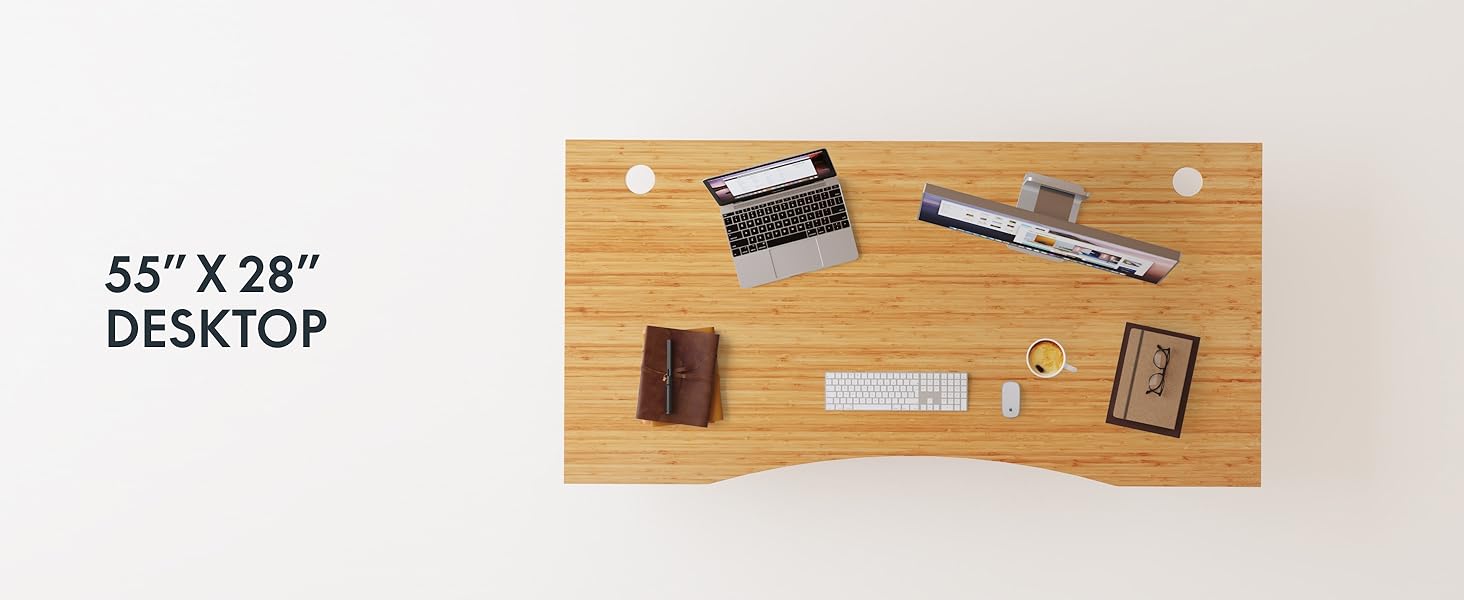
Figure 2: Desk Frame Assembly
3.3 데스크톱 첨부 파일
Carefully place the bamboo desktop onto the assembled frame. Align the pre-drilled holes and secure the desktop with the provided screws. The desktop features a curved design for ergonomic comfort.

Figure 3: Curved Bamboo Desktop
3.4 Control Panel and Cable Management
Mount the digital control panel to the underside of the desk. Connect all motor and power cables according to the diagram. Utilize the integrated cable management holes to organize wires and prevent clutter.

Figure 4: Control Panel and Cable Management

Figure 5: Cable Management Hole
4. 사용 설명서
The FLEXISPOT E6 Pro desk features a user-friendly digital control panel for height adjustment and memory presets.

그림 6: 디지털 제어판
4.1 책상 높이 조절
- 를 누르세요 위쪽 화살표 책상을 올리는 버튼.
- 를 누르세요 아래쪽 화살표 책상 높이를 낮추는 버튼.
- Release the button at your desired height.
4.2 메모리 사전 설정
The control panel allows you to save up to two preferred height settings.
- 원하는 높이로 책상을 조정하세요.
- 를 누르세요 "중" 단추. 디스플레이가 깜박입니다.
- 다음 중 하나를 누르세요: "1" or "2" button within 3 seconds to save the current height to that preset.
- To recall a saved height, simply press the corresponding "1" or "2" button. The desk will automatically move to the saved position.
4.3 USB 충전 포트
A USB port is integrated into the control panel for convenient charging of your devices.
4.4 충돌 방지 기능
The desk is equipped with an anti-collision system that automatically stops and slightly reverses movement if it encounters an obstruction during height adjustment. This feature helps prevent damage and injury.

Figure 7: Anti-Collision System in action
5. 유지관리
정기적인 유지관리를 통해 스탠딩 데스크의 수명과 최적의 성능을 보장할 수 있습니다.
- 청소: The bamboo desktop has a smooth, waterproof surface, making it easy to clean. Use a soft, damp cloth with mild soap to wipe down the surface. Avoid abrasive cleaners or harsh chemicals.
- 점검: 모든 나사와 연결부가 단단히 조여져 있는지 정기적으로 점검하세요. 필요하면 다시 조이세요.
- 케이블 관리 : Ensure cables are neatly organized and not pinched or tangled, which could affect desk operation.

Figure 8: Waterproof Bamboo Surface
6. 문제 해결
If you encounter issues with your FLEXISPOT E6 Pro desk, refer to the following common problems and solutions:
| 문제 | 가능한 원인 | 해결책 |
|---|---|---|
| 책상이 움직이지 않습니다. | Power cable disconnected, control panel locked, or motor error. | Check power connections. Unlock control panel if applicable. Unplug for 10 seconds and plug back in to reset. |
| 높이 조절이 고르지 않음. | Uneven load, loose connections, or motor synchronization issue. | Ensure weight is evenly distributed. Check all frame connections. Perform a reset procedure (refer to full manual if available). |
| Desk stops unexpectedly. | Anti-collision system activated, or overload. | Check for obstructions. Reduce weight on the desk if exceeding maximum capacity. |
| 작동 중 소음. | Loose components or normal motor sound. | Tighten all screws. A low hum from the dual motors (less than 45 dB) is normal. |
문제가 지속될 경우 FLEXISPOT 고객 지원팀에 문의하십시오.
7. 사양
| 특징 | 세부 사항 |
|---|---|
| 상표 | 플렉스팟 |
| 모델 번호 | ET365 |
| 제품 치수 | 77.9인치 깊이 x 29.5인치 너비 x 23.6인치 높이 |
| 데스크탑 크기 | 78"x30" 전체 조각 |
| 색상 | Black Frame + Curved Bamboo Top |
| 기본 소재 | 금속 |
| 상단 재료 유형 | 나무(대나무) |
| 리프팅 메커니즘 | 전기 듀얼 모터 |
| 최소 높이 | 23.6 인치 |
| 최대 높이 | 48.8 인치 |
| 최대 중량 권장 사항 | 352 파운드 |
| 소음 수준 | 45dB 이하 |
| 필요한 조립 | 예 |
8. 보증 및 지원
8.1 보증 정보
FLEXISPOT provides the following warranty coverage for your E6 Pro Electric Standing Desk:
- 10년 보장: Desk frame and motor.
- 2년 보장: Control panel and electronics.
This warranty covers manufacturing defects and malfunctions under normal use. Please retain your proof of purchase for warranty claims.
8.2 고객 지원
For any assistance, questions, or warranty claims, please contact FLEXISPOT customer support. You can find more information and contact details on the official FLEXISPOT web사이트나 구매 플랫폼을 통해서도 구매하실 수 있습니다.
Visit the official FLEXISPOT Store: FLEXISPOT 아마존 스토어