
1. 서론
The Poly Studio Table Microphone is designed to enhance audio capture in conference environments, specifically for Poly Studio X50, X52, V52, X70, X72, and V72 video systems. It features superior 3-way audio pickup, automatically leveling voices and suppressing background noise and echo for clear, natural conversations. Its robust design includes an easily accessible mute button with an indicator light and offers a pick-up range of 2.5 meters (8.2 feet).
This manual provides instructions for setting up, operating, and maintaining your Poly Studio Table Microphone.
2. 상자 안에 무엇이 들어있나요?
모든 구성품이 포장에 들어 있는지 확인하세요.
- Poly Studio Table Microphone (Model 875M6AA)
- RJ-11 케이블
- 설치 가이드(본 문서)
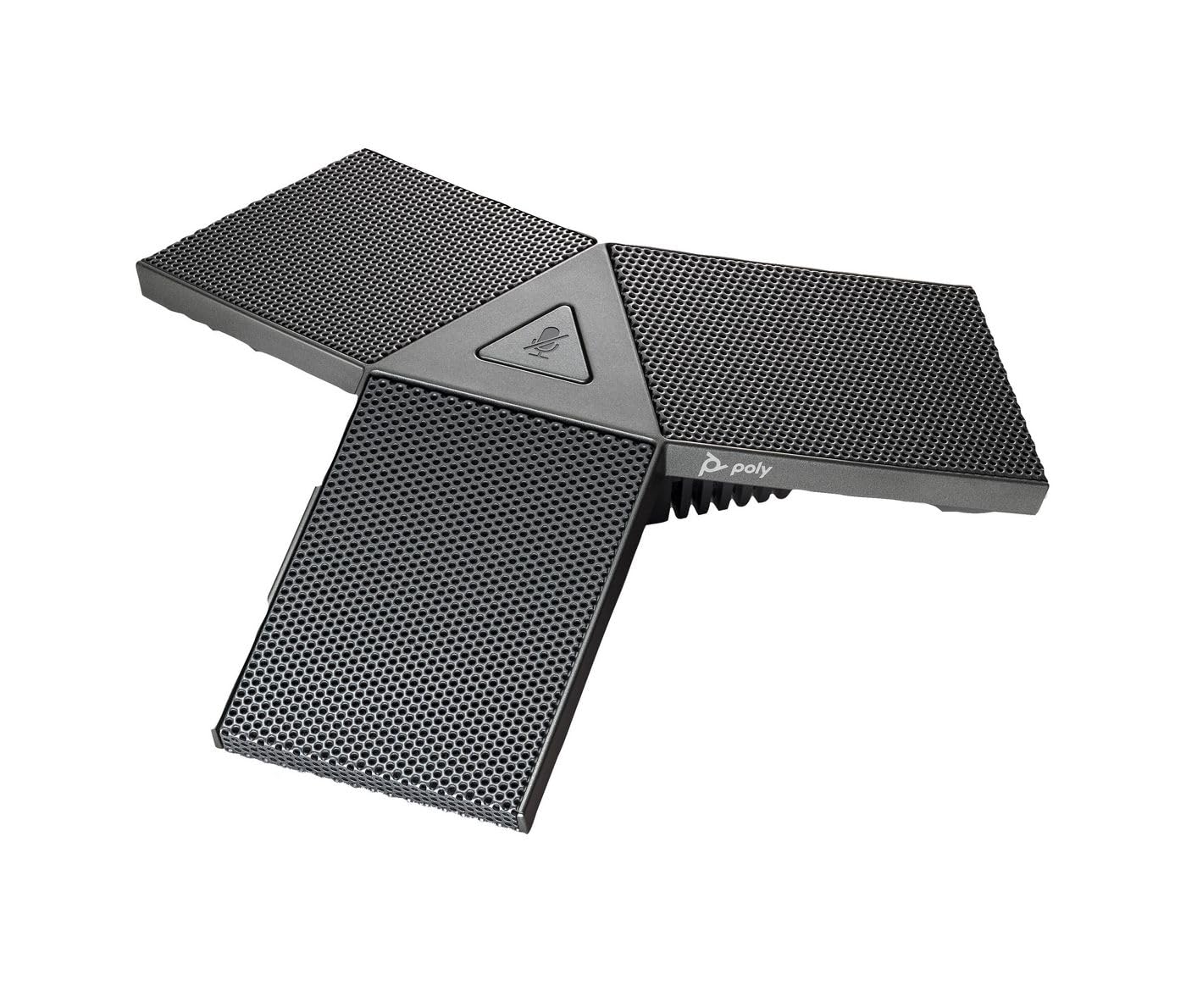
Image 1: Poly Studio Table Microphone with its RJ-11 connection cable.
3. 설정
The Poly Studio Table Microphone is designed for simplified setup. Follow these steps to connect the microphone to your Poly Studio video system:
- 놓기: Position the Poly Studio Table Microphone on a flat surface in your conference room. Ensure it is centrally located to maximize its 2.5-meter (8.2 feet) audio pickup range.
- 연결: Locate the RJ-11 port on the underside of the microphone and on your Poly Studio video system (X50, X52, V52, X70, X72, or V72).
- 케이블 삽입: Connect one end of the provided RJ-11 cable into the microphone's RJ-11 port.
- 시스템 연결 : Connect the other end of the RJ-11 cable into the corresponding RJ-11 port on your Poly Studio video system.
- 전원 켜기: Ensure your Poly Studio video system is powered on. The microphone will automatically be detected and configured.
기본 기능을 사용하는 데에는 일반적으로 추가 드라이버나 소프트웨어가 필요하지 않습니다.
4. 사용 설명서
The Poly Studio Table Microphone is designed for intuitive operation, integrating seamlessly with your Poly Studio video system.
4.1 Audio Pickup
- The microphone features three (3) directional microphones for 360-degree audio coverage, ensuring voices are captured from all directions within its 2.5-meter (8.2 feet) range.
- Advanced audio technology automatically levels voices and suppresses background noise and echo, providing clear audio for remote participants.
4.2 음소거 기능
- A convenient mute button is located on the microphone for quick control.
- Press the mute button to toggle the microphone's audio input on or off.
- An indicator light on the microphone will illuminate or change color to clearly show the mute status. Refer to your Poly Studio video system's documentation for specific indicator light behaviors.
5. 유지관리
To ensure optimal performance and longevity of your Poly Studio Table Microphone, follow these maintenance guidelines:
- 청소: The microphone features integrated Microban® protection to help keep surfaces cleaner and fresher for longer. For general cleaning, gently wipe the exterior surfaces with a soft, dry, or slightly damp 천을 사용하십시오. 독한 화학 물질, 연마성 세척제 또는 용제를 사용하지 마십시오.
- 저장: 장시간 사용하지 않을 경우, 마이크를 극한 온도와 직사광선을 피해 깨끗하고 건조한 곳에 보관하세요.
- 케이블 관리: Avoid bending or crimping the RJ-11 cable excessively. Ensure it is not placed where it can be tripped over or damaged.
6. 문제 해결
If you encounter issues with your Poly Studio Table Microphone, refer to the following common troubleshooting steps:
- 오디오 없음:
- Ensure the RJ-11 cable is securely connected to both the microphone and the Poly Studio video system.
- Verify that the microphone is not muted (check the indicator light).
- Check the audio settings on your Poly Studio video system to ensure the external microphone is selected and volume levels are appropriate.
- Restart the Poly Studio video system.
- Poor Audio Quality (Echo, Noise):
- Ensure the microphone is placed on a stable surface and not too close to speakers or other noise sources.
- Confirm that the room acoustics are suitable for conferencing.
- Verify that the microphone's surface is clean.
- 음소거 버튼이 작동하지 않습니다:
- 마이크가 제대로 연결되어 있고 전원이 켜져 있는지 확인하세요.
- Restart the Poly Studio video system.
If problems persist, consult the comprehensive user manual for your specific Poly Studio video system or contact Poly technical support.
7. 사양
| 특징 | 세부 사항 |
|---|---|
| 상표 | 폴리 |
| 모델명 | 사진관 |
| 모델 번호 | 875M6AA |
| 연결 기술 | USB (via RJ-11 connection to Poly Studio system) |
| 커넥터 유형 | RJ-11 |
| 극성 패턴 | Unidirectional (3-way audio pickup for 360-degree coverage) |
| 마이크 폼 팩터 | 테이블 마운트 |
| 특징 | Mute button with indicator light, Microban® protection |
| 호환 장치 | Poly Studio X50, X52, V52, X70, X72, V72 video systems |
| 픽업 범위 | 2.5미터(8.2피트) |
| 주파수 응답 | 20Hz - 20kHz |
| 신호 대 잡음 비율 | 78데시벨 |
| 품목 무게 | 0.2파운드(약 90그램) |
| 품목 치수(L x W x H) | 1.1 x 4.9 x 5.6인치(약 2.8 x 12.4 x 14.2cm) |
| 색상 | 건메탈 |
| 제조업체 | 주식회사 HP |
8. 보증 및 지원
보증 정보: The warranty description for this product is not explicitly available in the provided details. Please refer to the official Poly (HP Inc.) web구체적인 보증 약관 및 조건은 해당 사이트 또는 구매 문서를 참조하세요.
기술 지원: For further assistance, technical support, or service inquiries, please contact Poly (HP Inc.) customer support through their official website or the contact information provided with your Poly Studio video system.
You can often find support resources, FAQs, and updated documentation on the 폴리 web대지.