
소개
Thank you for choosing the TFA Dostmann XENA HOME Radio Thermometer, Model 30.3074.10. This device provides accurate indoor temperature and humidity readings, along with outdoor temperature transmitted wirelessly from an external sensor. It also features a radio-controlled clock with date display and min/max value memory. This manual will guide you through the setup, operation, and maintenance of your new thermometer.
안전 정보
- 이 사용 설명서를 향후 참고용으로 보관하세요.
- 장치를 극한의 온도, 진동 또는 충격에 노출시키지 마십시오.
- 직사광선과 습기를 피하세요.
- 장치를 물에 담그지 마십시오.
- Use only specified batteries. Ensure correct polarity.
- 배터리를 어린이의 손이 닿지 않는 곳에 보관하세요.
- Dispose of depleted batteries and the device according to local regulations.
패키지 내용
- TFA Dostmann XENA HOME Main Display Unit (Model 30.3074.10)
- 무선 옥외용 센서
- 사용 설명서
설정
1. 배터리 설치
이 기기는 AA 배터리 4개(별도 구매)가 필요합니다.
- 메인 디스플레이 장치: Open the battery compartment cover on the back of the main unit. Insert 2 AA batteries, observing the correct polarity (+/-). Close the cover.
- 무선 실외 센서: Open the battery compartment cover on the back of the sensor. Insert 2 AA batteries, observing the correct polarity (+/-). Close the cover.

뒤쪽 view of the TFA Dostmann XENA HOME main display unit, showing the battery compartment and wall-mounting hole.

The external wireless sensor for the TFA Dostmann XENA HOME thermometer, designed for outdoor temperature transmission.
2. 센서 배치
Place the wireless outdoor sensor in a sheltered location outdoors, away from direct sunlight and rain, to ensure accurate temperature readings. The maximum transmission range is 100 meters in open areas.
3. 초기 동기화
After inserting batteries, the main unit will automatically search for the outdoor sensor and the radio-controlled time signal. This process may take a few minutes. Ensure both units are within range of each other.
4. 시간 및 날짜 설정
The radio-controlled clock will automatically set the time and date. If manual adjustment or time zone correction is needed:
- 를 누르세요 세트 button to enter settings mode.
- 사용하세요 +/- 버튼을 눌러 값을 조정합니다.
- 누르다 세트 again to confirm and move to the next setting (e.g., time zone, 12/24 hour format, date format).
작동 지침
1. 디스플레이 오버view

앞쪽 view of the TFA Dostmann XENA HOME main display unit, showing the time, date, indoor temperature, humidity, and outdoor temperature.
대형 LCD 디스플레이에 다음 내용이 표시됩니다.
- 맨 위: Radio-controlled time and date.
- Middle (IN): Indoor temperature and humidity, with a comfort level indicator (smiley face).
- Bottom (OUT): Outdoor temperature received from the wireless sensor.
2. Min/Max Values
를 누르세요 MAX/+ button once to display the maximum recorded indoor/outdoor temperature and humidity. Press it again to view the minimum recorded values. The display will also show the time and date when these values were recorded. To reset the min/max values, press and hold the 최소/- 동안 버튼 viewing the min/max values. The values automatically reset at 0:00h daily.
3. Adding Additional Sensors
The thermometer can be expanded with up to 3 additional wireless transmitters (models 30.3255.02 or 30.3250.02). To add a new sensor:
- Install batteries in the new sensor.
- On the main unit, press the 채널 button to cycle through available channels.
- The main unit will automatically search for and connect to the new sensor on an unoccupied channel.
유지
청소
부드러운 천으로 장치를 청소하십시오.amp 천으로 닦아주세요. 연마성 세제나 용제는 사용하지 마세요. 기기에 습기가 들어가지 않도록 주의하세요.
배터리 교체
When the low battery indicator appears on the display, replace all batteries in the respective unit (main unit or sensor) with new ones. Always replace all batteries at the same time to ensure optimal performance.
저장
장기간 기기를 사용하지 않을 경우, 누출 및 손상을 방지하기 위해 배터리를 제거하세요.
문제 해결
| 문제 | 가능한 원인 | 해결책 |
|---|---|---|
| 실외 온도 표시가 없습니다. | 센서가 범위를 벗어났거나, 센서 배터리가 부족하거나, 간섭이 발생했습니다. | Move sensor closer to the main unit. Replace sensor batteries. Relocate units to avoid interference. Perform a manual search for the sensor. |
| 시간 표시가 잘못되었습니다. | Radio signal interference, time zone incorrect. | Move the main unit to a location with better signal reception. Manually adjust the time zone setting. |
| 디스플레이가 어둡거나 아무것도 표시되지 않습니다. | 본체 배터리 잔량이 부족합니다. | 본체 배터리를 교체하십시오. |
명세서
- 모델: 30.3074.10
- 상표: TFA 도스트만
- 전원: Battery powered (4 x AA batteries, not included)
- 연결 기술 : 433 MHz, wireless
- 온도 정확도: 0.5 ° C (섭씨 XNUMX도)
- 온도 판독 정확도: +/- 1 ° C
- Upper Operating Temperature: 60 ° C (섭씨 XNUMX도)
- 디스플레이 유형: 액정표시장치
- 재료 유형: 플라스틱
- 색상: 회색
- Item Dimensions (Depth x Width x Height): 2.7D x 8.2W x 14Hcm
- 품목 무게: 128그램
- 특별 기능: High precision, Large display, Low battery indicator, High accuracy, Non-contact sensor technology.
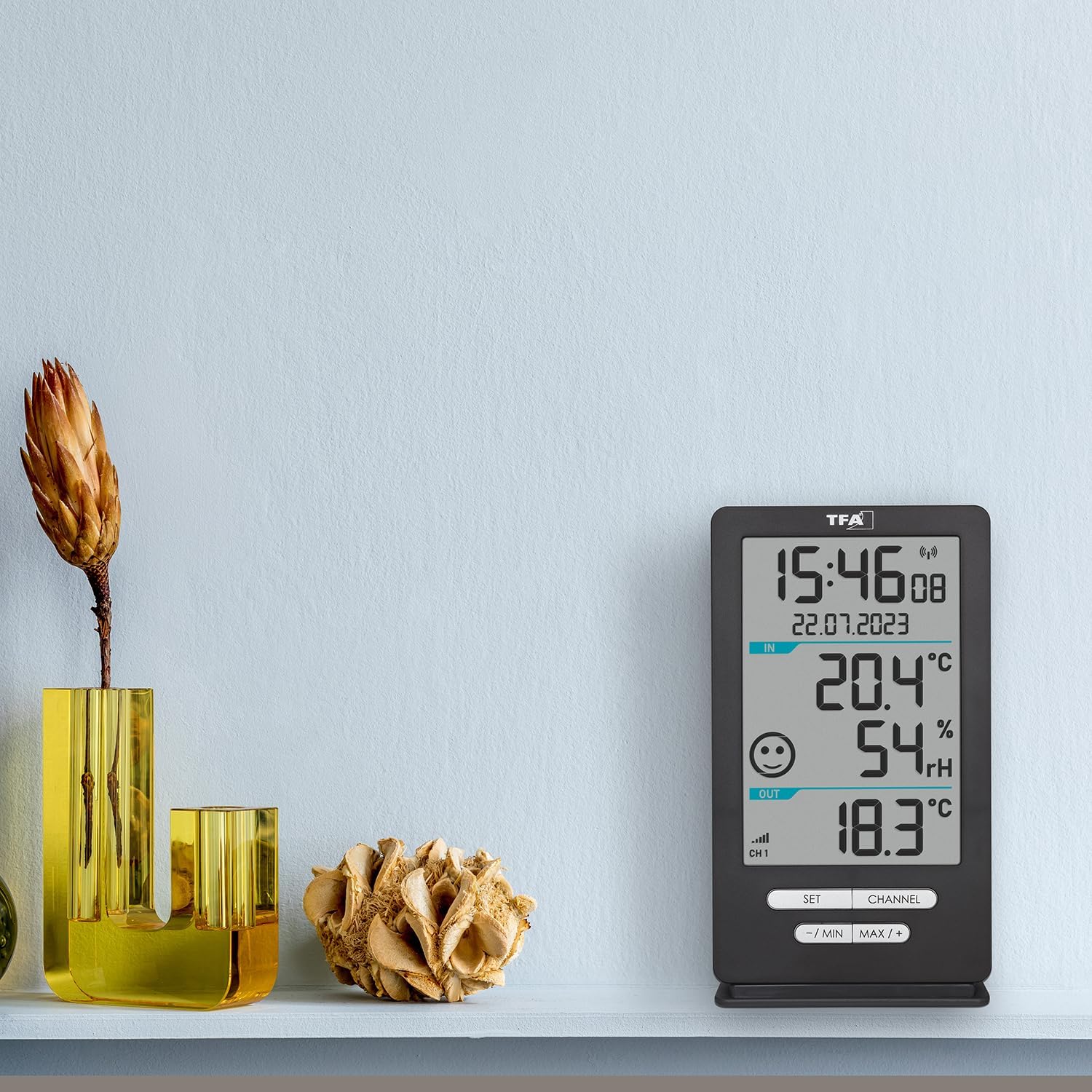
The TFA Dostmann XENA HOME main display unit placed on a shelf in a living space, demonstrating its compact size and clear display.

옆 view of the external wireless sensor with approximate dimensions: 18cm height, 9cm width, 7cm depth.
보증 및 지원
This product is manufactured by TFA Dostmann. For support or warranty inquiries, please refer to the contact information provided with your purchase documentation or visit the official TFA Dostmann website. The EU spare parts availability duration for this product is 1 year.