
소개
This manual provides detailed instructions for the installation, operation, and maintenance of your Cooler Master MasterLiquid Atmos 360 Black CPU Liquid Cooler. This all-in-one (AIO) water cooling system is designed to deliver efficient thermal performance for your CPU, featuring a dual-chamber pump, pre-installed SickleFlow 120 Edge fans, and Addressable Gen 2 RGB lighting.
The MasterLiquid Atmos 360 is compatible with a wide range of Intel LGA (1700/1200/1151/1150/1155/1156) and AMD (AM5/AM4) sockets.

Image: The Cooler Master MasterLiquid Atmos 360 Black CPU Liquid Cooler, showcasing its radiator, three RGB fans, and illuminated pump head.
패키지 내용
설치를 시작하기 전에 패키지에 모든 구성 요소가 들어 있는지 확인하세요.
- 360mm Radiator with pre-installed SickleFlow 120 Edge Fans
- CPU Water Block/Pump Unit
- Mounting Hardware for Intel LGA 1700/1200/115x sockets
- Mounting Hardware for AMD AM5/AM4 sockets
- 열전도 페이스트
- ARGB Gen 2 Controller (if included)
- Various Cables (PWM fan cables, ARGB cables)
- 사용자 설명서

이미지: 포괄적인 view of all included components for the MasterLiquid Atmos 360, including the radiator, fans, pump, mounting brackets, and accessories.
설정 및 설치
Follow these steps carefully to install your liquid cooler. Refer to your motherboard and PC case manuals for specific guidance on component placement and cable routing.
1. CPU 소켓 준비
- 사용 중인 CPU 소켓 유형(Intel LGA 또는 AMD AM)을 확인하십시오.
- Install the appropriate backplate (for Intel) or retention clips (for AMD) as per the included hardware guide.
- CPU 표면의 잔여물을 제거하기 위해 이소프로필 알코올로 표면을 닦으십시오.
2. 열전도 페이스트를 바르세요
- Apply a small, pea-sized amount of the included thermal paste to the center of your CPU's integrated heat spreader (IHS).
- Do not spread the paste manually; the pressure from the cold plate will distribute it evenly.
3. 라디에이터와 팬 설치
- PC 케이스에서 360mm 라디에이터를 장착할 최적의 위치(일반적으로 상단 또는 전면)를 결정하십시오.
- Secure the radiator to the case using the provided screws. The SickleFlow Edge fans are pre-installed on the radiator for convenience.
4. 펌프/냉각판 장착
- Attach the correct mounting brackets to the pump unit for your CPU socket.
- Carefully place the pump/cold plate assembly onto the CPU, aligning the mounting holes.
- Secure the pump unit with the appropriate screws, tightening them in a diagonal pattern until snug. Do not overtighten.
5. 케이블 연결
- 펌프의 3핀 전원 케이블을 마더보드의 CPU_FAN 또는 AIO_PUMP 헤더에 연결하십시오.
- Connect the PWM fan cables from the SickleFlow Edge fans to the CPU_FAN or other available fan headers on your motherboard. It is recommended to connect them to a single header using a splitter if necessary, to ensure synchronized fan speed control.
- Connect the ARGB cables from the pump and fans to an Addressable Gen 2 RGB header on your motherboard (5V-D-G) or to the included ARGB controller.

Image: The assembled MasterLiquid Atmos 360, showing the radiator, fans, and pump unit connected by tubing.
작동 지침
초기 전원 켜기
After installation, power on your system. The pump and fans should begin operating. Monitor your CPU temperatures using system monitoring software to ensure proper function.
RGB 조명 제어
The MasterLiquid Atmos 360 features Addressable Gen 2 RGB lighting on both the pump and fans. You can control the lighting effects through several methods:
- 마더보드 동기화: If connected to a compatible ARGB motherboard header, use your motherboard's RGB software (e.g., ASUS Aura Sync, MSI Mystic Light, Gigabyte RGB Fusion, ASRock Polychrome Sync) to customize lighting.
- ARGB 컨트롤러 포함: If an ARGB controller is included, use its physical buttons to cycle through pre-set lighting modes and colors.
- Cooler Master MasterCTRL/MasterPlus Software: Download and install Cooler Master's MasterCTRL or MasterPlus software for advanced customization of lighting effects and device performance.
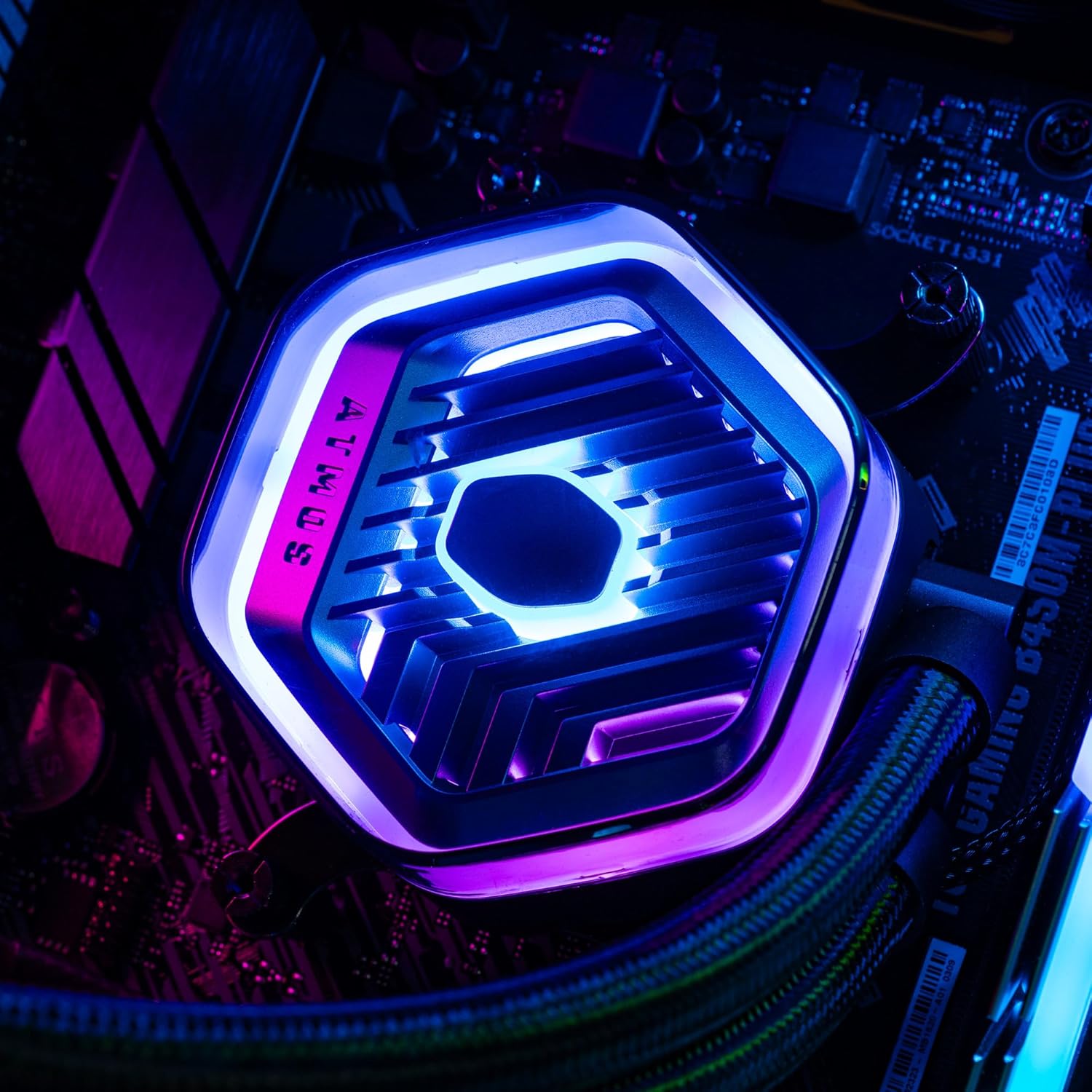
이미지: 자세한 view of the MasterLiquid Atmos pump head, showcasing its unique design and customizable RGB illumination.
팬 속도 제어
The SickleFlow Edge fans are PWM (Pulse Width Modulation) controlled. Their speed can be managed via your motherboard's BIOS/UEFI settings or through motherboard-specific software. Adjust fan curves to balance cooling performance and noise levels according to your preferences.
유지
정기적인 유지 관리는 액체 냉각기의 최적 성능과 수명 연장에 도움이 됩니다.
- 먼지 청소: 주기적으로 압축 공기나 부드러운 브러시를 사용하여 라디에이터 핀과 팬 블레이드의 먼지를 청소하십시오. 청소하기 전에 시스템의 전원을 끄십시오.
- 시각적 검사: 튜브와 연결 부위에 누수나 손상 흔적이 있는지 주기적으로 점검하십시오. 일체형 수랭 쿨러는 밀폐형 시스템이지만, 간단한 육안 검사를 통해 잠재적인 문제를 예방할 수 있습니다.
- 소프트웨어 업데이트: Keep your Cooler Master MasterCTRL/MasterPlus software and motherboard BIOS/UEFI updated to ensure compatibility and access to the latest features and performance optimizations.
문제 해결
MasterLiquid Atmos 360 사용 중 문제가 발생하면 다음 일반적인 문제 해결 단계를 참조하십시오.
높은 CPU 온도
- 펌프 연결 상태를 확인하십시오: Ensure the pump's power cable is securely connected to the correct motherboard header (CPU_FAN or AIO_PUMP) and receiving power.
- 팬 작동 확인: Confirm that all radiator fans are spinning. Check their connections to the motherboard or fan controller.
- 열전도 페이스트: Ensure thermal paste was applied correctly and the cold plate has good contact with the CPU. Re-apply if necessary.
- 공기 흐름: Check your PC case's overall airflow. Ensure radiator fans are oriented correctly for intake or exhaust as desired.
RGB 조명이 작동하지 않음
- ARGB 연결: Verify that the ARGB cables are correctly connected to a 5V-D-G header on your motherboard or the ARGB controller. Ensure it is not connected to a 12V RGB header, which can damage the LEDs.
- 소프트웨어: Check your motherboard's RGB software or Cooler Master's MasterCTRL/MasterPlus software for lighting settings. Ensure the lighting is enabled and configured.
- 컨트롤러 전원: If using an external ARGB controller, ensure it is receiving power (usually via SATA power connector).
펌프에서 이상한 소음이 납니다
- 공기 방울: New AIOs may have some air bubbles that can cause gurgling noises initially. These usually dissipate within a few hours of operation. Gently tilt your PC case to help move air bubbles to the radiator.
- 설치: 펌프가 단단히 고정되어 있고 다른 부품에 부딪혀 진동하지 않는지 확인하십시오.
If problems persist, please contact Cooler Master customer support.
명세서
| 특징 | 사양 |
|---|---|
| 모델 번호 | MLX-D36M-A25PZ-R1 |
| 제품 크기(L x W x H) | 15.51인치 x 4.71인치 x 1.07인치(394 x 119.6 x 27.2mm) |
| 냉각 방식 | 액체형 (올인원) |
| 호환 장치 | 데스크톱, 서버 |
| 호환 소켓 | Intel LGA 1700/1200/1151/1150/1155/1156, AMD AM5/AM4 |
| 소음 수준 | 27.2 Decibels (Fan) |
| Maximum Rotational Speed (Fan) | 2500 RPM |
| Air Flow Capacity (Fan) | 70.7 퀴놀론 |
| 재료 | 알루미늄(라디에이터) |
| 전원 커넥터 유형 | 3핀(펌프), 4핀 PWM(팬) |
| 권tage | 12 볼트 |
| 왓tage | 3.6 와트 |
| 품목 무게 | 1.42 킬로그램 |
보증 정보
The Cooler Master MasterLiquid Atmos 360 Black CPU Liquid Cooler comes with a 5년 보증 구매일로부터. 이 보증은 정상적인 사용 하에서 재료 및 제조상의 결함을 포함합니다.
For warranty claims or detailed terms and conditions, please retain your proof of purchase and visit the official Cooler Master web사이트를 방문하거나 고객 지원팀에 문의하세요.
지원하다
For further assistance, technical support, or to download the latest software and drivers, please visit the official Cooler Master web대지:
You may also find helpful resources, FAQs, and community forums on their support pages.