
1. 서론
This manual provides essential information for the safe and efficient use of your FLEXISPOT 42-inch Sit-to-Stand Desk Riser. This height-adjustable computer workstation is designed to promote a healthy balance between sitting and standing throughout your workday. Please read these instructions thoroughly before assembly and operation.
2. 안전 정보
- 사용하기 전에 모든 구성 요소가 단단히 고정되어 있는지 확인하십시오.
- Do not exceed the maximum weight capacity of 33 lbs for the desktop and 4.4 lbs for the keyboard tray.
- Keep hands and fingers clear of moving parts during height adjustment to prevent injury.
- Place the desk riser on a stable, level surface.
- Distribute weight evenly on the desktop to maintain stability.
- 작동 중에는 어린이와 애완동물이 기기에 접근하지 못하도록 하세요.
3. 패키지 내용
조립을 시작하기 전에 모든 부품이 있는지 확인하세요. 부품이 누락되었거나 손상된 경우 고객 지원 센터에 문의하세요.
- Main Desk Riser Unit
- Removable Keyboard Tray
- Assembly Hardware (screws for keyboard tray)
- 사용 설명서
4. 설정 지침
The FLEXISPOT Sit-to-Stand Desk Riser is designed for quick and straightforward assembly. Two people are recommended for easier setup.
- 단위 풀기: 포장에서 모든 구성 요소를 조심스럽게 제거합니다.
- 본체 위치를 조정하십시오: Place the main desk riser unit on your existing desk or workstation. Ensure it is centered and stable.
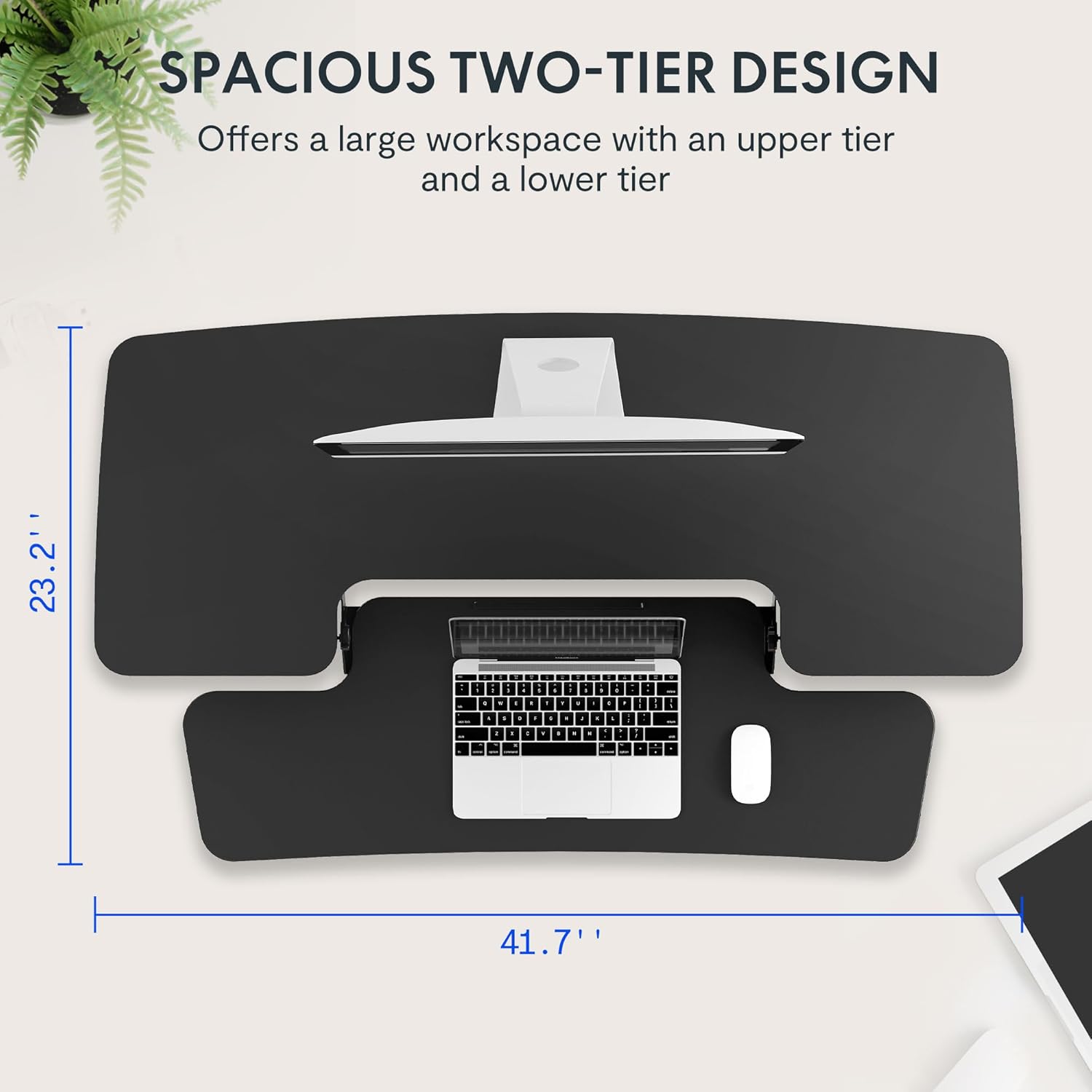
- 키보드 트레이 부착: Align the removable keyboard tray with the designated slots on the underside of the main unit. Slide the tray into place until it clicks securely. Use a Phillips screwdriver (not included) to fasten any provided screws for additional stability.
- 케이블 정리: Utilize the included cable management loops to organize your monitor, keyboard, and mouse cables. Ensure cables have enough slack to accommodate the full range of height adjustment.


5. 사용 설명서
The desk riser features a spring-assisted lifting mechanism for smooth and effortless height adjustments.
- 높이 조절: To raise or lower the desk, locate the lever on the right side of the main unit. Squeeze the lever firmly.
- 책상을 높이다: While squeezing the lever, gently lift the desktop to your desired standing height. The spring-assisted mechanism will help elevate the unit. Release the lever to lock the desk in place.
- 책상 높이 낮추기: While squeezing the lever, gently push down on the desktop to lower it to your desired sitting height. Release the lever to lock the desk in place.
- 수직 이동: The desk riser moves straight up and down within its own footprint, requiring no additional spatial accommodations. The height can be adjusted between 4.7 inches (minimum) and 19.7 inches (maximum).


6. 유지관리
Regular maintenance ensures the longevity and optimal performance of your desk riser.
- 청소: 부드러운 d로 표면을 닦으십시오.amp 옷감. 마감재를 손상시킬 수 있는 연마성 세제나 가혹한 화학 물질을 피하십시오.
- 점검: 모든 나사와 연결부가 단단히 조여져 있는지 정기적으로 점검하세요. 필요하면 조여주세요.
- 움직이는 부품: The lifting mechanism is designed to be maintenance-free. Do not attempt to lubricate or disassemble it.
7. 문제 해결
If you encounter any issues with your desk riser, refer to the following common solutions:
- Desk is difficult to adjust: Ensure no objects are obstructing the lifting mechanism. Verify that the weight on the desktop does not exceed the maximum capacity.
- 책상이 불안정하게 느껴져요. Check that the unit is placed on a flat, stable surface. Ensure all components, especially the keyboard tray, are securely attached. Redistribute weight evenly on the desktop.
- Keyboard tray is loose: Re-check the connection points of the keyboard tray and ensure any fastening screws are tightened.
If problems persist, please contact FLEXISPOT customer support for assistance.
8. 사양
| 특징 | 사양 |
|---|---|
| 상표 | 플렉스팟 |
| 모델 | B0CDWSPYKQ |
| 제품 크기(D x W x H) | 24인치 깊이 x 42인치 너비 x 19.7인치 높이 |
| 색상 | 검은색 |
| 상단 재료 유형 | 엔지니어링 목재 |
| 품목 무게 | 52 파운드 |
| 최소 높이 | 4.7 인치 |
| 최대 높이 | 19.7 인치 |
| 데스크톱 부하 용량 | 33파운드 |
| 키보드 트레이 적재 용량 | 4.4파운드 |
| 필요한 조립 | Yes (Keyboard Tray) |
| 조립 권장 인원 | 2 |

9. 보증 및 지원
Your FLEXISPOT Sit-to-Stand Desk Riser comes with a limited warranty. For specific details regarding warranty coverage, please refer to the warranty documentation included with your purchase or visit the official FLEXISPOT web대지.
For technical support, troubleshooting assistance, or warranty claims, please contact FLEXISPOT customer service. You can typically find contact information on the manufacturer's web사이트나 구매 플랫폼을 통해서도 구매하실 수 있습니다.
온라인 지원: 방문하세요 FLEXISPOT 아마존 스토어 제품 정보 및 지원 리소스를 확인하세요.