
Strong POWERL600DUOMINI
스트롱 파워 L600듀오미니 미니 듀오 파워라인 키트 사용 설명서
Model: POWERL600DUOMINI
소개
The STRONG POWERL600DUOMINI Mini Duo Powerline Kit provides a high-speed home network solution by utilizing your existing electrical wiring. This kit includes two adapters, enabling you to extend your internet connection to any room with a power outlet, eliminating the need for new network cables. It supports speeds up to 600 Mbit/s, making it suitable for IPTV, HD video streaming, and online gaming.
패키지 내용
시작하기 전에 패키지에 모든 품목이 들어 있는지 확인하세요.
- 2 x STRONG Powerline 600 Mini Adapters
- 이더넷 케이블 2개
- 1 x 빠른 설치 가이드

Image: The STRONG Powerline 600 Mini Duo Kit, showing both adapters and the included Ethernet cables.
설치 가이드
Follow these simple steps to set up your Powerline network:
Step 1: Connect the First Adapter
- Plug one STRONG Powerline 600 Mini Adapter into a power outlet near your internet router or modem.
- Connect one end of an Ethernet cable to the LAN port on the Powerline adapter.
- 이더넷 케이블의 다른 쪽 끝을 라우터 또는 모뎀의 사용 가능한 LAN 포트에 연결하십시오.

Image: Close-up of the bottom of a Powerline adapter, highlighting the Ethernet LAN port for connection.
2단계: 두 번째 어댑터 연결
- Plug the second STRONG Powerline 600 Mini Adapter into a power outlet in the room where you need internet access (e.g., near your computer, smart TV, or game console).
- Wait for the Powerline LED indicator (house icon) on both adapters to turn solid green, indicating a successful connection.
- Connect your device (computer, smart TV, etc.) to the LAN port of the second Powerline adapter using the second Ethernet cable.
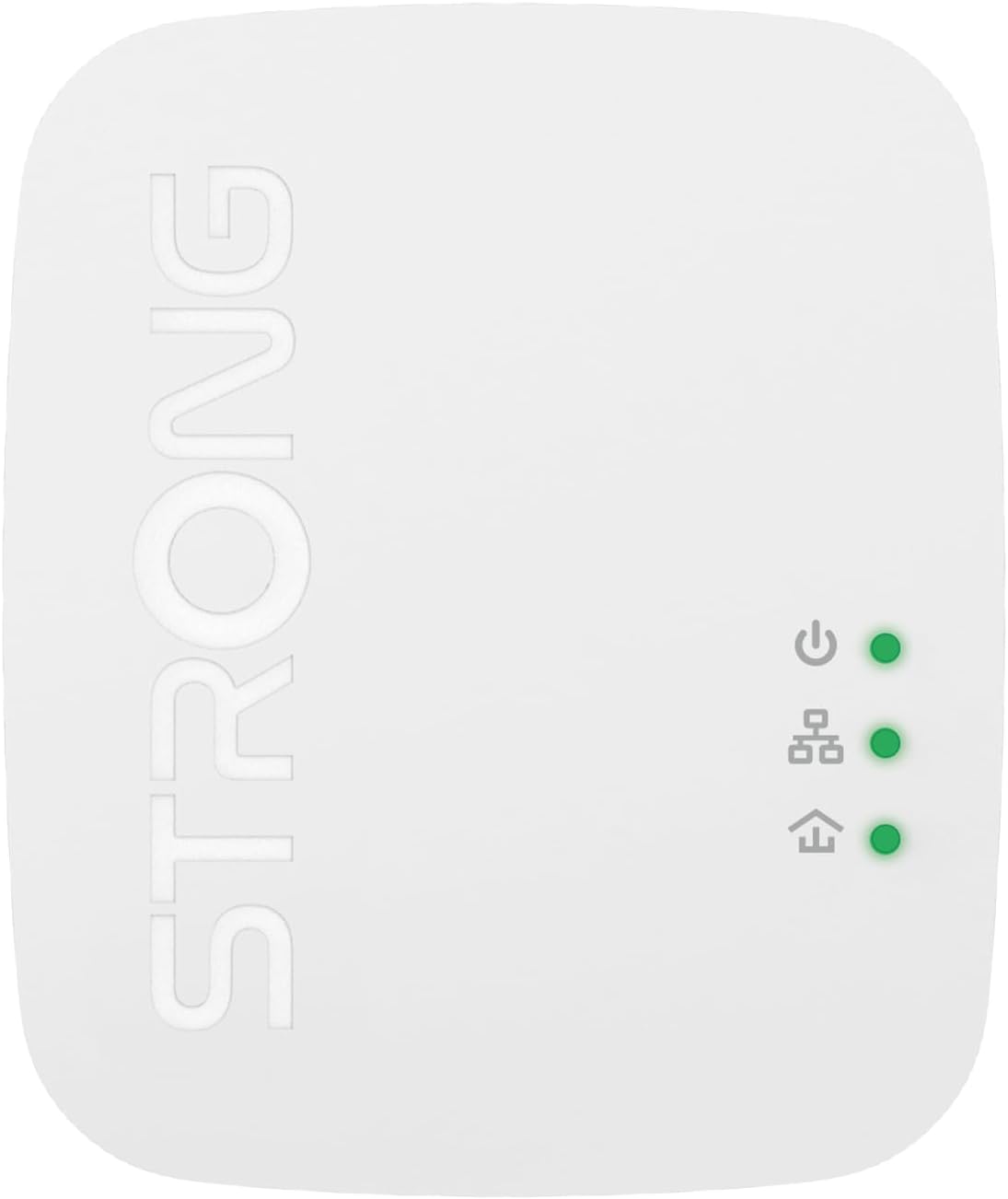
이미지: 상단 view of a Powerline adapter, displaying the power, Powerline (house), and Ethernet LED indicators.
3단계: 네트워크 보안 설정 (선택 사항)
For enhanced security, you can encrypt your Powerline network:
- Press the "PAIR/RST" button on the side of the first Powerline adapter for 1 second. The Power LED will start blinking.
- Within 2 minutes, press the "PAIR/RST" button on the second Powerline adapter for 1 second. The Power LED will also start blinking.
- Both adapters will automatically establish a secure, encrypted connection. The Power LED will stop blinking and remain solid.

이미지: 측면 view of the Powerline adapter, highlighting the recessed PAIR/RST button for pairing and resetting.
작동 지침
Once set up, your Powerline network operates automatically. Here are some key operational aspects:
- 플러그 앤 플레이: The Powerline adapters are designed for immediate use after initial setup. No additional software or configuration is typically required.
- LED 표시등:
- Power LED (top): Indicates power status. Solid green means powered on. Blinking indicates pairing mode.
- Powerline LED (middle, house icon): Indicates Powerline network status. Solid green means a strong connection. Blinking indicates data transfer. Off means no Powerline connection.
- Ethernet LED (bottom, arrow icon): Indicates Ethernet connection status. Solid green means a device is connected via Ethernet. Blinking indicates data transfer. Off means no Ethernet connection.
- 절전 모드: The adapters automatically enter a power-saving mode when no data activity is detected for a period, reducing power consumption by up to 85%.

이미지: 각도가 있는 view of the Powerline adapter, clearly showing the three LED indicators and their positions.
유지
To ensure optimal performance and longevity of your STRONG Powerline Kit, consider the following maintenance tips:
- 청소: 어댑터를 부드럽고 마른 천으로 살살 닦아주세요. 액체 세척제나 스프레이를 사용하지 마세요.
- 통풍: Ensure the adapters are plugged into outlets that allow for proper airflow around the device. Do not cover the ventilation slots.
- Direct Outlet Connection: For best performance, plug the Powerline adapters directly into a wall outlet. Avoid using power strips, extension cords, or surge protectors, as these can interfere with Powerline signal quality.
- 펌웨어 업데이트: Periodically check the Strong official web해당 사이트에서 사용 중인 모델의 펌웨어 업데이트가 있는지 확인하십시오. 업데이트는 성능과 안정성을 향상시킬 수 있습니다.

이미지: 사이드 프로file of the Powerline adapter, illustrating the ventilation slots designed for heat dissipation.
문제 해결
If you encounter issues with your Powerline Kit, refer to the following common problems and solutions:
| 문제 | 가능한 원인 | 해결책 |
|---|---|---|
| No Powerline connection (Powerline LED is off) | Adapters are not on the same electrical circuit, or signal interference. |
|
| 느린 네트워크 속도 | Electrical interference, distance, or network congestion. |
|
| 연결된 기기에서 인터넷에 접속할 수 없습니다. | Ethernet cable issue, router problem, or adapter not receiving internet. |
|
명세서
| 특징 | 세부 사항 |
|---|---|
| 모델 번호 | POWERL600DUOMINI |
| 데이터 전송 속도 | 최대 600Mbps |
| 하드웨어 인터페이스 | Ethernet (1x LAN port per adapter) |
| 데이터 링크 프로토콜 | 이더넷 |
| 적용 범위 | 전기 회로에서 최대 300미터까지 |
| 보안 | 128 비트 AES 암호화 |
| 전력 절약 | 자동 절전 모드(최대 85% 절감) |
| 치수(길이 x 너비 x 높이) | 7.48 x 2.24 x 5.51인치(대략) |
| 품목 무게 | 2.79 온스(약 79그램) |
| 색상 | 하얀색 |
| 호환 장치 | Desktop computers, laptops, smart TVs, game consoles, etc. |
보증 및 지원
STRONG products are designed for reliability and performance. For information regarding warranty coverage, technical support, or to download the latest drivers and firmware, please visit the official STRONG web대지:
When contacting support, please have your product model number (POWERL600DUOMINI) and purchase information ready.
Ask a question about this manual
Ask about setup, troubleshooting, compatibility, parts, safety, or missing instructions. Manuals+ will review the question and use this page’s manual context to help answer it.