
소개
The VILTROX AF 75mm F1.2 Pro E Lens is a high-performance medium telephoto prime lens designed for Sony E-Mount APS-C mirrorless cameras. Featuring an ultra-large f/1.2 aperture, advanced autofocus capabilities, and a durable, weather-protected design, this lens is engineered to deliver exceptional image quality and reliable performance in various shooting conditions.
This manual provides essential information for setting up, operating, maintaining, and troubleshooting your VILTROX AF 75mm F1.2 Pro E Lens. Please read it thoroughly before use to ensure optimal performance and longevity of your product.
주요 특징
- F1.2 Super Large Aperture: Ideal for low-light conditions and creating stunning background blur (bokeh).
- 빠르고 정확한 자동 초점: Equipped with an STM stepper motor for quick and accurate focusing, supporting eye, face, and animal autofocus.
- Excellent Resolution & Sharp Image Quality: Features 16 lens elements in 11 groups, including 4 high-refractive index lenses, for superior optical performance.
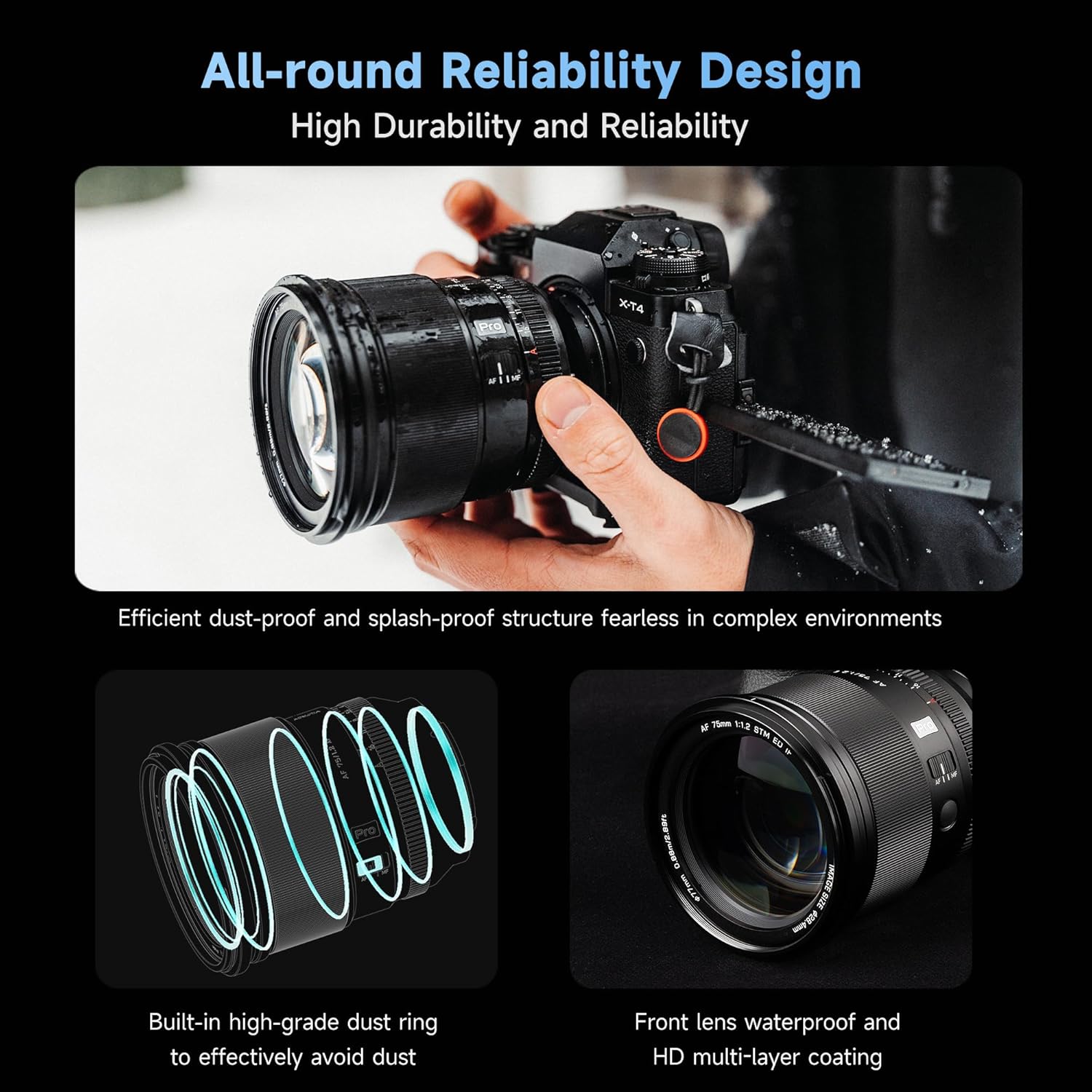
- Durable & Weather-Protection Design: All-metal body with three layers of protection against dust and water droplets, suitable for outdoor environments.
- AF/MF Switch Button & HD Nano Coating: Convenient switching between focus modes and effective reduction of flare and ghosting.
- Video Shooting Optimization: Large aperture and proficient autofocus minimize focus breathing for reliable video capture.
제품 끝view
Familiarize yourself with the various parts of your VILTROX AF 75mm F1.2 Pro E Lens.

Detailed diagram of the VILTROX AF 75mm F1.2 Pro E Lens highlighting its components.
- 렌즈 후드 위치
- 렌즈 후드 인덱스
- 포커싱 링
- 초점 잠금 버튼
- Focusing Mode Switch (MF/AF)
- 클릭 스위치
- 조리개 링
- 렌즈 장착 지수
- 고무 씰
- 전자 접점
- USB 업그레이드 포트
설정
렌즈 장착
- Align the red dot on the lens barrel with the white dot on your Sony E-Mount camera body.
- 렌즈를 카메라 마운트에 조심스럽게 삽입합니다.
- 렌즈를 시계 방향으로 돌려서 딸깍 소리가 나면서 제자리에 고정되면 단단히 고정된 것입니다.
- To remove the lens, press and hold the lens release button on your camera body and rotate the lens counter-clockwise until it detaches.
펌웨어 업데이트
The lens features a USB Type-C upgrade interface (11) for convenient firmware updates. Connect the lens directly to your computer using a USB-C cable and visit the VILTROX official web최신 펌웨어 및 업데이트 지침은 사이트에서 확인하세요.
렌즈 작동
Focusing Mode Switch (MF/AF)
Use the AF/MF switch (5) on the lens barrel to toggle between autofocus (AF) and manual focus (MF) modes. In AF mode, the camera's autofocus system will control the lens focus. In MF mode, you can manually adjust focus using the focusing ring (3).
조리개 제어
The lens offers two ways to adjust the aperture:
- Automatic Aperture: Set the aperture ring (7) to 'A' (Auto) position. The camera will then control the aperture settings.
- Manual Aperture: Rotate the aperture ring (7) to select your desired f-stop (from f/1.2 to f/16). The 'Click Switch' (6) allows you to enable or disable click stops for smooth aperture changes during video recording.
초점 잠금 버튼
The focus lock button (4) can be customized via your camera's menu to perform various functions, such as AF-ON or focus hold.
렌즈 후드
Attach the included lens hood by aligning its index with the lens hood position (1) and rotating until it locks. The lens hood helps to prevent flare and ghosting caused by stray light and offers physical protection to the front element.
The VILTROX AF 75mm F1.2 Pro E Lens with its included lens hood attached, ready for use.
유지
렌즈 청소
The lens features an HD Nano Coating. To clean the lens elements, use a soft, lint-free cloth specifically designed for optical surfaces. For stubborn smudges, use a small amount of lens cleaning fluid applied to the cloth, not directly to the lens. Avoid touching the lens surface with your fingers.
날씨 보호
The VILTROX AF 75mm F1.2 Pro E Lens is designed with three layers of protection against dust and water droplets. While it offers professional-level protection, it is not fully waterproof. Avoid prolonged exposure to heavy rain or submersion in water. Always wipe off any moisture immediately after exposure.

An illustration highlighting the dust and splash-proof structure of the VILTROX AF 75mm F1.2 Pro E Lens.
문제 해결
자동 초점 문제
- AF/MF 스위치가 AF로 설정되어 있는지 확인하십시오.
- Check your camera's autofocus settings to ensure they are compatible with the lens and suitable for your shooting conditions.
- If autofocus is inconsistent, try updating the lens firmware via the USB Type-C port.
이미지 품질 문제
- Ensure the lens elements are clean and free from dust or smudges.
- 렌즈가 카메라 본체에 단단히 고정되었는지 확인하십시오.
- Check your camera's settings (ISO, shutter speed, aperture) to ensure they are appropriate for the lighting conditions.
명세서
| 특징 | 세부 사항 |
|---|---|
| 상표 | VILTROX |
| 모델명 | 75mm F1.2 PRO |
| 초점거리 | 75mm (XNUMXmm) |
| 최대 조리개 | 조리개값 1.2 |
| 최소 조리개 | 조리개값 16 |
| 렌즈 유형 | 망원 단렌즈 |
| 호환 가능한 마운팅 | 소니 E |
| 초점 유형 | 자동/수동 |
| 다이어프램 블레이드 수 | 11 |
| 사진 필터 크기 | 77 밀리미터 |
| 렌즈 코팅 | HD 코팅 |
| 이미지 안정화 | 광학 |
상자 안에 무엇이 들어있나요?
- VILTROX PRO 75mm f/1.2 F1.2 E Mount Lens
- 렌즈 파우치
- Lens Rear/Front Cap
- 렌즈 후드

Image showing the VILTROX AF 75mm F1.2 Pro E Lens, lens caps, lens hood, pouch, and user manual included in the packaging.
보증 및 지원
This VILTROX lens comes with a 1년 보증 from the date of purchase. For technical support, service, or warranty claims, please contact VILTROX customer service through their official web제품을 구매한 사이트 또는 소매점에 문의하십시오. 보증 확인을 위해 구매 증빙 자료를 보관하십시오.
추가 자료
공식 제품 영상
공식 영상 쇼asing the VILTROX AF 75mm F1.2 Pro APS-C Lens, highlighting its features and performance.
Official video demonstrating the VILTROX AF 56mm F1.2 Pro APS-C Lens, which shares similar "Pro" series features and build quality.