
소개
Thank you for choosing the AWEI A996BL Bluetooth Over-Ear Headphones. This manual provides detailed instructions for setting up, operating, and maintaining your headphones to ensure optimal performance and longevity. Please read this manual carefully before use.
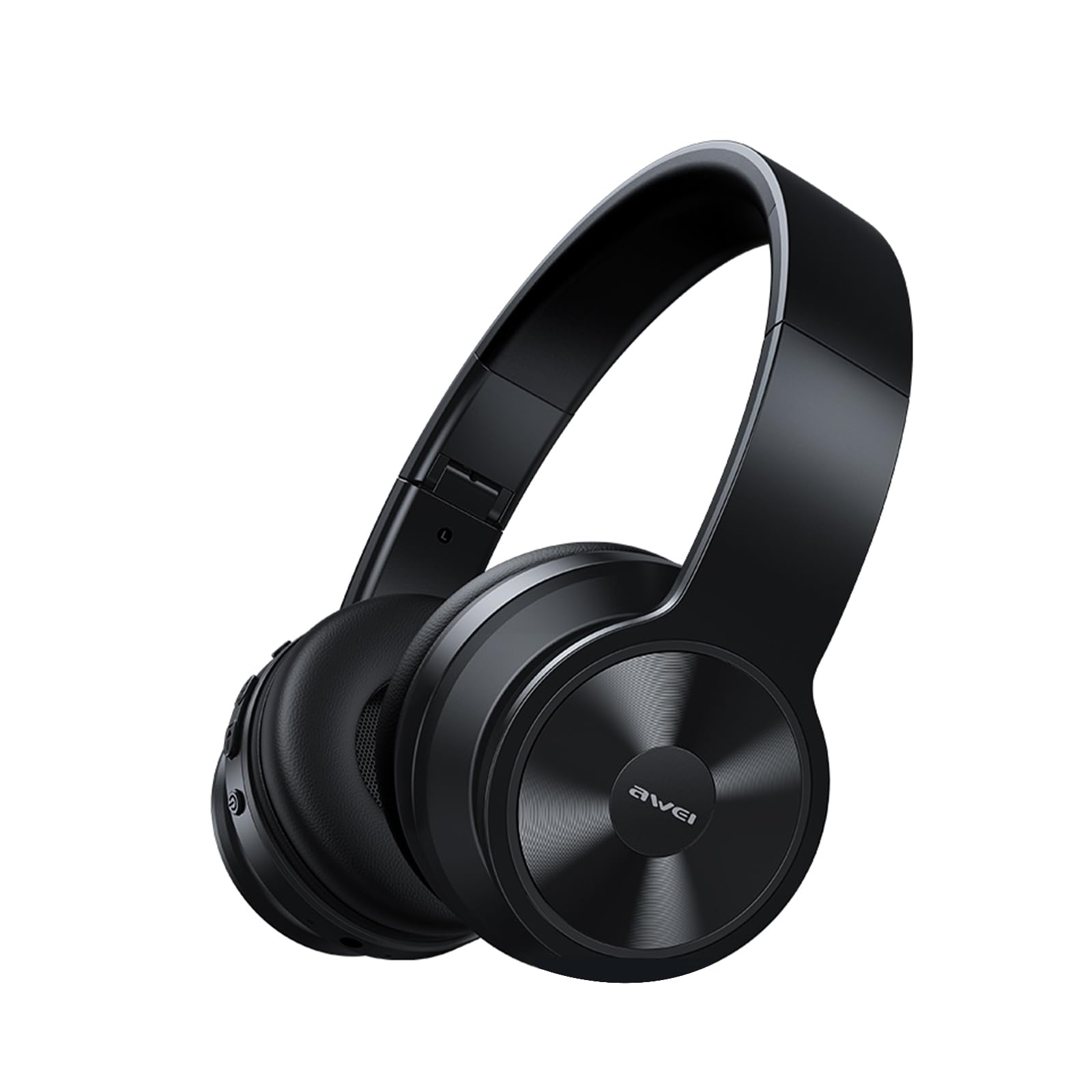
Image: AWEI A996BL over-ear headphones, showcasin그들의 디자인.
The AWEI A996BL headphones feature advanced Bluetooth 5.3 technology for stable connections, 40mm drivers for immersive stereo sound, and a comfortable, foldable design with soft protein earpads. Enjoy up to 16 hours of playtime on a single charge, with the flexibility of both wireless and wired (AUX) listening modes.
패키지 내용
- AWEI A996BL Bluetooth Over-Ear Headphones
- USB 충전 케이블
- 사용자 설명서
- (Note: An AUX cable may be included for wired connection, depending on the specific package.)
제품 끝view
Familiarize yourself with the headphone components and controls.

Image: Right earcup of the AWEI A996BL headphones, highlighting the control buttons.
제어 및 표시기:
- 다기능 버튼(MFB): Power On/Off, Play/Pause, Answer/End Call, Reject Call, Activate Voice Assistant.
- 볼륨 높이기 / 다음 트랙 버튼: 짧게 누르면 볼륨이 커지고, 길게 누르면 다음 곡으로 넘어갑니다.
- 볼륨 낮추기/이전 트랙 버튼: 짧게 누르면 볼륨 감소, 길게 누르면 이전 곡 재생입니다.
- LED 표시등: 전원 상태, 페어링 모드 및 충전 상태를 표시합니다.
- 마이크로폰: 핸즈프리 통화를 위해.
- USB-C 충전 포트: 헤드폰을 충전합니다.
- 3.5mm AUX 포트: 유선 오디오 연결용.
설정
1. 헤드폰 충전
처음 사용하기 전에 헤드폰을 완전히 충전하십시오. 완전 충전에는 약 1시간 30분이 소요됩니다.
- USB 충전 케이블을 헤드폰의 USB-C 충전 포트에 연결하세요.
- 케이블의 다른 쪽 끝을 USB 전원 어댑터(포함되지 않음)나 컴퓨터의 USB 포트에 연결합니다.
- The LED indicator will show a red light during charging and turn off or blue when fully charged.

Image: Visual representation of the 300mAh battery capacity, indicating long battery life.
2. 전원 켜기 / 끄기
- 전원 켜기: Press and hold the Multi-function Button (MFB) for approximately 3 seconds until the LED indicator flashes blue and a voice prompt confirms "Power On".
- 전원 끄기 : Press and hold the Multi-function Button (MFB) for approximately 3 seconds until the LED indicator flashes red and a voice prompt confirms "Power Off".
3. 블루투스 페어링 (무선 모드)
The headphones use Bluetooth 5.3 for a stable connection.
- 헤드폰이 완전히 충전되었고 전원이 꺼져 있는지 확인하세요.
- Press and hold the Multi-function Button (MFB) for approximately 5-7 seconds until the LED indicator flashes blue and red alternately. This indicates pairing mode.
- 기기(스마트폰, 태블릿, PC)에서 Bluetooth를 활성화하고 사용 가능한 기기를 검색하세요.
- 검색된 장치 목록에서 "AWEI A996BL"을 선택하십시오.
- Once paired, the LED indicator will flash blue slowly, and a voice prompt will confirm "Connected".
- 비밀번호가 필요한 경우 "0000"을 입력하십시오.

Image: Headphones connected wirelessly to a laptop and smartphone, demonstrating a stable Bluetooth connection. Note: The product features Bluetooth 5.3 for enhanced performance.
4. 유선 연결(AUX 모드)
You can use the headphones in wired mode even when the battery is depleted or with non-Bluetooth devices.
- 3.5mm 오디오 케이블(포함되지 않음)의 한쪽 끝을 헤드폰의 AUX 포트에 연결합니다.
- 케이블의 다른 한쪽 끝을 기기의 3.5mm 오디오 출력 잭에 연결하십시오.
- The headphones will automatically switch to wired mode. Note that controls on the headphones (volume, play/pause) may not function in wired mode; control playback from your connected device.

Image: Headphones showing both USB-C charging port and 3.5mm AUX port, illustrating wired and wireless options.
작동 지침
헤드폰 착용하기
Adjust the headband for a comfortable fit. The soft protein earpads are designed for extended wear.

Image: A person wearing the AWEI A996BL headphones, highlighting their lightweight and comfortable design with adjustable headband and bendable earmuffs.
Basic Functions (Wireless Mode)
| 기능 | 작업 |
|---|---|
| 음악 재생/일시 정지 | 다기능 버튼(MFB)을 짧게 누르세요. |
| 볼륨을 높이다 | Short press the "Volume Up / Next Track" button. |
| 볼륨 낮추기 | Short press the "Volume Down / Previous Track" button. |
| 다음 트랙 | Long press the "Volume Up / Next Track" button. |
| 이전 트랙 | Long press the "Volume Down / Previous Track" button. |
| 전화 받기/종료하기 | 다기능 버튼(MFB)을 짧게 누르세요. |
| 전화 거부 | Long press the Multi-function Button (MFB). |
| 음성 지원 활성화 | 다기능 버튼(MFB)을 두 번 누르십시오. |
유지
청소
- 부드럽고 마른 보푸라기 없는 천으로 헤드폰을 닦으세요.
- 연마성 세척제, 알코올, 화학 용제는 사용하지 마세요.
- 어떠한 구멍에도 습기가 들어가지 않도록 주의하세요.
저장
- 사용하지 않을 때는 헤드폰을 시원하고 건조한 곳에 보관하고, 직사광선과 극한의 온도를 피하세요.
- 이 헤드폰은 보관과 휴대가 용이하도록 접이식 디자인을 채택했습니다.
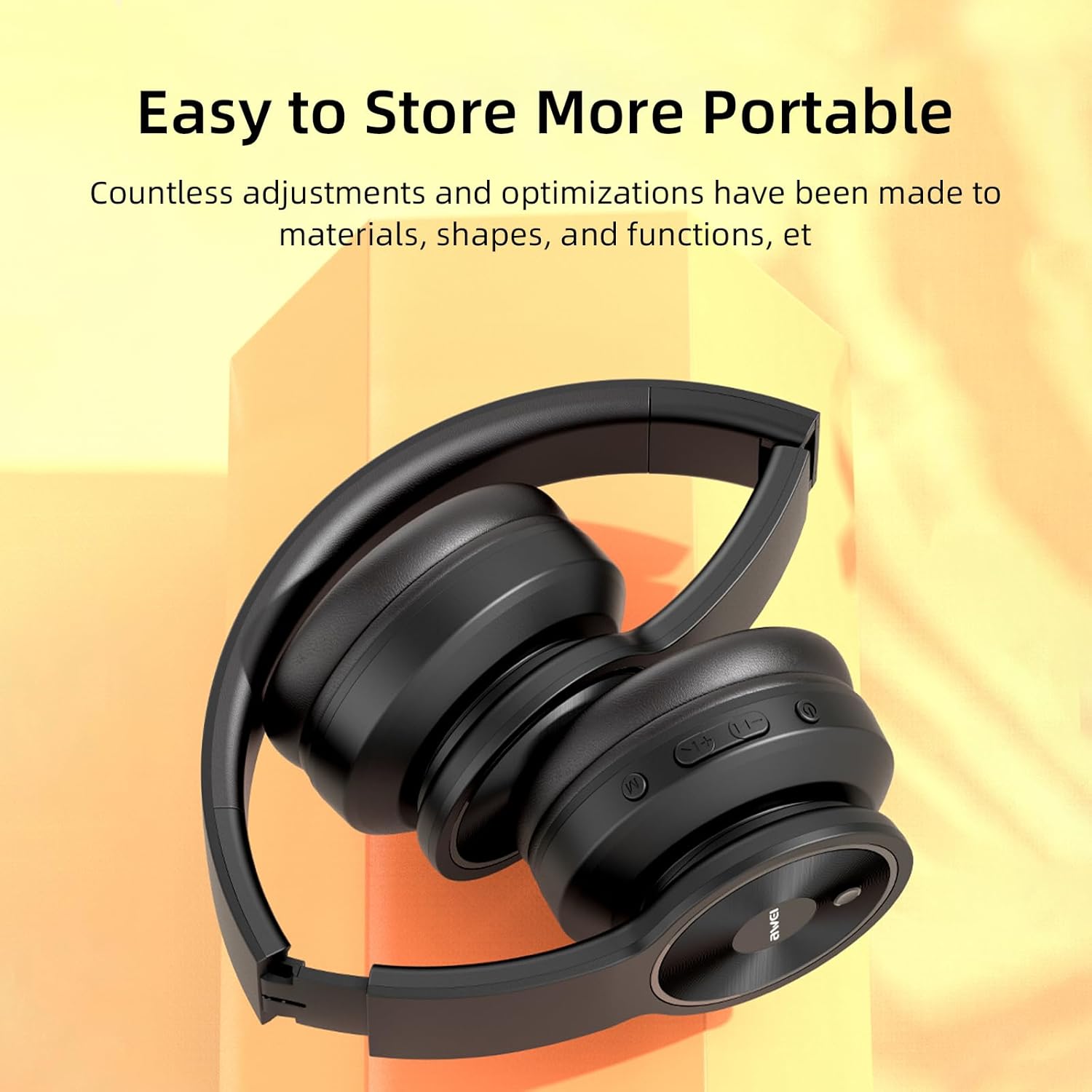
Image: The AWEI A996BL headphones in a folded position, demonstrating their portable and easy-to-store design.
배터리 관리
- 배터리 수명을 보존하려면 자주 사용하지 않더라도 헤드폰을 정기적으로 충전하세요.
- 장시간 배터리를 완전히 방전시키지 마세요.
- 배터리를 고온에 노출시키지 마십시오.
문제 해결
| 문제 | 해결책 |
|---|---|
| 헤드폰의 전원이 켜지지 않습니다. | 헤드폰이 충전되어 있는지 확인하십시오. USB 케이블을 사용하여 전원에 연결하십시오. |
| 기기와 페어링할 수 없습니다. |
|
| 소리가 나지 않거나 볼륨이 작습니다. |
|
| 음질이 좋지 않거나 소리가 끊깁니다. |
|
| 마이크가 작동하지 않습니다. |
|
명세서
| 특징 | 세부 사항 |
|---|---|
| 모델 | A996BL |
| 블루투스 버전 | 5.3 |
| 드라이버 크기 | 40mm |
| 배터리 용량 | 300mAh |
| 플레이 타임 | 최대 16시간 |
| 충전 시간 | 약 2시간 |
| 무선 범위 | 최대 33피트(10미터) |
| 연결성 | 무선(블루투스), 유선(3.5mm AUX) |
| 특별 기능 | Ergonomic, Lightweight, Foldable design |
| 귀 위치 | 귀 위 |
보증 및 지원
AWEI provides a 12-month warranty for the A996BL headphones from the date of purchase, covering manufacturing defects. A 30-day return policy is also available. For any questions, technical support, or warranty claims, please contact our customer service team.
고객 지원:
- 이메일: support@awei.com
- Web대지: www.awei.com
모든 문의에 대해 12 시간 이내에 답변 해 드리겠습니다.


