
1. 제품 오버view
The Assark 2.5K Indoor Surveillance Camera, Model X3E, is designed to provide comprehensive indoor monitoring with advanced features. This camera offers high-definition video, flexible pan and tilt capabilities, and intelligent detection functions to enhance your home security or pet monitoring experience.

이미지 1.1: Assark 2.5K Indoor Surveillance Camera. This image shows the white dome-shaped camera next to a smartphone displaying a high-resolution image of a dog, illustrating the camera's primary function and video quality.
주요 특징:
- 2.5K (5MP) Super HD Video: 선명하고 자세한 음식 사진을 촬영합니다.tage는 2560x1920 해상도입니다.
- 360° 팬/틸트 범위: Offers 350° horizontal and 70° vertical rotation for comprehensive area monitoring.
- 2.4G WLAN Connectivity: 원격 접속을 위해 가정용 Wi-Fi 네트워크에 연결합니다.
- 고급 탐지: Features motion, sound, and human detection with instant notifications.
- 양방향 오디오 : 실시간 통신을 위한 마이크와 스피커가 내장되어 있습니다.
- 스마트 나이트 비전: Infrared LEDs provide clear visibility in low-light conditions.
- 듀얼 스토리지 옵션: Supports local Micro SD card storage (up to 128GB) and cloud storage services.
- 스마트 홈 통합: Amazon Alexa 및 Google Assistant와 호환됩니다.

이미지 1.2: 피처 오버view. This diagram highlights key functionalities such as 2.5K video resolution, pan-tilt control (350° horizontal, 70° vertical), two-way audio, motion detection, 24/7 recording, smart night vision, instant alerts, and privacy mask.
2. 설정 가이드
2.1 패키지 내용
시작하기 전에 모든 준비물이 있는지 확인하십시오.
- Assark 2.5K Indoor Surveillance Camera (Model X3E)
- 전원 어댑터
- USB 전원 케이블(마이크로 USB)
- Mounting Accessories (Screws, Wall Plug, Mounting Plate)
- 사용 설명서 (본 문서)
2.2 카메라 전원 켜기
- Connect the Micro USB power cable to the camera's power port.
- USB 전원 어댑터를 일반 콘센트에 꽂으세요.
- 카메라 전원이 켜지고 표시등이 깜빡이기 시작하면 설치 준비가 완료된 것입니다.
2.3 앱 설치 및 계정 생성
- 다운로드 Assark app from your mobile device's app store (available for iOS and Android).
- 앱을 열고 화면의 지시에 따라 새 계정을 만들거나 이미 계정이 있는 경우 로그인하세요.
2.4 Wi-Fi에 연결하기
- In the Assark app, tap the "Add Device" or "+" icon.
- Select your camera model (X3E) from the list.
- Follow the in-app instructions to connect the camera to your 2.4 GHz Wi-Fi network. 메모: This camera supports 2.4 GHz Wi-Fi only. Ensure your mobile device is connected to the 2.4 GHz band of your router during setup.
- The app may guide you through scanning a QR code displayed on your phone with the camera lens or using an audio pairing method.
- Once connected, the camera's indicator light will change, typically to a solid blue or green, indicating a successful connection.
2.5 카메라 장착 (선택 사항)
카메라는 평평한 표면에 놓거나 벽이나 천장에 장착할 수 있습니다.
- 시야가 트인 적절한 장소를 선택하세요 view 와이파이 범위 내에 있습니다.
- Use the provided mounting plate as a template to mark screw positions on the desired surface.
- 필요하다면 조종 구멍을 뚫고 벽면 플러그를 삽입하세요.
- Secure the mounting plate with the screws.
- Attach the camera to the mounting plate by twisting it until it locks into place.
3. 사용 설명서
3.1 라이브 View 및 팬/틸트 제어
- Open the Assark app and select your camera from the device list to access the live view.
- Use the on-screen joystick or swipe gestures to control the camera's pan (horizontal 350°) and tilt (vertical 70°) movements.
- You can save specific viewing angles as presets for quick access.
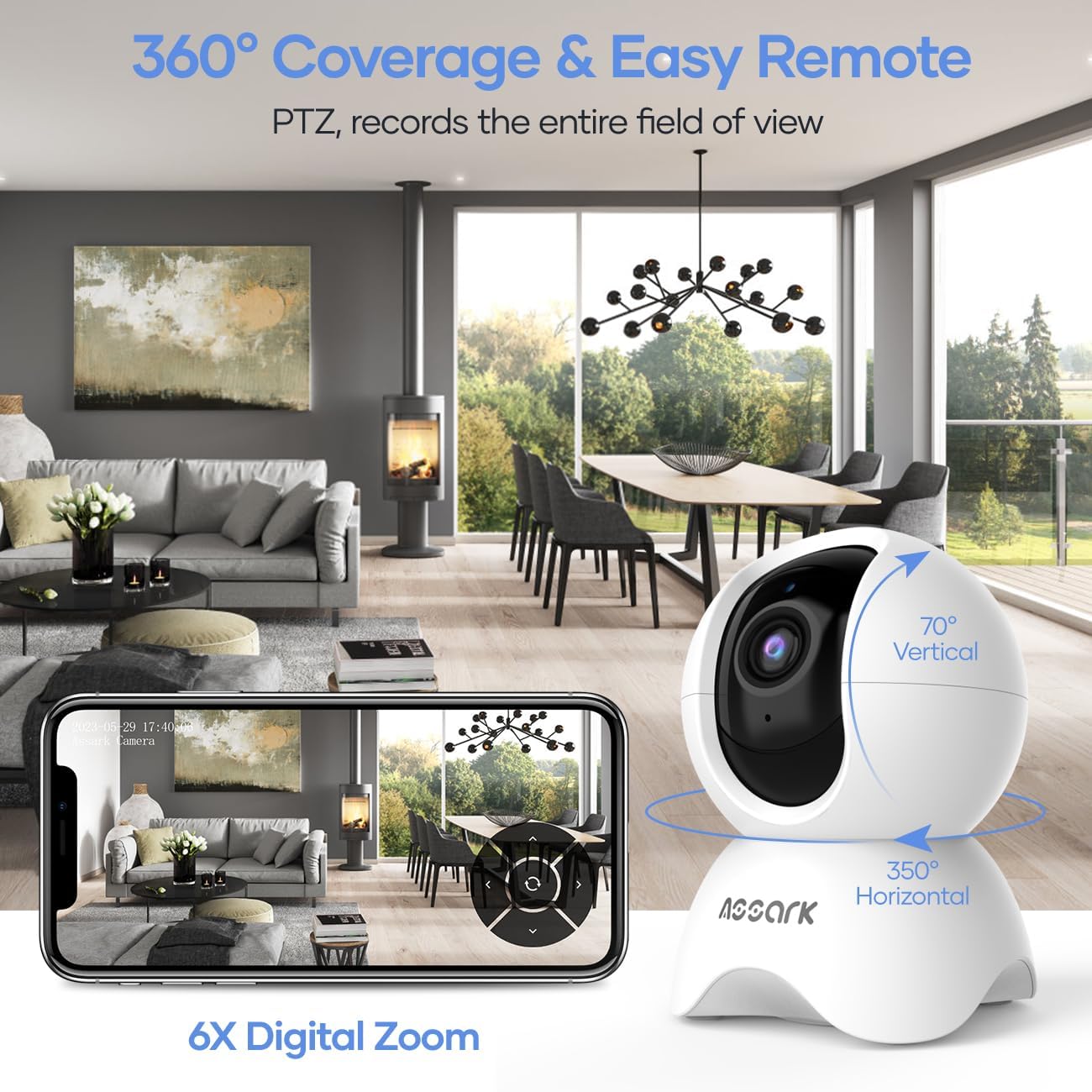
이미지 3.1: 360° Coverage and Remote Control. This image demonstrates the camera's ability to cover a wide area with its pan and tilt functions, controlled remotely through the smartphone application.
3.2 양방향 오디오
양방향 오디오 기능을 사용하려면 다음 단계를 따르세요.
- 라이브 중 view앱에서 마이크 아이콘을 탭하세요.
- 휴대전화 마이크에 대고 말하면 카메라 스피커를 통해 목소리가 전달됩니다.
- 카메라에 내장된 마이크는 주변의 소리를 포착하여 휴대전화를 통해 들을 수 있게 해줍니다.
3.3 Motion, Sound, and Human Detection
The camera can detect various events and send instant notifications to your phone.
- Navigate to the camera settings in the Assark app.
- Enable and configure detection settings for motion, sound, and human detection.
- 필요에 따라 감도 수준을 조정하고 감지 영역을 설정하십시오.
- When an event is detected, you will receive an instant notification on your mobile device.

이미지 3.2: Instant Alerts. This image displays a smartphone screen with notifications indicating detected abnormal motion, abnormal sound, and human motion, demonstrating the camera's alert capabilities.
3.4 Night Vision and Capture Modes
The camera automatically switches to night vision in low-light conditions. You can also manually select capture modes.
- In the app, access the video settings to select between Day, Night, or Auto mode.
- In Auto mode, the camera will automatically adjust based on ambient light.
- Night mode utilizes infrared LEDs for clear black-and-white video in complete darkness.

이미지 3.3: Capture Modes. This image shows the camera and icons representing Day, Night, and Auto modes, indicating the camera's flexibility in different lighting conditions, including 850nm infrared light for night vision.
3.5 비디오 녹화 및 저장
The camera offers continuous recording and event-triggered recording with flexible storage options.
- 마이크로 SD 카드 : Insert a Micro SD card (up to 128GB, not included) into the camera's designated slot for local storage. The camera supports 24/7 continuous recording.
- 클라우드 스토리지: The Assark app offers cloud storage services, often with a free trial period (e.g., 30 days). Subscribe to a plan for extended cloud storage and advanced features.
- 비디오 푸tage is compressed using H.265 technology for efficient storage.
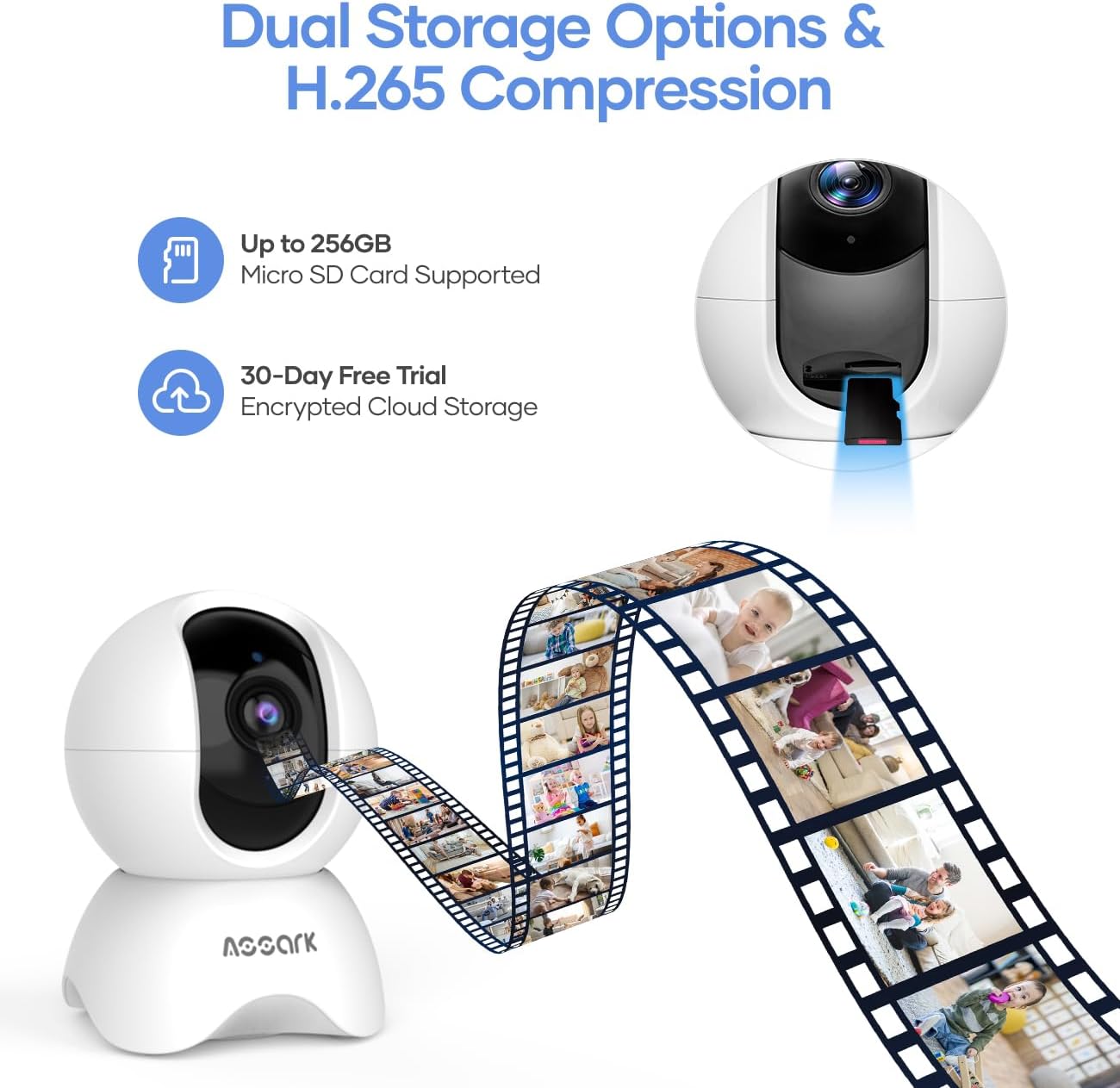
이미지 3.4: Dual Storage Options. This image visually represents the camera's support for both Micro SD card storage (up to 256GB, though product specs state 128GB) and encrypted cloud storage with a 30-day free trial, along with H.265 compression.
3.6 스마트 홈 통합
Integrate your Assark camera with smart home platforms for enhanced control.
- 아마존 알렉사: Enable the Assark skill in the Alexa app and link your account. Use voice commands like "Alexa, show me the [camera name]" to view 호환되는 기기에서 실시간 영상을 시청할 수 있습니다.
- 구글 어시스턴트: Link your Assark account in the Google Home app. Use voice commands like "Hey Google, show me the [camera name]" to view 호환되는 기기에서 실시간 영상을 시청할 수 있습니다.
4. 유지관리
4.1 카메라 청소
To maintain optimal performance, periodically clean your camera:
- 청소하기 전에 카메라의 전원이 꺼져 있는지 확인하세요.
- 부드럽고 마른 천으로 카메라 본체를 닦으세요.
- 렌즈를 닦을 때는 흠집이 생기지 않도록 광학 기기 전용 렌즈 클리닝 천을 사용하십시오.
- 액체 세척제나 연마재를 사용하지 마세요.
4.2 펌웨어 업데이트
Regularly check for and install firmware updates through the Assark app. Firmware updates can improve performance, add new features, and enhance security.
4.3 SD 카드 관리
If using a Micro SD card for local storage:
- Periodically check the card's status in the app.
- Format the SD card through the app if you experience recording issues or wish to clear all data.
5. 문제 해결
If you encounter issues with your Assark camera, refer to the following common problems and solutions:
5.1 카메라 전원이 켜지지 않음
- Ensure the power cable is securely connected to both the camera and the power adapter.
- 전원 어댑터가 작동하는 콘센트에 제대로 꽂혀 있는지 확인하십시오.
- Try using a different USB power cable and adapter if available.
5.2 Wi-Fi에 연결할 수 없습니다
- Confirm your Wi-Fi network is 2.4 GHz. The camera does not support 5 GHz Wi-Fi.
- Ensure your mobile device is connected to the 2.4 GHz Wi-Fi network during setup.
- 정확한지 Wi-Fi 비밀번호를 확인하세요.
- 신호 강도를 개선하려면 카메라를 Wi-Fi 라우터에 더 가까이 옮기세요.
- Restart your Wi-Fi router and the camera, then attempt setup again.
5.3 Poor Video Quality or Lag
- Ensure the camera has a strong Wi-Fi signal. Relocate the camera or router if necessary.
- Check your internet connection speed. A stable and fast internet connection is required for optimal streaming.
- 카메라 렌즈가 더러워 보이면 닦으세요.
5.4 알림을 받지 못함
- Verify that detection settings (motion, sound, human) are enabled and configured correctly in the Assark app.
- Check your phone's notification settings to ensure the Assark app has permission to send notifications.
- 휴대전화에 인터넷 연결이 되어 있는지 확인하세요.
For further assistance, please refer to the help section within the Assark app or visit the manufacturer's support web대지.
6. 사양
| 특징 | 사양 |
|---|---|
| 모델 | X3E |
| 상표 | 아사크 |
| 치수(길이 x 너비 x 높이) | 7.8 x 7.8 x 11.5cm |
| 무게 | 400그램 |
| 비디오 해상도 | 5MP(2560x1920) |
| 팬 범위 | 350 ° 수평 |
| 기울기 범위 | 70 ° 수직 |
| 연결성 | 2.4GHz WLAN |
| 저장 옵션 | 마이크로 SD 카드(최대 128GB), 클라우드 스토리지 |
| 전원 입력 | 5 Watts (USB powered) |
| 나이트 비전 | 적외선 LED |
| 오디오 | 양방향 오디오(내장 마이크 및 스피커) |
| 발각 | Motion Detection, Sound Detection, Human Detection |
| 스마트 홈 호환성 | Amazon Alexa, Google Assistant |
7. 보증 및 지원
7.1 보증 정보
Warranty details for the Assark 2.5K Indoor Surveillance Camera (Model X3E) are typically provided at the point of purchase or can be found on the official Assark web사이트. 보증 청구를 위해 구매 증빙 자료를 보관하세요.
7.2 고객 지원
For technical support, troubleshooting assistance, or any product-related inquiries, please:
- Refer to the comprehensive help section within the Assark mobile application.
- Visit the official Assark support website for FAQs, guides, and contact information.