
Babelio Palm-Sized Portable White Noise Machine with Night Light
모델: BEBDB07
사용자 설명서
1. 제품 오버view
The Babelio Palm-Sized Portable White Noise Machine with Night Light is designed to create a relaxing atmosphere for sleep, naps, meditation, yoga, or office use. It features 15 non-looping sounds, multiple lighting modes, adjustable brightness, and a timer function, all in a compact, portable design.

Image: The Babelio Portable White Noise Machine with Night Light, showcasin컴팩트한 디자인입니다.
2. 패키지 내용
- Babelio Palm-Sized Portable White Noise Machine
- Type-C 충전 케이블
- 사용자 가이드
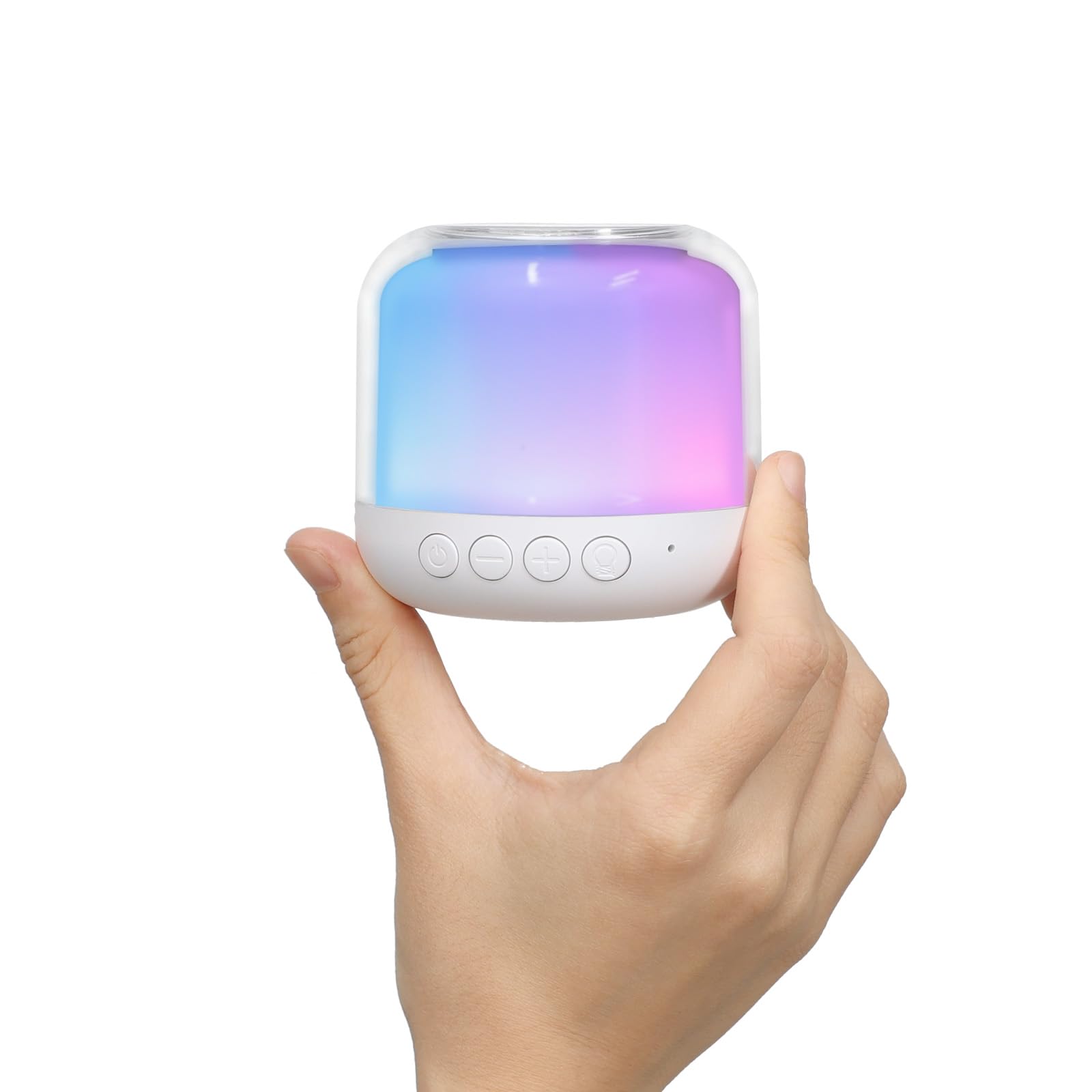
Image: The Babelio White Noise Machine in its retail packaging.
3. 안전 정보
사용하기 전에 모든 지침을 주의 깊게 읽고 향후 참고를 위해 보관하세요.
- 배터리를 어린이의 손이 닿지 않는 곳에 보관하세요.
- 장난감으로 사용하지 마십시오.
- Avoid excessive noise exposure.
- 물에 담그지 마십시오.
- Do not use while sleeping if it causes discomfort or irritation.
4. 설정
4.1 장치 충전
Before first use, fully charge the device using the provided Type-C charging cable. Connect the cable to the device and a compatible USB power source (e.g., power bank, laptop, or adapter). The device is rechargeable for wireless use.
4.2 초기 전원 켜기
전원 버튼을 3 초 동안 길게 눌러 기기를 켭니다.
5. 사용 설명서

Image: An illustration detailing the functions of each button on the Babelio Sound Machine.
5.1 전원 켜기/끄기
- To turn on: Short press the power button.
- 전원을 끄려면 전원 버튼을 3초 동안 길게 누르세요.
5.2 사운드 제어
The device offers 15 non-looping sounds, including white noise, pink noise, brown noise, fan sounds, rain, waves, insects, campfire, birds, and streams.
- To select a sound: Short press the sound button.
- To switch to the previous sound: Long press the '-' button for 2 seconds.
- To switch to the next sound: Long press the '+' button for 2 seconds.
- To adjust volume: Short press the '-' button for volume down, or the '+' button for volume up.
Video: Demonstration of how to control the sounds on the Babelio White Noise Machine.
영상: 사전view of the various sounds available on the Babelio White Noise Machine.
5.3 야간 조명 제어
The device features 4 lighting modes (warm, RGB, rainbow, or single-color) with over 15 light effects.
- To change light mode: Short press the light button.
- To adjust brightness: Long press the light button to increase/decrease brightness.
Video: Instructions on how to control the light modes and brightness of the Babelio White Noise Machine.

Image: The Babelio Sound Machine demonstrating various brightness levels of its night light.
5.4 타이머 기능
The sound machine offers three timer modes:
- 연속 재생
- 30 분
- 60 분
To set the timer: Short press the timer button to cycle through the options.

Image: The Babelio Sound Machine displaying its auto time-off options (30 min, 60 min, continuous).
5.5 메모리 기능
The device remembers the last sound and volume setting used for quick and easy setup upon next use.
6. 유지관리
- 부드럽고 마른 천으로 장치를 청소하십시오.
- 독한 화학 물질이나 연마성 세제를 사용하지 마십시오.
- 충전 또는 보관 전에 기기가 완전히 건조되었는지 확인하십시오.
- 장치를 물에 담그지 마십시오.
7. 문제 해결
If you encounter any issues with your Babelio White Noise Machine, please try the following:
- 장치가 완전히 충전되었는지 확인하십시오.
- Verify that buttons are being pressed correctly (short press vs. long press).
- If the device is unresponsive, try connecting it to a power source to see if it powers on.
- 문제가 지속될 경우 보증 및 지원 섹션을 참조하십시오.
8. 사양
| 특징 | 세부 사항 |
|---|---|
| 모델 번호 | BEBDB07 |
| 제품 치수 | 2.75 x 2.75 x 2.75 인치 |
| 무게 | 7.05 온스 |
| 전원 | 배터리 구동 |
| 배터리 유형 | 리튬 폴리머 배터리 1개 필요 |
| 커넥터 유형 | USB 타입-C |
| 소리의 수 | 15 (Non-looping) |
| 라이트 모드 | Warm, RGB, Rainbow, Single-color (15+ effects) |
| 타이머 옵션 | Continuous, 30 min, 60 min |
| 색상 | 하얀색 |
| 재료 | 플라스틱 |
| 제조업체 | 바벨리오 |
9. 보증 및 지원
The Babelio Palm-Sized Portable White Noise Machine comes with a lifetime warranty. For any questions, concerns, or support needs, please contact Babelio customer service. Our friendly customer service team is ready to assist you.
For more information or to contact support, please visit the official Babelio Store: Babelio Store on Amazon