
소개
This manual provides detailed instructions for the installation, operation, and maintenance of your LETIANPAI 82ft/25m Smart RGB LED Strip Lights. Please read this manual thoroughly before use to ensure proper functionality and safety.
안전 정보
- 설치 또는 유지 관리 전에 전원 공급 장치가 분리되어 있는지 확인하십시오.
- 제공된 전원 어댑터만 사용하십시오. 호환되지 않는 어댑터를 사용하면 제품이 손상되거나 안전상의 위험이 발생할 수 있습니다.
- Do not expose the LED strips or controller to water or high humidity. This product is designed for indoor use.
- Avoid bending the LED strips sharply, as this can damage the circuit.
- 과열을 방지하기 위해 작동 중에는 전원 어댑터나 컨트롤러를 덮지 마십시오.
- 어린이의 손이 닿지 않는 곳에 보관하세요.
- If any damage occurs to the strip, power adapter, or controller, discontinue use immediately and contact customer support.
패키지 내용
패키지에 모든 품목이 들어 있는지 확인하세요.
- 2 x 41ft (12.5m) RGB LED Strip Lights (Total 82ft/25m)
- 1 x Smart Controller Box
- 1 x IR 리모컨
- 인증된 전원 어댑터 1개
- 1 x 사용 설명서(이 문서)

이미지: 이상view of the LETIANPAI 82ft/25m Smart RGB LED Strip Lights, showing the two rolls of LED strips, smart controller, IR remote, and power adapter.
설정 및 설치
1. 표면 준비
Before applying the LED strips, ensure the surface is clean, dry, and smooth. Dust, oil, or moisture can reduce the adhesive's effectiveness.
2. 구성 요소 연결하기
- Connect the LED strip(s) to the smart controller box. Ensure the arrows on the strip connector and the controller connector align.
- Connect the power adapter to the smart controller box.
- 전원 어댑터를 표준 전기 콘센트에 연결하십시오.

Image: Connection diagram illustrating how to connect the LED strips to the controller, and the controller to the power adapter. Emphasizes aligning arrows on connectors.


Image: A certified power adapter and a close-up of the LED strip showing its adhesive backing.
3. Applying the LED Strips
- Unroll the LED strips carefully.
- Peel off the protective film from the adhesive backing.
- Press the strip firmly onto the desired clean surface.
4. Cutting the LED Strips (Optional)
The LED strips can be cut to your desired length. Locate the designated cutting marks (usually indicated by a scissor icon or copper pads) on the strip. Cut only at these marks to avoid damaging the circuit.
5. 앱 다운로드 및 페어링
To utilize smart features, download the "HiLighting" app:
- Scan the QR code on the smart controller box or visit http://www.easytrack.net.cn/download/165JINGZEKONGGU to download the "HiLighting" app.
- 스마트폰에 앱을 설치하세요.
- 휴대폰에서 Bluetooth가 활성화되어 있는지 확인하십시오.
- Open the "HiLighting" app. The app should automatically detect and connect to your LED strip lights.
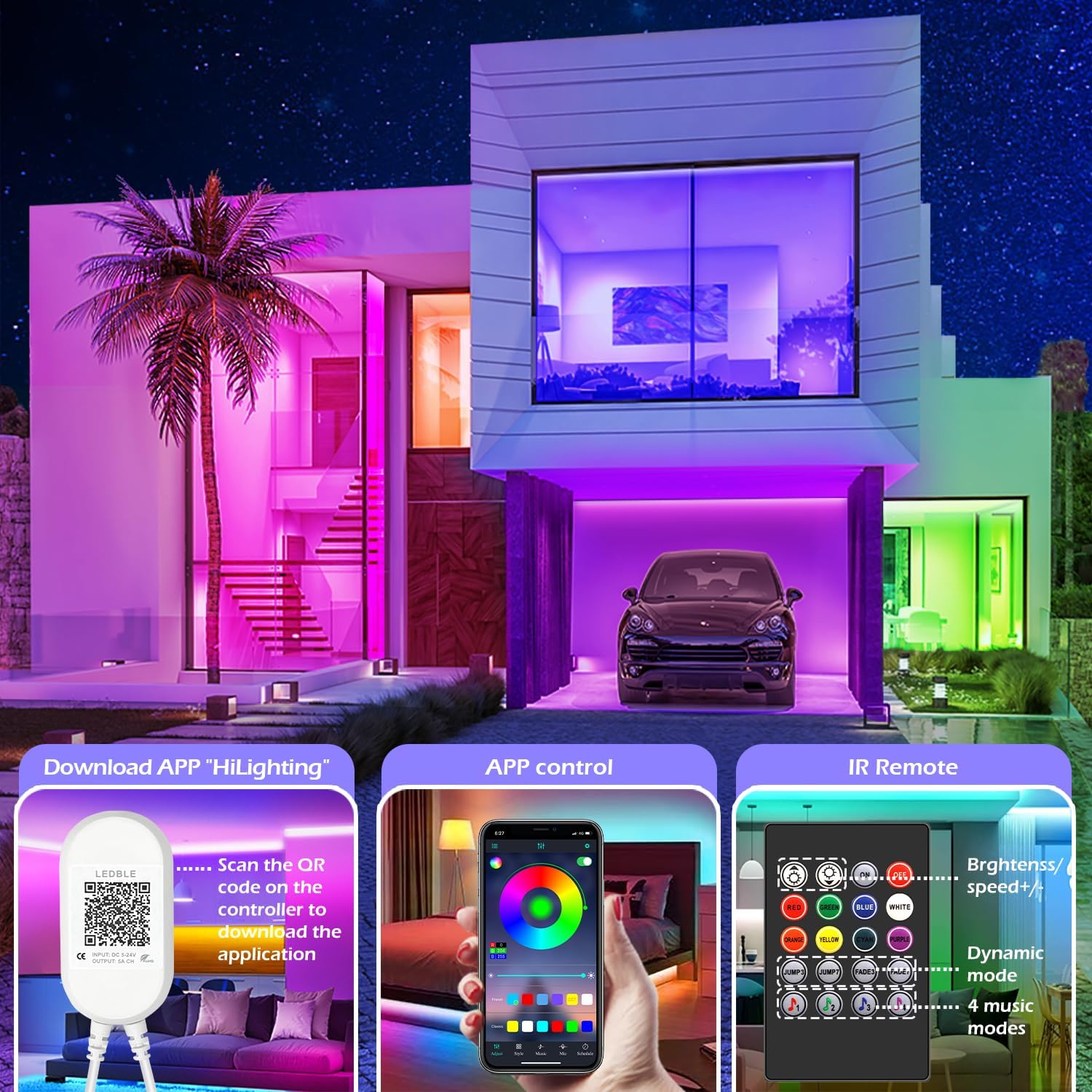
Image: Illustration of downloading the "HiLighting" app by scanning a QR code on the controller, and a preview of the app's color selection interface.

Image: Close-up of the LED controller showing the QR code for downloading the "HiLighting" application.
작동 지침
1. App Control (HiLighting App)
The "HiLighting" app offers comprehensive control over your LED strip lights:
- 색상 선택: Choose from 16 million vivid colors using the color wheel.
- 밝기 조정: 조명 강도를 0%에서 100%까지 조절합니다.
- 동적 모드: Select from 29 pre-set dynamic modes (e.g., flash, rotate, fade).
- 음악 동기화 모드: The lights will change color in rhythm with music played through your phone.
- 마이크 모드: The lights will pulsate and change colors in response to ambient sounds or your voice, detected by the phone's microphone.
- 타이밍 기능: 특정 시간에 조명이 자동으로 켜지거나 꺼지도록 스케줄을 설정하세요.
- 그룹 관리: Control multiple sets of LETIANPAI LED strip lights simultaneously or individually by organizing them into groups within the app.


Image: Screenshots of the "HiLighting" app interface, demonstrating color selection and brightness adjustment features.

Image: Depicts individuals enjoying music, with text explaining Music Sync and MIC Mode functionalities of the LED strip lights.

Image: Illustrates the timing function, allowing users to set automatic on/off schedules for the LED lights, such as turning off at 11:00 PM and on at 7:00 AM.

Image: Shows the "Group Management" feature, enabling control of multiple light sets simultaneously or individually, with examp다른 방에 있어요.
2. 적외선 원격 제어
The included IR remote control provides convenient access to basic functions:
- 전원 켜기/끄기: 조명을 켜거나 끕니다.
- 색상 선택: Directly select common colors (Red, Green, Blue, White, Orange, Yellow, Cyan, Purple).
- 밝기/속도 조절: Increase or decrease brightness, or adjust the speed of dynamic modes.
- 동적 모드: Access various pre-set dynamic modes (e.g., Jump3, Jump7, Fade3, Fade7).
- 음악 모드: Activate 4 different music-responsive modes.

Image: Close-up of the IR remote control, detailing buttons for power, color selection, brightness/speed adjustment, dynamic modes, and music modes.
유지
- 청소: 마른 부드러운 천으로 LED 스트립을 부드럽게 닦아 먼지를 제거하세요. 액체 세척제나 연마재를 사용하지 마세요.
- 저장: 조명을 장기간 보관할 경우, 깨끗하고 건조한 상태로 서늘하고 어두운 곳에 보관하십시오.
- 점검: Periodically check the connections and the strip for any signs of damage.
문제 해결
| 문제 | 가능한 원인 | 해결책 |
|---|---|---|
| 표시등이 켜지지 않습니다. | 전원 어댑터가 연결되지 않았거나 결함이 있습니다. LED strip not properly connected to controller. 리모컨 배터리가 방전되었습니다. | 전원 어댑터가 안전하게 연결되어 있는지 확인하세요. Check all connections, ensuring arrows align. Replace remote control battery (CR2025, not included). |
| Lights show incorrect colors or only one color. | Incorrect connection between strip and controller. App/remote setting issue. | Disconnect and reconnect the LED strip to the controller, ensuring arrows align. Reset the lights via the app or remote, then re-select desired color. |
| 앱이 조명에 연결할 수 없습니다. | 블루투스가 꺼져 있습니다. 앱이 구버전입니다. 간섭. | 스마트폰에서 Bluetooth가 활성화되어 있는지 확인하세요. Update the "HiLighting" app to the latest version. Move closer to the controller. Restart the app and try again. |
| 리모컨이 작동하지 않습니다. | 배터리가 소진되었습니다. 리모컨과 컨트롤러 사이에 장애물이 있습니다. Plastic tab not removed. | CR2025 배터리를 교체합니다. Ensure a clear line of sight to the controller. Remove the clear plastic tab from the remote's battery compartment. |
명세서
| 모델 번호 | 100피트 |
| 상표 | LETIANPAI |
| 길이 | 82ft / 25m (2 rolls of 41ft) |
| 광원 유형 | LED (5050 RGB) |
| 밝은 색상 | RGB(빨간색, 녹색, 파란색) |
| 제어 방법 | Bluetooth App ("HiLighting"), IR Remote Control |
| 전원 | 코드식 전기 |
| 권tage | 12 볼트 |
| 왓tage | 24 와트 |
| 실내/실외 사용 | 실내 |
| 특별 기능 | Cuttable, Low energy consumption, Music Sync, Strong self-adhesive, Flexible |
| 한국어: | 611834347362 |
보증 및 지원
LETIANPAI is committed to providing quality products and customer service. All accessories included with your LED rope lights are officially certified, and the power adapter has undergone rigorous testing for safety.
If you encounter any issues during installation or operation, please contact LETIANPAI customer support directly. We aim to resolve all inquiries within 24 hours. Full refunds or free replacements are provided for quality-related issues.