
소개
Thank you for choosing the HOCO W40 Bluetooth Headphones. These wireless headphones are designed to provide a high-quality audio experience with deep bass, clear calls, and comfortable wear. This manual will guide you through the setup, operation, and maintenance of your new headphones.
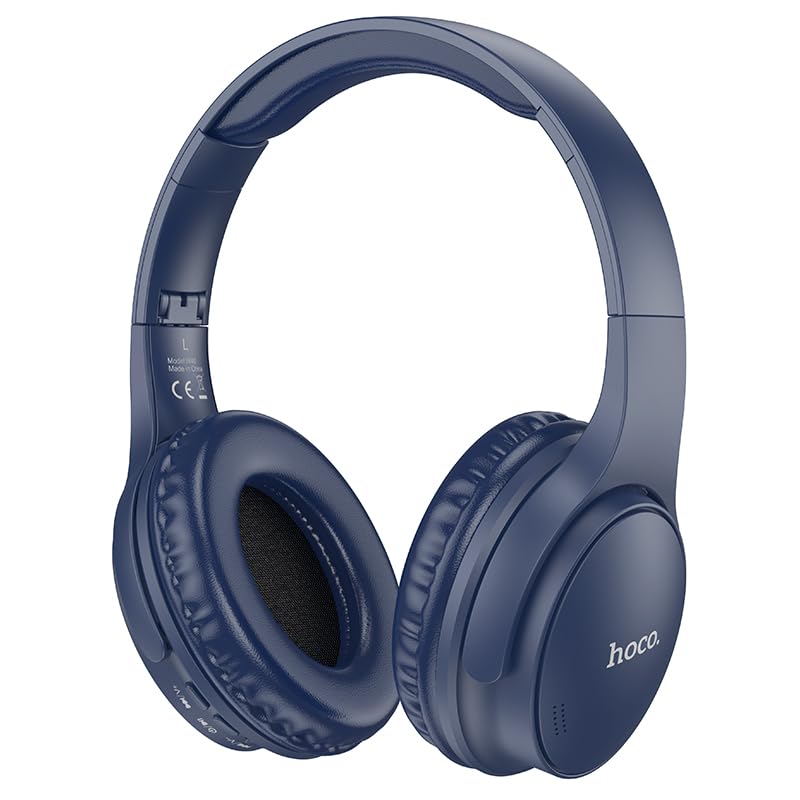
Image: HOCO W40 Bluetooth Headphones in a folded position, showcasing the earcups and headband. The headphones are blue.
상자 안에 무엇이 들어있나요?
패키지 내용물을 확인하여 모든 품목이 들어 있는지 확인하세요.
- HOCO W40 Bluetooth Headphones
- 이어쿠션
- 헤드밴드(헤드폰 일체형)
The package includes the HOCO W40 Bluetooth Headphones, along with ear cushions and the integrated headband for comfortable use.
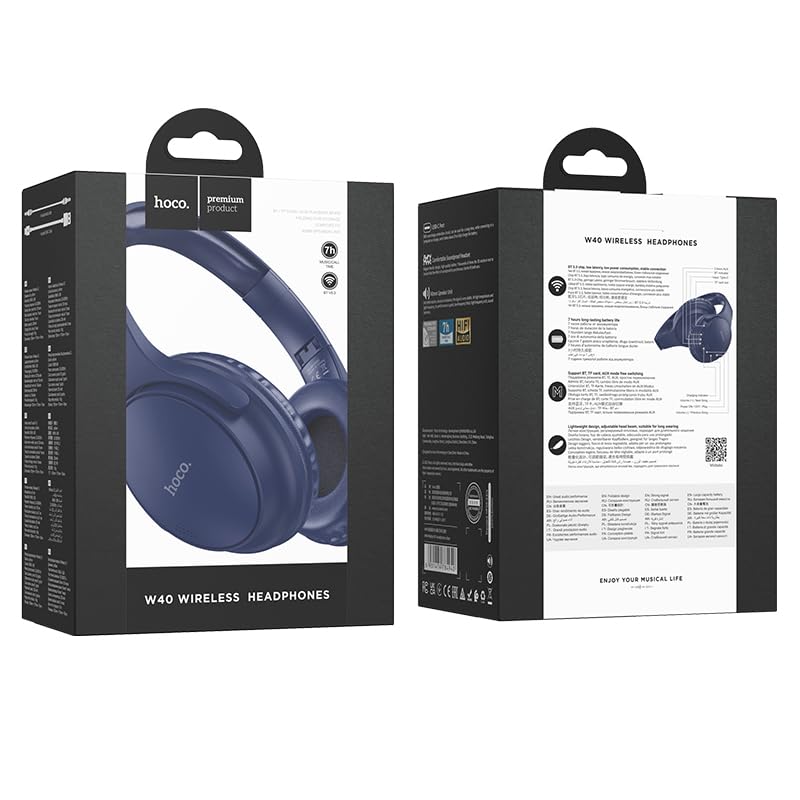
Image: Retail packaging for the HOCO W40 Wireless Headphones, showing the product image and some features on the box.
제품 끝view
Familiarize yourself with the various parts and controls of your HOCO W40 headphones.
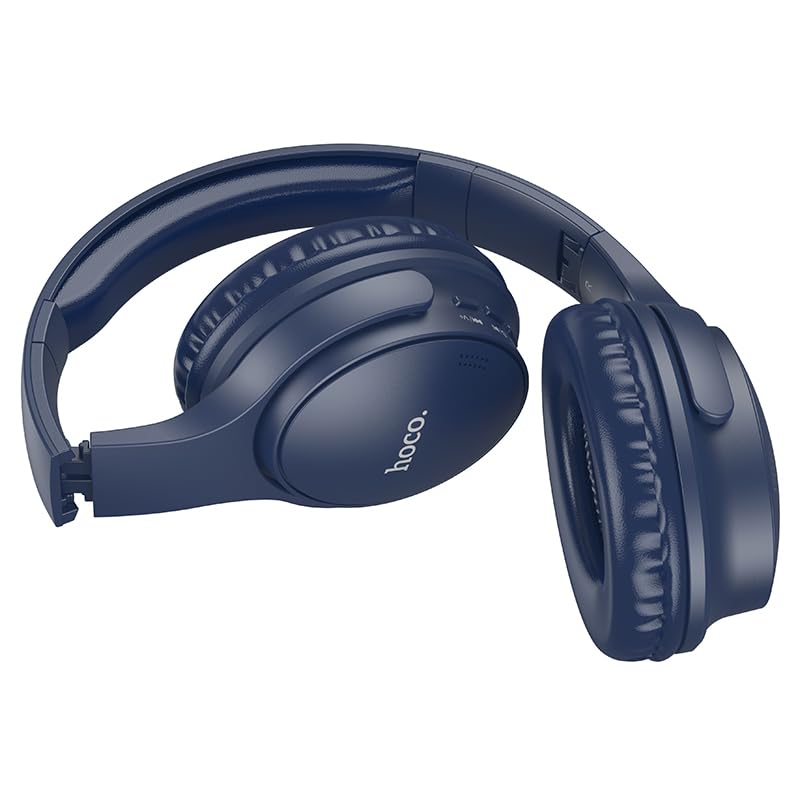
이미지: 측면 view of the HOCO W40 Bluetooth Headphones, highlighting the earcup and headband design. The controls are visible on the right earcup.
제어 및 표시기:
- 전원 버튼: Used to power the headphones on/off and initiate pairing.
- 볼륨 조절: Adjusts the listening volume using touch controls.
- 다기능 버튼(MFB): 재생/일시정지, 통화 수신/종료.
- 마이크로폰: 핸즈프리 통화 기능이 내장되어 있습니다.
- 충전 포트: 충전 케이블을 연결합니다.
- LED 표시등: 전원 상태, 페어링 모드 및 충전 상태를 표시합니다.
The headphones feature touch controls for volume adjustment and other functions, along with a built-in microphone for clear communication.
설정
1. 헤드폰 충전
Before first use, fully charge your headphones. A full charge takes approximately 1시간.
- Connect the charging cable (not included in the JSON's 'whats_in_the_box' but typically provided) to the charging port on the headphones.
- 케이블의 다른 쪽 끝을 USB 전원(예: 컴퓨터, 벽면 어댑터)에 연결합니다.
- The LED indicator will show the charging status (e.g., red while charging, blue/off when fully charged).
Once fully charged, the headphones provide up to 12시간 연속적인 놀이 시간.
2. 블루투스 기기와 페어링하기
The HOCO W40 headphones use Bluetooth 5.3 for stable and seamless connectivity. They are compatible with smartphones, tablets, laptops, and other Bluetooth-enabled devices (iOS, Android).
- 헤드폰이 꺼져 있는지 확인하십시오.
- Press and hold the Power Button until the LED indicator flashes rapidly (usually blue and red alternately), indicating pairing mode.
- 기기에서 Bluetooth를 활성화하고 사용 가능한 기기를 검색하세요.
- 검색된 장치 목록에서 "HOCO W40"를 선택하십시오.
- Once paired, the LED indicator will stop flashing and may turn solid blue or off, depending on the model.
- The headphones have a wireless range of up to 10 미터.
If pairing is unsuccessful, turn off both devices, wait a few seconds, and repeat the steps.
작동 지침
전원 켜기/끄기
- 전원 켜기: LED 표시등이 켜질 때까지 약 3초 동안 전원 버튼을 길게 누릅니다.
- 전원 끄기 : LED 표시등이 꺼질 때까지 약 5초 동안 전원 버튼을 길게 누릅니다.
음악 제어
- 재생/일시 중지: 다기능 버튼(MFB)을 짧게 누르세요.
- 볼륨 업: Tap the designated touch control area for volume up.
- 볼륨 작게 : Tap the designated touch control area for volume down.
- 다음 트랙: Double-tap the MFB or use the designated touch control.
- 이전 트랙 : Triple-tap the MFB or use the designated touch control.
Note: Specific touch control gestures may vary slightly. Refer to the quick start guide included with your product for precise details.
통화 제어
- 전화 받기/종료: 다기능 버튼(MFB)을 짧게 누르세요.
- 전화 거부: MFB를 2초간 누르세요.
- 마지막 번호 재다이얼: 통화 중이 아닐 때는 MFB 버튼을 두 번 누르세요.
유지
Proper care will extend the life of your HOCO W40 headphones.
- 청소: 부드럽고 마른 천으로 헤드폰을 닦으세요. 연마성 세제나 용제는 사용하지 마세요.
- 저장: 헤드폰은 직사광선과 극한의 온도를 피해 시원하고 건조한 곳에 보관하세요.
- 방수 기능: The headphones are water resistant, making them suitable for workouts and outdoor activities. However, they are not designed for submersion in water. Avoid prolonged exposure to heavy rain or direct water jets.
- 배터리 관리 : 배터리 수명을 유지하려면 자주 사용하지 않더라도 헤드폰을 정기적으로 충전하세요. 장시간 배터리를 완전히 방전시키지 마세요.
문제 해결
| 문제 | 가능한 해결책 |
|---|---|
| 헤드폰의 전원이 켜지지 않습니다. | Ensure the headphones are charged. Connect them to a power source and try again after a few minutes. |
| 기기와 페어링할 수 없습니다. |
|
| 소리가 나지 않거나 볼륨이 작습니다. |
|
| 통화 품질이 좋지 않습니다. |
|
명세서
| 모델 | W40 |
| 상표 | 호코 |
| 연결 기술 | 무선(블루투스 5.3) |
| 블루투스 범위 | 10 미터 |
| 배터리 수명 | 최대 12시간 |
| 충전 시간 | 약 1시간 |
| 오디오 드라이버 유형 | 동적 드라이버 |
| 소음 제어 | 소리 차단 |
| 방수 레벨 | 방수 |
| 제어 유형 | Volume Control (Touch) |
| 내장 마이크 | Yes, for Hands-Free Calls |
| 호환 장치 | Smartphones, Tablets, Laptops (Universal Compatibility) |
| 재료 | 플라스틱 |
| 품목 무게 | 180g |
공식 제품 영상
시각적으로 자세한 내용을 보려면 공식 제품 비디오를 시청하세요.view of the HOCO W40 Bluetooth Headphones and their key features.
영상: 공식 제품 출시view of the HOCO W40 Bluetooth Headphones, demonstrating its features, battery life, design, and device compatibility.
보증 및 지원
For warranty information and customer support, please refer to the documentation included with your purchase or visit the official HOCO web사이트. 보증 청구를 위해 구매 증빙 자료를 보관하세요.
추가적인 도움이 필요하시면 제품을 구매하신 판매점에 문의하셔도 됩니다.