
1. 서론
This manual provides comprehensive instructions for the CHACON 99013 Remote Control Outlet Set. This product allows you to wirelessly control your electrical appliances and lighting, both indoors and outdoors, for enhanced convenience. The set includes indoor outlets with a maximum capacity of 3680W and outdoor outlets with a maximum capacity of 1000W.
Please read this manual carefully before installation and use to ensure safe and optimal operation of your device.
2. 안전 정보
- Ensure the total power consumption of connected devices does not exceed the maximum load capacity of the respective outlet (3680W for indoor, 1000W for outdoor).
- Do not immerse the outdoor outlets in water. They are designed for outdoor use but are not submersible.
- 기기를 직접 열거나 수리하려고 시도하지 마십시오. 모든 서비스는 자격을 갖춘 전문가에게 맡기십시오.
- Keep the remote control and outlets away from extreme temperatures, direct sunlight, and moisture.
- 현지 규정에 따라 배터리를 책임감 있게 폐기하세요.
- This product is designed for household use. Do not use for industrial or commercial applications unless specified.
3. 패키지 내용
The CHACON 99013 set includes:
- 5 x Sets of 3 Indoor Remote Control Outlets (Total 15 indoor outlets)
- 5 x Sets of 3 Outdoor Remote Control Outlets (Total 15 outdoor outlets)
- Remote controls (one for each set of 3 outlets, typically 10 remotes in total for 10 sets)

이미지 1: 이상view of the CHACON remote control outlet set, showing both the white indoor outlets and the black outdoor outlets, each with their respective remote controls.
4. 설정 및 페어링
4.1. 리모컨 배터리 설치
The remote controls require batteries (type usually CR2032 or similar, not specified in input, but common for such remotes). Open the battery compartment on the back of the remote control and insert the battery, observing the correct polarity (+/-).
4.2. Pairing Outlets with Remote Control
Each set of outlets and its remote control are typically pre-paired. If re-pairing is necessary or if you wish to change the pairing:
- Plug the remote control outlet into a wall socket. The indicator light on the outlet may flash or illuminate.
- Press and hold the pairing button on the side of the outlet (or the button indicated in the specific product instructions, if different) for a few seconds until the indicator light starts flashing rapidly.
- While the light is flashing, press the desired "ON" button (e.g., A ON, B ON, C ON, D ON) on your remote control.
- The indicator light on the outlet should stop flashing and remain solid or turn off, indicating successful pairing.
- Test the connection by pressing the ON/OFF buttons for the paired channel on the remote.
Repeat this process for all outlets you wish to pair with the remote control.

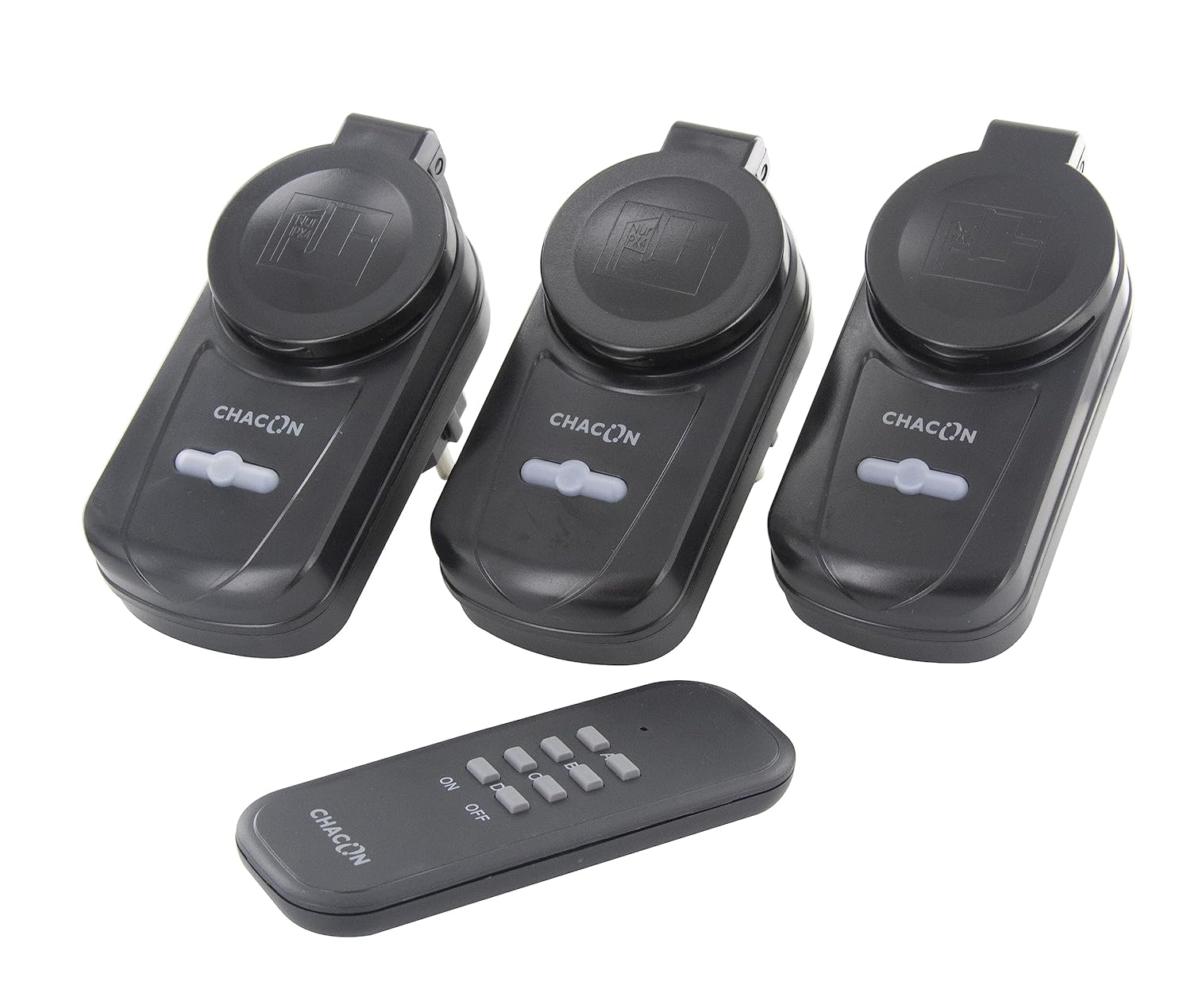
Image 2: Left: CHACON indoor remote control outlets (white) with their corresponding remote. Right: CHACON outdoor remote control outlets (black) with their corresponding remote.
5. 사용 설명서
5.1. 기기 연결
Once paired, plug your desired electrical appliance or lamp into the remote control outlet. Ensure the appliance is switched to its "ON" position if it has a physical power switch, so it can be controlled by the remote outlet.
5.2. 리모컨 사용
The remote control features "ON" and "OFF" buttons, typically grouped by channels (A, B, C, D). Press the corresponding "ON" button to turn on the appliance connected to the paired outlet, and the "OFF" button to turn it off.
- 에: Activates the connected appliance.
- OFF : Deactivates the connected appliance.
The wireless transmission range is approximately 30 meters in an open field. Obstacles such as walls, furniture, and other electronic devices may reduce this range.
6. 유지관리
- Clean the outlets and remote control with a soft, dry cloth. Do not use abrasive cleaners or solvents.
- Regularly check the battery in the remote control and replace it when its performance diminishes.
- Ensure outdoor outlets are protected from direct heavy rain or prolonged exposure to harsh weather conditions, despite their outdoor rating.
7. 문제 해결
- Outlet not responding:
- Check if the outlet is properly plugged into the wall socket.
- Ensure the appliance connected to the outlet is switched on.
- 리모콘의 배터리를 교체하세요.
- Re-pair the outlet with the remote control (refer to Section 4.2).
- Ensure you are within the operational range (30 meters, clear line of sight).
- 간섭:
- Other wireless devices operating on the 433.92 MHz frequency might cause interference. Try moving the outlets or remote control to a different location.
- Outdoor outlet not working:
- Verify the outdoor outlet's IP rating (IP20 for this model, meaning it's not waterproof, only protected against solid objects larger than 12.5mm). This rating suggests limited protection against water. For outdoor use, additional protection from direct moisture is advised.
8. 사양
| 모델 번호 | 99013 |
| 상표 | 차콘 |
| 운영 볼륨tage | 220 볼트 |
| Indoor Outlet Max Load | 3680W (제품명 기준) |
| Outdoor Outlet Max Load | 1000W (제품명 기준) |
| 전송 주파수 | 433.92MHz |
| 전송 범위 | 30m(개방형 필드) |
| 작동 모드 | 온-오프 |
| 연락처 유형 | 일반적으로 닫힘 |
| 재료 | 플라스틱 |
| 국제 지적재산권(IP) 등급 | IP20(Note: IP20 indicates protection against solid objects >12.5mm, but no protection against water. For outdoor use, additional protection from moisture is advised.) |
| 제품 크기(L x W x H) | 29 x 51 x 30 cm (for the entire package) |
| 무게 | 800 grams (for the entire package) |
| 원산지 | 중국 |
9. 보증 및 지원
Specific warranty information is not provided in the product details. Please refer to your purchase documentation or contact the retailer for warranty terms.
For technical support or further assistance, please contact CHACON customer service through their official web제품을 구매한 사이트 또는 소매업체.