1. 서론
This manual provides comprehensive instructions for the setup, operation, and maintenance of your ROYALAXE L98 Wireless Mechanical Keyboard. Please read this manual thoroughly before using the product to ensure optimal performance and longevity.

2. 상자 안에 무엇이 들어있나요?
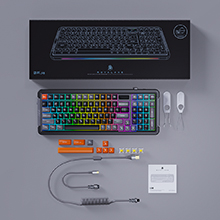
패키지에 모든 품목이 들어 있는지 확인하세요.
- 무선 기계식 키보드
- 4 Spare Switches & 8 Spare Keycaps
- Coiled USB Cable & Dust Cover
- 키캡 풀러
- 사용자 매뉴얼 및 퀵 가이드
3. 주요 특징
- 1.14" TFT LCD: Displays time, connection mode, battery level, and system (WIN/MAC). Customizable with images or GIF animations via downloadable driver.
- Upgraded Gateron G Pro 3.0 Yellow Switches: Pre-lubed switches with improved condenser light effect structure for brighter, more consistent backlight, and harder pins for stable typing.
- 개스킷 마운트 설계: Incorporates two silicone dampeners for reduced noise and a comfortable typing experience with satisfying sound.
- 삼중 연결 모드: Supports 3 Bluetooth channels, 2.4GHz wireless USB, and Type-C wired connection for multi-device tasking (up to 5 devices). Compatible with WIN and MAC systems.
- 18+4 RGB Lighting Effects: 22 RGB light modes with adjustable brightness and monochromatic light switch.
- Hot-swappable 5-Pin Sockets: 납땜 없이 스위치를 쉽게 교체할 수 있습니다.
- 대용량 배터리: 6000 mAh battery provides up to 75 hours standby with RGB off (15 hours with RGB on).
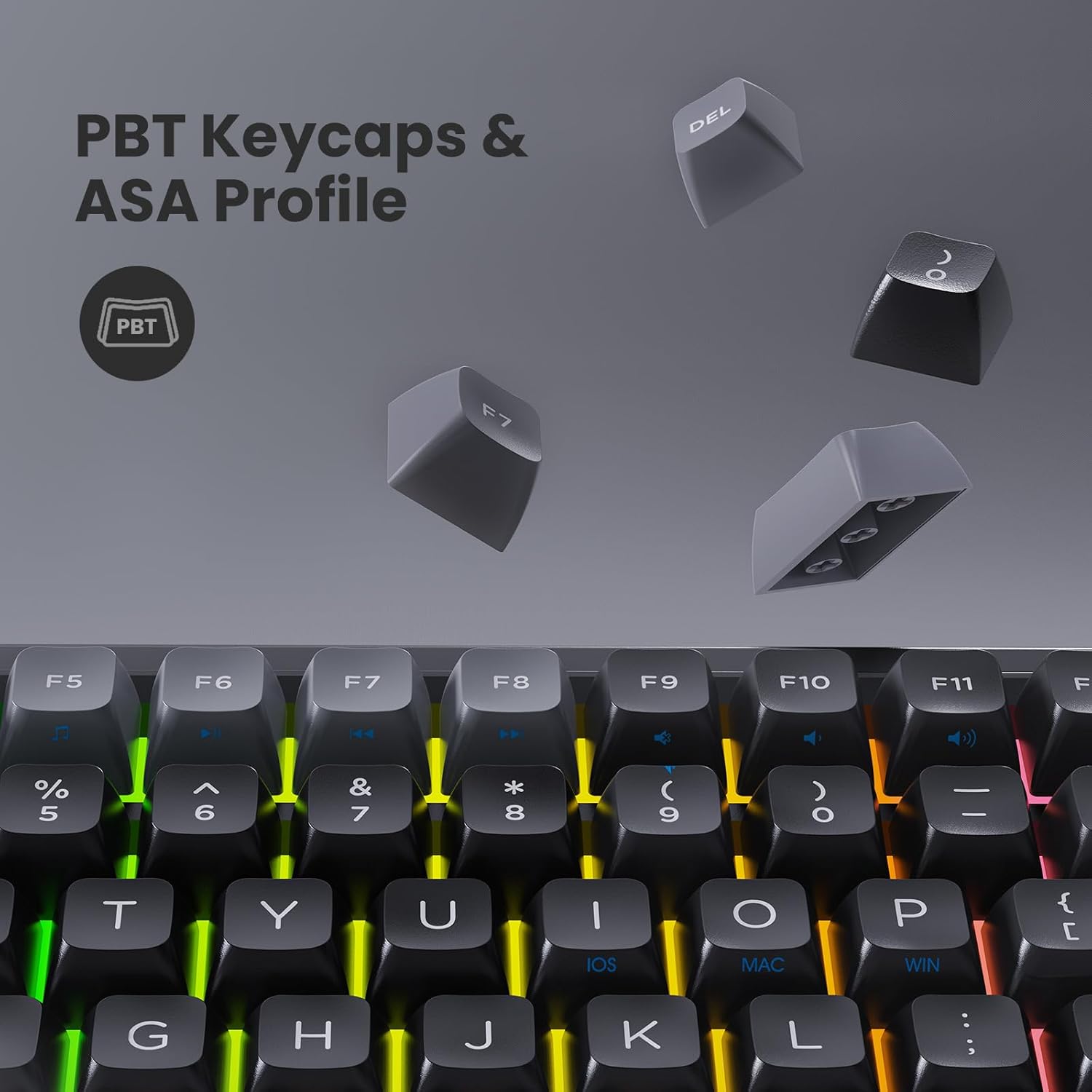
- Double Shot PBT Keycaps & ASA Profile: Durable keycaps designed to prevent long-term grime buildup.
- Double Kick-up Feet: Provides 3 tilt angles for ergonomic comfort.
- Full Keys Anti-Ghosting (N-Key Rollover): 빠른 타이핑이나 게임 중에도 모든 키 입력이 정확하게 기록되도록 보장합니다.
- Specially Tuned Stabilizers: For consistent and smooth key presses on larger keys.



4. 설정 가이드
4.1. 키보드 충전
Before first use, it is recommended to fully charge the keyboard. Connect the coiled USB Type-C cable to the keyboard's port and the other end to a USB power source (e.g., computer USB port, wall adapter). The TFT LCD will indicate charging status.

4.2. 연결 모드
The L98 keyboard supports three connection modes: Wired, 2.4GHz Wireless, and Bluetooth.
- 유선 연결:
Connect the provided USB Type-C cable directly from the keyboard to your computer's USB port. The keyboard will automatically switch to wired mode.
- 2.4GHz 무선 연결:
Locate the 2.4GHz USB receiver (dongle) usually stored in a slot on the keyboard. Plug the receiver into an available USB port on your computer. Slide the mode switch on the keyboard to the "2.4G" position. The keyboard should connect automatically.
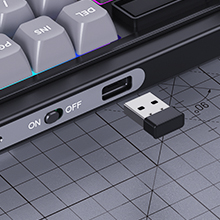
Figure 11: USB 2.4G receiver and mode switch. - 블루투스 연결 :
Slide the mode switch on the keyboard to the "BT" position. The keyboard supports up to 3 Bluetooth channels (BT1, BT2, BT3). To pair, press and hold Fn + Q (for BT1), Fn + W (for BT2), or Fn + E (for BT3) until the indicator light flashes rapidly. On your device (PC, tablet, smartphone), go to Bluetooth settings and select "ROYALAXE L98" to pair. Once connected, the indicator light will stop flashing.
4.3. 시스템 호환성
The keyboard supports both Windows and macOS systems. Use the dedicated switch or key combination (refer to quick guide) to toggle between WIN and MAC layouts if necessary.
5. 사용 설명서
5.1. 기본 키보드 기능
The L98 keyboard functions as a standard 98-key layout keyboard. All keys are anti-ghosting with N-Key Rollover for accurate input.
5.2. RGB 조명 제어
The keyboard features 22 preset RGB lighting modes. Use the following key combinations to control the lighting:
- Fn + \ |: RGB 조명 효과를 순환하며 살펴보세요.
- Fn + ↑: 밝기를 높입니다.
- Fn + ↓: 밝기를 줄입니다.
- Fn + ←: 조명 속도를 낮춥니다.
- Fn + →: 조명 속도를 높입니다.
- Fn + 델: Switch between monochromatic colors (if applicable to the current mode).
5.3. TFT LCD Customization
The 1.14" TFT LCD can display custom images or GIF animations. To utilize this feature, download the official driver software from the ROYALAXE website. The software allows you to upload and manage content for the LCD screen.
Note: "Music Follow" mode for RGB lighting is unavailable in MAC system.
5.4. 핫 스와핑 스위치
The L98 keyboard is hot-swappable, allowing you to change mechanical switches without soldering. Use the included switch puller to carefully remove existing switches and insert new 5-pin compatible switches. Ensure the pins are aligned correctly before pressing down firmly.
5.5. Changing Keycaps
Use the included keycap puller to gently remove keycaps. Align new keycaps with the switch stem and press down firmly until seated. The keyboard comes with 8 spare keycaps for customization.
6. 유지관리
- 청소: Regularly clean the keyboard with a soft, dry cloth. For deeper cleaning, remove keycaps and use compressed air to clear dust and debris from between switches.
- 배터리 관리 : 배터리 수명을 연장하려면 키보드를 자주 완전히 방전시키지 마십시오. 장기간 사용하지 않을 때는 서늘하고 건조한 곳에 보관하십시오.
- Switch and Keycap Handling: When hot-swapping switches or changing keycaps, apply gentle, even pressure to avoid damaging the switch pins or keycap stems.
- 먼지 커버: 키보드를 사용하지 않을 때는 제공된 방진 커버를 사용하여 먼지가 쌓이는 것을 방지하세요.
7. 문제 해결
| 문제 | 가능한 원인 | 해결책 |
|---|---|---|
| 키보드가 응답하지 않음(무선) | Low battery; Incorrect mode selected; USB receiver not connected; Bluetooth not paired. | Charge the keyboard; Ensure mode switch is set to 2.4G or BT; Plug in USB receiver securely; Re-pair Bluetooth device. |
| 키가 등록되지 않거나 두 번 입력됨 | 키캡/스위치 아래에 먼지/이물질이 있거나 스위치가 고장난 경우입니다. | Clean under keycaps; Replace the affected switch using the hot-swap feature. |
| RGB 조명이 작동하지 않습니다 | Lighting turned off; Low battery; Software issue. | Check lighting controls (Fn + keys); Charge keyboard; Reinstall driver software. |
| TFT LCD not displaying correctly | Software issue; Incorrect settings. | Ensure driver software is installed and updated; Check display settings within the software. |
| 블루투스 연결이 불안정합니다 | Interference; Distance from device; Multiple devices connected. | Move closer to the device; Ensure no other strong wireless signals are interfering; Disconnect other Bluetooth devices. |
8. 사양
| 특징 | 세부 사항 |
|---|---|
| 모델 번호 | L98 |
| 연결 기술 | 블루투스, 2.4G, USB-C |
| 스위치 | Gateron G Pro Yellow |
| 키의 개수 | 98 |
| 배터리 용량 | 6000mAh |
| 조명 | RGB (22가지 모드) |
| 키캡 재질 | 영어: PBT (미국) |
| 키캡 프로file | 아사 |
| 제품 치수 | 15.8 x 5.9 x 1.4 인치 |
| 품목 무게 | 2.5파운드 |
| 호환 시스템 | 윈도우, 맥, 안드로이드, iOS |
9. 보증 및 지원
ROYALAXE products are designed and manufactured to the highest quality standards. For information regarding warranty coverage, technical support, or to download the latest drivers and software, please visit the official ROYALAXE web사이트를 방문하거나 고객 서비스에 문의하세요.
Official ROYALAXE Store: ROYALAXE Store on Amazon