
소개
Thank you for choosing the Magshion 7-inch USB Rechargeable Desk Fan. This manual provides essential information for the safe and efficient operation of your new fan. Please read these instructions carefully before use and retain them for future reference.
안전 정보
- 팬 그릴에 손가락이나 이물질을 넣지 마십시오.
- 선풍기를 물과 습기로부터 멀리하세요.
- Ensure the fan is placed on a stable, flat surface when in use.
- 팬을 직접 분해하거나 수리하지 마십시오. 도움이 필요하면 고객 지원 센터에 문의하십시오.
- 충전에는 제공된 USB 케이블만 사용하세요.
- 어린이의 손이 닿지 않는 곳에 보관하세요.
패키지 내용
패키지에 모든 품목이 들어 있는지 확인하세요.
- Magshion 7-inch USB Desk Fan
- USB 충전 케이블
- Instructions for Use (This Manual)
제품 끝view
Familiarize yourself with the components of your Magshion Desk Fan.

앞쪽 view of the Magshion 7-inch USB Desk Fan, showcasin컴팩트한 디자인과 팬 그릴이 특징입니다.
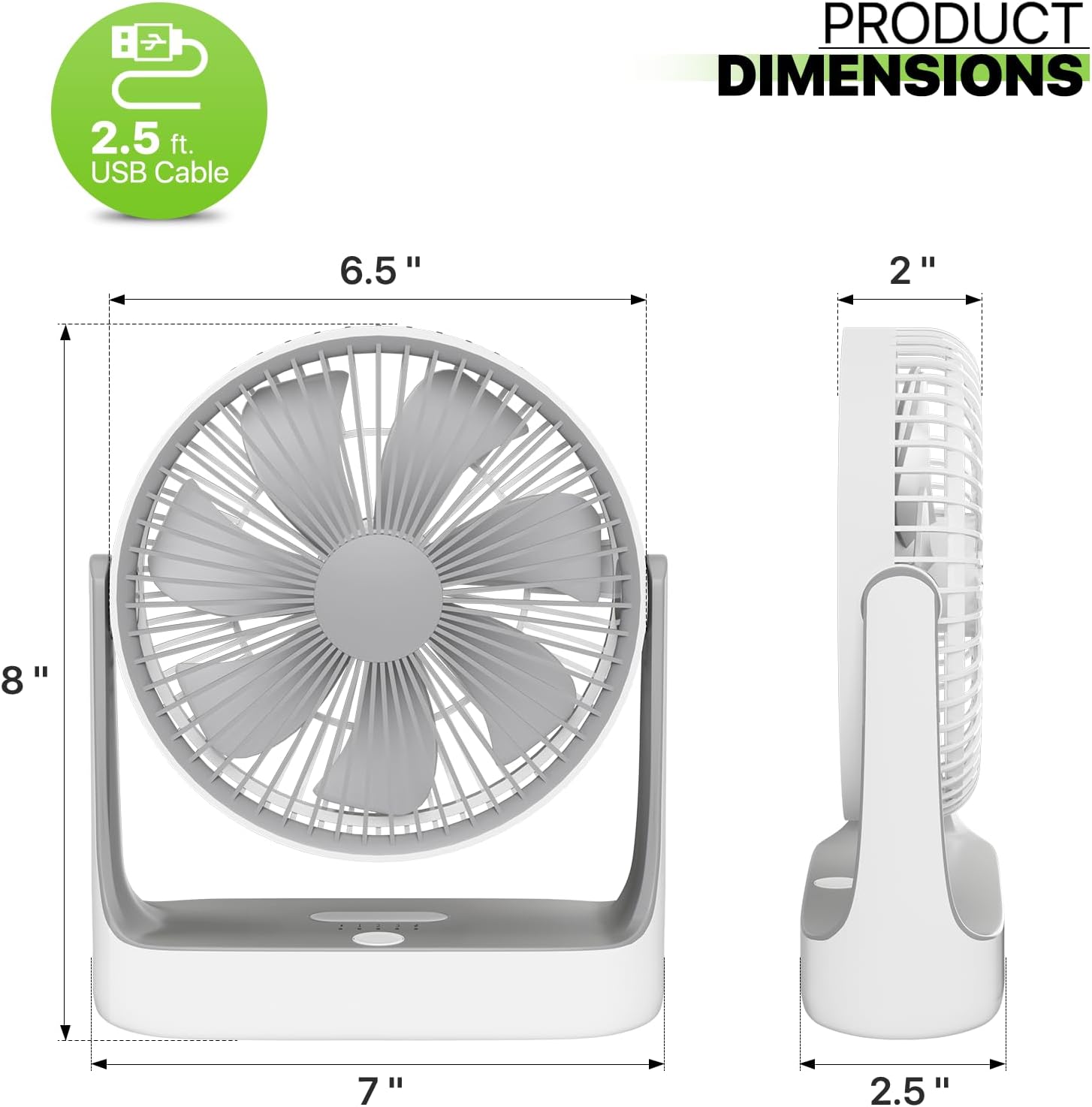
Diagram illustrating the dimensions of the Magshion 7-inch USB Desk Fan, including height, width, and depth.
- 팬 헤드: Contains the blades and grille.
- 제어판: Located on the base, includes power/speed button and LED light button.
- 베이스: Provides stability and houses the battery and charging port. Features a non-slip silicone mat.
- 거는 구멍: Integrated into the base for wall or ceiling mounting.
클로즈업 view of the fan's base, showing the integrated hanging hole and non-slip silicone mat for stability.
설정
1. 초기 충전
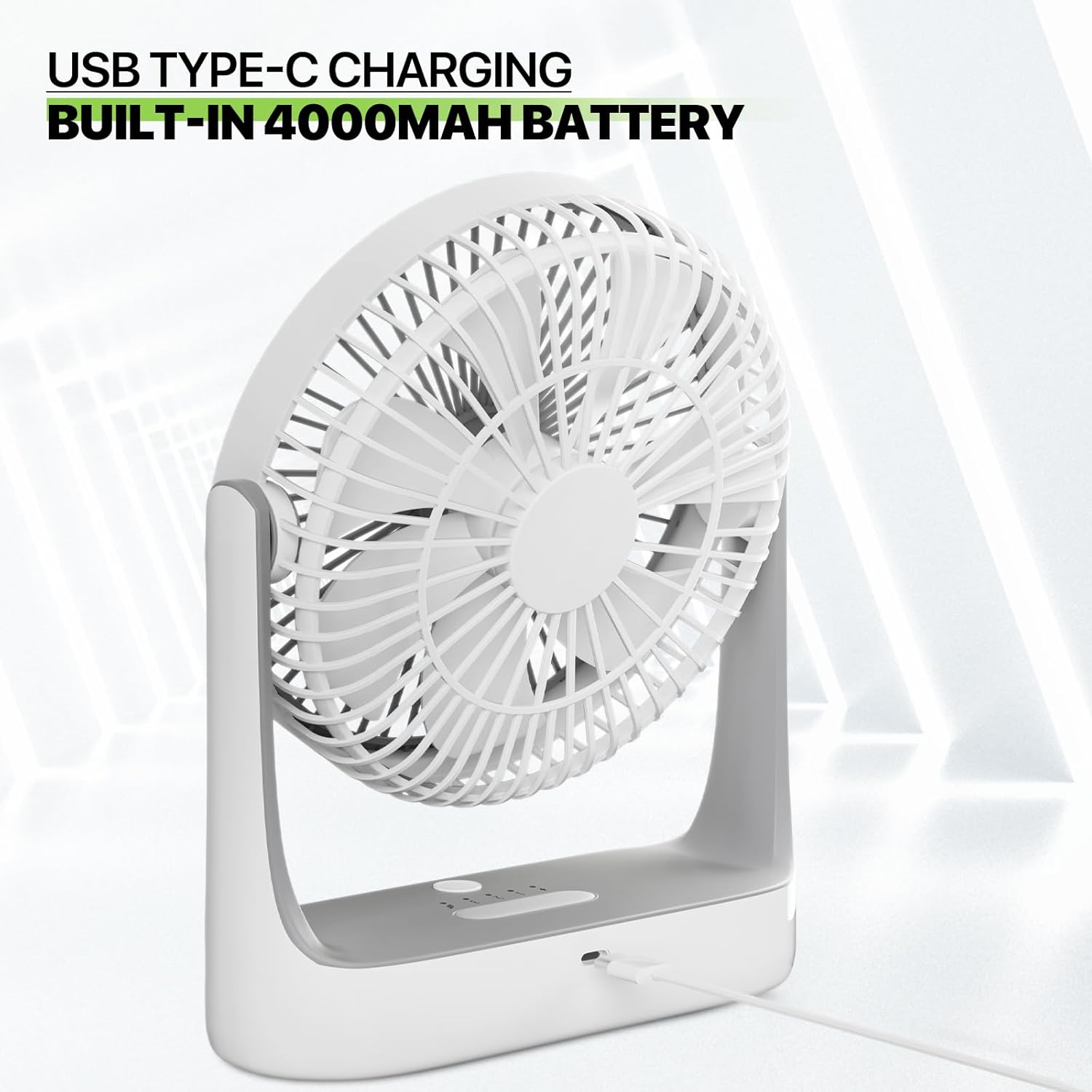
Before first use, fully charge the fan. Connect the provided USB charging cable to the fan's Type-C port and to a compatible USB power source (e.g., computer, wall adapter). The charging indicator light will illuminate. A full charge typically takes several hours.

The fan connected via a USB Type-C cable, illustrating its charging capability.
2. 배치
The fan can be used in various positions:
- 책상/테이블용: 팬을 평평하고 안정된 표면에 놓으십시오.
- 교수형: Utilize the integrated hanging hole on the base to suspend the fan from a hook or suitable fixture.

Examples of the fan's versatile placement options, including tabletop use and hanging via its integrated hook.
작동 지침
1. 전원 켜기/끄기 및 속도 조절
- Press the power button once to turn the fan on at the lowest speed (Eco mode).
- Press the power button repeatedly to cycle through the 4 speed settings: Eco, Natural, High, Strong.
- Press the power button a fifth time to turn the fan off.

Image demonstrating the four adjustable speed settings (Eco, Natural, High, Strong) and their approximate battery life.
2. 야간 조명 기능
The fan includes a built-in LED night light.
- Long-press the dedicated light button on the control panel to turn the night light on or off.

The fan positioned on a bedside table, highlighting its built-in LED night light feature.
3. Tilt Angle Adjustment
The fan head can be manually adjusted up to 180 degrees to direct airflow as needed.
- Gently tilt the fan head to your desired angle. The fan will hold its position.

Illustration showing the fan's ability to tilt 180 degrees, allowing for flexible airflow direction.
충전 중
The fan is equipped with a 4000mAh lithium-ion battery, providing extended cordless operation. To charge, connect the USB Type-C cable to the fan and a 5V USB power source. The charging indicator will show the charging status. You can use the fan while it is charging.
유지
정기적으로 청소하면 팬의 최적의 성능과 수명을 보장할 수 있습니다.
팬 청소
- 청소하기 전에 팬이 꺼져 있고 플러그가 뽑혀 있는지 확인하십시오.
- The front grille is detachable for easy cleaning. Gently twist or unclip the front cover as indicated by the design to remove it.
- Use a soft, dry cloth to wipe dust from the fan blades and interior. For stubborn dirt, a slightly damp cloth can be used, ensuring no water enters the motor.
- 부드럽고 마른 천으로 팬 외부를 닦으세요.
- 깨끗하게 닦고 말린 후, 앞쪽 그릴을 다시 단단히 부착하십시오.
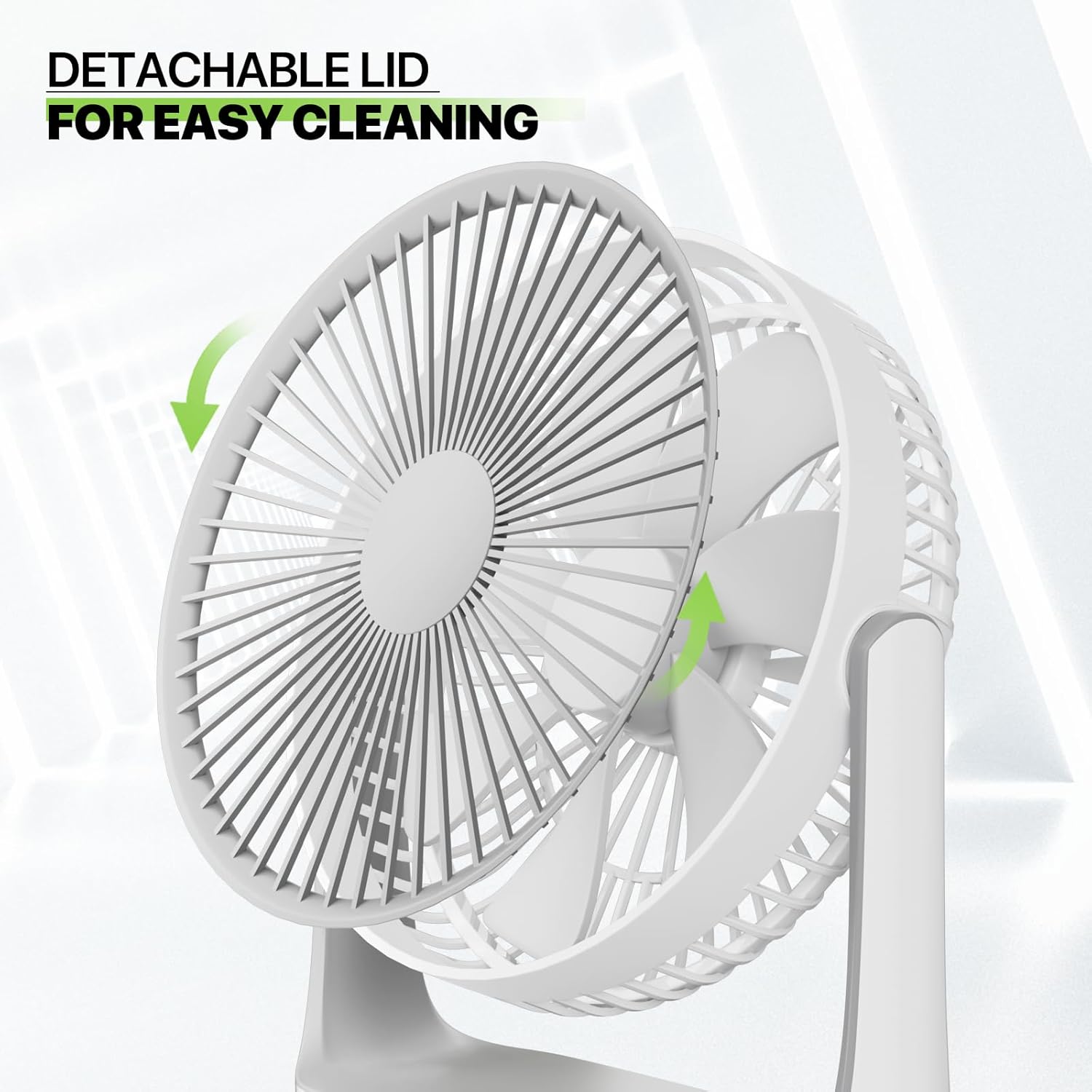
Diagram showing how to detach the front cover of the fan for easy cleaning and maintenance.
문제 해결
| 문제 | 가능한 원인 | 해결책 |
|---|---|---|
| 팬이 켜지지 않음 | Battery is depleted; Not properly charged; Power button not pressed correctly. | Charge the fan fully; Ensure USB cable is securely connected; Press the power button firmly. |
| 약한 기류 | Fan speed is too low; Grille or blades are obstructed by dust. | Increase the fan speed; Clean the fan blades and grille as per maintenance instructions. |
| 야간 조명이 작동하지 않음 | Light button not pressed correctly; Battery is very low. | Long-press the light button; Charge the fan. |
| 팬에서 이상한 소리가 난다 | Obstruction in blades; Fan not on a stable surface. | Turn off and unplug, check for obstructions and remove; Place fan on a flat, stable surface. |
명세서
| 특징 | 세부 사항 |
|---|---|
| 상표 | Magshion |
| 모델명 | MAG-A25-TBF-003-6IN-WH |
| 색상 | 하얀색 |
| 선풍기 디자인 | 테이블 선풍기 |
| 전원 | Battery Powered (4000mAh Lithium Ion, included) |
| 제품 치수 | 7인치 깊이 x 2.5인치 너비 x 8.5인치 높이 |
| 특별 기능 | 4 speeds, 180° Adjustable Tilt, Built-in LED Light, Hangable, Rechargeable |
| 소음 수준 | 30데시벨 |
| 왓tage | 5 와트 |
| 블레이드 수 | 7 |
| 블레이드 길이 | 5 인치 |
| 권tage | 5볼트(DC) |
| 제어 방법 | 만지다 |
| 주 전원 커넥터 유형 | Type-C USB |
| 품목 무게 | 1.15파운드 |
| 인증 | 연방통신위원회(FCC) |
보증 및 지원
Magshion products are designed for reliability and performance. For warranty information or technical support, please refer to the contact details provided with your purchase or visit the official Magshion website. Please have your model number (MAG-A25-TBF-003-6IN-WH) ready when contacting support.