
1. 제품 오버view
The MiLESEEY TNV256i is a compact thermal imaging camera designed to connect directly to your Android smartphone via USB-C. It transforms your smartphone into a powerful thermal imager, allowing you to visualize heat signatures and temperature differences in various environments. Ideal for outdoor observation, home inspections, and general thermal analysis.
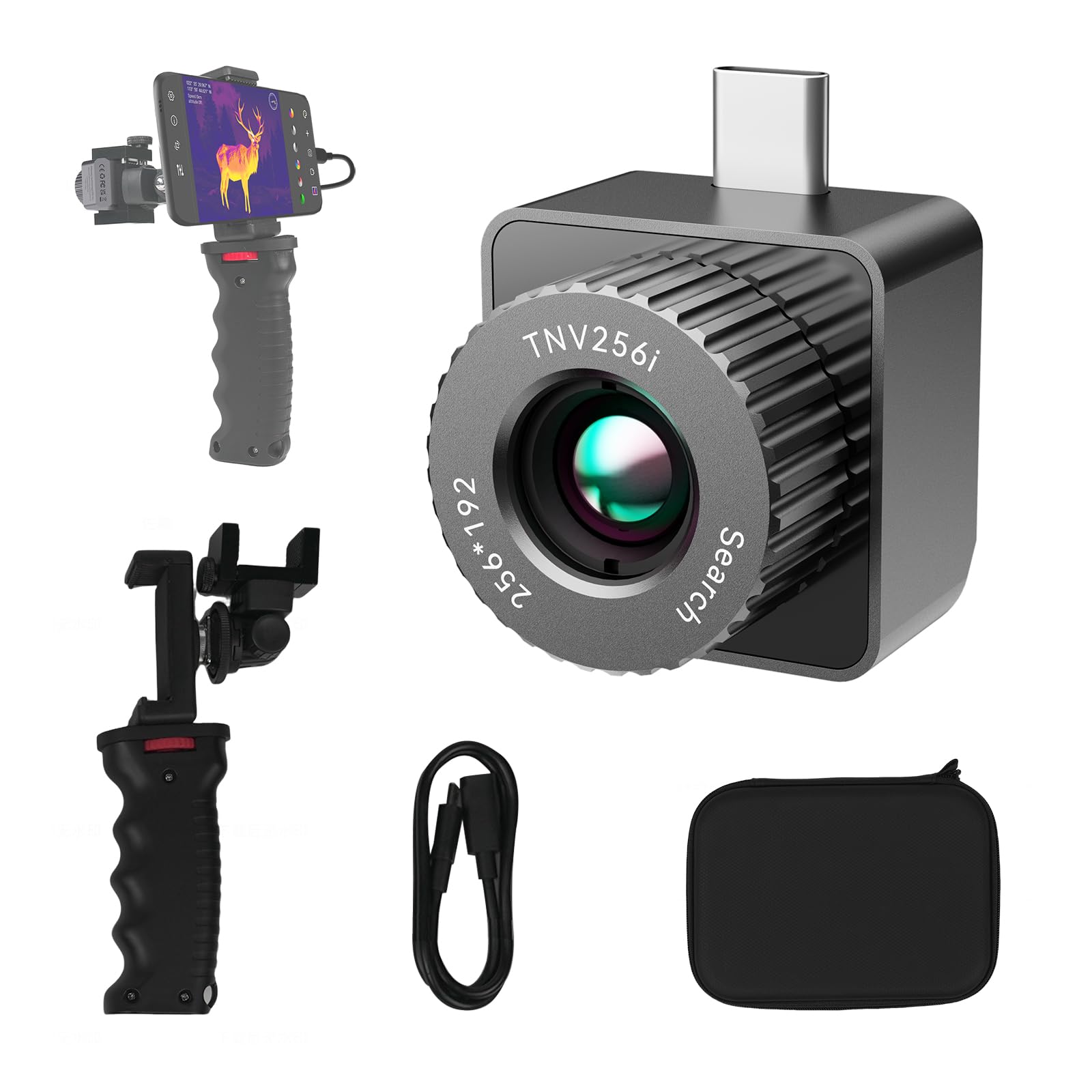
Image: MiLESEEY TNV256i Thermal Imaging Camera connected to an Android smartphone via a handheld bracket, ready for use.
2. 상자 안에 무엇이 들어있나요?
- Thermal imaging camera body (MiLESEEY TNV256i)
- Hard handheld bracket
- 사용자 설명서
3. 설정 가이드
3.1. 앱 설치
- Locate the QR code in the included User Manual or search for "Mileseey thermal eyes" on the Google Play Store.
- Download and install the "Mileseey thermal eyes" application on your Android smartphone.
- Grant necessary permissions (e.g., camera access, storage) when prompted by the app.
3.2. 장치 연결
- 안드로이드 스마트폰에 USB-C 포트가 있는지 확인하세요.
- Carefully plug the MiLESEEY TNV256i thermal imaging camera into your smartphone's USB-C port.
- Open the "Mileseey thermal eyes" app. The app should automatically detect and connect to the thermal camera.
- For optimal stability and handling, attach the thermal camera and smartphone to the provided hard handheld bracket.

Image: The MiLESEEY TNV256i thermal camera connected to an Android phone, secured in a handheld bracket for stable operation.
3.3. Initial Warm-up
Due to volume limits, the TNV256i needs to stabilize its temperature for the first 3-5 minutes. The screen may flicker during this period. This is normal operation.
3.4. 교육용 비디오
Video: An introduction to the T-Recon Scout (MiLESEEY TNV256i), demonstrating its features and connectivity with a smartphone.
비디오: 간략하게 살펴보기view of the MiLESEEY T-Recon Scout TNV256i, highlighting its design and basic functionality.
4. 사용 설명서
4.1. Navigating the App Interface
The "Mileseey thermal eyes" app provides a user-friendly interface to control the TNV256i. Key functions are accessible via on-screen icons.

Image: The app interface showing controls for settings, information, advanced setup, temperature display, color palette, hotspot tracking, photo capture, video recording, and photo album.
4.2. Thermal Detection and Range
The TNV256i allows detection of heat sources at significant distances. For instance, it can spot objects like deer up to 400+ yards at night, with a detection range of up to 680 yards for 6-foot objects.

Image: A chart illustrating the detection and identification ranges for various objects, such as humans, deer, rabbits, and birds, using the thermal imager.
4.3. 색상 팔레트
Switch between various color modes to optimize contrast and detail for different scenarios. Common palettes include Iron, Rainbow, White Hot, Black Hot, Red Hot, and Cold Green.

Image: A visual representation of different color palettes available in the app, demonstrating how they alter the thermal display for enhanced visibility.
4.4. 이미지 및 비디오 캡처
Use the dedicated buttons within the app to capture still thermal images or record thermal videos. These can be saved directly to your smartphone's gallery.
4.5. 핫스팟 추적
The device features hotspot tracking, which helps identify and highlight the hottest points within the thermal view, useful for quickly locating areas of interest.
5. 유지관리
To ensure the longevity and optimal performance of your MiLESEEY TNV256i, follow these maintenance guidelines:
- 청소: Gently wipe the lens and device body with a soft, dry, lint-free cloth. Avoid abrasive materials or harsh chemicals.
- 저장: 먼지, 습기 및 물리적 손상으로부터 기기를 보호하기 위해 사용하지 않을 때는 제공된 휴대용 케이스에 보관하십시오.
- 온도: 장치를 극한의 온도나 직사광선에 장기간 노출시키지 마십시오.
6. 문제 해결
- 장치가 연결되지 않음: Ensure the "Mileseey thermal eyes" app is installed and all necessary permissions are granted. Try unplugging and re-plugging the device. Restart your smartphone if the issue persists.
- Screen flickering during startup: This is normal during the initial 3-5 minute warm-up period as the device stabilizes its temperature.
- 부정확한 온도 측정: Ensure the device lens is clean. Check the emissivity settings within the app, as different surfaces have different emissivities.
- App not found on Google Play Store: Verify the spelling "Mileseey thermal eyes". If still not found, contact customer support for alternative download methods.
7. 사양
| 특징 | 세부 사항 |
|---|---|
| 상표 | 마일시 |
| 모델명 | TNV256i |
| 해결 | 256x192 |
| 대물렌즈 직경 | 10 밀리미터 |
| 초점거리 | 10 밀리미터 |
| 호환 장치 | Android Type-C Phones |
| 분야의 View | 700 Yards (detection range) |
| 초점 유형 | 고정 초점 |
8. 보증 및 지원
8.1. 보증 정보
The MiLESEEY TNV256i Thermal Imaging Camera comes with a 2-year warranty. Please refer to the product packaging or contact customer support for full warranty terms and conditions.
8.2. 고객 지원
For any questions, technical assistance, or warranty claims, please contact MiLESEEY customer support through the following channels:
- Amazon 제품 페이지: 방문하세요 MiLESEEY TNV256i product page for FAQs and seller contact information.
- MiLESEEY Store: 탐색해보세요 official MiLESEEY Amazon store 추가 자료가 필요합니다.