1. 서론
Thank you for choosing the iGPSPORT BSC300 GPS Bicycle Computer. This device is designed to enhance your cycling experience by providing accurate navigation, comprehensive performance data, and smart connectivity. This manual will guide you through the setup, operation, and maintenance of your new bicycle computer.
The BSC300 features a vibrant 2.4-inch color LCD display, robust IPX7 waterproofing, and supports advanced connectivity via BLE5.0 and ANT+. With its multi-satellite positioning system, you can expect precise tracking and navigation for all your rides.
2. 패키지 내용
다음 품목이 패키지에 포함되어 있는지 확인하세요.
- iGPSPORT BSC300 Bicycle Computer x 1
- Rubber Base x 1
- 고무 링 x 2
- User Quick Guide x 1
- USB 타입-C 케이블 x 1

Image: Contents of the iGPSPORT BSC300 package, including the computer, mounts, and cables.
Note: A charging adapter is not included. Please use a standard USB Type-C compatible charger.
3. 설정
3.1 장치 설치
- Attach the rubber base to your bicycle handlebar or stem using the provided rubber rings.
- Align the BSC300 with the base and twist it clockwise until it locks securely into place.
3.2 초기 충전
Before first use, fully charge the device using the supplied USB Type-C cable. Connect the cable to the BSC300's charging port and a compatible USB power source. The battery indicator on the display will show charging status.
3.3 전원 켜기/끄기
- To power on: Press and hold the power button (usually located on the side or bottom) until the screen illuminates.
- To power off: Press and hold the power button until a power-off prompt appears, then confirm.
3.4 Language and Initial Settings
Upon first power-on, you may be prompted to select your preferred language and other basic settings. The device supports multiple languages. Navigate through the menus using the physical buttons.
3.5 센서 페어링 (BLE5.0 및 ANT+)
The BSC300 supports connection to various external sensors via BLE5.0 and ANT+ protocols, including speed sensors, cadence sensors, heart rate monitors, power meters, and radar sensors.
- Go to the 'Settings' menu on your BSC300.
- '센서' 또는 '장치 추가'를 선택하세요.
- Ensure your sensor is active and within range. The BSC300 will scan for available devices.
- 목록에서 센서를 선택하여 페어링하세요.
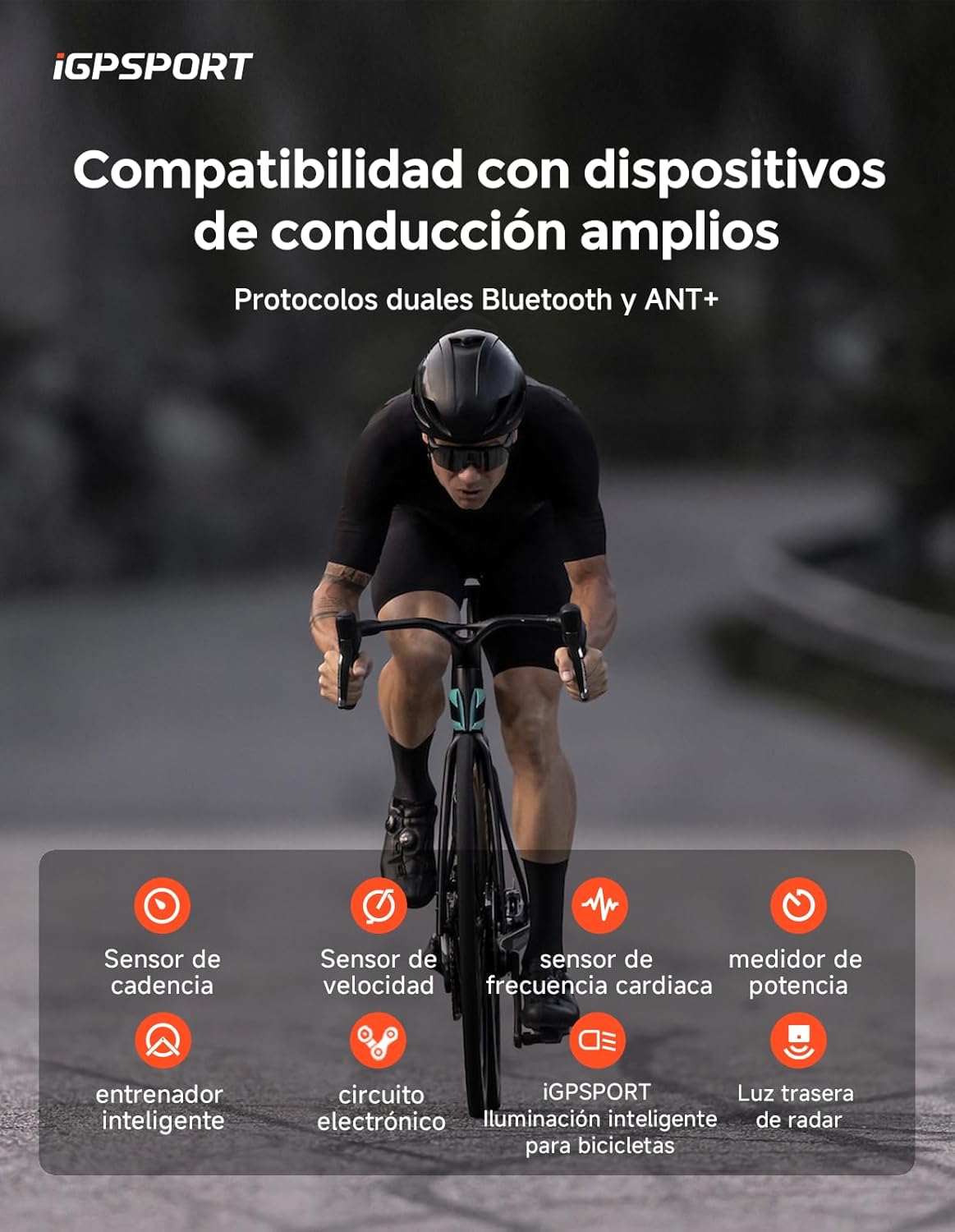
Image: The iGPSPORT BSC300 displaying compatibility with various cycling sensors like cadence, speed, heart rate, and power meters.
4. 사용 설명서
4.1 Display and Data Fields
The 2.4-inch HD color display offers clear visibility. You can customize the data fields to show over 130 different metrics, including speed, distance, time, cadence, heart rate, power, and altitude. The device provides three options for data display layouts.

Image: The iGPSPORT BSC300 showcasing various colorful UI themes and customizable data display options.
4.2 탐색
The BSC300 supports offline map navigation with 8GB of internal memory for storing extensive map information. It is compatible with TCX, GPX, CNX, and Fit files, allowing you to import routes from third-party applications. The 5-star navigation system provides accurate turn-by-turn directions and alerts.

Image: The iGPSPORT BSC300 displaying an offline map navigation route on its screen while a cyclist rides.
4.3 위성 위치확인
The device utilizes a multi-constellation GNSS system, supporting GPS, GALILEO, GLONASS, BeiDou, and QZSS for responsive and accurate real-time satellite positioning. This ensures reliable tracking even in challenging environments.

Image: A graphic illustrating the iGPSPORT BSC300's global 5-satellite positioning system, showing coverage from GPS, Galileo, GLONASS, BeiDou, and QZSS.
4.4가지 훈련 모드
The BSC300 offers advanced training features, including smart trainer control, structured workouts, and FTP (Functional Threshold Power) detection. These features help you optimize your training sessions.

Image: The iGPSPORT BSC300 displaying advanced training screens, including workout targets, smart trainer options, and FTP detection.
4.5 App Compatibility & Electronic Shifting
The device is compatible with popular cycling platforms like iGPSPORT, Strava, TrainingPeaks, Komoot, and Insta360, allowing for easy data synchronization and analysis. It also supports the three major electronic shifting systems: Shimano Di2, SRAM e-Tap, and Campagnolo EPS.

Image: The iGPSPORT BSC300 showing compatibility with various cycling applications like Insta360, Komoot, and Strava, along with real-time data display.
4.6 Radar Light Functionality
The BSC300 can connect with compatible radar lights, detecting, displaying, and warning you of up to 8 vehicles simultaneously, enhancing your safety on the road.

Image: The iGPSPORT BSC300 displaying radar information from a connected radar light, showing detected vehicles behind cyclists.
5. 유지관리
5.1 배터리 관리
The BSC300 is equipped with a 600 mAh battery, providing up to 20-30 hours of battery life on a full charge. To maximize battery longevity, avoid extreme temperatures and fully charge the device before long periods of inactivity.
5.2 세척 및 방수
The device has an IPX7 waterproof rating, meaning it can withstand immersion in up to 1 meter of water for 30 minutes. After riding in wet conditions, wipe the device clean with a soft, damp cloth. Do not use harsh chemicals or abrasive materials. Ensure the USB port cover is securely closed to maintain waterproofing.
5.3 소프트웨어 업데이트
iGPSPORT regularly releases software updates to improve performance and add new features. Connect your device to the iGPSPORT app or computer software to check for and install available updates. Keeping your device updated ensures optimal functionality.
6. 문제 해결
If you encounter issues with your iGPSPORT BSC300, try the following steps:
- 장치가 켜지지 않음: 배터리가 충전되어 있는지 확인하세요. 전원에 연결한 후 다시 시도해 보세요.
- GPS 신호 손실: Move to an open area away from tall buildings or dense foliage. Allow the device a few minutes to acquire satellites.
- 센서가 연결되지 않습니다: Check if the sensor's battery is charged and it is active. Ensure the sensor is within range and try re-pairing it through the device settings.
- 디스플레이 문제: Restart the device. If the problem persists, check for software updates.
- 데이터 동기화 문제: Ensure your device is properly connected to the iGPSPORT app via Bluetooth and you have a stable internet connection.
For further assistance, please refer to the official iGPSPORT support web사이트를 방문하거나 고객 서비스에 문의하세요.
7. 사양
| 특징 | 사양 |
|---|---|
| 모델 번호 | BSC300T |
| 표시하다 | 2.4 인치 컬러 LCD |
| 치수 | 92 x 52 x 16.5mm |
| 무게 | 67g |
| 무선 연결 | BLE5.0 / ANT+ |
| 방수 등급 | IPX7 |
| GNSS | GPS + BeiDou + GLONASS + QZSS + GALILEO |
| 배터리 수명 | 최대 20-30시간 |
| 배터리 용량 | 600mAh |
| 인터페이스 | USB 타입-C |
| 메모리 저장 | 8GB (XNUMX기가바이트) |
| Electronic Shifting Support | Di2, e-Tap, EPS |
| 통합 센서 | G-sensor, Barometric Altimeter, Ambient Light Sensor, Electronic Compass |
| 특별 기능 | Touchscreen, Bluetooth, Waterproof |
8. 보증 및 지원
보증 정보, 기술 지원 또는 서비스 문의 사항은 공식 iGPSPORT를 참조하십시오. web해당 웹사이트를 방문하거나 가까운 대리점에 문의하십시오. 보증 청구를 위해 구매 영수증을 구매 증빙 자료로 보관하십시오.
Official iGPSPORT Web대지: www.igpsport.com