
HOCO EQ3 EARBUDS
HOCO EQ3 트루 와이어리스 이어버드 사용 설명서
Model: EQ3 EARBUDS
소개
Thank you for choosing the HOCO EQ3 True Wireless Earbuds. This manual provides detailed instructions on how to set up, operate, and maintain your earbuds to ensure optimal performance and longevity. Please read this manual carefully before using the product.
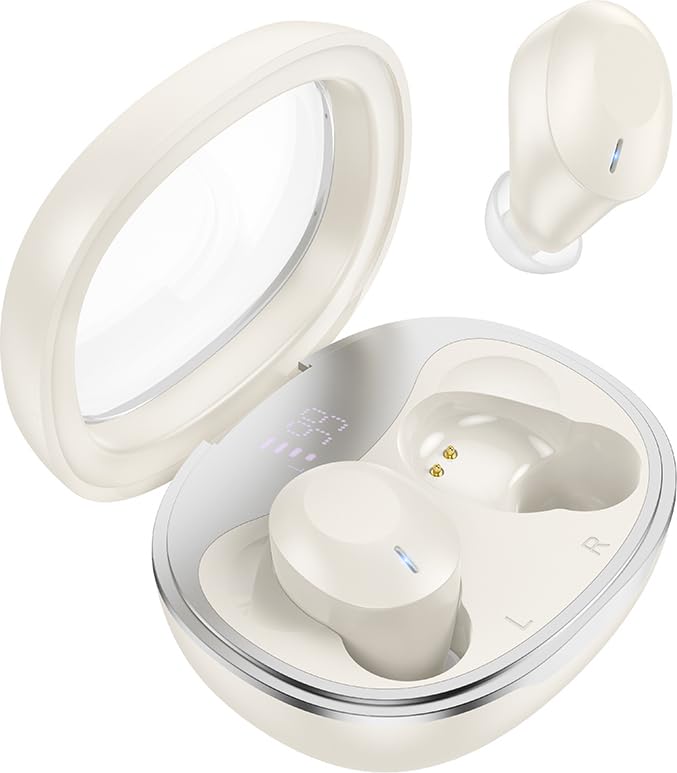
Image: HOCO EQ3 True Wireless Earbuds in their charging case, showcasing the transparent lid and compact design.
안전 정보
- 제품을 분해하거나 개조하지 마십시오.
- 이어버드와 충전 케이스를 극한 온도, 습기 및 액체로부터 멀리하십시오.
- 청력 손상을 방지하려면 높은 볼륨 레벨에 장기간 노출되지 마십시오.
- 유지 관리 섹션에 안내된 대로 이어폰을 정기적으로 청소하십시오.
- 현지 규정에 따라 책임감 있게 제품을 폐기하십시오.
패키지 내용
패키지에 모든 품목이 들어 있는지 확인하세요.
- HOCO EQ3 완전 무선 이어버드 (좌우 세트)
- 충전 케이스
- USB-C 충전 케이블
- Ear Cushions (XS/S/M/L sizes)
- 사용 설명서 (본 문서)
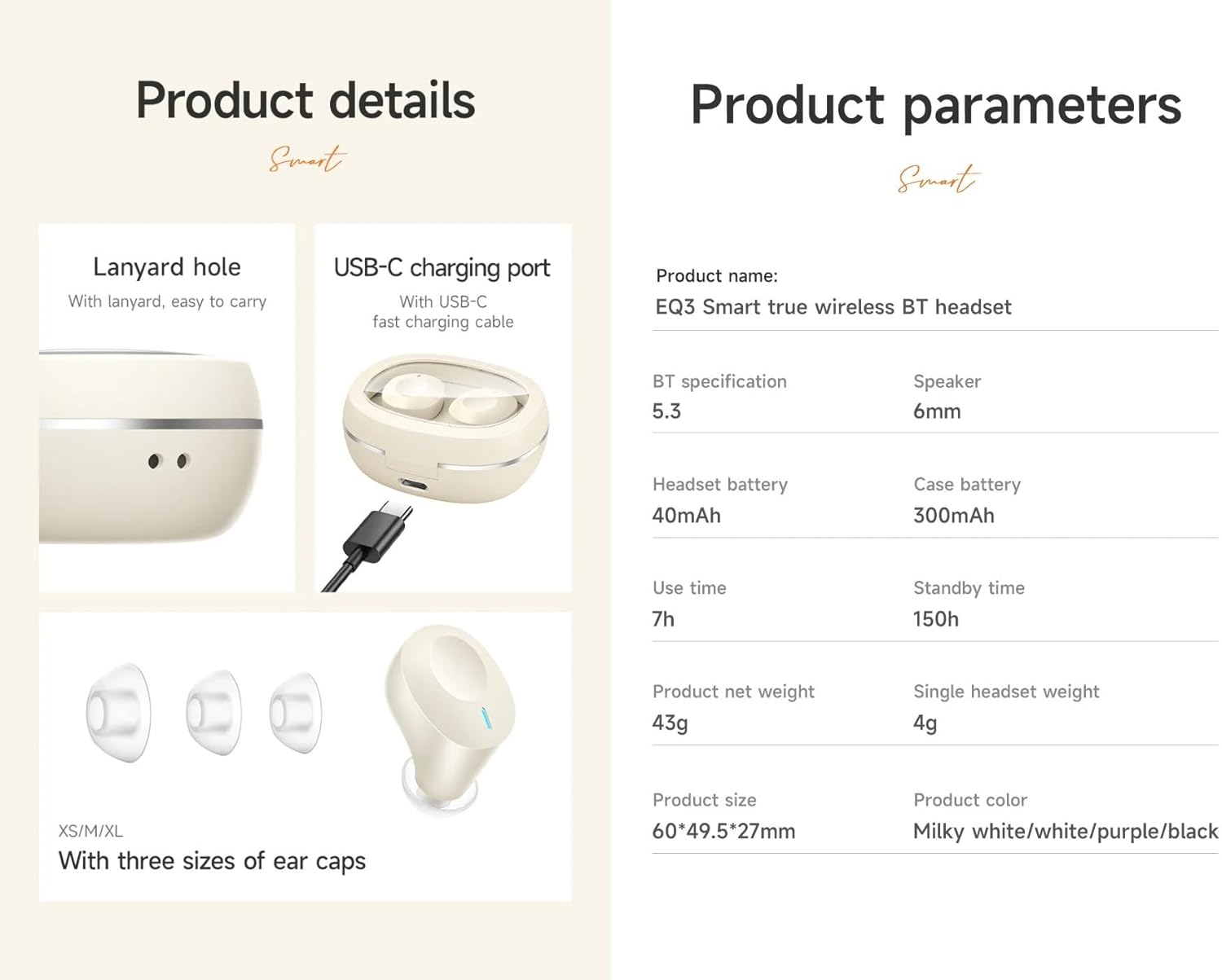
Image: Visual representation of the product details, including the USB-C charging port, lanyard hole, and various ear cap sizes.
제품 끝view
The HOCO EQ3 earbuds feature a transparent charging case with an intelligent digital power display. The earbuds are designed for a comfortable, semi-in-ear fit and offer high-fidelity sound.
주요 특징:
- Bluetooth 5.3 for stable and quick connectivity.
- Transparent charging case with digital power display.
- 쉬운 조작을 위한 터치 컨트롤.
- Up to 7 hours of use time for earbuds, 28 hours total with charging case.
- Water-resistant design.
- Support for master-slave switching and voice assistant activation.

Image: Infographic highlighting key features such as 28 hours total listening time, Hi-Fi sound quality, Bluetooth 5.3, LED digital display, magnetic switch, lightweight design, TWS stereo, and touch control.
설정
1. 이어버드와 케이스 충전
- 이어버드를 충전 케이스에 넣으세요. 이어버드가 제대로 장착되었는지 확인하세요.
- USB-C 충전 케이블을 케이스의 충전 포트에 연결하고 다른 한쪽 끝을 USB 전원 어댑터(별매)에 꽂으세요.
- The digital display on the case will show the charging status. A full charge is indicated when the display shows 100%.
- 처음 사용하기 전에 이어버드와 케이스를 완전히 충전하는 것이 좋습니다.
2. 기기와 페어링
- 충전 케이스를 여세요. 이어버드가 자동으로 페어링 모드로 전환되고 표시등이 깜빡입니다.
- 기기(스마트폰, 태블릿 등)에서 Bluetooth를 활성화하세요.
- 검색 사용 가능한 블루투스 장치 목록에 "HOCO EQ3"가 표시됩니다.
- Select "HOCO EQ3" to connect. Once connected, the earbud indicator lights will turn off, and you will hear a confirmation tone.
- The earbuds support master-slave switching, meaning either earbud can be used independently.

Image: Illustration showing the earbuds connecting to a smartphone automatically upon opening the charging case, emphasizing the magnetic absorption feature.
작동 지침
이어버드 착용하기
Select the appropriate ear tip size (XS/S/M/L) for a comfortable and secure fit. Gently insert the earbuds into your ear canal and rotate them slightly until they feel snug and stable.
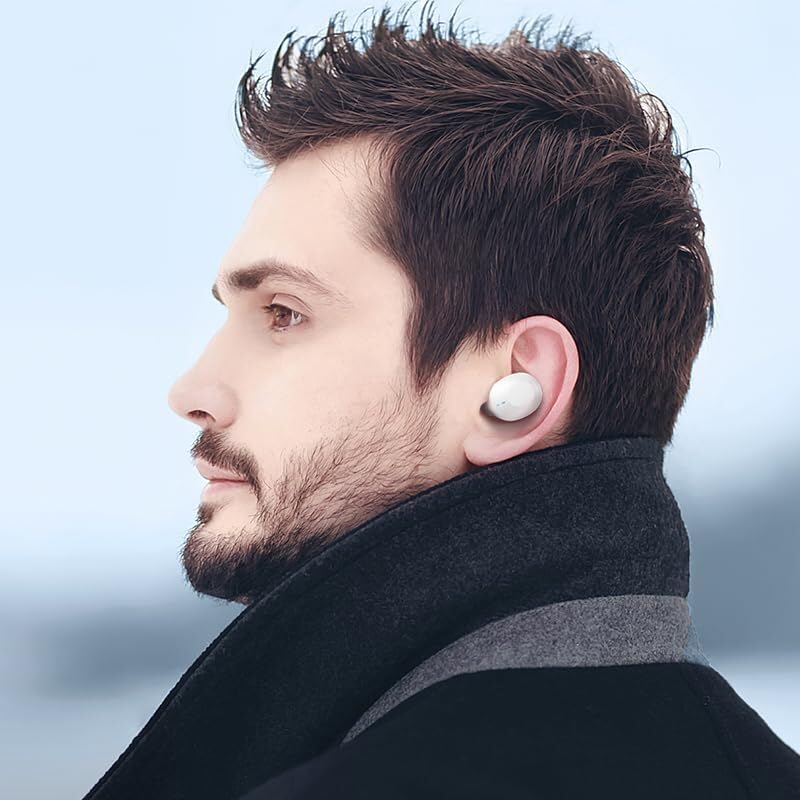
Image: A person wearing the HOCO EQ3 earbuds, demonstrating their discreet and comfortable fit.
터치 컨트롤
HOCO EQ3 이어버드는 각 이어버드에 직관적인 터치 컨트롤 기능을 갖추고 있습니다. 기능은 다음과 같습니다.
| 행동 | 기능 |
|---|---|
| 터치 영역(좌/우)을 탭하세요. | 음악 재생/일시 중지 |
| 터치 영역(좌/우)을 두 번 탭하세요. | 다음 트랙 |
| 터치 영역(좌/우)을 세 번 탭하세요. | 이전 트랙 |
| Long press the touch area for 2 seconds (L/R) | 음성 지원 기능(Siri, Google Assistant 등)을 활성화하세요. |
| Tap the touch area (L/R) during a call | 전화 받기/종료하기 |
| Long press the touch area for 2 seconds (L/R) during a call | 전화 거부 |

Image: Detailed guide on touch controls for the HOCO EQ3 earbuds, illustrating single, double, triple tap, and long press functions.
유지
청소
- 부드럽고 마른 보푸라기 없는 천을 사용하여 이어버드와 충전 케이스를 청소하세요.
- For ear tips, remove them from the earbuds and wash with mild soap and water. Ensure they are completely dry before reattaching.
- 연마성 세척제, 알코올, 화학 용제는 사용하지 마세요.
- 충전이 제대로 되도록 이어버드와 케이스의 충전 접점을 정기적으로 청소해 주세요.
저장
- 사용하지 않을 때는 항상 이어버드를 충전 케이스에 보관하여 보호하고 충전 상태를 유지하세요.
- 제품은 직사광선과 극한의 온도를 피해 서늘하고 건조한 곳에 보관하세요.
문제 해결
| 문제 | 가능한 해결책 |
|---|---|
| 이어폰이 기기와 페어링되지 않습니다. | Ensure earbuds are charged. Turn off and on Bluetooth on your device. Forget "HOCO EQ3" from your device's Bluetooth list and re-pair. |
| 이어버드가 하나만 작동합니다. | Place both earbuds back into the charging case, close the lid, wait a few seconds, then open the lid again. Ensure both earbuds are charged. |
| 이어폰이 충전되지 않습니다. | Check the charging cable and adapter. Ensure the charging contacts on both earbuds and case are clean and free of debris. |
| 볼륨이 작거나 음질이 좋지 않습니다. | Adjust volume on your device. Ensure ear tips are properly sealed in your ear. Clean ear tips and earbud mesh. |
| 터치 컨트롤이 응답하지 않습니다. | 손가락이 깨끗하고 건조한지 확인하세요. 이어버드를 케이스에 넣고 뚜껑을 닫아 재설정해 보세요. |
명세서
| 특징 | 세부 사항 |
|---|---|
| 모델명 | EQ3 EARBUDS |
| 블루투스 버전 | 5.3 |
| 블루투스 칩 | JL AC6983D2 |
| 이어버드 배터리 용량 | 40mAh |
| 충전 케이스 배터리 용량 | 300mAh |
| 이어폰 한쪽 사용 시간 | 7시간 |
| 총 재생 시간(케이스 포함) | 28시간 |
| 대기 시간 | 150시간 |
| 충전 케이스 치수 | 60 x 49.5 x 27mm |
| 총 무게 (이어폰 + 케이스) | 43g |
| 방수 레벨 | 방수 |
| 제어 유형 | 터치 컨트롤 |
| 포함된 구성 요소 | 케이블, 이어쿠션, 보호 케이스, 무선 충전 케이스 |

Image: Visual detailing the 28-hour long battery life with the charging case and the lightweight, comfortable design of the semi-in-ear earbuds.
보증 및 지원
The HOCO EQ3 True Wireless Earbuds come with a standard manufacturer's warranty. For specific warranty terms and conditions, please refer to the warranty card included in your package or contact HOCO customer support.
For technical support, troubleshooting assistance, or warranty claims, please contact HOCO customer service through their official web구매 시 제공된 사이트 또는 연락처 정보.
메모: An extended warranty for 1 year is available for purchase separately. Please check Amazon product page for details.
Ask a question about this manual
Ask about setup, troubleshooting, compatibility, parts, safety, or missing instructions. Manuals+ will review the question and use this page’s manual context to help answer it.