
HOCO EQ3 EARBUDS
HOCO EQ3 트루 와이어리스 이어버드 사용 설명서
Model: EQ3 EARBUDS
1. 서론
Thank you for choosing the HOCO EQ3 True Wireless Earbuds. These earbuds are designed to provide a high-quality audio experience with seamless Bluetooth 5.3 connectivity, intuitive touch controls, and a comfortable in-ear fit. This manual will guide you through the setup, operation, and maintenance of your new earbuds to ensure optimal performance and longevity.
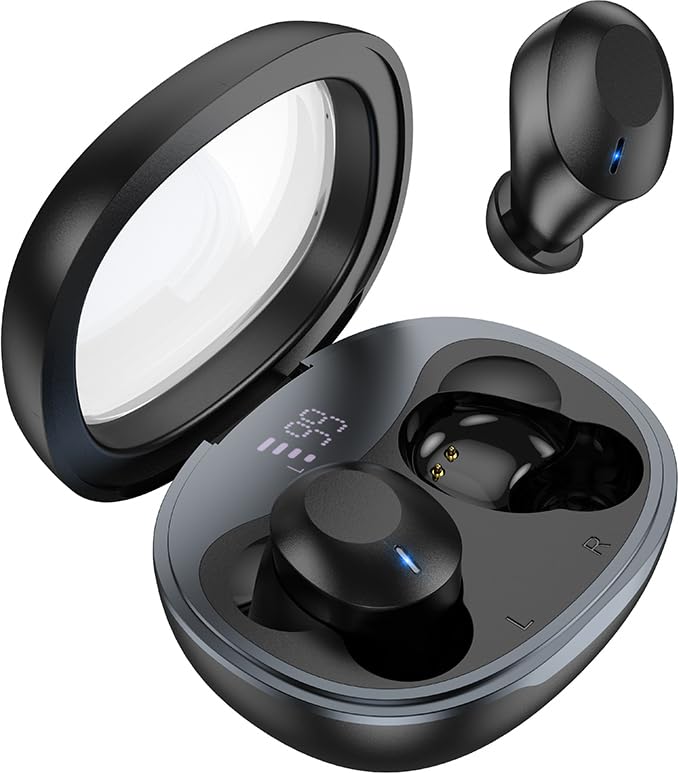
Image: The HOCO EQ3 earbuds, one in the transparent charging case displaying a digital battery percentage, and one earbud removed from the case.
2. 안전 정보
- 제품을 분해, 수리 또는 개조하지 마십시오. 화재, 전자 장치 고장 또는 제품의 완전한 손상을 초래할 수 있습니다.
- Keep the device away from liquids, moisture, or humidity.
- 기기를 극한 온도(0°C 미만 또는 45°C 이상)에 노출시키지 마세요.
- 천둥 번개가 칠 때 장치를 사용하지 마십시오.
- Clean the earbuds and charging case with a soft, dry cloth. Do not use harsh chemicals or abrasive materials.
- 해당 지역 규정에 따라 제품을 책임감 있게 폐기하십시오. 일반 생활 쓰레기와 함께 폐기하지 마십시오.
3. 상자 안에 무엇이 들어있나요?
모든 품목이 들어 있는지 확인하려면 패키지 내용물을 확인하세요.
- HOCO EQ3 완전 무선 이어버드 (좌우 세트)
- 무선 충전 케이스
- USB 충전 케이블
- Ear Cushions (Multiple Sizes: XS/S/M/L)
- Protective Case (if included as an accessory)
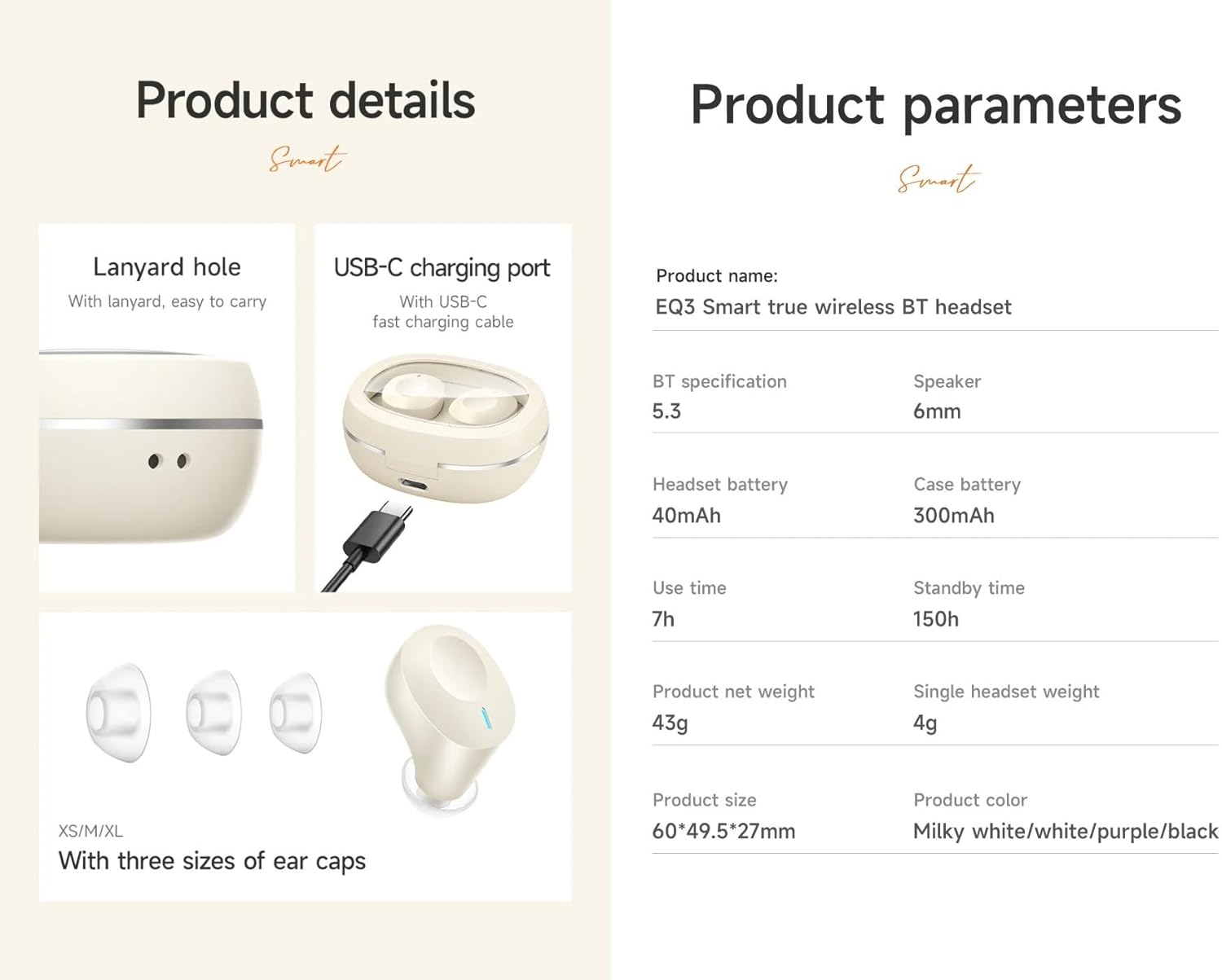
Image: An infographic detailing product features such as the USB-C charging port, lanyard hole, and different sizes of ear caps (XS/S/M/L).
4. 제품 오버view
The HOCO EQ3 earbuds feature a compact design with a transparent charging case that includes a digital power display. Each earbud is equipped with touch control areas for easy operation.
충전 케이스
- 투명한 뚜껑: Allows visibility of earbuds and digital display.
- 디지털 전력 표시: 배터리 잔량 백분율을 표시합니다.tag전자 충전 케이스.
- USB-C 충전 포트: 케이스를 충전하려면.
- 끈 구멍: 간편한 휴대를 위해.
이어버드
- 터치 컨트롤 영역: 각 이어버드의 바깥쪽 표면에 다양한 기능을 위한 버튼이 있습니다.
- LED 표시등: Displays pairing status and charging status.
- 마이크로폰: 명확한 통화를 위해.
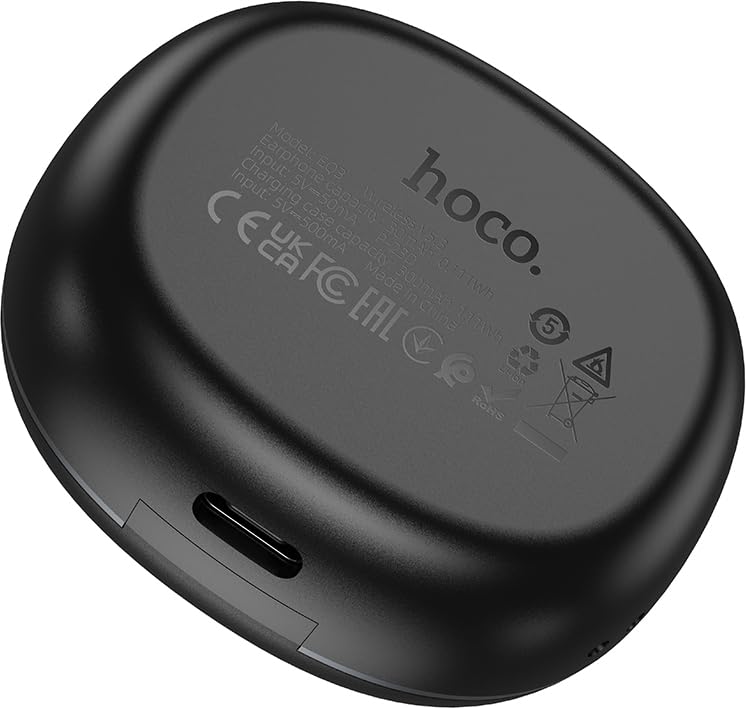
Image: The back of the HOCO EQ3 charging case, showing regulatory marks and basic electrical specifications.
5. 설정
5.1 이어버드와 케이스 충전
- 양쪽 이어버드를 충전 케이스에 넣으세요. 왼쪽 이어버드는 해당 슬롯에, 오른쪽 이어버드는 해당 슬롯에 올바르게 장착되었는지 확인하세요.
- Connect the USB charging cable to the USB-C port on the charging case and the other end to a compatible USB power source (e.g., computer USB port, wall adapter).
- The digital display on the charging case will show the charging status. The earbuds' LED indicators will also show charging status.
- A full charge for the case takes approximately 1.5-2 hours. The earbuds charge automatically when placed in the case.
5.2 블루투스 기기와 페어링
- 이어버드가 충전되어 있는지 확인하세요.
- Open the lid of the charging case. The earbuds will automatically power on and enter pairing mode. The LED indicators on the earbuds will flash, indicating they are ready to pair.
- 사용하시는 기기(스마트폰, 태블릿 등)에서 블루투스를 켜고 새로운 기기를 검색하세요.
- Select "HOCO EQ3" from the list of available devices.
- Once connected, the earbuds' LED indicators will stop flashing and remain solid or turn off, and you will hear a confirmation tone.
- 이어버드는 마스터-슬레이브 전환을 지원하여 각 이어버드를 독립적으로 사용할 수 있습니다.

Image: An infographic illustrating the automatic connection feature when the charging case cover is opened, and highlighting the high-fidelity sound quality from the dynamic coil unit.
6. 사용 설명서
The HOCO EQ3 earbuds feature intuitive touch controls. The touch control area is located on the outer surface of each earbud.

Image: A diagram illustrating the touch control functions for the HOCO EQ3 earbuds, including single tap, double tap, triple tap, and long press.
6.1 음악 재생
- 재생/일시 중지: Tap the touch area on either the Left (L) or Right (R) earbud once.
- 다음 트랙: Double tap the touch area on either the Left (L) or Right (R) earbud.
- 이전 트랙 : Triple tap the touch area on either the Left (L) or Right (R) earbud.
6.2 통화 관리
- 전화 받기/종료: 양쪽 이어버드의 터치 영역을 한 번 탭하세요.
- 전화 거부: 이어버드 양쪽의 터치 영역을 2초 동안 길게 누르세요.
6.3 음성 어시스턴트
- 음성 지원 기능(Siri, Google Assistant 등)을 활성화합니다. 이어버드 양쪽의 터치 영역을 2초 동안 길게 누르세요.
7. 유지관리
7.1 청소
- 이어버드와 충전 케이스에 먼지와 이물질이 쌓이는 것을 방지하기 위해 정기적으로 청소해 주세요.
- 부드럽고 건조하며 보푸라기가 없는 천으로 표면을 닦으세요.
- 이어팁의 경우 이어버드에서 분리하여 ad로 세척합니다.amp 천으로 닦아낸 후 완전히 말린 후 다시 부착하세요.
- Do not use alcohol, benzene, or other volatile liquids for cleaning.
7.2 보관
- 사용하지 않을 때는 이어버드를 충전 케이스에 보관하여 보호하고 충전 상태를 유지하세요.
- 기기를 서늘하고 건조한 곳에 보관하고, 직사광선과 극한의 온도를 피하세요.
8. 문제 해결
If you encounter any issues with your HOCO EQ3 earbuds, please refer to the following common solutions:
| 문제 | 가능한 원인 | 해결책 |
|---|---|---|
| 이어폰이 켜지지 않음 | 배터리 부족 | 이어버드를 충전 케이스에 넣고 케이스를 완전히 충전하세요. |
| 기기와 페어링할 수 없습니다 | Bluetooth off, earbuds not in pairing mode, or previously paired. | Ensure Bluetooth is on. Open case lid to enter pairing mode. Forget "HOCO EQ3" from your device's Bluetooth list and try pairing again. |
| 하나의 이어폰만 작동 | One earbud not connected or low battery. | Place both earbuds back into the charging case, close the lid for 5 seconds, then open again. Ensure both are charged. |
| 소리가 나지 않거나 볼륨이 작음 | Device volume too low, earbud volume too low, or poor connection. | Increase volume on your device. Ensure earbuds are properly connected. Clean ear tips if blocked. |
| 충전 케이스가 충전되지 않음 | 케이블 또는 전원 공급 장치에 문제가 있습니다. | 다른 USB-C 케이블과 전원 어댑터를 사용해 보세요. 케이블이 제대로 연결되어 있는지 확인하세요. |
9. 사양
Detailed technical specifications for the HOCO EQ3 True Wireless Earbuds:
| 특징 | 사양 |
|---|---|
| 모델명 | EQ3 EARBUDS |
| 블루투스 버전 | 5.3 (Chip: JL AC6983D2) |
| 무선 통신 기술 | 블루투스 |
| 이어버드 배터리 용량 | 40mAh(각 이어버드) |
| 충전 케이스 배터리 용량 | 300mAh |
| 사용 시간 (1회 충전 기준) | 최대 15시간 |
| 총 재생 시간(충전 케이스 포함) | 최대 28시간 |
| 대기 시간 | 150시간 |
| 제어 방법 | 터치 컨트롤 |
| 방수 레벨 | 방수 |
| 소음 제어 | 능동 잡음 제거 (ANC) |
| 포함된 구성 요소 | 케이블, 이어쿠션, 보호 케이스, 무선 충전 케이스 |
| 재료 | 플라스틱 |
| 품목 무게 | 48 Grams (Total weight: 43g from feature bullets) |
| 제품 치수 | 60 x 49.5 x 27 mm (Case); 25 x 15 x 7 cm (Package) |
| 색상 | 검은색 |

Image: An infographic highlighting key features such as 28 hours total listening time, Hi-Fi sound quality, Bluetooth 5.3, LED digital display, magnetic switch, lightweight design, TWS stereo, and touch control.
10. 보증 및 지원
For warranty information and customer support, please refer to the warranty card included in your product packaging or contact HOCO customer service through their official web해당 웹사이트 또는 공인 대리점에서 구입하십시오. 보증 청구를 위해 구매 증빙 자료를 보관하십시오.
제조업체: 호코
포장 기계: Pejy
수입자: Pejy
Ask a question about this manual
Ask about setup, troubleshooting, compatibility, parts, safety, or missing instructions. Manuals+ will review the question and use this page’s manual context to help answer it.