
소개
The Gtech Multi Platinum Cordless Handheld Vacuum Cleaner is designed for powerful and convenient cleaning in your car, home, and various other spaces. Its lightweight aluminum-reinforced construction ensures durability, while the rechargeable battery provides up to 30 minutes of runtime for fuss-free cleaning. This manual provides essential information for setup, operation, maintenance, and troubleshooting to help you get the most out of your vacuum cleaner.

Image: The Gtech Multi Platinum Cordless Handheld Vacuum Cleaner with its main components and included attachments.
패키지 내용
Your Gtech Multi Platinum package should include the following items:
- Gtech Multi Platinum Handheld Vacuum Unit
- Power Head (Motorized Brush Head)
- 틈새 도구
- 연장 튜브
- 먼지 제거 브러시
- 충전식 리튬 이온 배터리(사전 설치 또는 별도)
- 배터리 충전기
- Scented Cartridges (replaceable)
- 예비 필터
- 사용 설명서 (본 문서)

이미지: 클로즈업 view of the Gtech Multi Platinum handheld vacuum and its versatile attachments, including the crevice tool, extension tube, and dusting brush.
설정
1. 배터리 충전
Before first use, fully charge the battery. The battery provides up to 30 minutes of runtime and takes approximately 3 hours to fully charge.
- Locate the battery charger.
- Connect the charger to the battery. The battery can be charged while installed in the unit or removed.
- 충전기를 표준 벽면 콘센트에 꽂으세요.
- The indicator lights on the battery will show the charging status. All lights will be solid when fully charged.
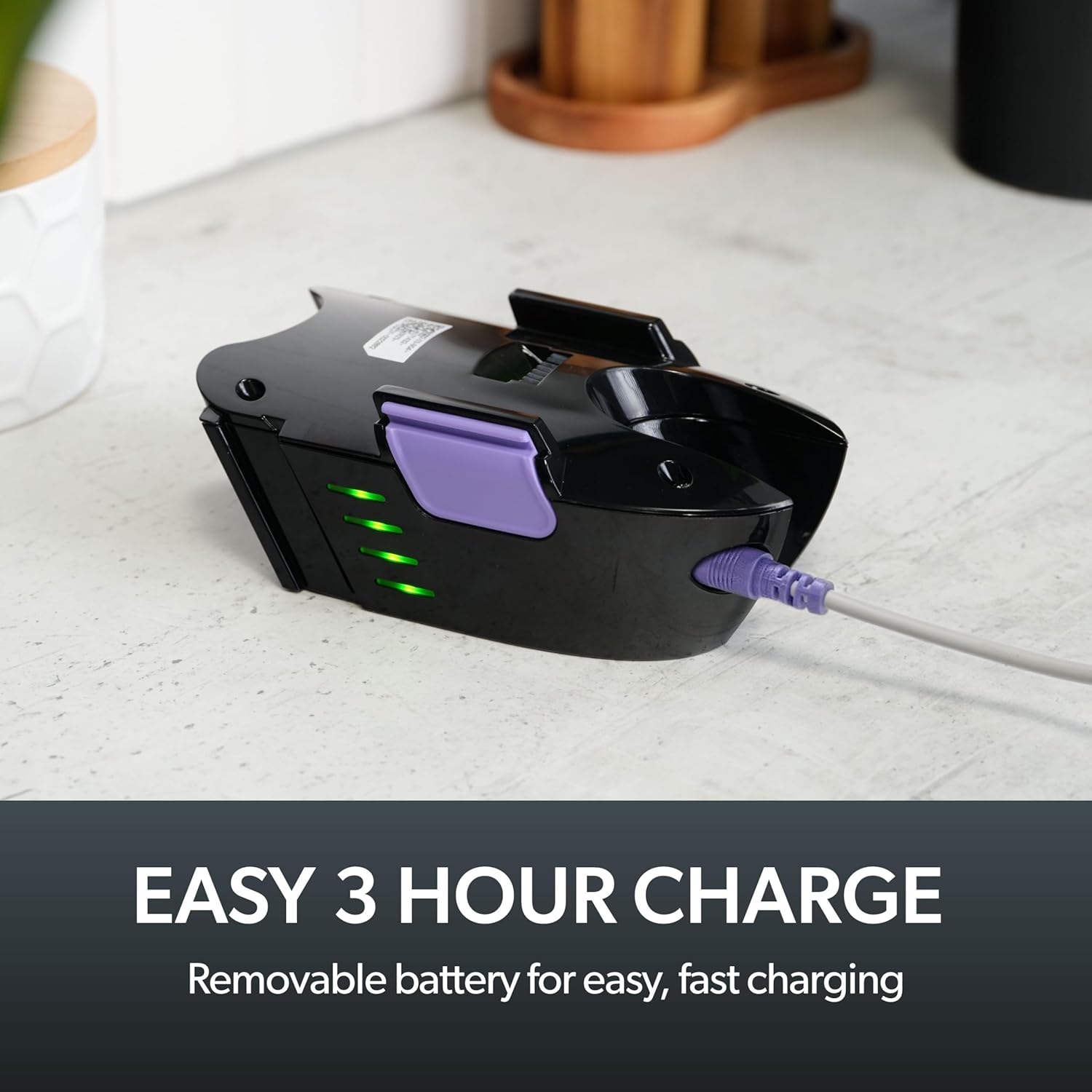
Image: The removable battery of the Gtech Multi Platinum connected to its charger, showing the indicator lights.
2. 액세서리 부착
The Gtech Multi Platinum comes with several handy attachments for various cleaning tasks:
- 파워 헤드: Ideal for carpets, upholstery, and stairs. Simply push it onto the main vacuum nozzle until it clicks into place.
- 틈새 도구: Perfect for tight spaces, corners, and edges. Attach directly to the main nozzle.
- 확장 튜브: Use with other attachments to reach high or low areas without bending or stretching. Connect it between the main nozzle and your chosen attachment.
- 더 스팅 브러쉬 : For delicate surfaces like keyboards, shelves, or blinds. Attach to the main nozzle or the extension tube.
작동 지침
전원 켜기/끄기
청소기를 켜려면 손잡이에 있는 전원 버튼을 누르세요. 청소기를 끄려면 버튼을 다시 누르세요.
일반 청소
For general floor cleaning, attach the Power Head. Its motorized brush effectively lifts dirt, debris, and pet hair from various surfaces, including carpets and hard floors.

Image: The Gtech Multi Platinum in use, demonstrating its maneuverability on stairs, effectively cleaning both carpeted and hard surfaces.
첨부 파일 사용
청소 작업에 적합한 부착물을 선택하십시오.
- 사용하세요 틈새 도구 for narrow gaps, car interiors, and along skirting boards.
- 그만큼 연장 튜브 combined with the Crevice Tool or Dusting Brush is ideal for reaching cobwebs on ceilings or cleaning high shelves.
- 그만큼 먼지 제거 브러시 is gentle enough for delicate items like computer keyboards or intricate furniture.

Image: The Gtech Multi Platinum with a dusting brush attachment, cleaning a laptop keyboard, highlighting its precision for delicate surfaces.

Image: The Gtech Multi Platinum with its extension tube and LED headlights, illuminating hidden dust and dirt in hard-to-reach areas.
Scented Cartridges
The vacuum includes lightly scented cartridges to help neutralize odors and leave your home smelling fresh. Replace them as needed.
유지
먼지통 비우기
The large, easy-empty dirt bin should be emptied regularly to maintain optimal suction performance. Simply slide the ejector arm to release collected dirt and dust.

Image: A user emptying the easy-empty dirt bin of the Gtech Multi Platinum, demonstrating the quick and mess-free disposal of debris.
필터 청소
The vacuum features a washable filter system. For best performance, clean the filter regularly:
- Remove the dirt bin and then the filter.
- Tap the filter to remove loose debris.
- Rinse the filter under cold water until the water runs clear.
- 필터를 진공청소기에 다시 넣기 전에 최소 24시간 동안 완전히 자연 건조시키세요. 필터가 젖은 상태로 진공청소기를 사용하지 마세요.
A spare filter is included to allow for continuous use while one filter is drying.
Cleaning the Power Head Brush Bar
Periodically check the Power Head brush bar for tangled hair or debris. Use scissors or the included hair/string cutter to carefully remove any obstructions. Ensure the vacuum is turned off before performing this maintenance.
문제 해결
| 문제 | 가능한 원인 | 해결책 |
|---|---|---|
| 진공이 켜지지 않습니다 | 배터리가 충전되지 않았습니다. 배터리가 제대로 삽입되지 않았습니다. | Charge the battery fully; Ensure battery is securely clicked into place |
| 흡입력 감소 | Dirt bin full; Filter clogged; Obstruction in nozzle/attachments/brush bar | Empty dirt bin; Clean/replace filter; Remove any obstructions |
| Power Head brush bar not spinning | Obstruction in brush bar; Power Head not properly attached | Clear any tangled hair/debris; Reattach Power Head securely |
명세서
- 모델 이름: Multi Platinum
- 모델 번호: ATF061
- 상표: 지텍
- 특징: Lightweight, Handheld
- 필터 유형: 카트리지(세척 가능)
- 무선입니까?: 예
- 용량: 0.4 킬로그램
- 왓tage: 140 와트
- 실행 시간: 최대 30분
- 충전 시간: 약 3시간
- 추천 용도: Indoor (Car, Home, Upholstery, Stairs)
- 폼 팩터: 핸드헬드
- 색상: 화이트 / 퍼플
- 제품 크기: 15.2인치 길이 x 5.4인치 너비 x 9.8인치 높이
- 소음 수준: 70데시벨
- 품목 무게: 3.3파운드
- 배터리: 1개의 리튬 이온 배터리(포함)
공식 제품 영상
Video: An official product video from Gtech Home USA showcasing the features and benefits of the Gtech Multi Platinum vacuum cleaner.
보증 및 지원
Gtech products are designed for durability and performance. For specific warranty details, please refer to the warranty card included with your purchase or visit the official Gtech web대지.
For customer support, technical assistance, or to purchase replacement parts and accessories, please contact Gtech Home USA directly:
- Web대지: www.gtech.co.uk
- 아마존 스토어: Visit the Gtech Store on Amazon
Please have your model number (ATF061) and purchase date ready when contacting support.