
1. 서론
This manual provides detailed instructions for the operation and maintenance of your VBESTLIFE 8GB USB Stick MP3 Player. Please read this manual thoroughly before using the device to ensure proper function and longevity. Keep this manual for future reference.
2. 제품 오버view
The VBESTLIFE 8GB USB Stick MP3 Player is a compact and portable device designed for high-fidelity lossless music playback. It features 8GB of internal storage, expandable up to 64GB with a memory card, and a built-in rechargeable battery for extended listening.
주요 특징:
- 8GB 내장 메모리: Stores approximately 1500 songs.
- 확장 가능한 스토리지: 최대 64GB 메모리 카드를 지원합니다.
- 무손실 음질: Equipped with a polymer speaker diaphragm for clear and stable audio.
- 다양한 재생 모드: Includes single song play, random play, loop play, continuous play, and folder play.
- 소형 및 휴대성: Functions as a USB flash drive for easy data transfer and charging.
- 긴 배터리 수명: Integrated 180mAh lithium battery with support for various charging methods.
Device Layout and Controls:
Familiarize yourself with the buttons and ports on your MP3 player.

영상: 상세한 view of the MP3 player's controls. This image highlights the 'ON/OFF' switch, 'Memory card insert' slot, 'Volume plus' button (long press for random play mode), 'Previous song' button (long press for fast rewind), 'Play or pause' button (long press to switch folder), 'Volume down' button (long press to switch single song loop mode), and 'Next song' button (long press for fast forward).

영상: The pink VBESTLIFE MP3 player with its protective cap removed, revealing the USB connector. Also shown are the included wired headphones and a white lanyard with a pink attachment, demonstrating the complete package contents.
3. 설정
3.1 장치 충전
Before first use, fully charge the MP3 player. Connect the device directly to a USB port on your computer or a compatible USB wall adapter. The charging indicator (if present) will typically show charging status and turn off or change color when fully charged.
3.2 음악 전송 Files
- MP3 플레이어가 충전되어 있는지 확인하세요.
- Remove the protective cap to expose the USB connector.
- Plug the MP3 player directly into an available USB port on your computer. The device will be recognized as a removable disk (similar to a USB flash drive).
- Open the device folder on your computer.
- 원하는 음악을 드래그 앤 드롭하세요 files (MP3, WMA, WAV, etc.) into the device's storage. You can create folders to organize your music.
- 한 번 files are transferred, safely eject the device from your computer before unplugging.

영상: A black VBESTLIFE MP3 player connected to a portable power bank, illustrating one method of charging the device.
3.3 메모리 카드 삽입 (선택 사항)
To expand storage, insert a microSD card (up to 64GB) into the designated memory card slot on the side of the player. Ensure the card is inserted correctly until it clicks into place.
3.4 헤드폰 연결
Plug your 3.5mm headphones into the headphone jack located on the device. The device supports standard wired headphones.
4. 사용 설명서
4.1 전원 켜기/끄기
- 전원을 켜려면: '켜짐/꺼짐' 스위치를 '켜짐' 위치로 밀어주세요.
- 전원을 끄려면: Slide the 'ON/OFF' switch to the 'OFF' position.
4.2 기본 재생
- 재생/일시 중지: Press the central 'Play/Pause' button to start or pause playback.
- 다음 노래: Press the 'Next song' button (usually marked with '>>|' or similar). Long press to fast forward.
- 이전 노래: Press the 'Previous song' button (usually marked with '|<<' or similar). Long press to fast rewind.
- 볼륨 업: '+' 버튼을 누르세요.
- 볼륨 작게 : '-' 버튼을 누르세요.
4.3 재생 모드
The player supports various playback modes to customize your listening experience.
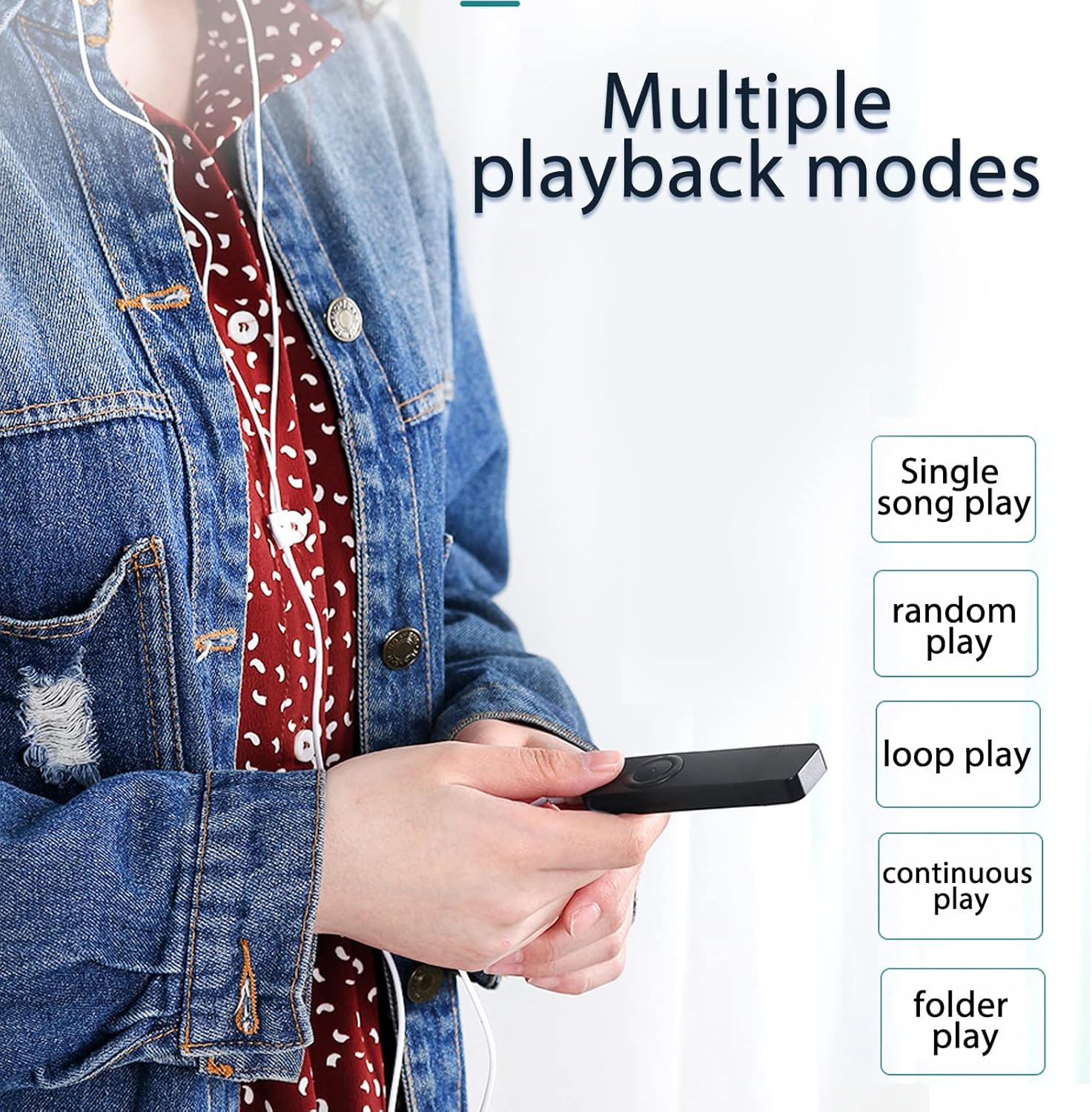
영상: A user holding the MP3 player, demonstrating the availability of multiple playback modes. The image lists options such as single song play, random play, loop play, continuous play, and folder play.
- Single Song Play: Plays the current song and stops. To activate, long press the 'Volume down' button until the mode changes.
- 랜덤 플레이: Plays songs in a shuffled order. To activate, long press the 'Volume plus' button until the mode changes.
- 반복 재생: Repeats the current song or playlist.
- 연속 재생: Plays all songs in sequence.
- Folder Play: Plays all songs within the current folder. To switch folders, long press the 'Play/Pause' button.
5. 유지관리
- 청소: 부드럽고 마른 천으로 기기를 닦으십시오. 액체 세척제나 용제 사용은 피하십시오.
- 저장: MP3 플레이어는 직사광선과 극한 온도 변화를 피해 서늘하고 건조한 곳에 보관하십시오.
- 배터리 관리 : 배터리 수명을 연장하려면 배터리를 자주 완전히 방전하지 마십시오. 장시간 사용하지 않더라도 정기적으로 충전하십시오.
- 방수 기능: 이 기기는 방수 기능이 없습니다. 물이나 높은 습도에 노출시키지 마십시오.
6. 문제 해결
- 장치가 켜지지 않음:
Ensure the battery is charged. Connect the player to a USB power source for at least 30 minutes. Check the 'ON/OFF' switch is in the 'ON' position. - 소리가 나지 않습니다:
Check if headphones are properly connected. Ensure the volume is not set to minimum or muted. Test with different headphones if possible. - 전송할 수 없습니다 files:
Ensure the device is properly connected to the computer's USB port. Try a different USB port. Ensure the device is recognized by the computer. Check if the device's storage is full. - 장치가 정지되거나 응답하지 않음:
Slide the 'ON/OFF' switch to 'OFF' and then back to 'ON' to restart the device. - 메모리 카드가 감지되지 않았습니다.
Ensure the memory card is inserted correctly. Try reinserting the card. Test with a different compatible memory card.
7. 사양
| 특징 | 사양 |
|---|---|
| 상표 | 브이베스트라이프 |
| 모델 번호 | VBESTLIFEvxph7kncfz-12 |
| 내부 메모리 | 8GB (XNUMX기가바이트) |
| 확장 가능한 메모리 | 최대 64GB (MicroSD 카드) |
| 배터리 | 180mAh 리튬 배터리 |
| 오디오 포맷 | MP3, WMA, WAV (Lossless) |
| 연결성 | USB 2.0, 3.5mm Headphone Jack |
| 원산지 | 중국 |
8. 보증 및 지원
8.1 보증 정보
This VBESTLIFE MP3 Player comes with a 제조업체 결함에 대한 1년 보증 구매일로부터. 본 보증은 정상적인 사용 상태에서 발생하는 재료 및 제조상의 결함에 적용됩니다. 오용, 사고, 무단 개조 또는 정상적인 마모로 인한 손상에는 적용되지 않습니다.
8.2 고객 지원
If you encounter any issues not covered in the troubleshooting section or require further assistance, please contact your retailer or the VBESTLIFE customer support channel where you purchased the product. Please have your model number (VBESTLIFEvxph7kncfz-12) and proof of purchase ready.