
소개
Thank you for choosing the JUMMICO 140 x 70 cm Electric Height Adjustable Standing Desk. This manual provides essential information for the safe and efficient assembly, operation, and maintenance of your new desk. Please read these instructions carefully before use and retain them for future reference.
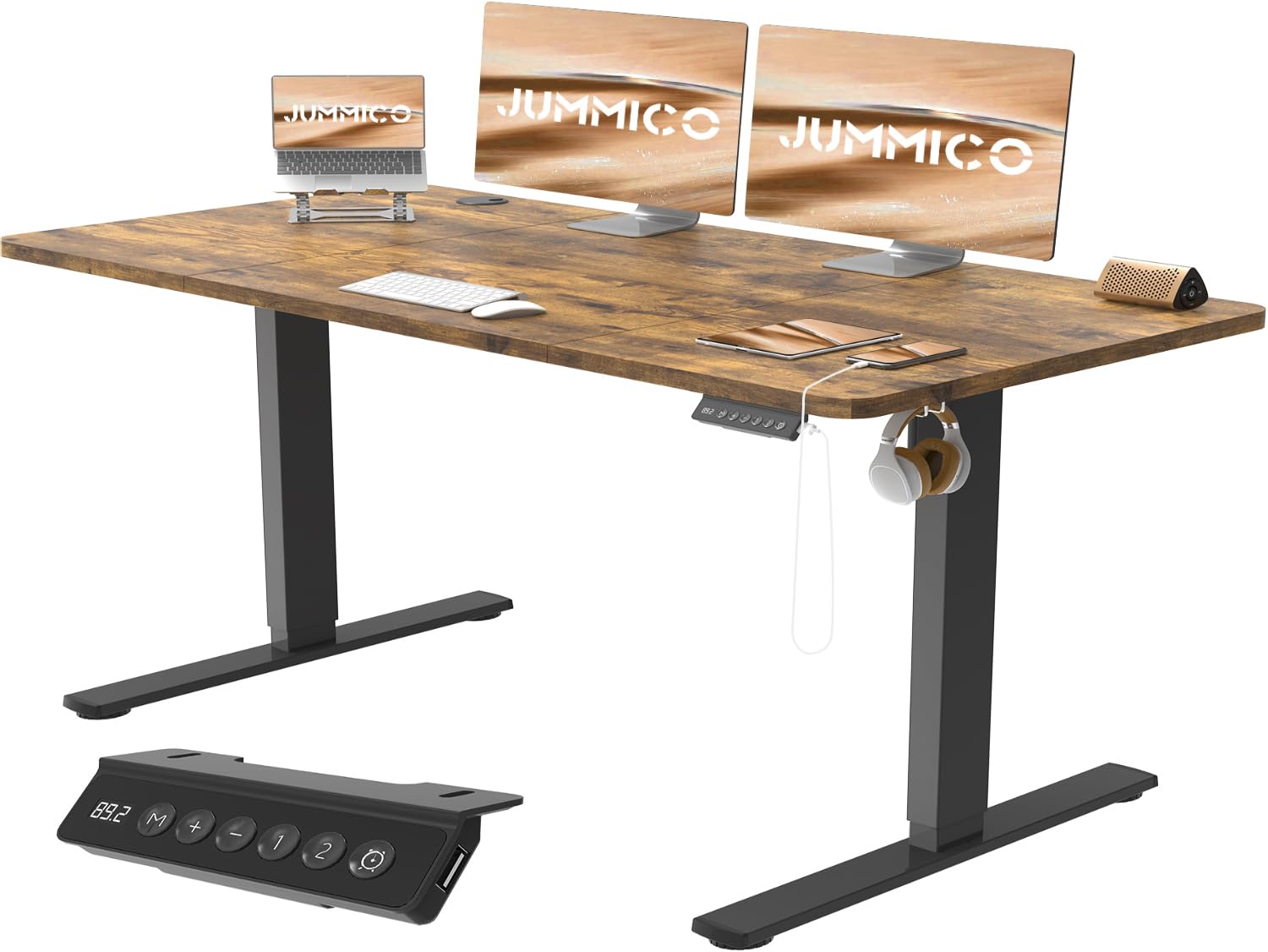
Image: The JUMMICO Electric Height Adjustable Standing Desk in a modern office environment, showcasin넓은 데스크탑과 통합된 기능 덕분에.
안전 정보
안전한 작동을 보장하고 손상을 방지하려면 다음 안전 지침을 준수하세요.
- 책상은 항상 안정적이고 평평한 표면에 놓아야 합니다.
- 최대 중량 용량을 초과하지 마십시오. 70kg(154파운드). Overloading can cause instability and damage.
- Exercise caution when using the integrated USB socket. Avoid overloading it with high-power devices.
- Follow all assembly instructions precisely to ensure the desk is properly constructed and stable.
- 책상 높이를 조절하는 동안 어린이와 반려동물이 책상에 가까이 가지 않도록 하여 부상을 예방하십시오.
- 높이 조절 시 책상의 이동 경로에 장애물이 없는지 확인하십시오.
- 책상에 앉거나 서 있지 마십시오.
- 청소나 유지관리 작업을 하기 전에 전원을 차단하세요.
패키지 내용
Please verify that all components are present before beginning assembly. Refer to the detailed parts list provided in your packaging for specific quantities.
- Desktop sections (Note: Desktop is assembled from multiple parts)
- Electric lifting columns and motor
- Desk frame components (T-shaped legs, beams)
- Control panel with LED display and USB ports
- 서랍유닛
- 케이블 트레이
- Headphone hooks (2 included)
- Casters (4 included)
- 조립용 하드웨어(나사, 공구)
- 사용 설명서
설정 및 조립
The JUMMICO standing desk is designed for easy assembly, typically taking around 30 minutes. Follow the clear, illustrated instructions provided in the package.
- 구성 요소 풀기: 모든 부품을 포장에서 조심스럽게 꺼낸 후 긁힘을 방지하기 위해 깨끗하고 부드러운 표면에 놓으세요.
- 책상 프레임 조립: Attach the T-shaped legs to the lifting columns, then connect the crossbeams. Ensure all screws are tightened securely but do not overtighten.
- 바탕 화면 마운트: Place the desktop sections onto the assembled frame. The desktop is composed of multiple parts that fit together seamlessly. Align the pre-drilled holes and secure the desktop to the frame using the provided hardware.
- 제어판 및 액세서리 설치: Attach the control panel, drawer unit, cable tray, and headphone hooks to their designated positions.
- 배선 연결: Connect the motor and control panel wiring according to the manual. Ensure all connections are firm.
- 캐스터 부착: Screw the four casters into the bottom of the desk legs for easy mobility.
- 초기 전원 켜기: Plug the desk into a power outlet. The desk may require an initial reset or calibration as per the detailed instructions.

Image: An exploded diagram illustrating the main components of the JUMMICO standing desk and the ease of assembly, highlighting clear instructions and an estimated 30-minute setup time.

Image: Diagram illustrating the robust construction of the JUMMICO standing desk frame, highlighting features like hooks, cable clips, reinforced beam structure, pre-drilled holes, and non-slip feet. Note: While the image indicates a 60kg load capacity, the product specifications state 70kg.
작동 지침
Your JUMMICO standing desk features an intelligent control panel for easy height adjustment and personalized settings.

이미지: 자세한 view of the multi-function intelligent keypad, showing the LED display, Up/Down buttons, memory presets (1, 2), sedentary reminders, and integrated USB ports.
높이 조정
- 사용하세요 위(+) 그리고 Down (−) buttons on the control panel to smoothly adjust the desk height. The LED display will show the current height in centimeters.
- The desk offers a continuous height adjustment range between 72cm와 116cm.

Image: Illustration of the wide height range of the JUMMICO desk, showing a user comfortably sitting and another user comfortably standing, demonstrating the ergonomic benefits.
메모리 사전 설정
- The desk features two memory buttons (1 and 2) to save your preferred sitting and standing heights.
- 높이를 저장하려면: 책상 높이를 원하는 높이로 조절하세요. 버튼을 누르세요. "중" 버튼을 누른 다음 둘 중 하나를 누르십시오. "1" or "2" within 3 seconds. The LED display will confirm the save.
- 높이를 기억하려면: Simply press the saved memory button ("1" or "2"책상은 저장된 높이로 자동으로 이동합니다.
앉아서 보내는 시간 알림
- The control panel includes a sedentary reminder function to encourage movement.
- 를 누르세요 Timer button (clock icon) to cycle through reminder intervals: 0.5 hours, 1 hour, or 2 hours.
- When the set time elapses, the desk will emit a gentle reminder to switch your posture.
USB 충전 포트
- The integrated USB socket allows convenient charging of various devices directly from your desk.
- Ensure devices are compatible with the USB output specifications to prevent damage.
유지
Proper maintenance ensures the longevity and optimal performance of your JUMMICO standing desk.
- 청소: The desk surface is easy to clean. Use a soft, damp cloth to wipe down the desktop and frame. Avoid abrasive cleaners or harsh chemicals that could damage the laminate finish.
- 케이블 관리 : Regularly check the cable tray and ensure all cables are neatly organized to prevent tangling and damage.
- 검사: 모든 나사와 연결부가 단단히 조여져 있는지 정기적으로 점검하세요. 필요하면 다시 조이세요.
- 무게 분포 : 책상의 안정성을 유지하고 들어올리는 장치에 무리가 가지 않도록 무게를 책상 전체에 고르게 분산시키십시오.

이미지: 상세 view of the desk's humanized design, highlighting features like the protective edge, seamless desktop splicing, integrated cable pass-through, and the easy-to-clean laminated surface.
문제 해결
If you encounter issues with your JUMMICO standing desk, refer to the following common troubleshooting steps:
| 문제 | 가능한 원인 | 해결책 |
|---|---|---|
| 책상이 움직이지 않습니다. | 전원 케이블이 분리되었거나, 모터 케이블이 헐거워졌거나, 과부하가 걸렸거나, 시스템 오류가 발생했습니다. |
|
| 책상이 고르지 않게 움직이거나 이상한 소리가 납니다. | 무게 분산 불균형, 연결 부위 헐거움 또는 장애물. |
|
| 메모리 사전 설정이 작동하지 않습니다. | Presets not saved correctly or system error. |
|
If these steps do not resolve the issue, please contact JUMMICO customer support for further assistance.
명세서
| 특징 | 세부 사항 |
|---|---|
| 상표 | 점미코 |
| 모델 번호 | 0183 |
| 책상 디자인 | 전기 스탠딩 데스크 |
| 치수(L x W) | 140cm x 70cm(55.12 x 23.62인치) |
| 높이 조절 범위 | 72cm~116cm (28.3~45.7인치) |
| 최대 중량 용량 | 70kg(154파운드) |
| 재료 유형 | 공학목재(상판), 합금강(프레임) |
| 마무리 유형 | Laminated (Vintag이 브라운) |
| 특별 기능 | Electric Height Adjustment, USB Socket, Cable Tray, Drawer, Memory Presets (2), Sedentary Reminders, Headphone Hooks, Casters |
| 리프팅 속도 | 22mm/초 |
| 소음 수준 | 50dB 이하 |
| 품목 무게 | 29 킬로그램 |
| 한국어: | 788418915856 |

Image: An image demonstrating the smooth and quiet operation of the JUMMICO standing desk, featuring a cat sleeping peacefully on the desktop, with an infographic indicating a noise level below 50 dB and a lifting speed of 22mm/s.
보증 및 지원
JUMMICO provides a worry-free guarantee for this product. Each desk comes with illustrated instructions for easy assembly.
If you have any questions, require assistance with assembly, or encounter any issues with your desk, please do not hesitate to contact JUMMICO customer support. We are committed to providing a solution within 24 hours.
Please note that the desktop is assembled from multiple individual parts, which is a design feature and not a defect.