
1. 서론
Thank you for choosing the Baseus 35W USB C GaN5 Power Strip. This device is a versatile 7-in-1 charging station designed to power multiple electronic devices simultaneously. It features 3 AC outlets, 2 USB-C ports, and 2 USB-A ports, offering a total power output of 35W for fast charging and a 4000W power strip capacity. Equipped with advanced GaN5 technology and smart digital protection, it ensures efficient and safe charging for your laptops, tablets, smartphones, and other electronic gadgets.
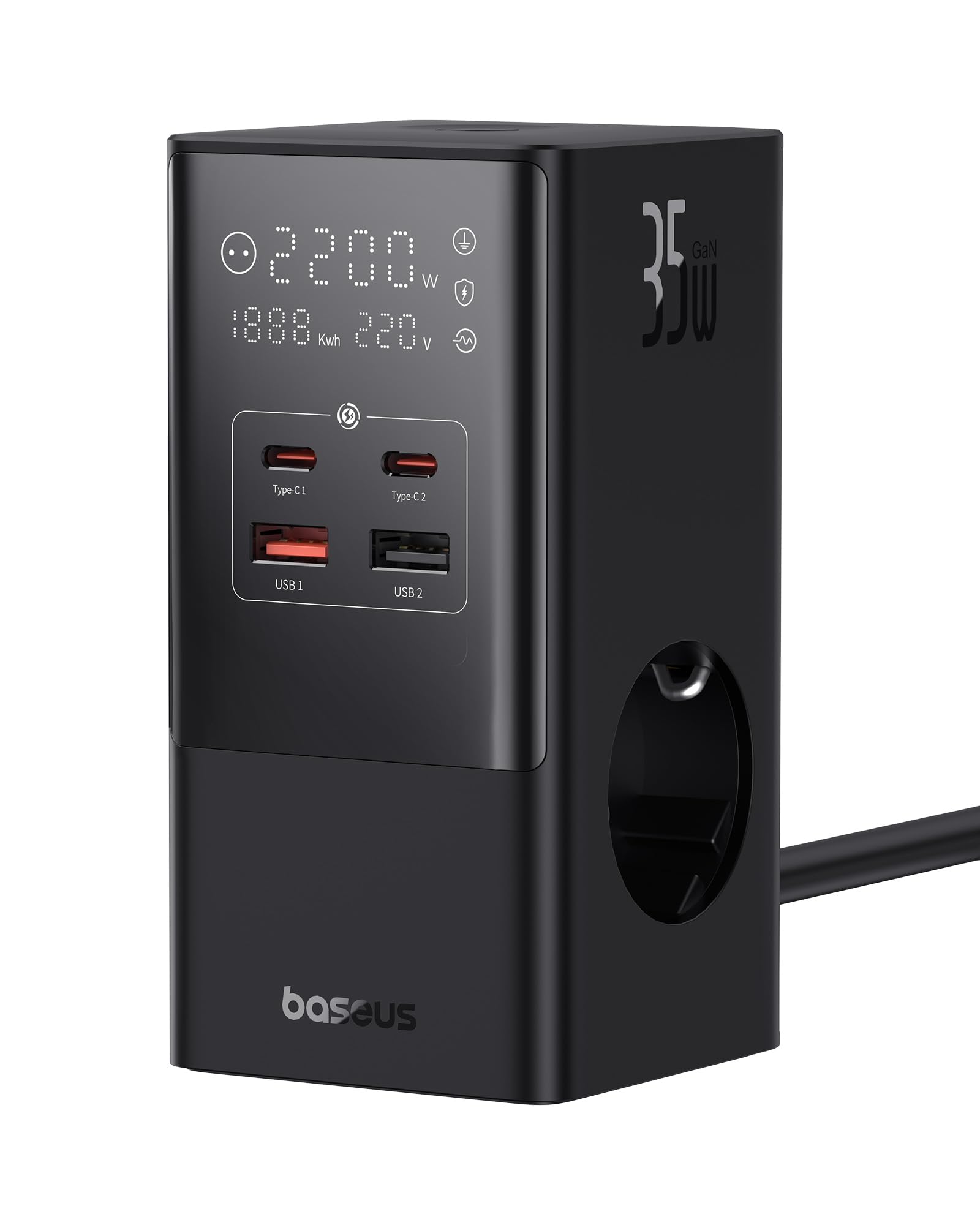
Image 1.1: The Baseus 7-in-1 Charging Station in use, illustrating its multiple ports and compact design.
2. 안전 지침
본 제품을 사용하기 전에 모든 안전 지침을 읽고 이해하십시오. 지침을 따르지 않을 경우 감전, 화재 또는 심각한 부상이 발생할 수 있습니다.
- Do not exceed the maximum load of 4000W for the AC outlets.
- This device is equipped with 1200J surge protection and lightning protection. However, avoid using it during thunderstorms.
- Do not disassemble, modify, or repair the device yourself. Contact qualified service personnel for assistance.
- 기기를 물, 습기, 고온에 노출시키지 마세요.
- Ensure the power plug is fully inserted into the wall socket.
- 케이블이나 플러그가 손상된 경우 장치를 사용하지 마십시오.
- 어린이의 손이 닿지 않는 곳에 보관하세요.
- The device features a 0.1-second automatic short-circuit shutdown to protect connected devices from overcurrent, overvoltage, 그리고 undervoltage.

Image 2.1: Illustration of the 1200J Surge & Lightning Protection feature, highlighting enhanced safety.
3. 패키지 내용
패키지에 모든 품목이 들어 있는지 확인하세요.
- 1 x Baseus 35W USB C GaN5 Power Strip
- 1 x 사용자 설명서
- 1 x 보증 카드
- 1 x Nano Adhesive Pad
4. 제품 특징
The Baseus 35W USB C GaN5 Power Strip offers a comprehensive charging solution with multiple advanced features:
- 7-in-1 충전 스테이션: Equipped with 3 AC power outlets, 2 USB-C ports, and 2 USB-A ports to charge up to 7 devices simultaneously.
- 35W PD 고속 충전: Utilizes GaN5 technology for efficient and rapid charging of compatible devices, such as MacBooks, iPads, and iPhones.
- 4000W Power Strip: Provides robust power delivery for various appliances and electronics.
- 스마트 디지털 디스플레이: A unique digital screen monitors real-time charging information, including power, current, and charging status.
- 포괄적인 안전 보호: Features 1200J surge protection, lightning protection, and 9 additional safety measures to safeguard your devices from current fluctuations and potential hazards.
- 0.1s Automatic Short-Circuit Shutdown: Industry-leading rapid shutdown mechanism to protect devices from damage due to short circuits or overloads.
- Automatic Power Split (BPS 2.0): Intelligently distributes power across connected USB ports for optimized charging efficiency.
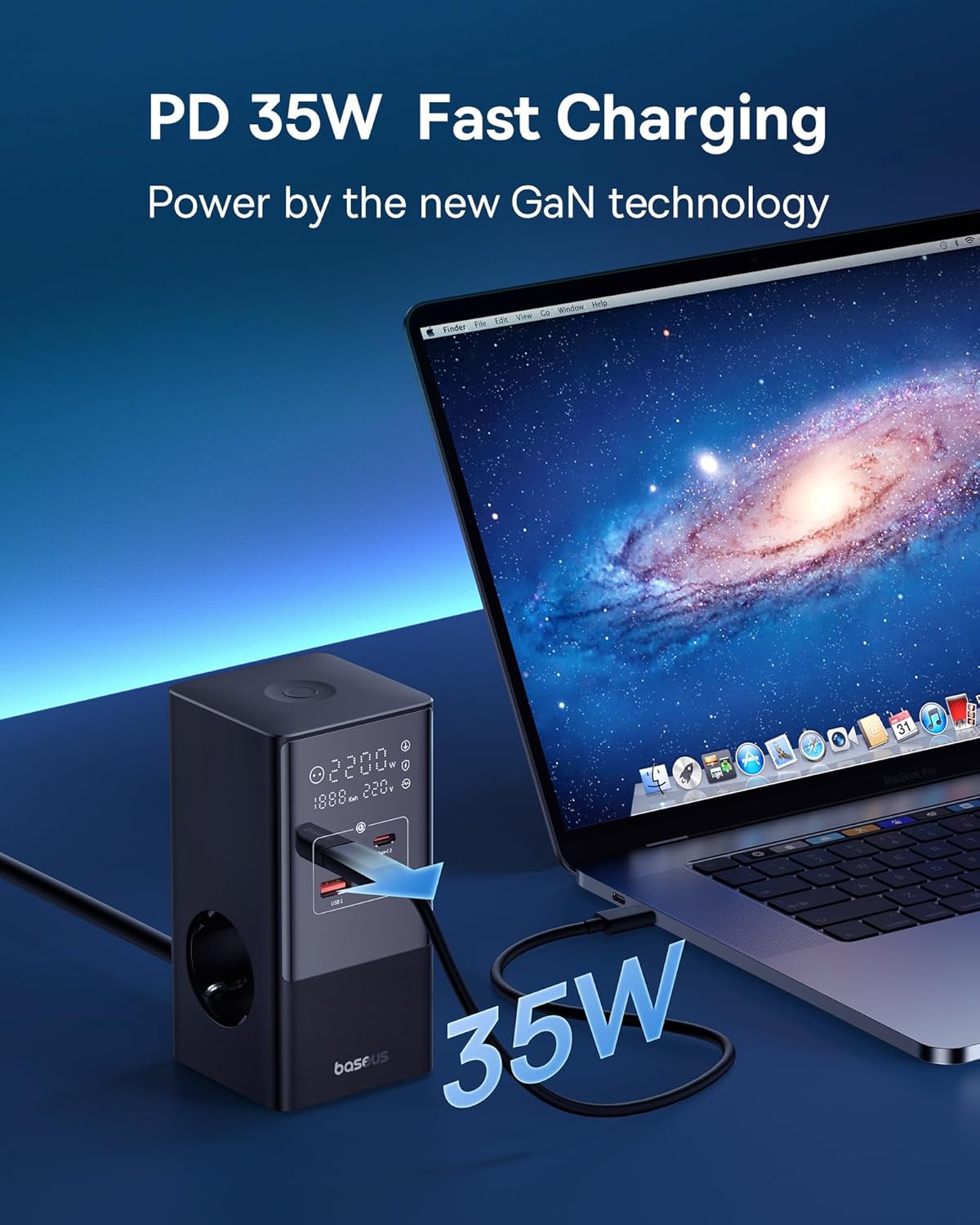
Image 4.1: The power strip providing 35W PD fast charging to a MacBook Pro.

Image 4.2: Visual representation of the Automatic Split Power feature, ensuring optimal power distribution.

Image 4.3: Digital Smart Protection actively eliminating potential hazards compared to standard power strips.
5. 설정
- 장치 포장 풀기: Carefully remove the power strip and all accessories from the packaging.
- 위치를 선택하세요: Place the power strip on a stable, flat surface, away from direct sunlight, heat sources, and moisture. Ensure adequate ventilation.
- 전원에 연결: 멀티탭의 전원 케이블을 접지된 벽면 콘센트에 꽂으세요.
- Optional: Secure with Nano Adhesive Pad: If desired, use the provided nano adhesive pad to secure the power strip to a surface. Ensure the surface is clean and dry before application.
- 장치 연결: Plug your electronic devices into the available AC outlets, USB-C ports, or USB-A ports.
6. 사용 설명서
6.1 AC 콘센트 사용
- Insert the power plugs of your devices into the 3 AC outlets.
- Ensure that the total power consumption of all connected AC devices does not exceed 4000W.
6.2 USB 충전 포트 사용
- Connect your USB-C compatible devices to the 2 USB-C ports for fast charging.
- USB-A 호환 장치를 2개의 USB-A 포트에 연결하세요.
- The power strip will automatically detect the connected device and deliver optimal charging current.
6.3 디지털 디스플레이 이해
The integrated digital display provides real-time feedback on the power strip's status:
- Working Status Display: Shows the current power output (W) and voltag전자(V).
- Digital Protection Indication: Indicates active protection features.
- Grounded Indication: Confirms proper grounding for safety.

Image 6.1: The smart digital display providing real-time charging status and safety indicators.
7. 유지관리
- 청소: 청소하기 전에 멀티탭의 전원 플러그를 벽면 콘센트에서 뽑으세요. 부드럽고 마른 천으로 표면을 닦으세요. 액체 세제나 스프레이형 세척제는 사용하지 마세요.
- 저장: 장시간 사용하지 않을 때는 기기의 플러그를 뽑아서 시원하고 건조한 곳에 보관하세요.
- 점검: 전원 코드와 플러그에 손상 흔적이 있는지 주기적으로 점검하십시오. 손상이 발견되면 사용을 중단하고 고객 지원 센터에 문의하십시오.
8. 문제 해결
Baseus 멀티탭 사용 중 문제가 발생하면 다음의 일반적인 문제 및 해결 방법을 참조하십시오.
| 문제 | 가능한 원인 | 해결책 |
|---|---|---|
| 연결된 장치에 전원이 공급되지 않습니다. | Power strip not plugged in; wall outlet not working; device's power switch off; internal safety mechanism triggered. | Ensure the power strip is securely plugged into a live wall outlet. Check if the wall outlet works with another device. Verify connected devices are switched on. Unplug all devices, wait a few minutes, and plug them back in. |
| USB 포트를 통한 충전 속도가 느립니다. | Cable issue; device not supporting fast charging; multiple devices drawing high power simultaneously. | Use a high-quality, fast-charging compatible USB cable. Ensure your device supports PD fast charging. If many devices are connected, the power may be distributed, reducing individual port speed. Try charging fewer devices. |
| 디지털 디스플레이가 꺼져 있거나 깜빡거립니다. | 접촉 불량; 내부 결함. | Ensure the power strip is firmly plugged into the wall outlet. If the issue persists, discontinue use and contact customer support. |
| 멀티탭이 뜨겁습니다. | Overload; poor ventilation. | Reduce the number of connected devices, especially high-power ones. Ensure the power strip has adequate airflow and is not covered. If it remains excessively hot, unplug immediately. |
9. 사양
| 상표 | 베이스어스 |
| 모델 | CCGAN35-S3ACE |
| 색상 | 검은색 |
| AC 콘센트 | 3 |
| USB 포트 | 2 x USB-C, 2 x USB-A (Total 4 USB ports) |
| 최대 AC 전력 출력 | 4000와트 |
| Max USB Power Output | 35W(전체) |
| 권tage | 230V |
| 최대 전류 | 17.39 Amp에레스 |
| 서지 보호 등급 | 1200 줄 |
| 재료 | 플라스틱 |
| 치수(L x W) | 6.6 x 6.6 센티미터 |
| 무게 | 519그램 |
| 호환 장치 | MacBook Pro/Air, XPS, ThinkPad, MateBook, iPhone 15/14/13/12 series, iPad Pro/Air/Mini, Galaxy S/Tab series, Pixel, Redmi, Xiaomi, and other USB-C/USB-A powered devices. |
10. 보증 및 고객 지원
This product comes with a warranty. Please refer to the included Warranty Card for specific terms and conditions regarding coverage and duration. For technical support, troubleshooting assistance, or warranty claims, please contact Baseus customer service through their official web제품을 구매한 사이트 또는 소매업체.
For further information, you may visit the official Baseus store: Baseus 공식 스토어