
소개
This manual provides instructions for the Srhythm NiceComfort 95 Hybrid Noise Cancelling Headphones. These wireless Bluetooth headphones feature advanced hybrid active noise cancellation, transparency mode, and high-definition sound for an immersive audio experience. Please read this manual thoroughly before using your headphones to ensure proper operation and care.
상자 안에 무엇이 들어있나요?
패키지에 모든 품목이 들어 있는지 확인하세요.
- Srhythm NC95 Headphone
- 보호 케이스
- Type-C 충전 케이블
- 3.5mm 오디오 케이블
- Aircraft Adapter & 3.5mm to 6.35mm Adapter

An image displaying all included accessories: the NC95 headphones, a gift box, a travel case, a 1m Type-C charging cable, a 1.2m 3.5mm audio cable, a quick start guide, and a two-pin airplane adapter.
제품 끝view
The Srhythm NiceComfort 95 headphones are designed for comfort and superior audio performance.
주요 특징
- 하이브리드 액티브 노이즈 캔슬링: Blocks up to 95% of ambient noise in traffic, offices, and schools. Activate by pressing the button for 1.5 seconds.
- 투명 모드: Stay aware of your surroundings by amplifying environmental sounds for safer walks, quick conversations, or hearing important announcements without removing your headphones.
- Sleek Metal Build & Intuitive Control: Features a multi-function knob for effortless control, polished metal finish, exquisite cutting metal glows, and a shaped headband for a refined exterior.
- 이중 연결 옵션: Seamlessly connect via Bluetooth 6.0 for wireless freedom, or use the included 3.5mm audio cable for a zero-latency wired connection.
- Premium Auditory Experience: More efficient new Bluetooth 6.0 version. Ultra-inert cotton, skin-feeling replaceable ear-pads provide pressureless crystal clear sound.
- 긴 배터리 수명 및 빠른 충전: Up to 65 hours of playtime on a single full charge. A quick 10-minute charge provides up to 3 hours of power.
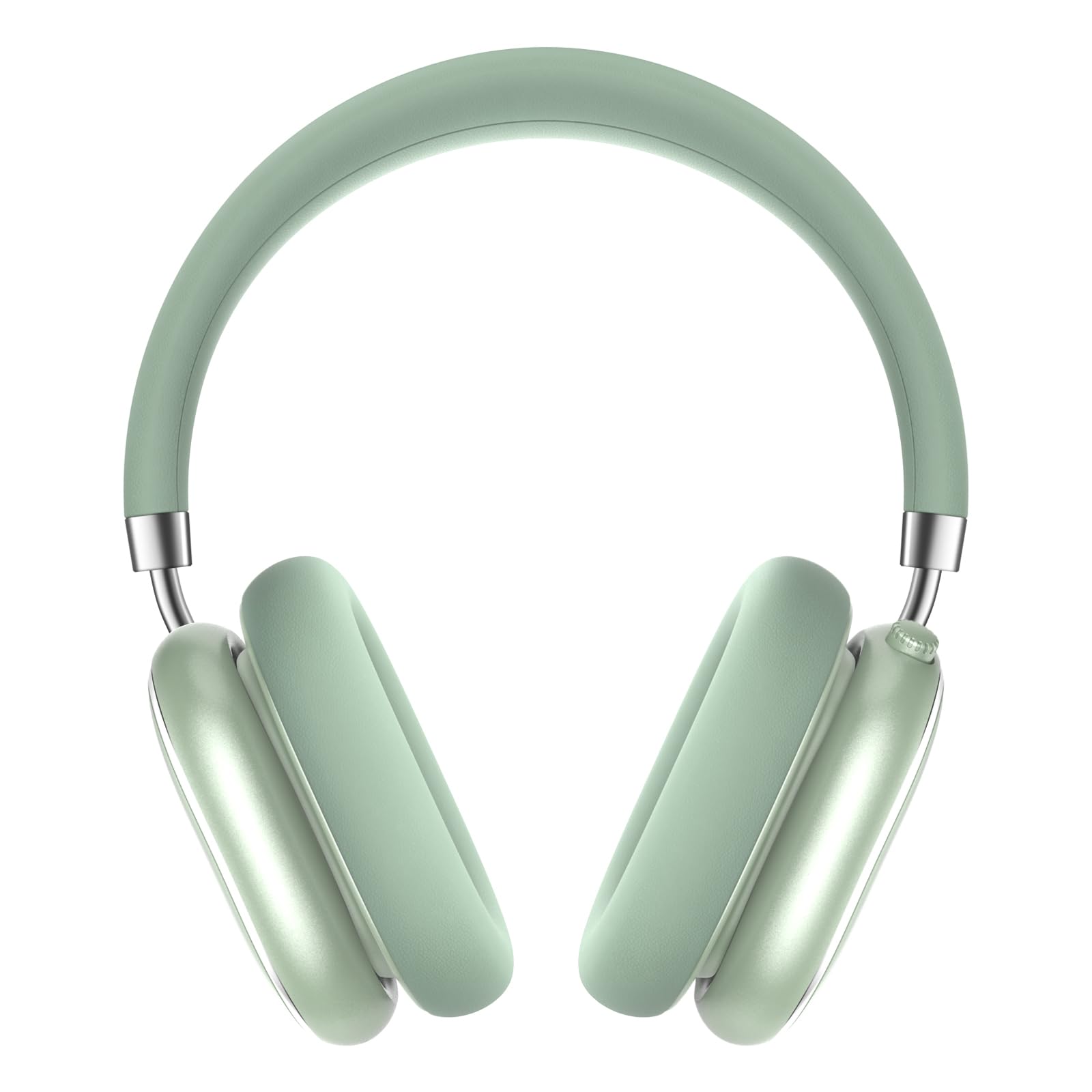
A pair of Srhythm NiceComfort 95 headphones, showcasing their sleek design and mint green color.

A man wearing the headphones, illustrating the hybrid active noise cancelling feature that blocks 95% of external noise.

A woman wearing the headphones in a public setting, demonstrating the transparency mode which amplifies ambient sounds.

자세한 view of the headphone's intuitive controls, including the multi-function knob for volume and playback, and buttons for ANC/Bluetooth.

A man using the headphones while relaxing, highlighting the 100-hour ultra-long battery life and quick charge feature.

An internal diagram illustrating the more efficient new Bluetooth 6.0 version technology integrated into the headphones.
설정
헤드폰 충전하기
처음 사용하기 전에 헤드폰을 완전히 충전하십시오.
- Connect the Type-C charging cable to the charging port on the headphone.
- 케이블의 다른 쪽 끝을 USB 전원(예: 컴퓨터, 벽면 어댑터)에 연결합니다.
- The LED indicator will show charging status. A full charge provides up to 65 hours of playtime. A 10-minute quick charge offers 3 hours of use.
전원 켜기/끄기
전원을 켜려면 전원 버튼을 1.5초간 길게 누르세요. 전원을 끄려면 전원 버튼을 10초간 길게 누르세요.
블루투스 페어링
- 헤드폰의 전원이 꺼져 있는지 확인하십시오.
- LED 표시등이 깜박여 페어링 모드를 나타낼 때까지 전원 버튼을 길게 누릅니다.
- On your device (smartphone, tablet, laptop), enable Bluetooth and search for "Srhythm NC95".
- Select "Srhythm NC95" to connect. The LED indicator will show a solid light once connected.
유선 연결
For a wired connection, plug the 3.5mm audio cable into the headphone's audio jack and the other end into your audio device. This provides a zero-latency connection.
작동 지침
통제 수단
The headphones feature a multi-function knob and a dedicated button for various controls:
- 다기능 노브:
- Twist up: Increase volume.
- Twist down: Decrease volume.
- Press once: Play/Pause music, Answer/End call.
- Press twice: Next track.
- Press three times: Previous track.
- ANC/투명 모드 버튼:
- Press for 1.5 seconds: Toggle between Hybrid Active Noise Cancelling, Transparency Mode, and Normal Mode.
모드
- 하이브리드 액티브 노이즈 캔슬링(ANC): Reduces up to 95% of ambient noise, ideal for noisy environments.
- 투명 모드: Allows you to hear your surroundings while listening to audio, enhancing safety and convenience.
- 일반 모드: 노이즈 캔슬링이나 투명도 기능이 없는 일반 오디오 재생입니다.
Using the Aircraft Adapter
For in-flight entertainment, use the included aircraft adapter by plugging the 3.5mm audio cable into the adapter, then into the aircraft's audio port.

The Srhythm NiceComfort 95 headphones neatly packed in their protective travel case, alongside charging cables and adapters, ready for travel.
유지
To ensure the longevity and optimal performance of your Srhythm NiceComfort 95 headphones, follow these maintenance guidelines:
- 청소: Do not use corrosive cleaners or oils. Wipe the headphones with a soft, dry cloth.
- 저장: 헤드폰 손상을 방지하기 위해 사용하지 않을 때는 제공된 보호 케이스에 보관하십시오.
- 온도: Avoid charging or operating in extreme temperatures (outside 0°C to 45°C / 32°F to 113°F).
- 물 노출: Do not submerge the headphones in water. They are water-resistant, not waterproof.
- 케이블 : Use original or certified cables for charging and wired connections.
문제 해결
헤드폰에 문제가 발생하면 다음 단계를 시도해 보세요.
- 전원 없음: 헤드폰이 완전히 충전되었는지 확인하세요.
- 소리 없음: Check volume levels on both the headphones and your connected device. Ensure the audio cable is securely connected if using wired mode.
- 블루투스 연결 문제: Ensure Bluetooth is enabled on your device and the headphones are in pairing mode. Try unpairing and re-pairing the device.
- 소음 제거가 작동하지 않음: Verify that ANC mode is activated.
- 왜곡된 소리: Check for interference from other devices or try moving closer to your audio source.
명세서
| 특징 | 사양 |
|---|---|
| 모델명 | 나이스컴포트 95 |
| 소음 제어 | Hybrid Noise Cancellation, Transparency Mode |
| 연결 기술 | 유선, 무선(블루투스 6.0) |
| 블루투스 범위 | 10 미터 |
| 배터리 수명 | 65시간 |
| 충전 시간 | 10 minutes for 3 hours use |
| 오디오 드라이버 크기 | 40 밀리미터 |
| 품목 무게 | 264그램(9.3온스) |
| 헤드폰 잭 | 3.5 mm 잭 |
| 방수 레벨 | 방수 |
| 재료 | Acrylonitrile Butadiene Styrene (ABS), Leather, Metal, Polycarbonate (PC), Stainless Steel |
공식 제품 영상
이 비디오는 이상을 제공합니다view of the Srhythm NiceComfort 95 Noise Cancelling Headphones, demonstrating their features and design.
안전 정보
Adhere to the following safety guidelines for proper use and to prevent damage:
- Do not charge or operate headphones in extreme temperatures: 0°C (32°F) - 45°C (113°F).
- Use only original or certified cables to charge.
- 과도한 볼륨을 사용하지 마십시오.tag전자 충전기.
- 부적절한 사용으로 인한 위험을 예방하려면 어린이의 접근이 불가능한 곳에 보관하세요.
- 물에 담그지 마십시오.
- 부식성 세제/오일을 사용하여 헤드폰을 청소하지 마십시오.
보증 및 지원
Each Srhythm product comes with an 18-month after-sales service and 7*24-hour online support. For detailed warranty information or to contact customer service, please refer to the official Srhythm web사이트 또는 제품 포장에 제공된 연락처 정보를 참조하세요.


