
1. 제품 오버view
The Ctronics 4K CTIPC-660C surveillance camera offers exceptional 8-megapixel image quality, capturing every detail with stunning clarity. Its lens, pivoting 355° horizontally and 90° vertically, allows you to monitor an extended area without blind spots. Powerful 25-meter night vision ensures continuous surveillance even in total darkness. Designed for outdoor security, this camera offers advanced functionalities and a robust construction, providing lasting peace of mind.
Key features include 4K (3840x2160) resolution with a SONY 1/2.8” IMX415 CMOS sensor, advanced backlight compensation, dual-band 2.4G/5G Wi-Fi and wired LAN connectivity, IK10 vandal resistance, IP66 weatherproofing, and AI-powered detection for humans, vehicles, and animals.

Figure 1: Ctronics 4K CTIPC-660C Outdoor Surveillance Camera.
2. 설정 및 설치
2.1 패키지 내용
- Ctronics 4K Surveillance Camera
- 전원 어댑터
- 장착 나사 및 벽면 플러그
- 네트워크 케이블용 방수 키트
- 빠른 시작 가이드
2.2 물리적 설치
The camera supports both ceiling and wall mounting. A wall mount bracket is sold separately if required. Ensure the mounting surface is strong enough to support the camera's weight (approximately 1 kg).
- 최적의 설치 위치를 선택하십시오. view각도와 Wi-Fi 신호 강도.
- Use the provided drilling template (if included) to mark the screw holes on the mounting surface.
- 구멍을 뚫고 벽 플러그를 삽입합니다.
- 제공된 나사를 사용하여 카메라 받침대를 표면에 고정하십시오.
- 카메라와 전원 콘센트에 전원 어댑터를 연결하세요.

Figure 2: Proper ceiling installation of the camera. The camera is designed for easy installation without complex disassembly.
2.3 네트워크 연결
The camera supports both wired (LAN) and wireless (2.4G/5G Wi-Fi) connections.
- 유선 연결: 라우터와 카메라의 LAN 포트에 이더넷 케이블을 연결하세요.
- 무선 연결: The camera supports dual-band Wi-Fi (2.4GHz and 5GHz). Follow the in-app instructions to connect the camera to your Wi-Fi network. The 2.4GHz band offers a longer transmission distance, while the 5GHz band provides a stronger network signal.

Figure 3: Dual-band Wi-Fi connectivity. The camera supports both 2.4GHz for longer range and 5GHz for stronger signal.
2.4 앱 및 소프트웨어 설치
관리하고 view your camera feed, download the Ctronics Pro app on your smartphone or tablet. PC client software is also available.
- 모바일 앱: 검색 "Ctronics Pro" in your device's app store (iOS/Android).
- PC 클라이언트: Download the "HiP2P Client" software from the official Ctronics website for Windows or Mac OS.
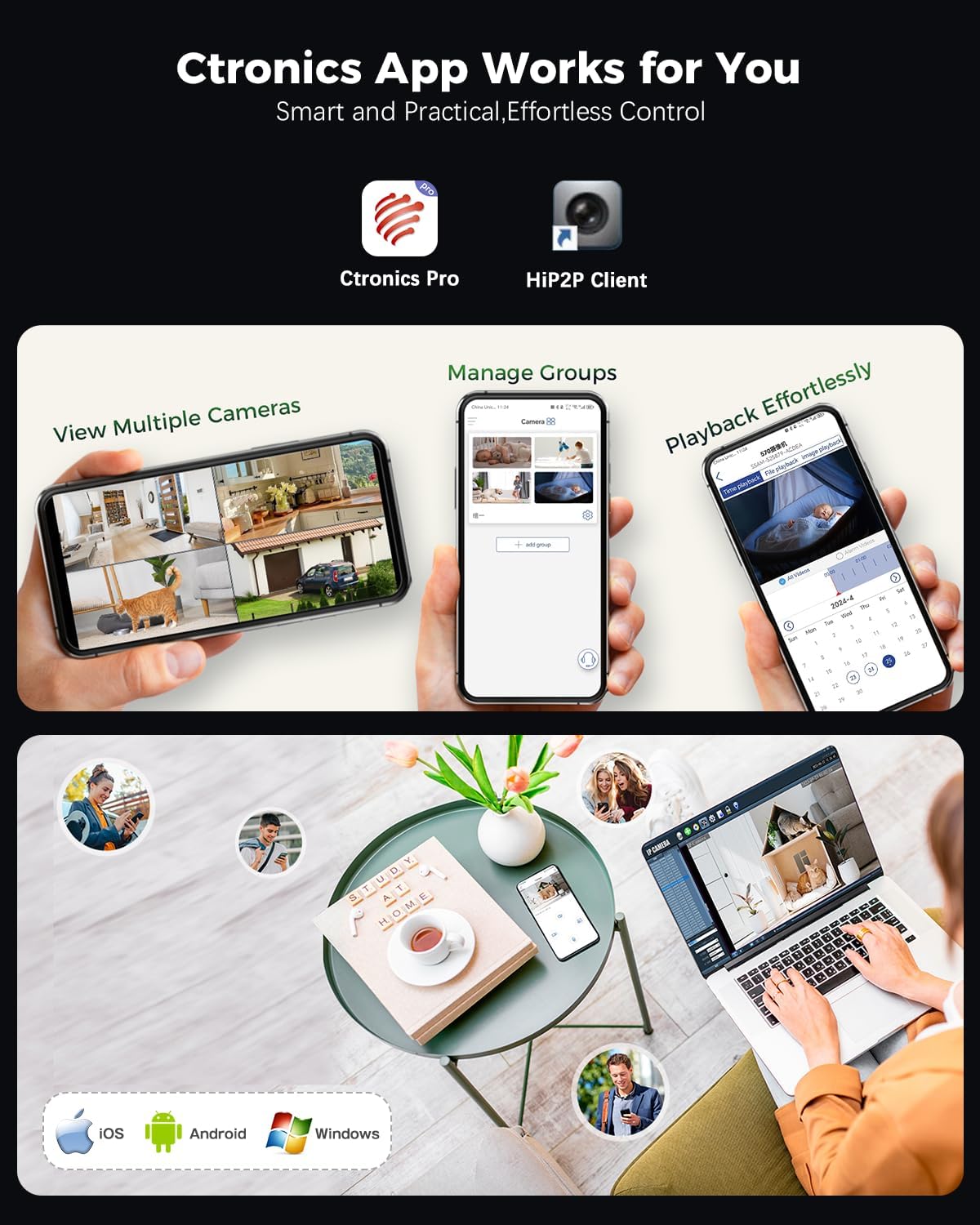
Figure 4: Ctronics Pro app interface for managing multiple cameras, playback, and group management.
3. 운영
3.1 라이브 View 및 원격 액세스
Access your camera feed anytime, anywhere via the Ctronics Pro app or PC client. The camera provides 24/7 surveillance capabilities.
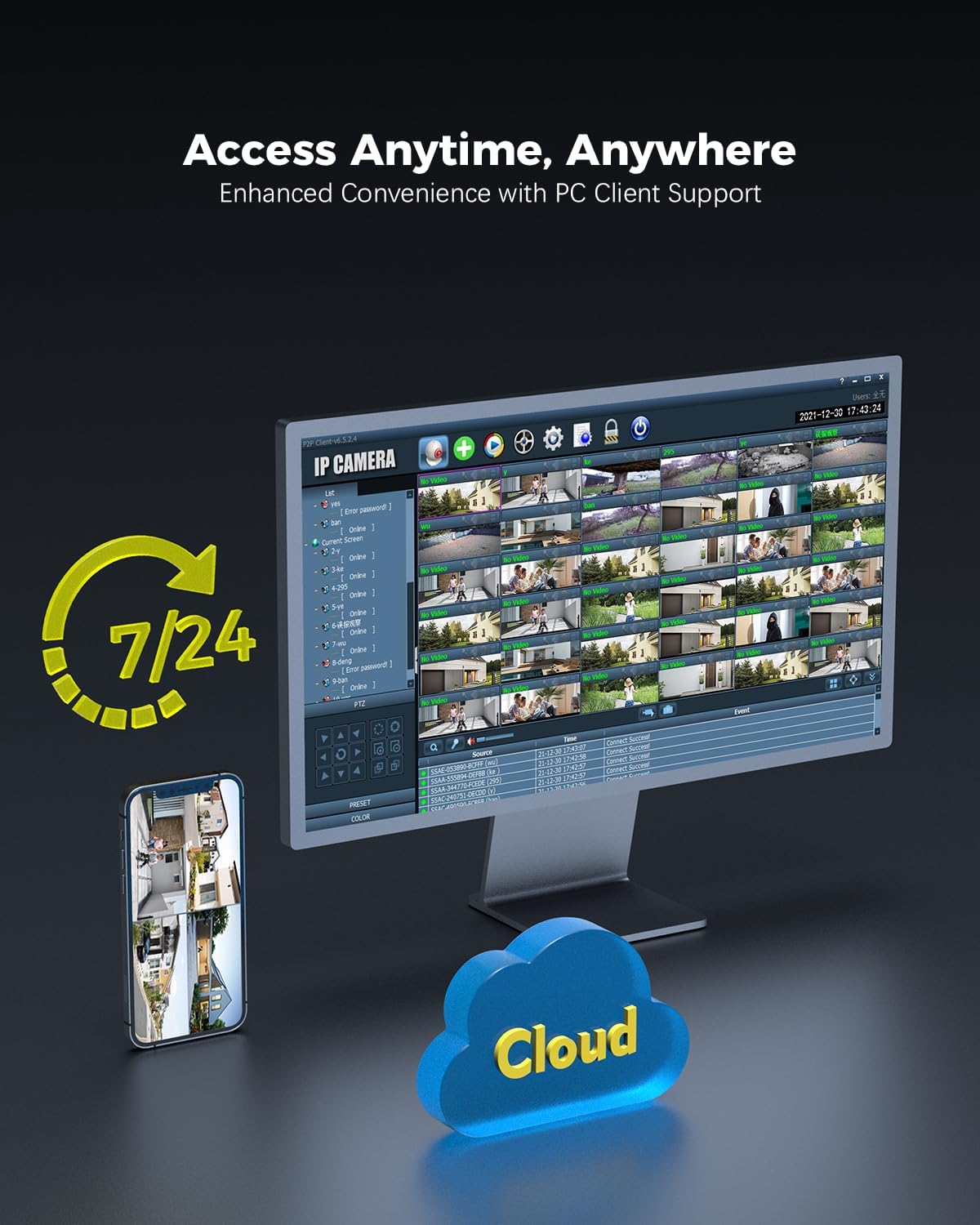
Figure 5: Remote access to camera feeds via PC client and smartphone app, with cloud storage options.
3.2 AI 감지 및 자동 추적
The camera features advanced AI detection to identify and track people, vehicles, and animals. When motion is detected, the camera can automatically track the subject and send instant push notifications to your device.

Figure 6: Smart detection and tracking capabilities. The camera identifies and tracks humans, vehicles, and animals.
3.3 Pan-Tilt Control and Preset Positions
Control the camera's pan (355°) and tilt (90°) movements remotely via the app. You can configure up to 8 preset positions for quick access to specific viewing angles. Customize detection zones and sensitivity settings to suit your surveillance needs.

Figure 7: Setting preset positions and customizing motion detection zones for tailored security.
3.4 저장 옵션
The camera offers flexible storage solutions for recorded footage:
- MicroSD 카드: 로컬 저장소로 최대 256GB MicroSD 카드를 지원합니다.
- NVR(네트워크 비디오 레코더): Compatible with ONVIF-enabled NVRs for centralized recording.
- FTP (File Transfer Protocol): Supports FTP for uploading recordings to a server.
- 클라우드 스토리지: Cloud storage options are available (subscription may be required).

Figure 8: Multiple storage options including MicroSD card, NAS, and FTP for secure data access.
4. 유지관리
- 청소: 카메라 렌즈와 하우징을 부드러운 천으로 주기적으로 청소하십시오.amp 선명한 화질을 위해 천을 사용하십시오. 강한 화학 약품은 사용하지 마십시오.
- 펌웨어 업데이트: Check for and install firmware updates regularly through the Ctronics Pro app or official web최적의 성능과 보안을 보장하기 위해 사이트가 운영됩니다.
- 케이블 검사: Inspect power and network cables for any signs of wear or damage, especially for outdoor installations.
- 스토리지 관리: 정기적으로 다시view 기록된 footage and manage storage space, especially if using a MicroSD card, to prevent it from becoming full.
5. 문제 해결
| 문제 | 가능한 원인 | 해결책 |
|---|---|---|
| 카메라 전원이 켜지지 않음 | 전원 공급이 안 됨; 어댑터 불량. | Check power connection. Ensure the adapter is working and connected to a live outlet. |
| Wi-Fi에 연결할 수 없습니다 | Wi-Fi 비밀번호가 잘못되었습니다. 카메라가 라우터에서 너무 멀리 떨어져 있습니다. 라우터 문제입니다. | Verify Wi-Fi password. Move camera closer to the router or use a Wi-Fi extender. Restart your router. Ensure you are connecting to the correct 2.4GHz or 5GHz band. |
| QR code not scanning during setup | Poor lighting; dirty lens; incorrect distance. | Ensure sufficient lighting. Clean the camera lens. Adjust the distance between the camera and the QR code on your phone screen. |
| 이미지/비디오 피드 없음 | Network disconnection; camera malfunction. | Check network connection (wired/wireless). Restart the camera. If the problem persists, contact support. |
| 동작 감지가 작동하지 않음 | Detection settings incorrect; environmental factors. | Review motion detection settings in the app (sensitivity, zones). Ensure no obstructions are blocking the camera's view. |
6. 제품 사양
| 특징 | 세부 사항 |
|---|---|
| 모델 번호 | CTIPC-660C |
| 해결 | 4K (3840x2160), 8 Megapixels |
| 감지기 | SONY 1/2.8” IMX415 CMOS |
| 팬 / 틸트 각도 | 팬 355 °, 틸트 90 ° |
| 나이트 비전 범위 | Up to 25 meters (Starlight) |
| 연결성 | Wired (LAN), Wi-Fi (2.4GHz/5GHz) |
| 저장 옵션 | MicroSD (up to 256GB), ONVIF NVR, FTP, Cloud |
| 충격 보호 | IK10 Vandal-Resistant |
| 내후성 | IP66 |
| 전원 | AC Power, 24 Watts |
| 프레임 속도 | 초당 15프레임 |
| View 각도 | 90도 |
| 줌 타입 | 디지털 줌(4배율) |
| 호환 장치 | 컴퓨터, 노트북, 스마트폰, 태블릿 |
| 치수(길이 x 너비 x 높이) | 13 x 13 x 19cm |
| 무게 | 1킬로그램 |

Figure 9: Internal lens structure highlighting the SONY 415 CMOS sensor for high-quality imaging.

Figure 10: IK10 vandal-resistant design, built to withstand impact and protect the camera.
7. 보증 정보
Ctronics 제품에는 일반적으로 표준 제조업체 보증이 제공됩니다. 제품 포장에 포함된 보증 카드를 참조하거나 Ctronics 공식 웹사이트를 방문하십시오. web자세한 보증 약관은 해당 지역 및 구매일에 따라 다를 수 있으므로, 웹사이트를 참조하십시오. 보증 청구를 위해 구매 증빙 자료를 보관하십시오.
8. 고객 지원
For technical assistance, product inquiries, or support, please contact Ctronics customer service through one of the following methods:
- 공식적인 Web대지: Ctronics 공식 웹사이트를 방문하세요. web자주 묻는 질문(FAQ), 지원 문서 및 문의 양식을 위한 사이트입니다.
- 이메일 지원: 제품 포장이나 공식 문서를 참조하세요. web고객 지원 이메일 주소 사이트.
- 앱 내 지원: Some issues can be resolved directly through the Ctronics Pro application's support section.
When contacting support, please have your product model number (CTIPC-660C) and purchase information ready.