
STRICH LOOPER&DRUM
STRICH Stereo Looper Pedal with Built-in Drum Machine
Model: LOOPER&DRUM
브랜드: 스트리치
1. 서론
The STRICH Stereo Looper Pedal is a versatile 2-in-1 device combining a powerful looper with a comprehensive drum machine. Designed for guitarists and musicians, it offers extensive recording capabilities and a wide array of rhythmic patterns to enhance practice, composition, and live performance. This manual provides essential information for setting up, operating, maintaining, and troubleshooting your pedal.
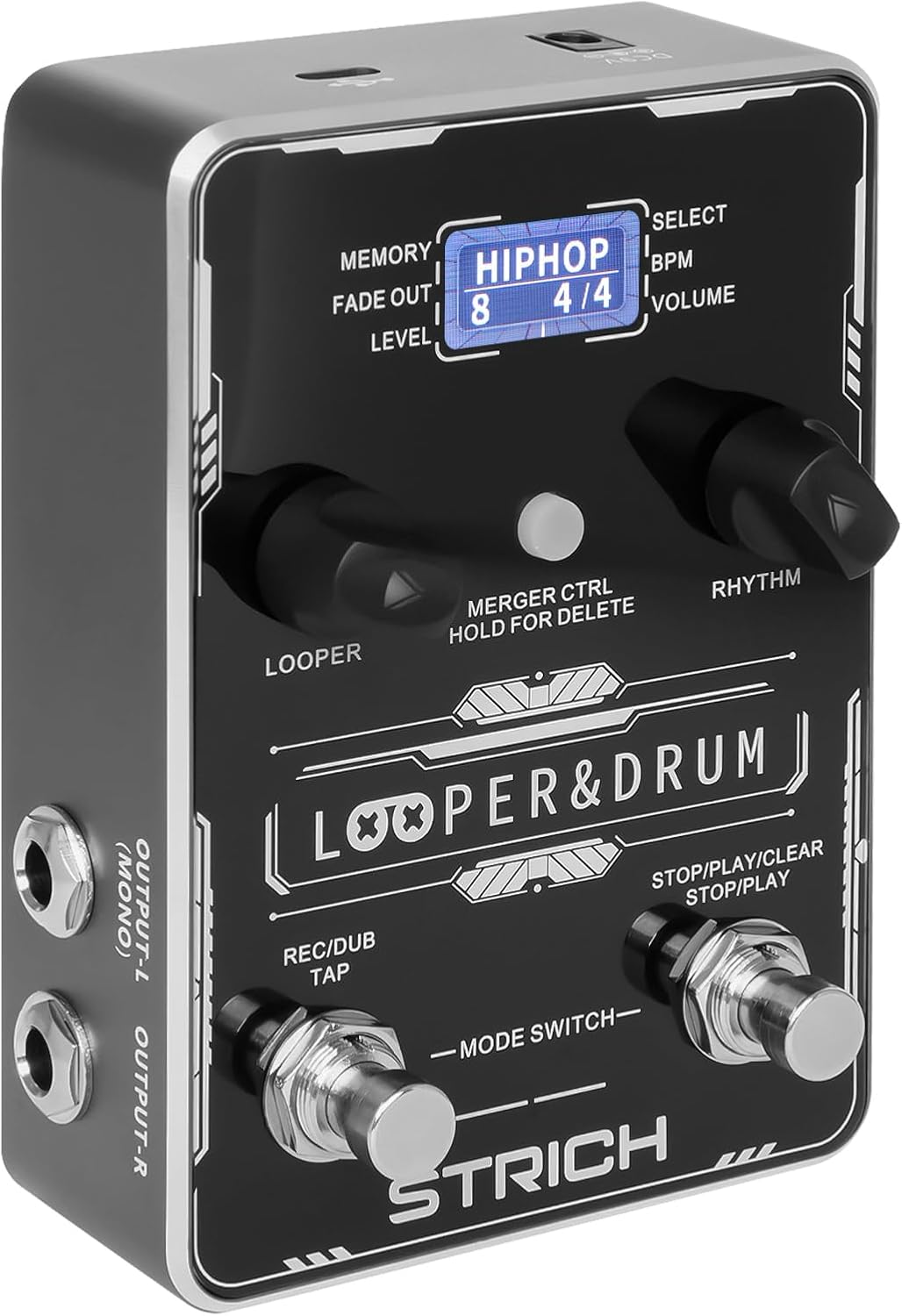
앞쪽 view of the STRICH Stereo Looper Pedal, showcasin제어 장치 및 디스플레이.
2. 주요 특징
- 2-in-1 디자인: Integrates a looper and drum machine for combined creative and rhythmic practice needs.
- Powerful Looper: Stores 40 presets, each with a maximum recording time of 4 minutes, totaling 160 minutes. Features a 24-bit/44.1kHz DSP chip for accurate sound reproduction.
- Versatile Drum Machine: Offers 10 different drum styles, each with 10 unique rhythmic patterns, providing 100 diverse drum patterns (pop, rock, metal, Latin, blues, jazz, fusion, hip-hop, funk, disco).
- 이중 입력/출력: Two mono 1/4" inputs for simultaneous instrument and microphone connection, and two mono 1/4" outputs for stereo output.
- USB 연결: Supports audio upload and download, and software editing for loop management.
- 풋스위치 제어: Allows for hands-free operation during performance.

The pedal's 2-in-1 design combines looper and drum machine functionalities.
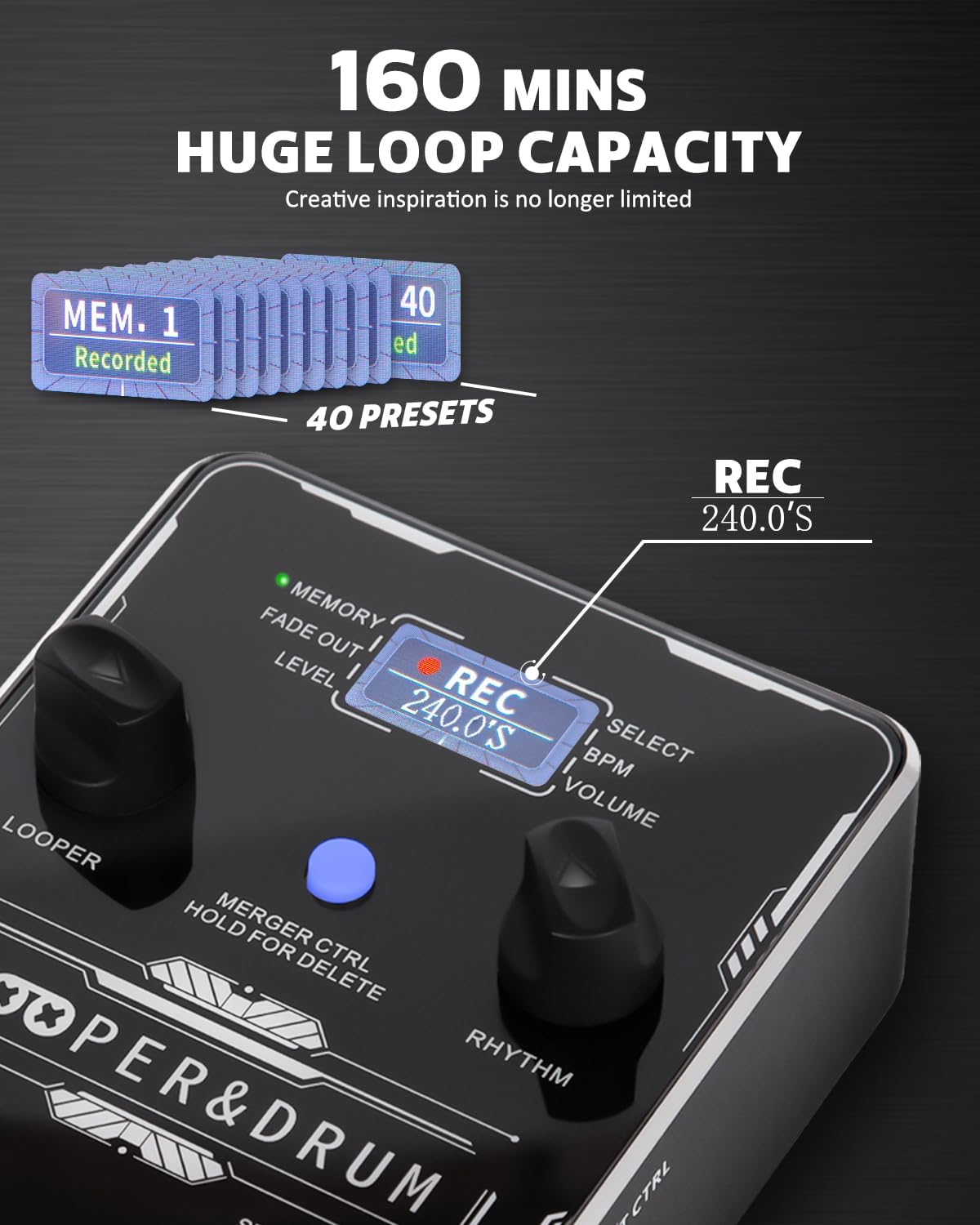
The looper offers a substantial 160 minutes of total recording time across 40 presets.
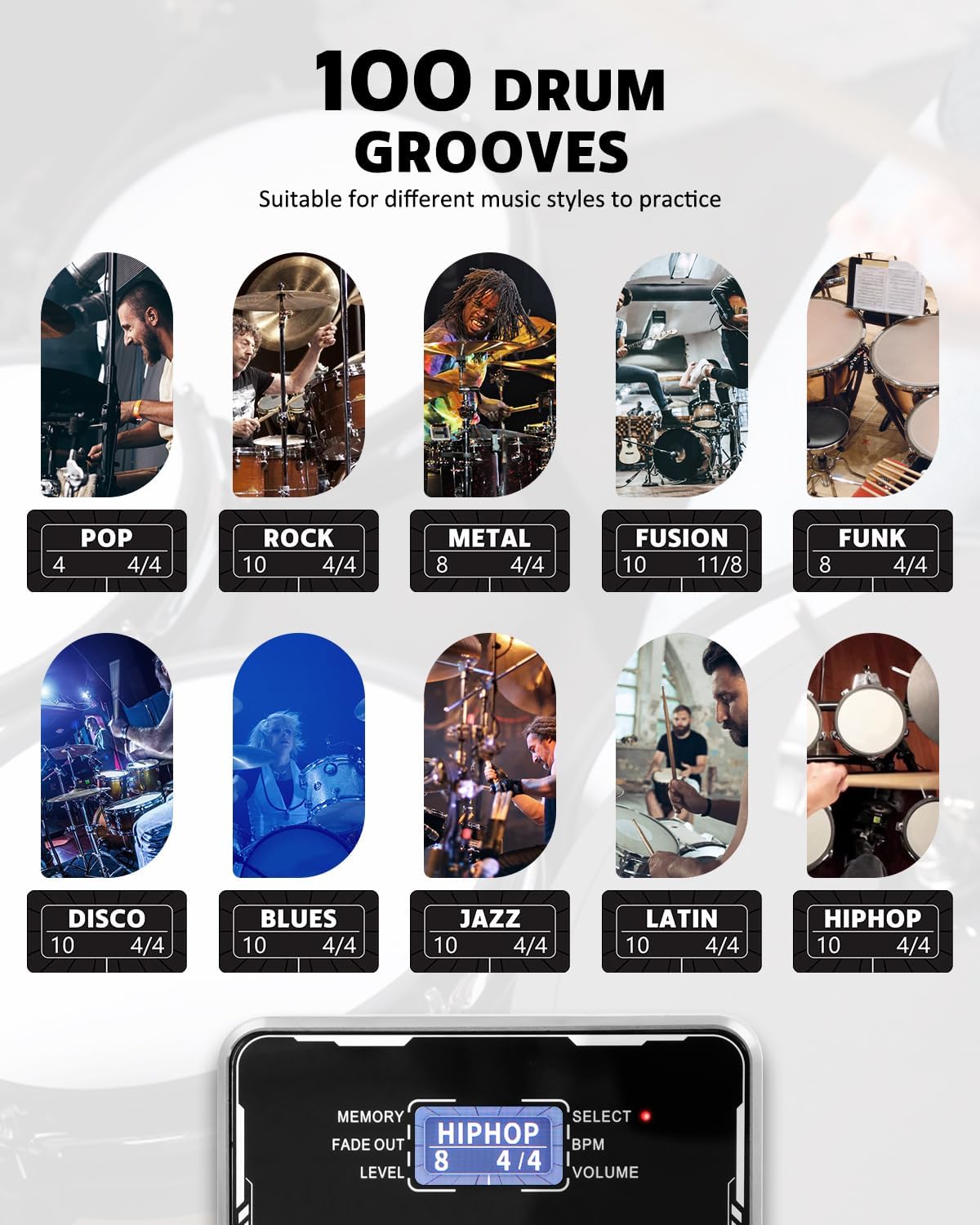
Explore 100 diverse drum patterns across various musical genres.
3. 설정 가이드
3.1 전원 공급
The STRICH Stereo Looper Pedal requires a 9V DC, minimum 300mA, center-negative adapter. The power supply is 포함되지 않음 with the pedal. Using an incorrect adapter may damage the device. There is no battery compartment.

Ensure correct power supply (9V DC, 300mA, center-negative) and proper signal connections.
3.2 연결
The pedal features dual inputs and outputs for versatile connectivity:
- Input R (Mono): Connect your instrument (e.g., guitar) here for mono input.
- Input L (Mono): Connect a second instrument or microphone here. Connect both L and R inputs for stereo input.
- Output L (Mono): 당신에게 연결 amplifier or audio interface. Connect both L and R outputs for stereo output.
- Output R: 당신에게 연결 amplifier 또는 오디오 인터페이스.
- 외부 CTRL: For connecting an external footswitch (purchased separately).
- USB(타입-C): Connect to a computer for editor software, import/export files, or factory reset.

The pedal supports dual input and output for stereo or multi-instrument setups.

Example connection setup for the looper pedal with instruments and output devices.
4. 사용 설명서
4.1 컨트롤 오버view

상세한 view of the pedal's controls and their functions.
- LOOPER Control: Adjusts loop position, volume, and fade out time.
- 루퍼 LED: Indicates current looper parameters.
- 디스플레이 화면: 현재 상태 정보를 표시합니다.
- 리듬 LED: Indicates current rhythm parameters.
- MERGER CTRL (Hold for Delete): Toggles independent/simultaneous operation of looper and drum machine. Hold to delete recorded tracks.
- RHYTHM Control: Selects rhythm type, speed (BPM), and volume.
- Right Footswitch (STOP/PLAY/CLEAR): Controls playback, stop, and clear functions for the looper. Also controls Play/Stop for the drum machine.
- Left Footswitch (REC/DUB/TAP): Controls record, dub, and playback in looper mode. Taps tempo for rhythm.
4.2 Looper Operation
- 녹음: Press the Left Footswitch (REC/DUB) once to start recording. The screen will show 'REC' and the recording time.
- 재생: Press the Left Footswitch again to stop recording and start playback. The screen will show 'PLAY'.
- 더빙: During playback, press the Left Footswitch again to start dubbing (overdubbing). The screen will show 'DUB'.
- 중지: Press the Right Footswitch (STOP/PLAY/CLEAR) once to stop playback/dubbing.
- 분명한: While stopped, hold the Right Footswitch to clear the current loop.
- 메모리를 선택하세요: Use the LOOPER control knob to navigate through the 40 memory slots.
4.3 Drum Machine Operation
- 드럼 패턴을 선택하세요: Use the RHYTHM control knob to select from 100 diverse drum patterns.
- Adjust BPM: Press the RHYTHM control knob to enter BPM adjustment mode, then turn the knob to change the tempo.
- 볼륨 조절: Press the RHYTHM control knob again to enter volume adjustment mode, then turn the knob to change the drum volume.
- 탭 템포: Tap the Left Footswitch (REC/DUB/TAP) multiple times to set the tempo for the drum machine.
4.4 USB Functionality and Software
The pedal supports USB Type-C connectivity for managing your loops and settings via computer software. This allows for importing/exporting recorded files and performing factory resets.

Manage your loops and settings using the dedicated editor software.
4.5 교육용 비디오
For visual guidance on setup and operation, please refer to the official product videos:
Video: STRICH Looper Pedal Guitar Pedal with Drum Machine 2 IN 1
이 비디오는 이상을 제공합니다view and demonstration of the pedal's core functionalities, including basic looping and drum machine features.
Video: STRICH Stereo Guitar Looper Pedal with Drum Machine 2 IN 1
A detailed demonstration of the stereo capabilities and integrated drum machine, showcasing various operational aspects.
5. 유지관리
- 청소: 페달 표면은 부드럽고 마른 천으로 닦으십시오. 연마성 세척제나 용제 사용은 피하십시오.
- 저장: 페달은 직사광선과 극한의 온도를 피해 서늘하고 건조한 곳에 보관하세요.
- 손질: Handle the pedal with care to prevent damage to the footswitches and knobs. Avoid dropping or subjecting it to strong impacts.
- 전원 차단: 페달을 장기간 사용하지 않을 때는 항상 전원 공급 장치를 분리하십시오.
6. 문제 해결
- 전원 없음: Ensure the correct 9V DC, 300mA, center-negative power adapter is connected securely. Check the power outlet.
- 소리 없음: 모든 오디오 케이블이 입력 및 출력에 올바르게 연결되었는지 확인하십시오. 악기와 amplifier volume levels. Ensure the pedal's volume is not set to zero.
- 왜곡된 소리: Check input levels to avoid clipping. Ensure proper impedance matching with your instruments and amp리퍼.
- 루프가 녹음/재생되지 않음: Ensure you are in the correct mode (REC/PLAY). Check if the memory slot is full or corrupted (try clearing it).
- Drum Machine Issues: Verify drum volume is up. Ensure a drum pattern is selected.
- 소프트웨어 연결 문제: Ensure the USB cable is securely connected. Try a different USB port or cable. Restart your computer and the pedal.
7. 사양
| 특징 | 세부 사항 |
|---|---|
| 모델 번호 | 루퍼&드럼 |
| 품목 무게 | 1.21파운드(0.55킬로그램) |
| 제품 치수 | 6.69 x 4.33 x 2.95 인치 |
| 재료 유형 | 합금 |
| 전원 | 코드식 전기 |
| 권tage | 9 볼트 |
| 하드웨어 인터페이스 | USB 타입 C |
| 녹화 시간 | 160 minutes total (40 presets, 4 minutes each) |
| 드럼 패턴 | 100 diverse patterns (10 styles, 10 patterns each) |
| Samp링율 | 44.1kHz |
| Samp링 정확도 | 24비트 |

Detailed input and output specifications of the pedal.
8. 보증 및 지원
STRICH is committed to crafting quality musical instruments and values customer feedback. For any inquiries or support needs, please refer to the following:
- 보증 서비스: 최대 12개월 보증.
- 반품 정책: 30일 무료 반품.
- 고객 서비스: 이메일 채팅 상담원이 24시간 이내에 답변해 드립니다.
For additional support, you may refer to the official User Manual (PDF) available online: 사용 설명서 (PDF)
Ask a question about this manual
Ask about setup, troubleshooting, compatibility, parts, safety, or missing instructions. Manuals+ will review the question and use this page’s manual context to help answer it.