
소개
Thank you for choosing the AWEI H26 Smart Watch. This device is designed to enhance your daily life with its multi-functional capabilities, including fitness tracking, communication features, and health monitoring. This manual provides essential information for setting up, operating, maintaining, and troubleshooting your smart watch to ensure optimal performance and longevity.
설정
1. 스마트워치 충전하기
Before first use, fully charge your AWEI H26 Smart Watch. The watch is equipped with a 260mAh battery. A full charge typically takes 2-3 hours.
- 자석 충전 케이블을 시계 뒷면의 충전 포인트에 연결하세요.
- 케이블의 USB 끝을 표준 USB 전원 어댑터(권장 5V/1A)나 컴퓨터의 USB 포트에 꽂습니다.
- 시계 화면에 충전 표시기가 나타납니다.

Image: The AWEI H26 Smart Watch screen showing a battery charging icon, indicating magnetic charging in progress. The text on the image mentions "22-Day Standby Time Easy Magnetic Charging" and that usage time can last for 3 to 4 days per charge.
2. 스마트폰과 페어링
The AWEI H26 Smart Watch is compatible with both Android and iOS smartphones. To unlock its full potential, you need to pair it with your phone via Bluetooth.
- 앱 다운로드: 검색 the official AWEI H26 companion app in your phone's app store (Google Play Store for Android or Apple App Store for iOS) and install it.
- 블루투스 활성화: 스마트폰에서 Bluetooth가 활성화되어 있는지 확인하세요.
- 앱을 여세요: Launch the installed app on your phone and follow the on-screen instructions to create an account or log in.
- 장치 추가: Within the app, navigate to the 'Add Device' or 'Pair Device' section. The app will search for available Bluetooth devices.
- 시계를 선택하세요: Select 'H26' from the list of found devices. Confirm the pairing request on both your phone and the watch if prompted.
- 설정 완료: Follow any remaining prompts in the app to complete the initial setup, including granting necessary permissions for notifications, health data, etc.
작동 지침
1. 기본 탐색
The AWEI H26 Smart Watch features a 1.95-inch touchscreen and physical buttons for navigation.
- 터치스크린: Swipe left/right, up/down to navigate through menus and features. Tap to select an item.
- 측면 버튼: 일반적으로 버튼 하나는 전원 켜기/끄기, 뒤로 가기 또는 홈 버튼 역할을 합니다. 특정 기능은 화면 안내를 참조하십시오.

Image: A close-up of the AWEI H26 Smart Watch, showcasing its 1.95-inch HD TFT display. The watch face shows time, date, battery level, and activity tracking icons. The image text highlights "1.95" HD TFT Watch Face Adapt to Different Light Intensities" and its 86.6% screen-to-body ratio for better operating and reading experience in various light conditions.
2. 주요 특징
- 전화 받기/걸기: Once paired with your smartphone, the H26 allows you to answer and make calls directly from your wrist using its one-touch Bluetooth calling feature.
- 다양한 스포츠 모드: The watch supports over 100 sports modes, including running, walking, climbing, cycling, hiking, basketball, badminton, football, yoga, and more. Select a mode before starting your activity to track exercise time, calories burned, and other relevant metrics.

Image: A person wearing the AWEI H26 Smart Watch during an outdoor activity. The watch face displays time, date, and icons for steps, heart rate, and calories burned. The image text states "100+ Sports Modes Create Your Exclusive Sports Style" and mentions heart rate monitoring, calorie consumption, and exercise duration tracking.
- 건강 모니터링: The H26 provides all-day monitoring for heart rate, blood pressure, blood oxygen, and sleep patterns. This data helps you maintain a healthy balance and provides insights into your well-being.

Image: A close-up of the AWEI H26 Smart Watch displaying a heart rate graph with a current reading of 108 BPM. The image text highlights "Healthy Living Golden Partner" and mentions all-day heart-rate, blood-pressure, blood-oxygen, and sleep monitoring.
- 사용자 정의 가능한 시계 화면: Personalize your watch with a variety of cloud-based watch faces available through the app. You can also upload your own photos to create unique watch faces.
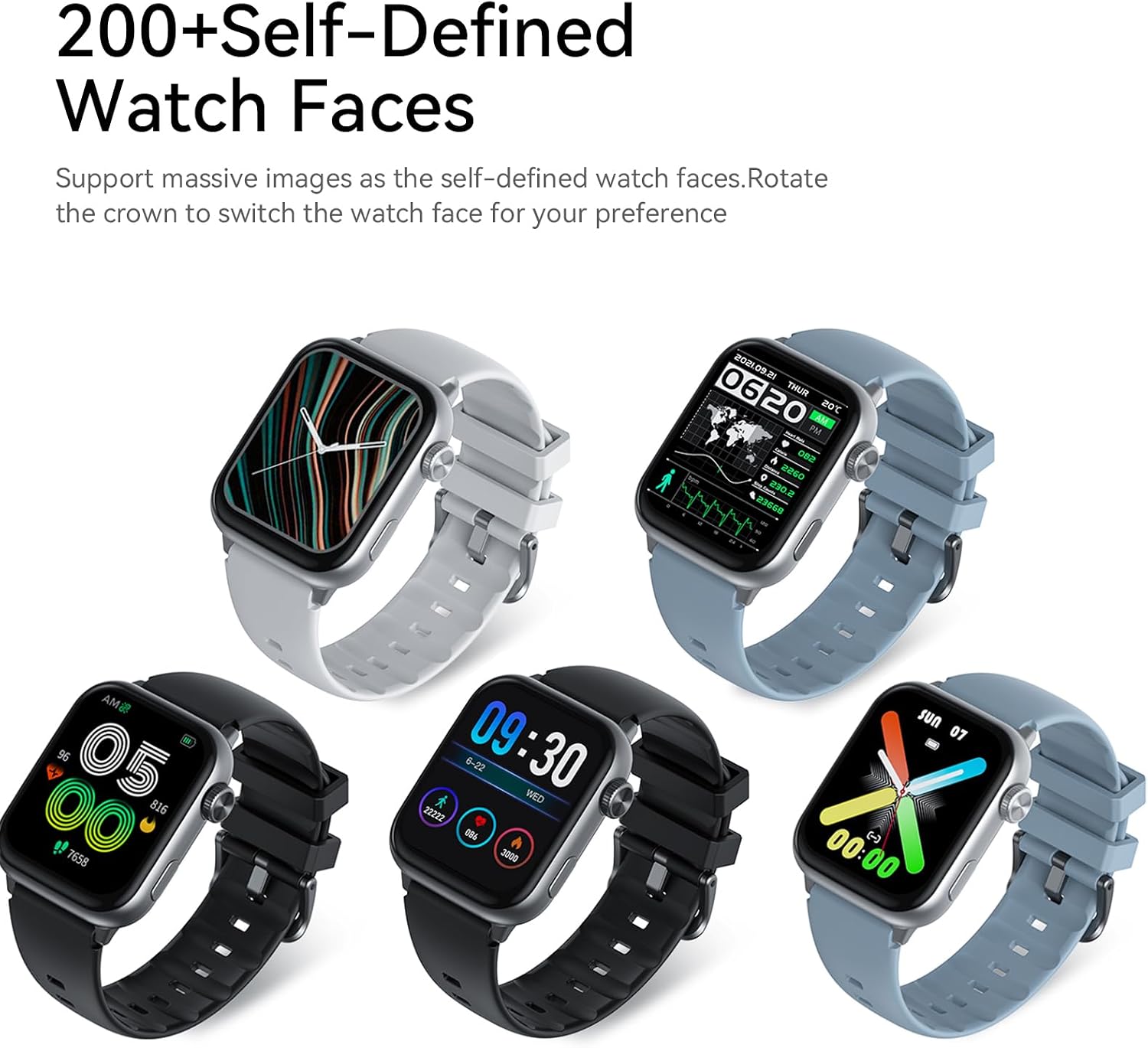
Image: Five AWEI H26 Smart Watches in various colors, each displaying a different customizable watch face. The image text indicates "200+ Self-Defined Watch Faces" and the ability to rotate the crown to switch watch faces.
- 기타 기능: The watch includes features such as female physiological cycle tracking, wrist flip screen activation, time display, sedentary reminders, remote photography control, music control, and alarm clock.
유지
1. 스마트워치 청소
정기적으로 세척하면 시계의 외관과 기능을 유지하는 데 도움이 됩니다.
- 부드럽고 보푸라기가 없는 천으로 화면과 시계 본체를 닦으세요.
- 완고한 먼지에는 약간 damp천에 물을 묻혀 닦으세요. 강한 화학 물질이나 연마재는 사용하지 마세요.
- 충전 접점을 주기적으로 청소하여 연결 상태가 양호한지 확인하세요.
2. 방수 지침
The AWEI H26 Smart Watch has an IP67 waterproof rating, meaning it is resistant to dust and can withstand immersion in water up to 1 meter for 30 minutes. This makes it suitable for daily activities like hand washing, face washing, and sweating during exercise.

Image: The AWEI H26 Smart Watch with water splashing around it, illustrating its water resistance. The image text prominently displays "IP67 Waterproof Rate Fearless of Rain & Sweat" and clarifies that it is waterproof and dustproof.
중요한:
- 시계를 뜨거운 물, 사우나, 스팀룸에서 사용하지 마세요.
- 염분이 시계를 부식시킬 수 있으므로 바닷물에서 시계를 사용하지 마십시오.
- 방수 등급은 영구적인 것이 아니며, 일반적인 마모로 인해 시간이 지남에 따라 저하될 수 있습니다.
- 시계를 고의로 장시간 또는 지정된 깊이 이상으로 물에 담그지 마십시오.
문제 해결
AWEI H26 스마트워치 사용 중 문제가 발생하면 다음 해결 방법을 시도해 보세요.
- 시계가 켜지지 않음: 시계가 완전히 충전되었는지 확인하세요. 충전기에 연결하고 몇 분 정도 기다린 후 전원을 켜보세요.
- 휴대폰과 페어링할 수 없습니다:
- 휴대폰에서 Bluetooth가 활성화되어 있고 시계가 범위 내에 있는지 확인하세요.
- 휴대폰과 시계를 모두 다시 시작하세요.
- 앱이 최신 버전으로 업데이트되었는지 확인하세요.
- 휴대폰의 Bluetooth 설정에서 기기를 삭제하고 앱을 통해 다시 페어링을 시도하세요.
- 부정확한 건강 데이터: 시계를 손목에 꼭 맞게 착용하세요. 너무 꽉 조이거나 느슨하지 않도록 하세요. 시계 뒷면의 센서를 청소하세요.
- 알림을 받지 못했습니다: Check app permissions on your phone to ensure the watch app has access to notifications. Verify that notifications are enabled within the watch app settings.
- 짧은 배터리 수명: 화면 밝기를 줄이고, 불필요한 기능을 비활성화하고, 필요하지 않은 경우 심박수 모니터링 빈도를 제한하세요.
문제가 지속될 경우, 추가 지원을 받으려면 지원 섹션을 참조하십시오.
명세서
| 특징 | 세부 사항 |
|---|---|
| 모델명 | H26 |
| 상표 | 아웨이 |
| 화면 크기 | 1.95 인치 |
| 디스플레이 유형 | 디지털 |
| 운영 체제 | 안드로이드, iOS |
| 연결 기술 | 블루투스 |
| 배터리 용량 | 260밀리amp 시간 |
| 배터리 충전 시간 | 2-3시간 |
| 방수 등급 | IP67 (1 Meter for 30 Minutes) |
| 휴먼 인터페이스 입력 | 버튼, 터치스크린 |
| 특별 기능 | 100+ Sports Modes, One-touch Bluetooth Calling, Health Monitoring |
| 밴드 소재 유형 | 실리콘 |
| 케이스 재질 종류 | 스테인리스 스틸 |
| 측정된 지표 | 활동 추적기 |
| GPS | 스마트폰을 통해 |
보증 및 지원
보증 정보
AWEI H26 스마트워치는 다음과 같은 기능을 제공합니다. 1년 한정 보증 구매일로부터. 본 보증은 정상적인 사용 중 발생한 제조상의 결함에 적용됩니다. 오용, 사고, 무단 개조 또는 본 설명서의 지침을 따르지 않아 발생한 손상은 보증 대상에서 제외됩니다.
고객 지원
If you have any questions, require technical assistance, or experience issues not covered in the troubleshooting section, please do not hesitate to contact our customer support team. We are committed to providing assistance and will respond to your inquiries within 24 hours.
Please refer to your purchase documentation or the official Awei web구체적인 연락처 정보는 해당 사이트를 참조하세요.
