
소개
This manual provides detailed instructions for the setup, operation, and maintenance of your NITHO Drive Pro ONE V24 Racing Wheel with Pedals. Please read this guide thoroughly before using the product to ensure proper functionality and a safe gaming experience. The Drive Pro ONE V24 is designed for use with PlayStation 4, Xbox Series X/S, Xbox One, PC (X-Input), and Nintendo Switch. Please note that this product is intended for arcade games only.

이미지: 앞면 view of the NITHO Drive Pro ONE V24 Racing Wheel, showcasin디자인과 제어 기능이 뛰어납니다.
패키지 내용
아래 나열된 모든 품목이 패키지에 포함되어 있는지 확인하세요.
- NITHO Drive Pro ONE V24 Racing Wheel
- 페달 유닛(가속 페달 및 브레이크 페달)
- USB 연결 케이블
- 장착 Clamps (2개 단위)
- Removable Suction Cups (5 units)
- 사용 설명서 (본 문서)

Image: Contents of the box, showing the racing wheel, pedal unit, cables, and mounting accessories.
설정
1. 레이싱 휠 장착
The Drive Pro ONE V24 offers two mounting options for stability:
마운팅 Cl 사용amps:
- 두 개의 장착 클립을 부착하십시오.amps to the designated slots on the underside of the racing wheel base.
- Place the racing wheel on a stable surface (e.g., a desk or racing stand).
- cl을 조여주세요amps securely to prevent movement during use. Ensure the surface thickness is compatible with the clamps.

이미지: cl의 삽화amp mounting system, demonstrating how to secure the wheel to a surface.
Using Removable Suction Cups:
- The racing wheel base is equipped with five removable suction cups.
- Ensure the surface is clean and smooth for optimal suction.
- Press the wheel firmly onto the surface to engage the suction cups.
- To remove, gently lift the edges of the suction cups. These can be removed if not needed for a more stable clamp 설치.

Image: Diagram illustrating the removable suction cups on the underside of the racing wheel, highlighting their function.
2. 페달 유닛 연결하기
Connect the cable from the pedal unit to the designated port on the back of the racing wheel base.
3. Connecting to Your Gaming System
Connect the USB cable from the racing wheel to an available USB port on your console (PlayStation 4, Xbox Series X/S, Xbox One, Nintendo Switch) or PC. The system should automatically detect the device. For PC, the wheel operates in X-Input mode.
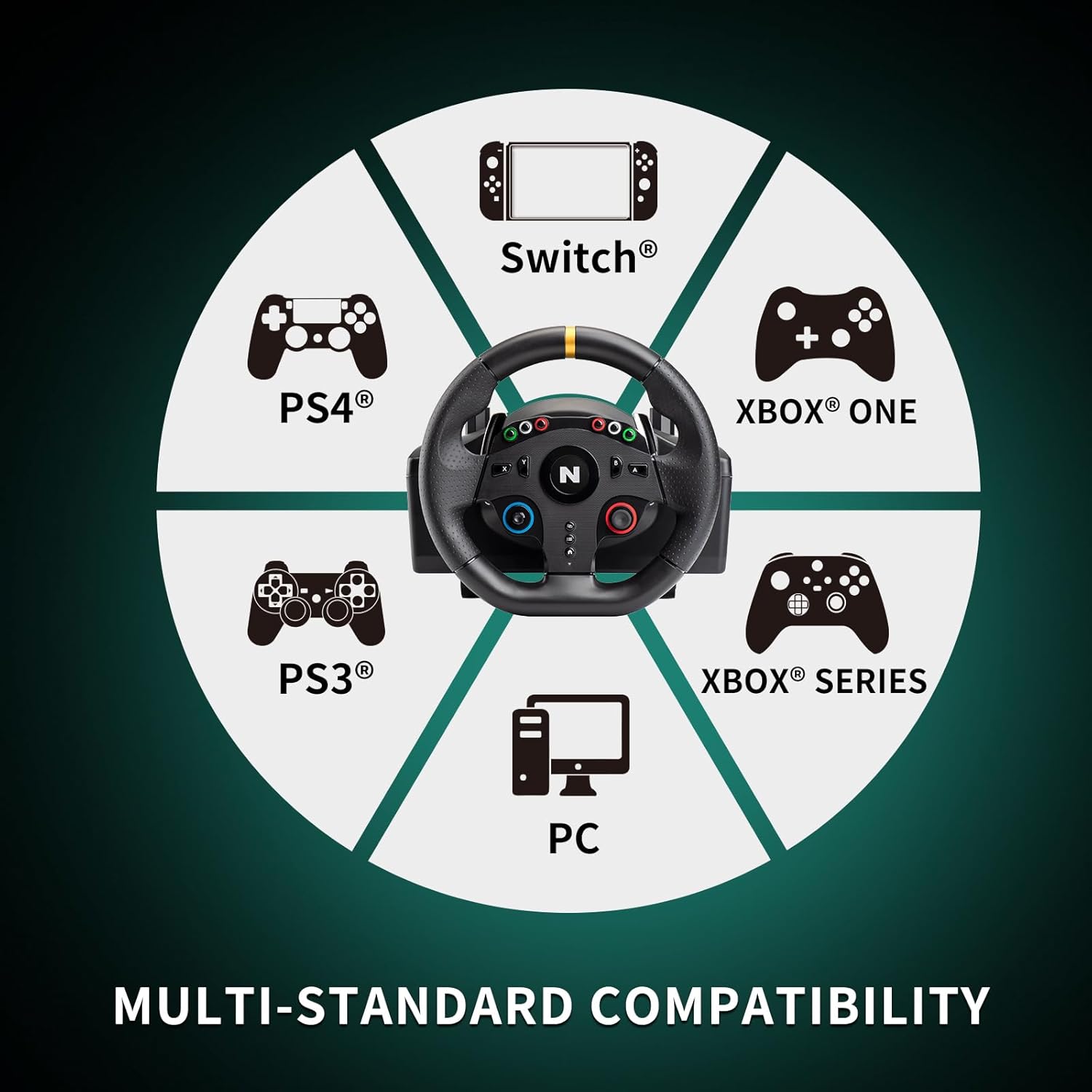
Image: A circular diagram illustrating the multi-platform compatibility of the racing wheel, including Switch, PS4, PS3, Xbox One, Xbox Series, and PC.
작동 지침
1. 스티어링 휠 조작
The NITHO Drive Pro ONE V24 features a 10-inch (255mm) steering wheel with a 270-degree lock-to-lock rotation. This allows for precise steering control in racing games. The high-quality rubber grips provide a comfortable and secure hold during gameplay. The robust and precise internal mechanism is designed to simulate realistic driving sensations, allowing you to feel understeer, oversteer, and drifts.

Image: A visual representation of the steering wheel's 270-degree rotation capability.

Image: An illustration depicting the internal mechanism of the racing wheel, contributing to a realistic driving experience.
2. On-Wheel Controls
The steering wheel is equipped with 28 action buttons, a D-Pad, and an analog stick for comprehensive control within your games. Refer to your game's control settings to customize button assignments as needed.

이미지: 상세 view of the central part of the steering wheel, showing the various buttons, D-Pad, and analog stick.
3. Paddle Shifters
Utilize the integrated paddle shifters located behind the steering wheel for quick and responsive gear changes, enhancing your racing experience.

Image: An illustration showing the paddle shifters located behind the steering wheel, indicating their function.
4. Pedal Unit Usage
The compact XL pedal unit includes an analog accelerator and a non-linear brake pedal, providing realistic feedback for acceleration and braking. Position the pedal unit on the floor for comfortable use.

이미지: 명확한 view of the two-pedal unit, featuring the accelerator and brake pedals.
5. Vibration Effect
The racing wheel features a vibration effect that provides tactile feedback, simulating in-game events such as collisions, road textures, and engine RPMs, enhancing immersion.

Image: An illustration of the steering wheel with wavy lines indicating the vibration effect.
유지
To ensure the longevity and optimal performance of your NITHO Drive Pro ONE V24 Racing Wheel, follow these maintenance guidelines:
- 청소: Use a soft, dry cloth to wipe down the racing wheel and pedal unit. Avoid using abrasive cleaners or solvents, as these can damage the surfaces.
- 저장: 사용하지 않을 때는 직사광선과 극한 온도 변화를 피해 깨끗하고 건조한 곳에 보관하십시오.
- 케이블 관리: 케이블이 심하게 구부러지거나 꼬이지 않도록 하십시오. 기기를 분리할 때 케이블을 잡아당기지 마십시오.
문제 해결
If you encounter issues with your NITHO Drive Pro ONE V24, please refer to the following common solutions:
- 인식되지 않는 장치:
- Ensure all cables are securely connected to both the racing wheel and your gaming system/PC.
- USB 케이블을 다른 USB 포트에 연결해 보세요.
- 게임 콘솔이나 PC를 재시작하세요.
- For PC, ensure necessary drivers are installed (usually automatic, but check device manager).
- 진동 피드백 없음:
- 플레이하는 게임이 진동 피드백을 지원하는지 확인하세요.
- 게임 내 설정에서 진동이 활성화되어 있는지 확인하세요.
- 버튼 매핑이 잘못되었습니다:
- Access the control settings within your game to remap buttons as desired.
- Some games may require manual configuration for optimal performance.
- Steering or Pedal Inaccuracy:
- Ensure the wheel is securely mounted and not shifting during use.
- Calibrate the wheel and pedals if your game or system offers this option.
- Compatibility Issues (Nintendo Switch/Xbox):
- While the product is designed for multi-platform compatibility, some users have reported specific game or system configurations requiring adjustments. Ensure your console's firmware is up to date.
- Remember this product is primarily for arcade-style racing games.
If the problem persists, please contact NITHO customer support for further assistance.
명세서
| 모델 번호 | MLT-DP16-K |
| 스티어링 휠 직경 | 10인치(255mm) |
| 회전 각도 | 270 degrees (lock-to-lock) |
| 호환성 | PlayStation 4, Xbox Series X/S, Xbox One, PC (X-Input), Nintendo Switch |
| 통제 수단 | 28 action buttons, D-Pad, Analog Stick, Paddle Shifters |
| 페달 | Analog Accelerator, Non-linear Brake |
| 장착 옵션 | 통합 Clamps, Removable Suction Cups |
| 제품 크기 (바퀴 포함) | Approx. 28 cm (W) x 27 cm (H) x 31 cm (D) / 11.02 in (W) x 10.63 in (H) x 12.20 in (D) |
| Product Dimensions (Pedals) | Approx. 22 cm (W) x 9 cm (H) x 19 cm (D) / 8.66 in (W) x 3.54 in (H) x 7.48 in (D) |
| 무게 | 3.96kg(제품만) |
| 기원 | 중국 |

Image: Detailed diagram displaying the width, height, and depth measurements for both the racing wheel and the pedal unit.
보증 및 지원
NITHO products are manufactured to high-quality standards. For warranty information or technical support, please refer to the warranty card included in your product packaging or visit the official NITHO web사이트. 보증 청구를 위해 구매 증빙 자료를 보관해 주세요.
For further assistance, you may contact NITHO customer service through their official channels.