
소개
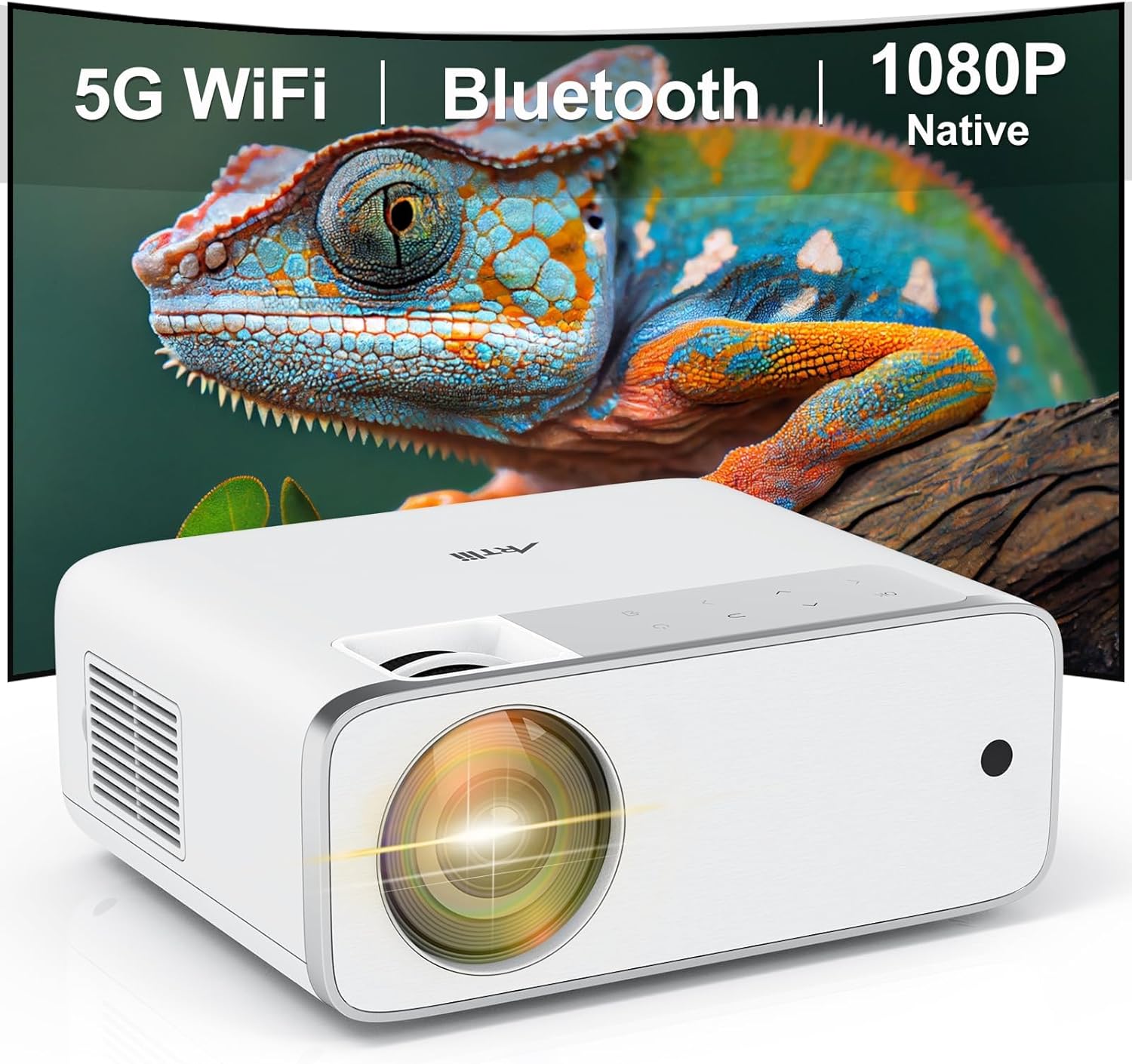
This manual provides detailed instructions for the setup, operation, and maintenance of your Artlii Enjoy4 Mini Projector. Please read this manual thoroughly before using the projector to ensure proper functionality and to maximize your viewing experience. The Artlii Enjoy4 offers native 1080P Full HD resolution, dual-band 2.4G/5G WiFi, and Bluetooth 5.0 connectivity for versatile entertainment and presentation needs.

Image: The Artlii Enjoy4 Mini Projector, showcasing its key features including 5G WiFi, Bluetooth, and native 1080P resolution.
패키지 내용
개봉 후 포장 내용물을 확인해 주세요. 누락되었거나 손상된 품목이 있는 경우 고객 지원 센터에 문의하세요.
- Artlii Enjoy4 Mini Projector
- 리모컨 (AAA 배터리는 포함되지 않습니다)
- 전원 케이블
- HDMI 케이블
- 3.5mm to RCA AV Cable
- 렌즈 캡
- 청소 키트
- 사용자 설명서
제품 끝view
전면 및 상단 View
이미지: 앞면 view of the projector, highlighting the projection lens and infrared receiver.
The front of the projector features the main projection lens. The top panel includes illuminated control buttons and focus/keystone adjustment dials.

Image: Close-up of the projector's top control panel, showing illuminated buttons for power, navigation, and input selection, visible in both day and night settings.
후면 및 측면 포트

Image: Rear panel of the projector displaying various connectivity options such as HDMI, USB, AV, and a 3.5mm audio jack, illustrating its multi-device compatibility.
The rear and side panels house the input/output ports. These include:
- HDMI 포트(x2): For connecting devices like laptops, gaming consoles, TV sticks, and DVD players.
- USB 포트(x2): For connecting USB drives for media playback or powering external devices.
- AV 포트: For connecting older devices using the included 3.5mm to RCA cable.
- 3.5mm 오디오 출력: 외부 스피커나 헤드폰을 연결하는 데 사용합니다.
- 전원 입력: 전원 케이블을 연결합니다.
설정
1. 배치
Position the projector on a stable, flat surface or mount it to a ceiling or tripod. Ensure the projector lens is perpendicular to your projection surface (screen or wall) for optimal image geometry. The recommended projection distance ranges from approximately 1.18 meters to 9.2 meters, allowing for screen sizes from 37 inches up to 300 inches.

Image: Illustration of the Artlii Enjoy4 Mini Projector's flexible placement options and the resulting screen sizes at different projection distances, from 37 inches to 300 inches.
2. 전원 연결
- 프로젝터의 전원 입력 포트에 전원 케이블을 연결하십시오.
- 전원 케이블의 다른 쪽 끝을 전원 콘센트에 꽂습니다.
- 프로젝터나 리모컨의 전원 버튼을 눌러 전원을 켜세요.
3. 초점 및 키스톤 조정
전원을 켠 후 이미지 선명도와 모양을 조정하십시오.
- 초점 링: Rotate the focus ring near the lens until the projected image appears sharp and clear.
- 키스톤 보정: Use the keystone adjustment dial (or digital keystone in settings) to correct trapezoidal distortion, ensuring the image is rectangular. The Artlii Enjoy4 supports ±15° keystone correction.

Image: Visual representation of the keystone correction feature, demonstrating how the projector can adjust the image to a perfect rectangle even when placed at an angle, with a range of ±15 degrees.
작동 지침
1. Connecting Devices via Cable
The projector supports various wired connections:
- HDMI : Connect your device (laptop, game console, TV stick) to one of the HDMI ports using an HDMI cable. Select the corresponding HDMI input from the projector's source menu.
- USB: Insert a USB flash drive into a USB port to play media files (photos, videos, music). Navigate the media browser using the remote control.
- 유명인 : Use the provided 3.5mm to RCA cable to connect older devices like DVD players. Select the AV input from the source menu.
2. 무선 연결(WiFi)
The Artlii Enjoy4 supports dual-band 2.4G and 5G WiFi for stable and fast wireless connections.
- Go to the projector's settings menu and select "WiFi Settings".
- 와이파이를 켜고 목록에서 원하는 네트워크를 선택하세요.
- Enter the WiFi password using the on-screen keyboard.
- Once connected, you can use screen mirroring features or access online content (if supported by connected devices).

Image: The Artlii Enjoy4 Mini Projector in use, projecting content wirelessly, emphasizing its fast and stable 2.4G/5G dual-band WiFi capabilities.
3. 블루투스 오디오 연결
더욱 향상된 오디오 경험을 위해 외부 블루투스 스피커 또는 헤드폰을 연결하세요.
- Bluetooth 오디오 장치가 페어링 모드인지 확인하세요.
- On the projector, navigate to "Bluetooth Settings" in the menu.
- Turn on Bluetooth and select your device from the list of available devices to pair.

Image: The Artlii Enjoy4 Mini Projector surrounded by Bluetooth-compatible headphones and speakers, illustrating its ability to connect to external audio devices for an improved sound experience.
4. Screen Mirroring (Smartphone/Tablet)
The projector supports screen mirroring from compatible smartphones and tablets (iOS and Android). Refer to the projector's on-screen instructions for specific steps, which typically involve connecting both devices to the same WiFi network and enabling screen mirroring on your mobile device.
5. Image and Audio Settings
- 줌 기능 : Adjust the image size from 75% to 100% using the remote control or menu settings without moving the projector.
- 종횡비: Select between 16:9 and 4:3 aspect ratios to match your content.
- 사진 모드: Choose from various picture modes (e.g., Standard, Vivid, User) to optimize image quality.
- 사운드 모드 : Adjust audio settings or select a sound mode (e.g., Standard, Music, Movie).
유지
정기적인 유지보수는 프로젝터의 최적 성능과 수명 연장을 보장합니다.
- 렌즈 세척: Use a soft, lint-free cloth and lens cleaning solution (if necessary) to gently wipe the projector lens. Avoid abrasive materials.
- 먼지 제거: Periodically clean the projector's vents with a soft brush or compressed air to prevent dust buildup, which can affect cooling and performance.
- 저장: When not in use, cover the lens with the provided cap and store the projector in a cool, dry place away from direct sunlight and extreme temperatures.
문제 해결
문제가 발생하면 다음의 일반적인 문제와 해결 방법을 참조하세요.
- 이미지 없음:
- 전원 케이블이 제대로 연결되어 있고 프로젝터가 켜져 있는지 확인하십시오.
- 입력 소스가 올바르게 선택되었는지 확인하십시오(예: HDMI1, USB).
- 연결된 장치의 전원이 켜져 있고 신호를 출력하는지 확인하세요.
- 흐릿한 이미지:
- 프로젝터 렌즈의 초점 링을 조정합니다.
- 투사 거리가 권장 범위 내에 있는지 확인하십시오.
- Correct any keystone distortion using the adjustment dial or menu settings.
- 소리 없음:
- 프로젝터와 연결된 소스 기기의 볼륨 레벨을 모두 확인하십시오.
- If using external speakers, ensure they are properly connected via Bluetooth or the 3.5mm audio jack.
- 소스 장치의 오디오 출력 설정이 올바른지 확인하십시오.
- WiFi/Bluetooth Connectivity Issues:
- Ensure WiFi/Bluetooth is enabled on both the projector and the device you are trying to connect.
- Check that the WiFi password is entered correctly.
- Move the projector closer to your WiFi router or Bluetooth device to improve signal strength.
- Restart both the projector and the connecting device.
명세서
| 특징 | 사양 |
|---|---|
| 상표 | Artlii |
| 모델 | 즐기다4 |
| 네이티브 해상도 | 1920 x 1080(풀HD) |
| 명도 | 210 ANSI 루멘스 |
| 대비율 | 1400시 1분 |
| 투사 크기 | 37" - 300" (Recommended: 40" - 200") |
| 키스톤 보정 | ±15° 수동 |
| 줌 기능 | 75% - 100% |
| 무선 연결 | 2.4G/5G WiFi, Bluetooth 5.0 |
| 입력 포트 | HDMI 2개, USB 2개, AV 1개, 3.5mm 오디오 출력 1개 |
| 호환 장치 | TV Sticks, Smartphones (iOS & Android), Laptops, DVD Players, USB Drives, PS5, Xbox |
보증 및 지원
Information regarding specific warranty terms and customer support contact details is typically provided with your product packaging or on the manufacturer's official web해당 웹사이트를 참조하십시오. 가장 정확하고 최신 정보를 얻으려면 해당 자료를 참고하시기 바랍니다.