
소개
This manual provides detailed instructions for the safe and proper installation and operation of your ONKRON R4-B Full Motion TV Wall Mount. Please read this manual thoroughly before installation and retain it for future reference. This wall mount is designed for 10-35 inch flat and curved screens weighing up to 44 lbs (20 kg). It supports VESA mounting patterns of 75x75mm and 100x100mm.
안전 정보
- Ensure the mounting surface can safely support the combined weight of the mount and your display.
- 최대 중량 용량은 44파운드(20kg)를 초과하지 마십시오.
- 적절한 도구를 사용하고 모든 설치 단계를 주의 깊게 따르십시오.
- 설치 과정에 대해 확신이 서지 않는 부분이 있으면 자격을 갖춘 전문가에게 문의하세요.
- 설치하는 동안 어린이와 애완동물이 접근하지 못하도록 하세요.
- 모든 연결부와 고정 장치를 정기적으로 점검하여 안전하게 고정되어 있는지 확인하십시오.
패키지 내용
설치를 시작하기 전에 모든 구성품이 있는지 확인하십시오.
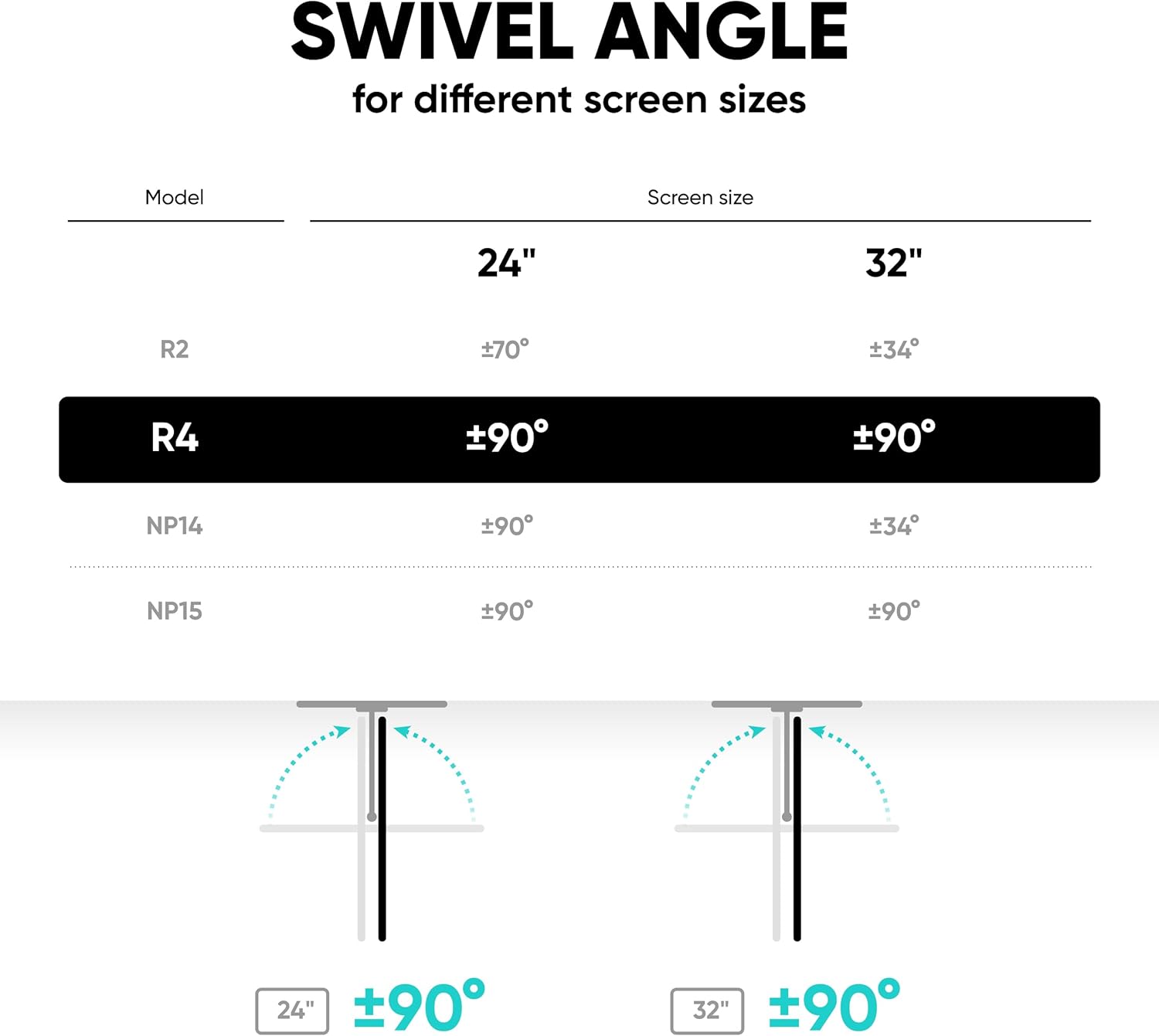
Image: All components included in the ONKRON R4-B package, including the wall mount arm, VESA plate, wall mounting kit, and TV mounting kit.
- 월 마운트 어셈블리
- VESA 플레이트
- 벽걸이용 하드웨어(나사, 앵커)
- TV Mounting Hardware (various VESA screws, washers, spacers)
- 육각 키
- 케이블 관리 클립
- Decorative Pads
설정 및 설치
The following video provides a comprehensive guide to the installation process:
Video: Official ONKRON R4-B instruction video demonstrating the full installation process.
Step 1: Attach VESA Plate to TV/Monitor
Carefully place your TV or monitor face down on a soft, clean surface. Attach the VESA plate to the back of your display using the appropriate screws and washers from the TV mounting kit. Ensure the soft pads are placed between the VESA plate and the TV to prevent scratches.

Image: Close-up of the VESA plate being attached to a monitor, highlighting the soft protective pads.
2단계: 브래킷을 벽에 설치합니다.
Locate a suitable mounting position on your wall. Use a stud finder to ensure you are drilling into a wall stud for secure installation. Mark the drill holes, drill pilot holes, and then secure the wall mount assembly using the provided wall mounting hardware. Use a level to ensure the mount is straight.

Image: The wall mount bracket being installed on a wall, with a level placed on top to ensure proper alignment.
Step 3: Attach TV/Monitor to Wall Mount
Carefully lift the TV/monitor with the attached VESA plate and hook it onto the wall mount arm. Ensure the dovetail mount engages securely. Fix the screen on the bracket with the locking screw to prevent accidental dislodgement.

Image: Close-up of the dovetail mounting mechanism, showing how the screen attaches to the arm.

Image: Illustrates the locking screw mechanism for securing the display to the mount.
4단계: 케이블 관리
Route all cables through the integrated cable management clips on the mount arm to maintain a tidy appearance and prevent cable damage.

Image: Shows cables neatly routed through clips on the mount arm.
작동 지침
Adjusting Swivel, Tilt, and Rotation
The ONKRON R4-B mount offers full motion flexibility for optimal view각도를 나타냅니다.
- 받침: The mount allows for 180° swivel. Gently push or pull the screen to achieve the desired horizontal angle.
- 경사: Adjust the screen tilt by ±8°. Loosen the tilt adjustment screws, set the desired angle, and then re-tighten the screws to secure the position.
- 회전: The screen can be rotated 360° for portrait or landscape orientation. Simply rotate the screen to the desired mode.
- 확대: The monitor arm can extend from 3.1 inches to 16.5 inches from the wall.

Image: Illustrates the tilt range of ±8° and the extension range from 3.1 to 16.5 inches.
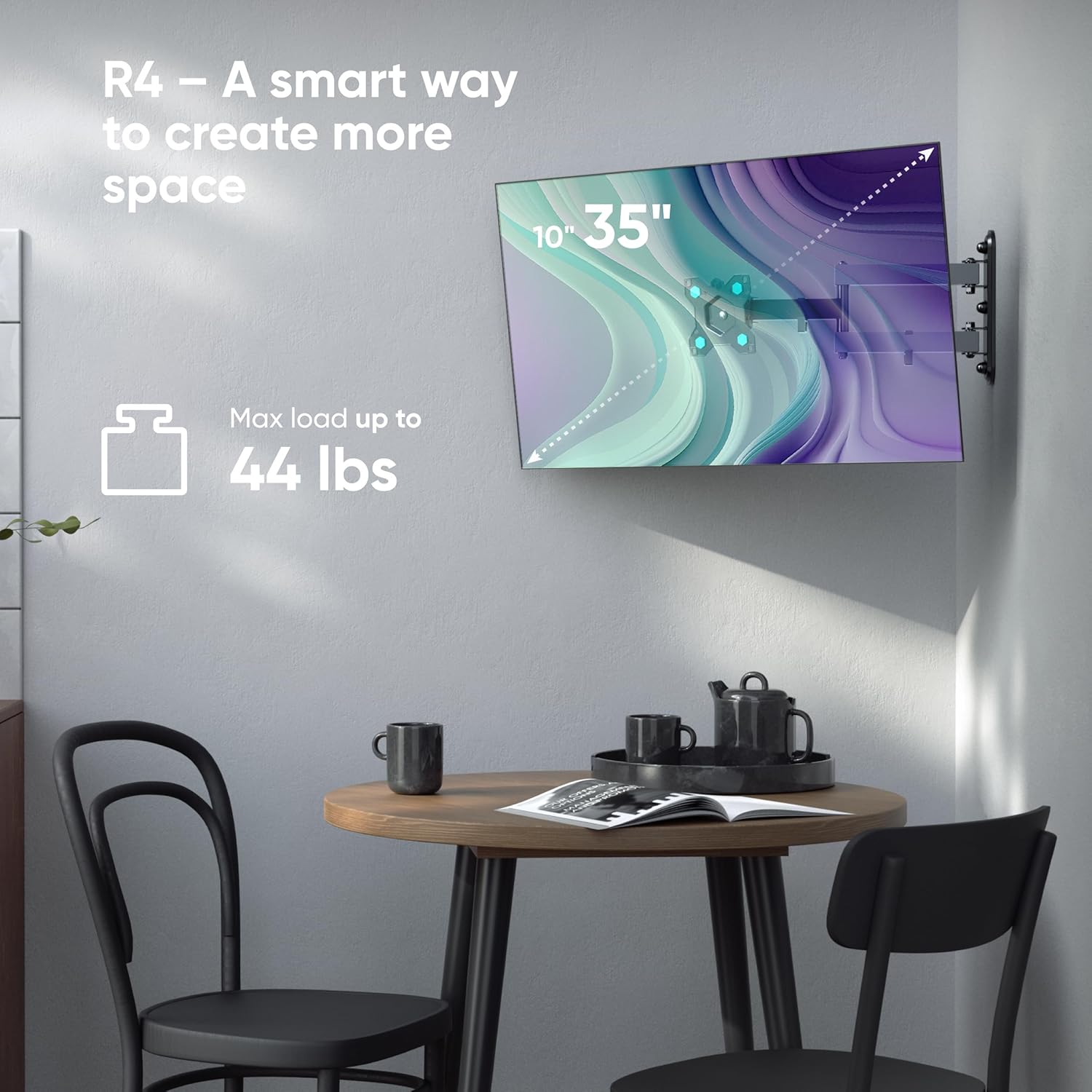
Image: Shows a monitor mounted on the R4-B, demonstrating the 360° rotation capability.

Image: Depicts a monitor swiveling up to 90 degrees, useful for corner installations or shared view주고받음.
유지
- 모든 나사와 볼트가 단단히 조여져 있는지 주기적으로 확인하십시오.
- 부드럽고 마른 천으로 마운트를 닦으십시오. 연마성 세척제나 용제를 사용하지 마십시오.
- Do not lubricate any moving parts unless specifically instructed by the manufacturer.
문제 해결
Issue: Mount feels loose or unstable.
해결책: Re-check all wall mounting screws and TV attachment screws. Ensure they are tightened securely. Verify that the wall structure is adequate to support the weight. If mounted to drywall, ensure it is properly anchored to a stud.
Issue: Difficulty adjusting tilt or swivel.
해결책: For tilt adjustment, ensure the adjustment screws are loosened before attempting to change the angle, then re-tighten. For swivel, ensure no cables are obstructing movement. The mount is designed for smooth movement; excessive force should not be required.
명세서
| 특징 | 사양 |
|---|---|
| 모델 | R4-B |
| 화면 크기 호환성 | 10~35인치 |
| 중량 용량 | 최대 44kg(20파운드) |
| VESA 호환성 | 75x75mm, 100x100mm |
| 이동 유형 | 관절 가동 (완전 동작) |
| 회전 각도 | 180° |
| 기울기 각도 | ±8° |
| 회전 | 360° |
| Wall Distance (Extension) | 3.1인치 - 16.5인치(8cm - 42cm) |
| 재료 | 합금강 |
보증 및 지원
The ONKRON R4-B TV Wall Mount comes with a 5-year warranty. For technical support, installation assistance, or warranty claims, please contact ONKRON customer service. Contact information can typically be found on the ONKRON official web사이트나 소매업체를 통해 구매하세요.