
소개
The Geeni Scope Smart WiFi Indoor Security Camera provides comprehensive indoor monitoring with advanced features such as motion tracking, two-way audio, and night vision. This manual provides detailed instructions for setting up, operating, and maintaining your camera to ensure optimal performance.
패키지 내용
- Geeni Scope Smart WiFi Indoor Security Camera
- 마운팅 키트
- AC Adapter with Charging Cable
- 사용 설명서(본 문서)
제품 끝view
Familiarize yourself with the components and features of your Geeni Scope camera.
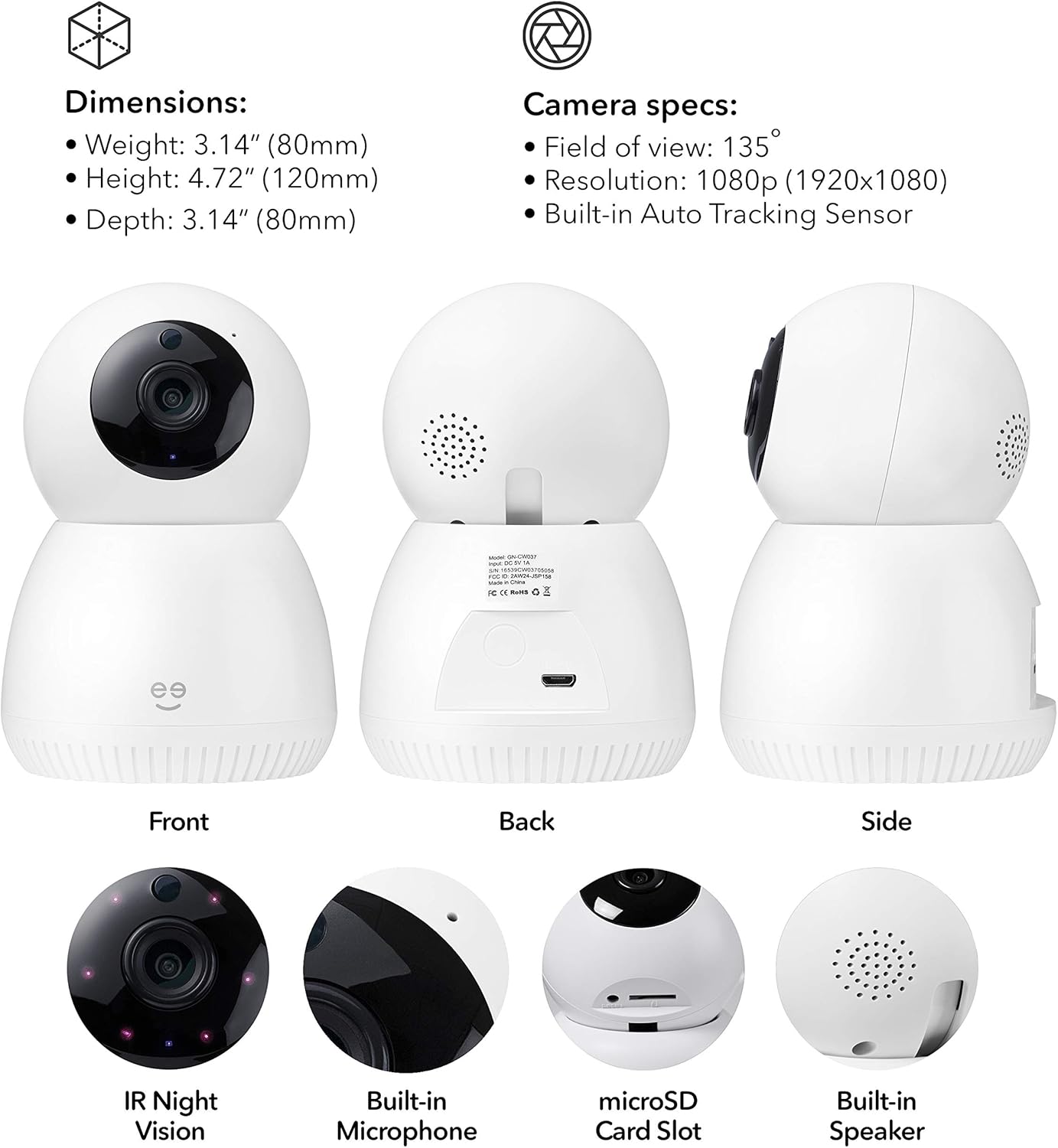
영상: 앞면, 뒷면, 측면 views of the Geeni Scope camera, highlighting its dimensions (Weight: 3.14 oz (80mm), Height: 4.72" (120mm), Depth: 3.14" (80mm)) and key components such as IR Night Vision, Built-in Microphone, microSD Card Slot, and Built-in Speaker. Camera specifications include a 135° field of view, 1080p resolution, and a built-in auto-tracking sensor.
주요 특징
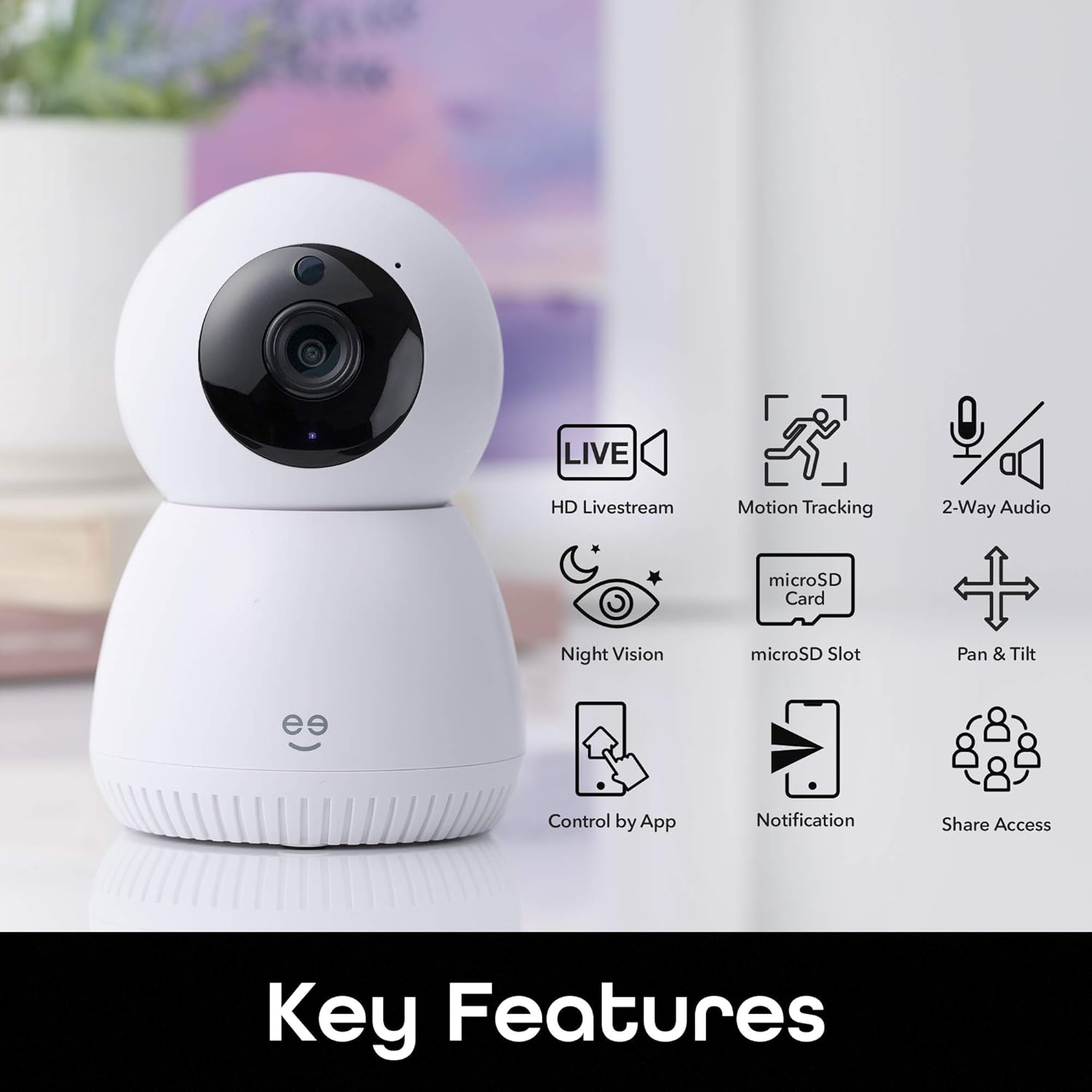
영상: A visual representation of the Geeni Scope camera's main functionalities, including HD Livestream, Motion Tracking, 2-Way Audio, Night Vision, microSD Slot for storage, Pan & Tilt capabilities, Control by App, Notification alerts, and Share Access options.
- HD Livestream: View 라이브 푸tage in high definition from anywhere.
- 동작 추적 : Automatically detects and follows movement within its field of view.
- 양방향 오디오 : 내장 마이크와 스피커를 사용하여 카메라 근처에 있는 사람들과 소통하세요.
- 야간 투시경: 저조도 환경에서 최대 16피트까지 시야가 확보됩니다.
- 마이크로SD 슬롯: Supports local storage of footage up to 128GB (microSD card not included).
- 팬 및 틸트 : 카메라 설정을 원격으로 조정하세요 view잉 각도.
- 앱 제어: Manage all camera functions via the Geeni smart home app.
- 실시간 알림: Receive instant alerts on your smartphone for detected motion.
- 음성 제어: Amazon Alexa 및 Google Home과 호환되어 핸즈프리로 작동할 수 있습니다.
설치 가이드
1. Geeni 앱을 다운로드하세요
Download the Geeni smart home app from the Apple App Store or Google Play Store. Create an account or log in if you already have one.
2. 카메라 전원 켜기
Connect the provided AC adapter to the camera's Micro USB port and plug it into a power outlet. The camera will power on and indicate readiness for pairing (refer to the app for specific indicator light behavior).
3. Wi-Fi에 연결
- Open the Geeni app and tap '+' to add a new device.
- Select your Geeni Scope camera from the list of available devices.
- Follow the on-screen instructions to connect the camera to your home's 2.4GHz Wi-Fi network. 메모: The Geeni Scope camera is only compatible with 2.4GHz Wi-Fi networks.
- 연결이 완료되면 카메라의 표시등이 바뀌고 앱에서 확인 메시지를 받게 됩니다.
4. 장착 (선택 사항)
Use the included mounting kit to securely place your camera on a wall or ceiling. Ensure the camera has a clear line of sight to the area you wish to monitor. If mounting upside down, use the app settings to flip the video feed.
작동 지침
실시간 스트리밍 및 원격 접속
Access your camera's live feed from anywhere using the Geeni app on your smartphone or tablet, or through a web browser on your desktop.

영상: Two individuals viewing a live camera feed on a smartphone, demonstrating the ability to check on your home remotely.

영상: A laptop displaying multiple camera views, illustrating how users can access Geeni camera feeds from various devices including smartphones, desktops, or tablets.
동작 추적 및 알림
The camera automatically detects and tracks motion, providing enhanced monitoring. You will receive real-time motion alerts on your phone.

영상: A visual representation of the camera's auto-tracking function, showing arrows indicating its ability to pan and tilt to follow detected motion across a room.

영상: A smartphone screen displaying multiple 'Movement detected' alerts with small preview images, indicating real-time notifications sent to the user's phone.
양방향 오디오
Use the two-way audio feature to listen to your surroundings and speak through the camera's built-in speaker.

영상: A scene with a dog on a couch, and a smartphone displaying the camera feed with a 'Press & Hold to speak' button, illustrating the two-way audio feature for live conversations.
나이트 비전
The camera is equipped with night vision, providing clear video footage even in complete darkness up to 16 feet.
로컬 스토리지
Insert a standard microSD card (up to 128GB, not included) into the camera's slot for continuous recording or event-triggered footage storage. You can review 저장된 음식tagGeeni 앱에서 바로 다운로드할 수 있습니다.
음성 제어 통합
Integrate your Geeni Scope camera with Amazon Alexa or Google Home for convenient voice commands, such as displaying the camera feed on compatible smart displays.

영상: A tablet displaying a baby's room camera feed, with the text "Alexa, show me the baby room camera" and logos for 'Works with Alexa' and 'works with Hey Google', demonstrating voice control capabilities.
유지
카메라 청소
To maintain optimal image quality, periodically clean the camera lens with a soft, dry, lint-free cloth. Do not use harsh chemicals or abrasive cleaners. Ensure the camera is powered off before cleaning.
펌웨어 업데이트
The Geeni app will notify you of any available firmware updates for your camera. It is recommended to keep the camera's firmware updated to ensure the latest features and security enhancements.
문제 해결
연결 문제
- 카메라가 Wi-Fi에 연결되지 않음: Ensure your Wi-Fi network is 2.4GHz. Check your Wi-Fi password. Move the camera closer to your router. Restart your router and the camera.
- 카메라 오프라인: Verify the camera is powered on and connected to a stable Wi-Fi network. Check your internet connection. Restart the camera.
Video Quality Problems
- 흐릿하거나 불분명한 이미지: Clean the camera lens. Ensure adequate lighting for optimal performance, especially during the day.
- 야간투시경이 작동하지 않습니다: Ensure the area is dark enough for night vision to activate. Check for any obstructions blocking the IR sensors.
모션 감지 문제
- 움직임 감지 알림 없음: Check the motion detection settings in the Geeni app. Ensure notifications are enabled on your smartphone.
- 잘못된 경고: Adjust the motion detection sensitivity in the app. Position the camera to avoid areas with frequent, non-critical movement (e.g., tree branches swaying).
명세서
| 특징 | 사양 |
|---|---|
| 모델 번호 | GN-CW037-199 |
| 권장 사용 | 실내 보안 |
| 연결 기술 | 무선(Wi-Fi) |
| 연결 프로토콜 | Wi-Fi(2.4GHz만 해당) |
| 비디오 캡처 해상도 | 1080p 풀 HD |
| 분야 View | 135° |
| 특별 기능 | Motion Sensor, Night Vision, Two-Way Audio, Auto-Tracking |
| 나이트 비전 범위 | 최대 16피트 |
| 호환 장치 | Smartphone, Tablet, Amazon Alexa, Google Home |
| 로컬 스토리지 | 최대 128GB MicroSD 카드(별도 구매) |
| 전원 | 코드식 전기 |
| 재료 | 플라스틱 |
| 크기(대략) | Height: 4.72" (120mm), Depth: 3.14" (80mm) |
| 무게(대략) | 3.14 온스 (80g) |
보증 정보
Geeni products typically come with a limited manufacturer's warranty. Please refer to the warranty card included in your product packaging or visit the official Geeni web최신 및 가장 자세한 보증 약관은 해당 사이트를 참조하십시오.
고객 지원
For further assistance, technical support, or to report any issues, please contact Geeni customer support through the Geeni app or visit their official website. You can often find FAQs and troubleshooting guides online.
지니 Web대지: Visit the Geeni Store on Amazon