
1. 서론
This manual provides detailed instructions for the installation, operation, and maintenance of your Rebluum Solar Outdoor Security Camera. Please read this manual thoroughly before using the product to ensure proper function and safety. Keep this manual for future reference.
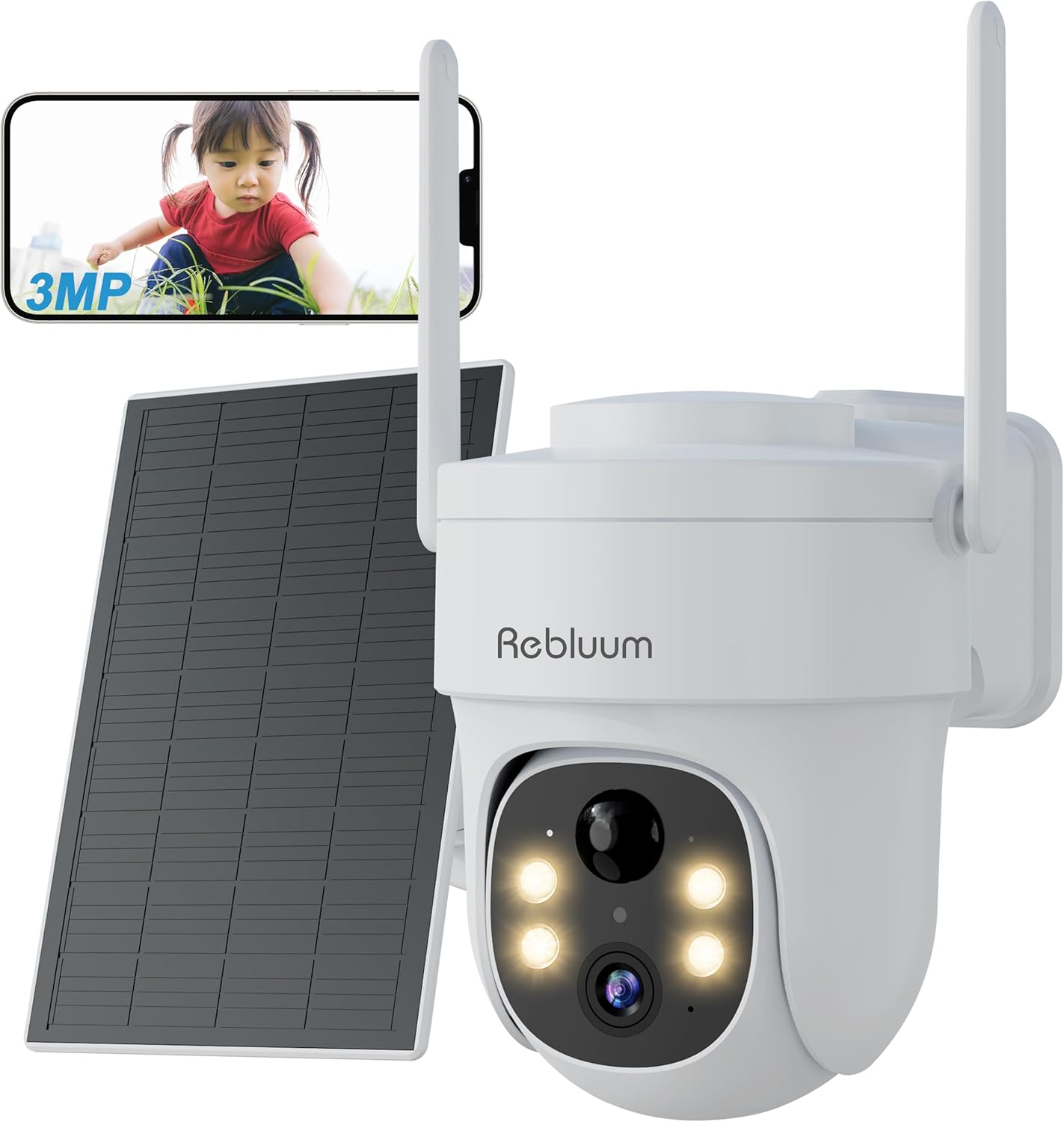
Figure 1: Rebluum Solar Outdoor Security Camera
2. 제품 특징
- 고해상도 비디오: Capture clear images with 3MP (2304x1296) resolution. Features WDR (Wide Dynamic Range) for optimal image quality in varying light conditions, such as strong backlight at building entrances.
- 고급 야간 투시경: Equipped with LED and infrared functions, offering three night vision modes:
- 적외선 나이트 비전: Black and white video in low light.
- 컬러 나이트 비전: Full-color video at night when motion is detected and white lights activate.
- 스마트 나이트 비전: Infrared mode by default, switches to color when motion is detected.

그림 2: 야간 투시 모드
- 내후성: IP65 rated for dust and water resistance, suitable for outdoor installation in various weather conditions.
- 360° Pan/Tilt/Zoom (PTZ): Remotely control the camera's horizontal (360°) and vertical (90°) movement, and zoom in/out via the smartphone app for comprehensive area monitoring.
- 무선 연결 : Supports 2.4GHz Wi-Fi for stable communication. Solar panel power eliminates the need for power cables, simplifying installation.
- 스마트 감지: Features PIR thermal detection and AI recognition (human, pet, vehicle, package detection). Customizable detection sensitivity (1-10 levels) and activity zones to minimize false alarms.
- 양방향 오디오 : 내장 마이크와 스피커를 통해 방문객과 실시간으로 소통하거나 침입자를 막을 수 있습니다.
- 저장 옵션 : Supports local storage via MicroSD card (8GB-128GB, sold separately) and cloud storage services. Older data is automatically overwritten when storage is full.
- 스마트 홈 통합: 음성 제어 및 실시간 스트리밍을 위해 Amazon Alexa와 호환됩니다. viewing on compatible Echo devices.
- 앱 제어: Manage and monitor your camera from anywhere using the dedicated CloudEdge app (compatible with Android 4.2+ and iOS 8.0+).
비디오 1: 제품 종료view - This video demonstrates the key features of the Rebluum Solar Outdoor Security Camera, including its high-resolution video, night vision capabilities, and smart detection functions.
3. 패키지 내용
포장을 개봉하실 때 모든 구성품이 있는지, 그리고 양호한 상태인지 확인해 주십시오.
- Rebluum Solar Outdoor Security Camera
- 태양광 패널
- 장착 브래킷
- USB Type-C 충전 케이블
- 장착 나사 및 벽 앵커
- Installation Template Sticker
- 사용 설명서 (본 문서)
- Solar Charger Manual
- Security Camera Warning Sticker
Video 2: Unboxing and Package Contents - This video shows the unboxing process and all items included in the Rebluum Solar Outdoor Security Camera package.
4. 설정 가이드
4.1 초기 충전
- Connect the solar panel to the camera using the USB Type-C cable.
- Ensure the solar panel is placed in an area with direct sunlight for 6-8 hours for initial charging.
메모: Always perform initial charging before first use.
4.2 MicroSD 카드 삽입
If you plan to record video locally, insert a MicroSD card (8GB-128GB, not included) into the designated slot on the camera.
4.3 앱 다운로드 및 등록
- Download the "CloudEdge" app from your smartphone's app store (Android 4.2+ or iOS 8.0+).
- Register a new user account following the in-app instructions.
4.4 카메라 구성
- Follow the in-app instructions to add your camera and connect it to your 2.4GHz Wi-Fi network.
- Ensure your smartphone and camera are close to your Wi-Fi router during the initial setup.
4.5 카메라 장착
Choose a suitable location for your camera and solar panel, ensuring the solar panel receives adequate sunlight.
- 벽면 장착: Use the provided mounting bracket and screws. The bracket has specific holes for wall installation. Use the template sticker to mark drill points.
- 천장 장착: The bracket also has holes suitable for ceiling installation.
중요한: Drill holes as needed for the chosen mounting method. Secure the bracket firmly, then slide the camera onto the bracket until it clicks into place.

그림 3: 장착 옵션
5. 사용 설명서
5.1 View라이브 피드 중
Open the CloudEdge app on your smartphone to view the live video feed from your camera. You can remotely control the camera's pan, tilt, and zoom functions from the app interface.
5.2 야간 투시 모드
You can select from three night vision modes within the app settings:
- 적외선 모드 : 완전한 어둠 속에서도 선명한 흑백 영상을 제공합니다.
- 색상 모드: Keeps white lights on for full-color night vision.
- 스마트 모드 : Automatically switches from infrared to color night vision when motion is detected.
5.3 동작 감지 설정
Customize detection to suit your needs:
- 감지 감도: Adjust the motion detection sensitivity from level 1 to 10. Higher sensitivity detects smaller movements.
- 인간형 감지: Enable this feature to detect only human shapes, reducing false alarms from animals or moving objects. Set to level 1 for human-only detection.
- 사용자 지정 감지 영역: 카메라 내의 특정 영역을 정의합니다. view where you want motion detection to be active, avoiding unnecessary alerts from public areas.
메모: If both motion detection and humanoid detection are enabled, humanoid detection takes precedence. To detect all moving objects (people, animals, packages, vehicles), set motion detection to level 10 and turn off humanoid detection.

Figure 4: Customizable Detection Settings
5.4 양방향 커뮤니케이션
Use the two-way audio feature in the app to speak through the camera's speaker and listen through its microphone. This is useful for interacting with visitors or deterring unwanted guests.
5.5 녹음 및 재생
The camera supports both MicroSD card and cloud storage. When motion is detected, the camera will automatically record. You can view 기록된 footage via the CloudEdge app.
- SD 카드 녹화 : Records in 10, 20, or 30-second clips.
- 클라우드 녹화: Records in 6-second clips.
5.6 가족 공유
Share camera access with family members through the CloudEdge app. You can set specific permissions for each shared user, allowing multiple people to view 카메라 영상을 동시에 보여줍니다.
5.7 알렉사 통합
Connect your Rebluum camera to Amazon Alexa. Once linked, you can use voice commands like "Alexa, show me the garden" to view the live feed on compatible Echo devices with a display.

Figure 5: Smart Features Overview
6. 유지관리
- 청소: 카메라 렌즈와 태양광 패널을 부드러운 천으로 정기적으로 청소하세요.amp 최적의 성능을 위해 천을 사용하십시오. 연마성 세척제 사용을 피하십시오.
- 태양광 패널 배치: Ensure the solar panel remains free from obstructions (e.g., leaves, dirt) and is positioned to receive maximum direct sunlight for efficient charging.
- 펌웨어 업데이트: 카메라에 최신 기능과 보안 강화 기능이 적용되도록 CloudEdge 앱에서 펌웨어 업데이트를 정기적으로 확인하세요.
7. 문제 해결
- 카메라가 Wi-Fi에 연결되지 않음: Ensure your Wi-Fi is 2.4GHz. Check Wi-Fi signal strength at the camera's location. Restart your router and camera.
- 야간 시력이 좋지 않음: Verify the camera lens is clean. Ensure there are no obstructions blocking the infrared or white lights. Check if the selected night vision mode is appropriate for the environment.
- 잦은 오경보: Adjust motion detection sensitivity in the app. Enable humanoid detection or set custom detection zones to exclude irrelevant areas.
- 배터리가 빨리 소모됨: Ensure the solar panel is receiving sufficient direct sunlight. Reduce the frequency of motion detection events or live viewing if possible.
- 녹음 안함: Check if a MicroSD card is properly inserted and formatted, or if your cloud storage subscription is active. Ensure motion detection is enabled.
8. 사양
| 특징 | 사양 |
|---|---|
| 상표 | 르블루움 |
| 해결 | 3MP(2304x1296) |
| 렌즈 | 4mm |
| 야간 시야 거리 | 최대 15m |
| 방수 등급 | IP65 |
| 팬 / 틸트 각도 | 수평 360°, 수직 90° |
| 무선 연결 | 2.4GHz Wi-Fi 전용 |
| 저장 | MicroSD Card (8GB-128GB), Cloud Storage |
| 전원 | Solar Panel, Built-in Battery |
| 호환성 | Android 4.2+, iOS 8.0+, Amazon Alexa |
| 치수 | 20.7 x 19 x 16cm |
| 무게 | 1.11kg |
9. 보증 및 지원
Rebluum is committed to providing quality products and services. If you encounter any issues, malfunctions, or have questions regarding your product, please do not hesitate to contact our customer support team. We will provide solutions to the best of our ability.
During the warranty period, repair or exchange requests may be possible.
이메일: Support@szrebluum.com
유튜브: Rebluum Security