
소개
This manual provides essential information for the safe and efficient operation of your Sharp 40FH6EA 40-inch Full HD Android TV. Please read these instructions thoroughly before using your television and retain them for future reference.
안전 정보
화재, 감전, 부상의 위험을 줄이려면 이 텔레비전을 사용할 때 항상 기본적인 안전 예방 조치를 따르세요.
- TV를 비나 습기에 노출시키지 마세요.
- 환기구를 막지 마십시오.
- 전원 코드가 밟히거나 끼이지 않도록 하십시오.
- 번개가 칠 때나 장기간 사용하지 않을 때는 TV의 플러그를 뽑아 두세요.
- 모든 서비스는 자격을 갖춘 서비스 담당자에게 의뢰하세요.
패키지 내용
아래 나열된 모든 항목이 TV 패키지에 포함되어 있는지 확인하십시오.
- Sharp 40FH6EA 40-inch Full HD Android TV
- 원격 제어
- AAA 배터리 2개(리모컨용)
- 빠른 시작 가이드
- TV Stands (if not pre-attached)
설정
1. 풀기 및 배치
Carefully remove the TV from its packaging. Place the TV on a stable, flat surface or mount it on a wall using a compatible VESA mount (200 x 200 mm). Ensure adequate ventilation around the TV.
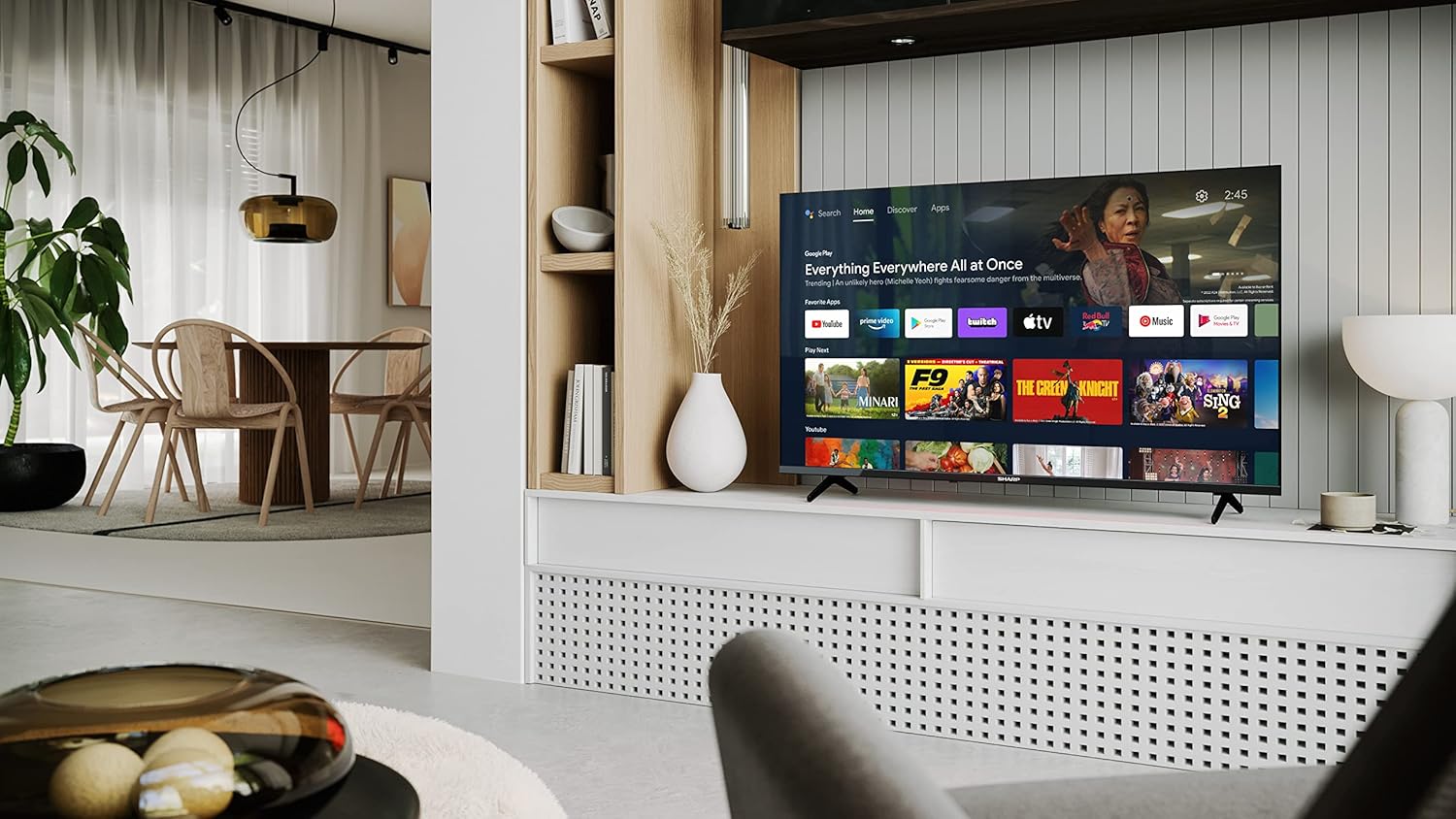
Image: Sharp 40FH6EA TV integrated into a living room environment, showcasin프레임리스 디자인이 특징입니다.
2. 스탠드 부착
If you are not wall-mounting, attach the included stands to the bottom of the TV. Follow the instructions in the Quick Start Guide for proper assembly.

이미지: 클로즈업 view of the TV stand attached to the bottom of the Sharp 40FH6EA television.
3. 외부기기 연결하기
Connect your devices such as Blu-ray players, game consoles, or sound systems to the TV's input ports.
- HDMI : Use HDMI cables for high-definition video and audio. This TV has 3 HDMI ports.
- USB: Connect USB devices for media playback. This TV has 2 USB ports.
- 안테나/케이블: Connect your antenna or cable TV feed for broadcast channels.
- 이더넷: 유선 인터넷 연결의 경우.
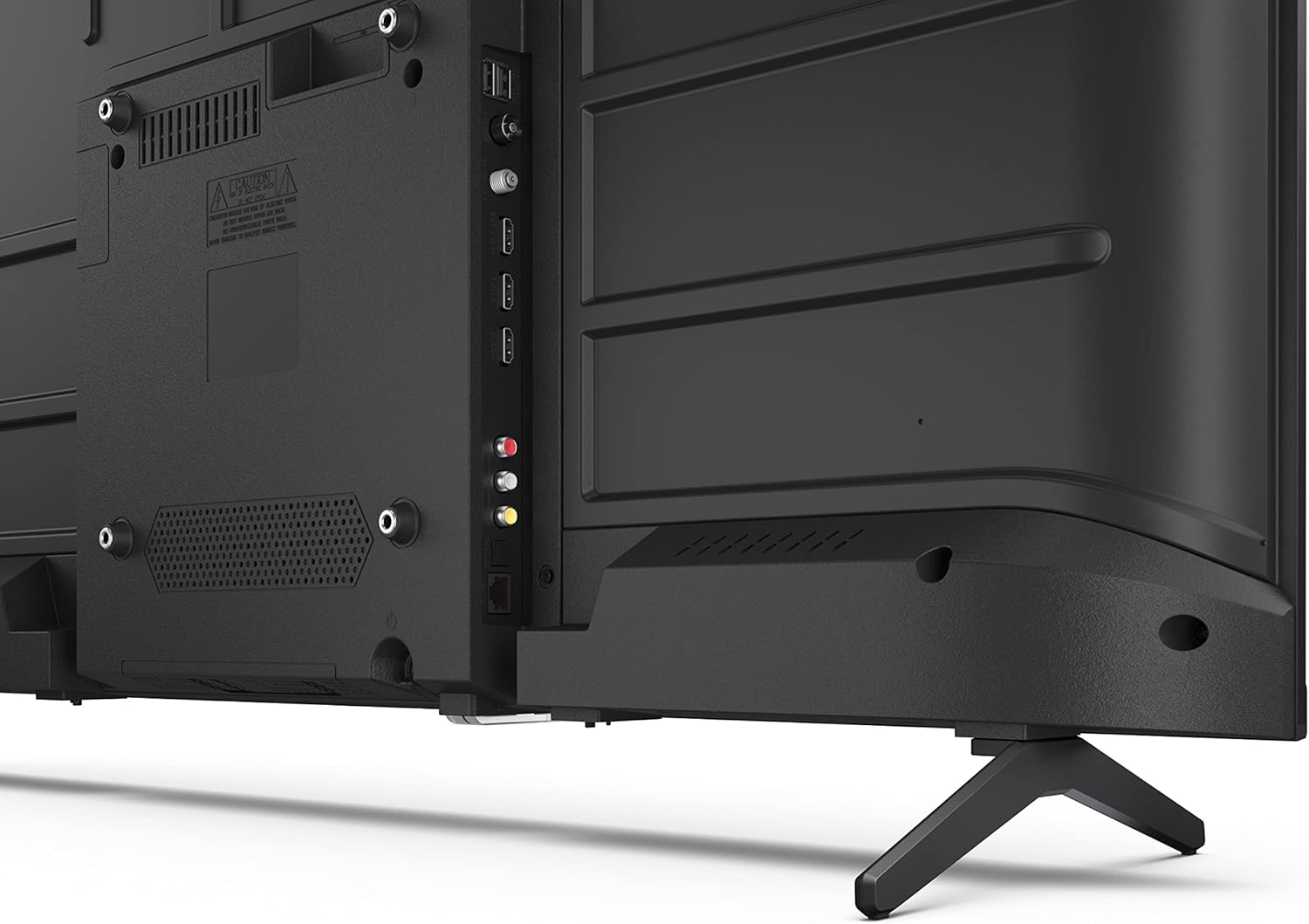
이미지: 후면 view of the Sharp 40FH6EA TV, highlighting the various input ports including HDMI, USB, and antenna connections.

이미지: 측면 view of the Sharp 40FH6EA TV, showing additional connectivity ports for easy access.
4. 전원 연결
TV의 전원 입력 단자에 전원 코드를 꽂은 다음 벽면 콘센트에 꽂으세요.
5. 초기 설정
TV를 처음 켜면 초기 설정 과정을 안내해 줍니다. 여기에는 언어 선택, Wi-Fi 네트워크 연결, Google 계정 로그인을 통한 Android TV 기능 이용 등이 포함됩니다.
작동 지침
1. 원격 제어view
The included remote control allows you to navigate the TV's interface and control various functions. Insert the 2 AAA batteries as indicated.
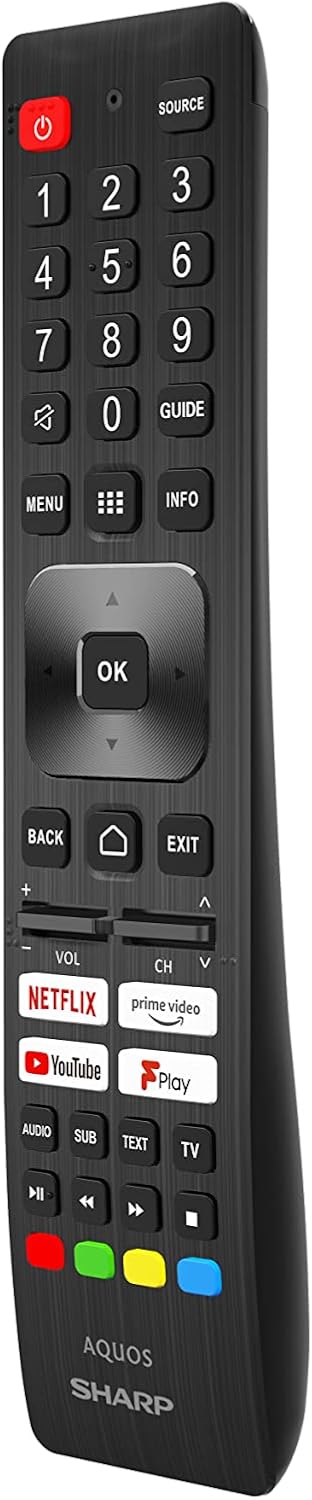
Image: The Sharp 40FH6EA TV remote control, featuring dedicated buttons for popular streaming services and Google Assistant.
- 전원 버튼: TV를 켜거나 끕니다.
- 탐색 패드(확인 버튼): 메뉴 탐색 및 선택을 위해.
- 볼륨 +/- : 볼륨 레벨을 조절합니다.
- 채널 +/-: TV 채널을 변경합니다.
- 홈 버튼: Android TV 홈 화면으로 돌아갑니다.
- Google 어시스턴트 버튼: 음성 제어를 활성화합니다.
- 앱 바로가기 버튼: Direct access to Netflix, Prime Video, YouTube, etc.
2. 안드로이드 TV 인터페이스
Your Sharp 40FH6EA runs on Android TV 11, providing access to a wide range of apps, streaming services, and smart features.

Image: The Sharp 40FH6EA Android TV displaying its home screen with various streaming applications and content recommendations.
- 홈 화면: 설치된 앱, 추천 콘텐츠 및 설정에 빠르게 접근할 수 있도록 해줍니다.
- 구글 어시스턴트: 리모컨을 통해 음성 명령으로 콘텐츠를 검색하고, 스마트 홈 기기를 제어하고, 정보를 얻을 수 있습니다.
- Chromecast 내장: 스마트폰, 태블릿, 컴퓨터에서 TV로 직접 콘텐츠를 전송하세요.
- 구글 플레이 스토어: 추가 앱과 게임을 다운로드하세요.
3. 입력 선택
Press the "Source" button on your remote control to switch between different input sources (HDMI 1, HDMI 2, HDMI 3, TV, USB, etc.).
유지
1. TV 청소
- 청소하기 전에는 항상 TV의 플러그를 뽑아 두세요.
- 부드럽고 마른 천으로 화면과 캐비닛을 닦으세요.
- 완고한 자국의 경우 가볍게 damp천에 물이나 순하고 마모성이 없는 화면 세척제를 묻혀 닦아주세요. 세척제를 화면에 직접 뿌리지 마세요.
2. 소프트웨어 업데이트
Your Android TV may receive automatic software updates. Ensure your TV is connected to the internet to receive these updates, which can improve performance and add new features. You can also manually check for updates in the TV's settings menu.
문제 해결
TV에 문제가 발생하면 다음의 일반적인 문제와 해결 방법을 참조하세요.
| 문제 | 가능한 해결책 |
|---|---|
| 전원이 없습니다 | TV와 벽면 콘센트에 전원 코드가 제대로 꽂혀 있는지 확인하십시오. 콘센트에 전원이 공급되는지 확인하십시오. |
| 화면은 나오지 않지만 소리는 나옵니다 | 올바른 입력 소스가 선택되었는지 확인하세요. 외부 장치와의 케이블 연결을 확인하세요. |
| 소리는 나지 않지만 화면은 나옵니다 | Check the volume level and mute settings. Ensure external audio devices are properly connected and configured. |
| 리모컨이 작동하지 않습니다 | 배터리를 교체하세요. 리모컨과 TV 사이에 장애물이 없는지 확인하세요. |
| Wi-Fi에 연결할 수 없습니다 | 라우터와 모뎀을 확인하세요. TV와 네트워크 장비를 재시작하세요. Wi-Fi 비밀번호를 다시 입력하세요. |
| 앱이 느리거나 충돌합니다 | Close unused apps. Clear app cache or data in settings. Restart the TV. |
명세서
Detailed technical specifications for the Sharp 40FH6EA Android TV:
| 특징 | 세부 사항 |
|---|---|
| 모델 번호 | 40FH6EA |
| 화면 크기 | 40인치(대각선 101cm) |
| 디스플레이 기술 | 주도의 |
| 해결 | 풀 HD (1920 x 1080p) |
| 새로 고침 빈도 | 50 Hz (Native), 60 Hz (Display) |
| 종횡비 | 16시 9분 |
| 대비율 | 1000시 1분 |
| View잉 각도 | 178도 |
| HDR 지원 | HDR10 |
| 이미지 향상 | 액티브 모션 400 |
| 운영 체제 | Android TV (Version 11) |
| 특별 기능 | Google 어시스턴트, Chromecast 내장 |
| 오디오 출력 | 2 x 8W RMS Stereo Speakers |
| 오디오 기술 | Dolby Audio, Dolby Digital, Dolby Digital Plus, Dolby AC-4 |
| 연결성 | Wi-Fi, 블루투스, 이더넷 |
| HDMI 포트 | 3 (HDMI 2.1 호환) |
| USB 포트 | 2 |
| 튜너 유형 | DVB-T/T2/C/S/S2 |
| VESA 장착 표준 | 200 x 200mm |
| 전력 소비 | 36 Watts (Operational) |
| 치수(폭 x 높이 x 깊이) | 89.2 x 55.5 x 21.3cm (스탠드 포함) |
| 색상 | 검은색 |

Image: Diagram illustrating the physical dimensions of the Sharp 40FH6EA TV, including width, height, and depth.

Image: The energy efficiency label for the Sharp 40FH6EA TV, showing its energy class and consumption.
View EPREL 제품 정보
보증 및 지원
Your Sharp 40FH6EA television comes with a standard manufacturer's warranty. Please refer to the warranty card included in your package for specific terms and conditions.
For technical support, service inquiries, or to obtain replacement parts, please contact Sharp customer service. Contact information can typically be found on the Sharp official web사이트 또는 TV와 함께 제공된 설명서를 참조하세요.
- 제조업체: 날카로운
- 모델 연도: 2023
- 소프트웨어 업데이트 보장 기간: Information not available (as per product data)
- 예비 부품 가용성: Information not available (as per product data)