
1. 중요한 안전 정보
분쇄기를 사용하기 전에 모든 지침을 주의 깊게 읽어 주십시오. 나중에 참조할 수 있도록 이 설명서를 보관하십시오.
- 어린이와 애완동물을 분쇄기에 가까이 두지 마십시오.
- Keep loose clothing, jewelry, hair, and fingers away from the paper and media entry slots.
- Do not spray or keep aerosol products in or near the shredder.
- Do not shred metal credit cards or any other metal objects.
- Do not shred adhesive labels or materials that are not paper, CDs, DVDs, or plastic credit cards.
- Ensure the shredder is placed on a stable, flat surface.
- 사용하지 않을 때나 청소하기 전에는 분쇄기의 전원을 뽑으십시오.
- 파쇄기를 직접 수리하려고 하지 마십시오. 자격을 갖춘 서비스 담당자에게 문의하십시오.
2. 제품 오버view
The Amazon Basics 8-Sheet Strip-Cut Shredder is designed for secure destruction of documents, CDs, DVDs, and plastic credit cards. It features a strip-cut mechanism for P-2 security level shredding.
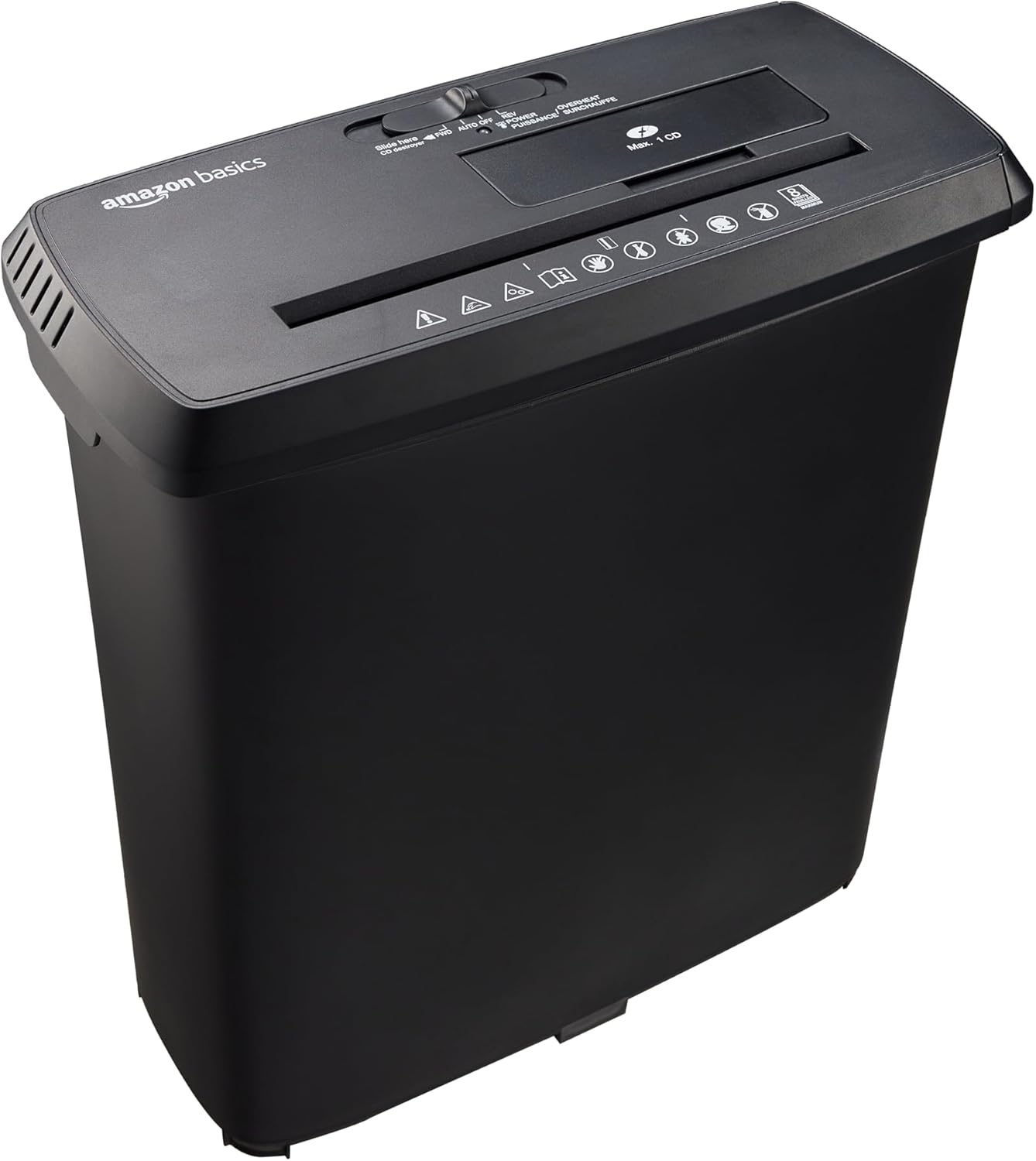
Figure 1: Amazon Basics 8-Sheet Strip-Cut Shredder. This image shows the complete shredder unit, consisting of the black shredder head placed on top of its matching black wastebasket.
주요 특징:
- Strip-Cut Shredding: Cuts material into approximately 0.6 cm wide strips, meeting P-2 security standards.
- 용량: Shreds up to 8 sheets of 75 gsm paper simultaneously. Staples and small paper clips do not need to be removed.
- 미디어 파쇄: Dedicated slots for shredding CDs, DVDs, and plastic credit cards (one at a time).
- 듀티 사이클: 2.5 minutes of continuous operation, followed by a 15-minute cool-down period.
- 과열 보호: Automatic shutdown to protect the motor from overheating if the duty cycle is exceeded.
- 제어 스위치: 4-mode switch for Auto/On, Off, Reverse, and Forward operations.
- LED 표시등: Power (blue) and Overheat (red) status indicators.
- 쓰레기통: Easy-to-empty 12.8 L (3.4 Gallons) capacity wastebasket.
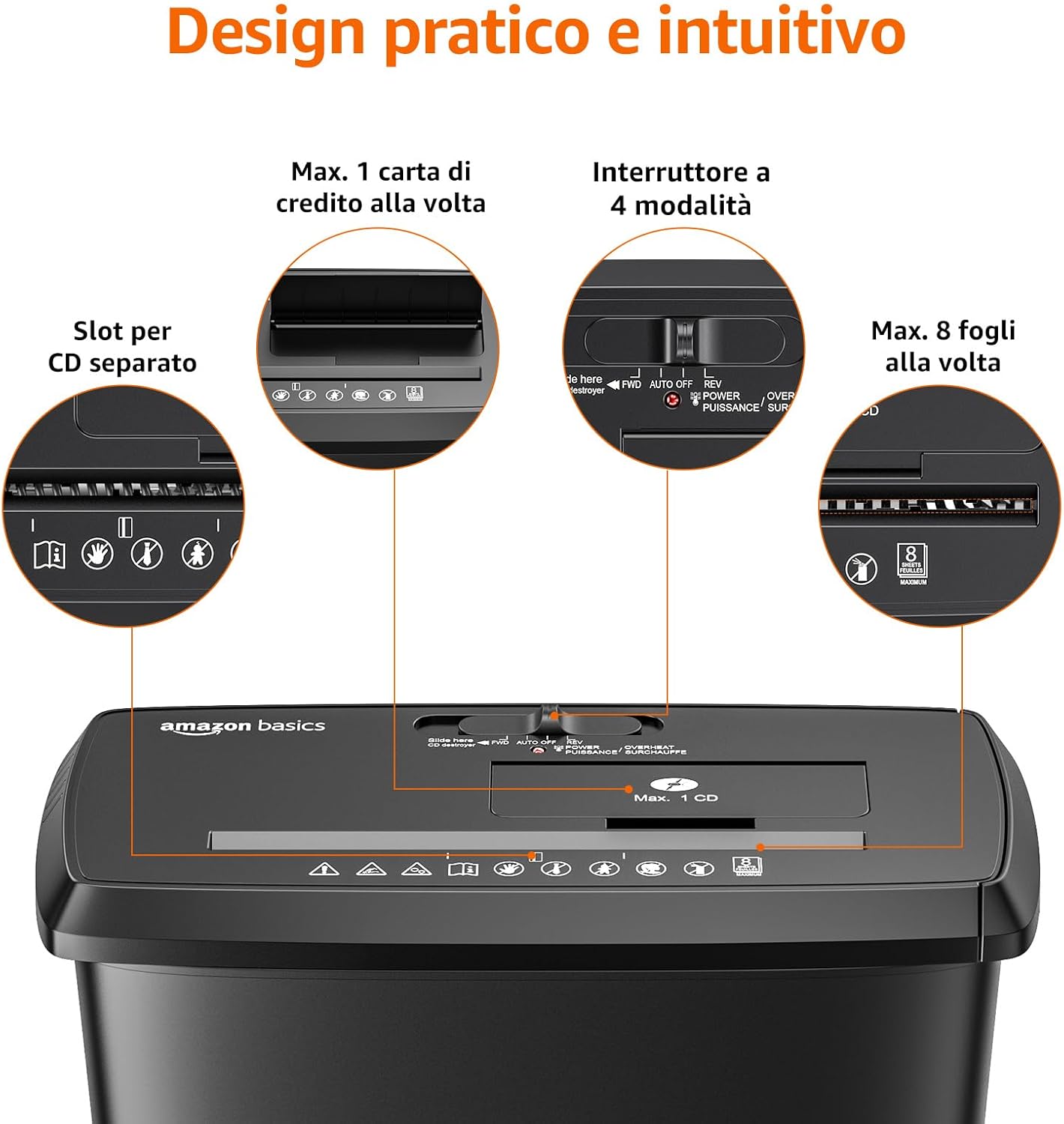
그림 2: 상세 view of the shredder's intuitive design, highlighting the separate slots for CDs/credit cards, the 4-mode control switch, and the 8-sheet paper capacity.

Figure 3: Close-up of the control panel, displaying the 4-mode switch (FWD/AUTO/OFF/REV) and LED indicators for power (blue) and overheat (red).
3. 설정
- 분쇄기를 개봉하세요: 모든 구성품을 포장에서 조심스럽게 꺼내세요. 나중에 운반하거나 보관할 수 있도록 포장을 보관하세요.
- Position the Wastebasket: Place the wastebasket on a stable, flat surface. Ensure there is enough space around the shredder for proper ventilation and operation.
- Mount the Shredder Head: Carefully align the shredder head with the top of the wastebasket and lower it into place. Ensure it sits securely.
- 전원 연결: 전원 코드를 표준 전기 콘센트에 꽂으세요.
4. 사용 설명서
제어 스위치 기능:
- AUTO/ON: The shredder is ready for operation. It will automatically start when paper or media is inserted and stop when shredding is complete.
- OFF : 파쇄기의 전원이 꺼져 있습니다.
- REV (역방향): Moves the shredder blades backward to help clear paper jams.
- FWD(앞으로): Moves the shredder blades forward continuously, useful for clearing minor jams or for manual operation.
종이 파쇄:
- 제어 스위치를 설정하세요 자동/켜기. The blue Power LED will illuminate.
- Insert up to 8 sheets of paper (75 gsm) into the paper entry slot. The shredder will automatically start and stop once the paper is shredded.
- 용지 걸림 및 모터 과부하를 방지하기 위해 최대 용지 적재량을 초과하지 마십시오.

Figure 4: Illustration of the shredder's P-2 security level, showing paper being cut into approximately 0.6 cm strips.

Figure 5: A person feeding paper into the Amazon Basics 8-Sheet Strip-Cut Shredder, demonstrating its use in an office setting.
CD, DVD, 신용카드 파쇄:
- 제어 스위치를 설정하세요 자동/켜기.
- Insert one CD, DVD, or plastic credit card into the dedicated media entry slot. The shredder will automatically start and stop.
- Do not insert more than one item at a time. Do not shred metal credit cards.

Figure 6: The shredder's capability to destroy CDs, DVDs, and credit cards through dedicated slots.
Duty Cycle and Overheat Protection:
The shredder is designed for intermittent use. It can operate continuously for 2.5 minutes. After this period, it requires a 15-minute cool-down period. If the shredder is used beyond its maximum duty cycle, the Overheat LED (red) will illuminate, and the unit will automatically shut down to prevent motor damage. Allow the shredder to cool down completely before resuming operation.
5. 유지관리
휴지통 비우기:
When the wastebasket is full, the shredder will stop operating. To empty, ensure the shredder is turned 끄다 and unplugged. Carefully lift the shredder head off the wastebasket and dispose of the shredded material. Replace the shredder head securely before plugging the unit back in.
매끄럽게 하기:
Regular lubrication of the shredder blades is recommended to maintain optimal performance and extend the life of the shredder. While shredder oil is not included, it can be purchased separately. Apply shredder oil as per the oil manufacturer's instructions, typically by applying a small amount across the paper entry slot and then running the shredder in forward mode for a few seconds.
청소:
Always unplug the shredder before cleaning. Wipe the exterior of the shredder with a soft, dry cloth. Do not use abrasive cleaners or solvents.
6. 문제 해결
| 문제 | 가능한 원인 | 해결책 |
|---|---|---|
| 분쇄기가 작동하지 않습니다. | Not plugged in; power switch off; shredder head not seated correctly; wastebasket full. | Ensure power cord is securely plugged in. Set control switch to AUTO/ON. Re-seat the shredder head. Empty the wastebasket. |
| 종이 걸림. | 용지가 너무 많이 삽입되었습니다. 용지가 잘못 삽입되었습니다. | Set control switch to 회전 to clear the jam. If unsuccessful, unplug, carefully remove paper, then plug in and try 전륜. Reduce sheet count for future shredding. |
| Shredder stops during operation, Overheat LED is red. | Exceeded duty cycle; motor overheated. | Turn off and unplug the shredder. Allow it to cool down for at least 15 minutes before resuming operation. |
| 분쇄기가 시끄럽거나 성능이 저하됩니다. | Blades require lubrication; wastebasket is too full. | Lubricate the shredder blades as per maintenance instructions. Empty the wastebasket. |
7. 사양
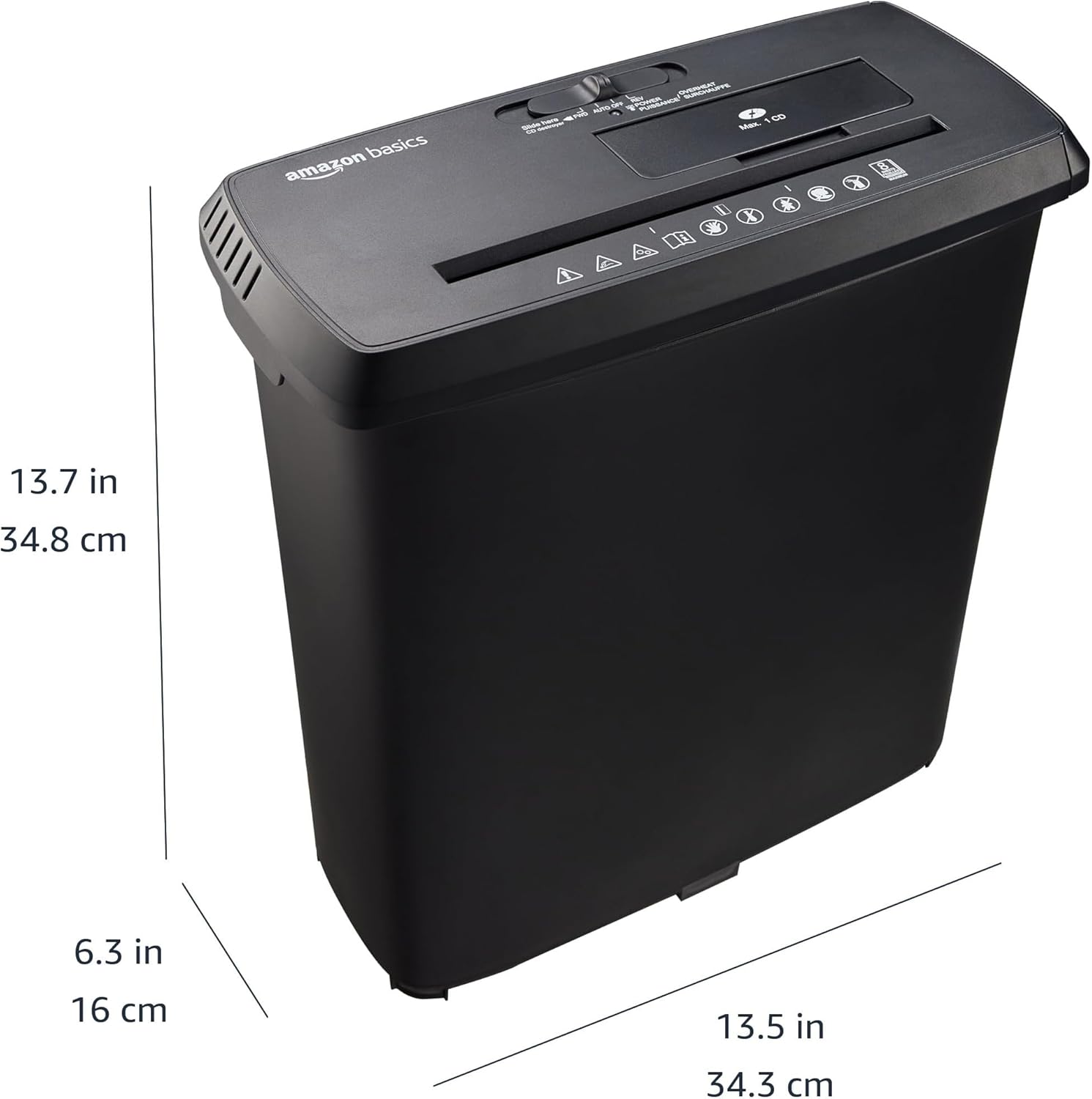
Figure 7: Diagram illustrating the physical dimensions of the Amazon Basics 8-Sheet Strip-Cut Shredder: 34.3 cm (13.5 in) width, 16 cm (6.3 in) depth, and 34.8 cm (13.7 in) height.
| 특징 | 세부 사항 |
|---|---|
| 모델 번호 | S120-D |
| 파쇄형 | 스트립 컷 |
| 파쇄 크기 | Approx. 0.6 cm strips |
| 보안 수준 | 피-2 |
| 용지 용량 | 8매(75gsm) |
| 미디어 파쇄 | CDs, DVDs, Plastic Credit Cards (1 at a time) |
| 쓰레기통 용량 | 12.8L(3.4갤런) |
| 듀티 사이클 | 2.5 분 ON / 15 분 OFF |
| 치수(폭 x 길이 x 높이) | 34.3 x 34.3 x 34.8cm(13.5 x 13.5 x 13.7인치) |
| 재료 | 금속, 플라스틱 |
| 색상 | 검은색 |
8. 보증 및 지원
Warranty information for this product is typically provided with the product packaging or can be found on the Amazon Basics website. For customer support, troubleshooting assistance, or to inquire about warranty details, please refer to the Amazon Basics customer service channels available in your region.