
1. 서론
This manual provides detailed instructions for the proper use and maintenance of your Micool DY20PLUS Bluetooth Earpiece. Please read this manual thoroughly before using the product to ensure safe and efficient operation. The Micool DY20PLUS is a single-ear Bluetooth headset designed for clear communication, featuring noise cancellation and extended talk time.
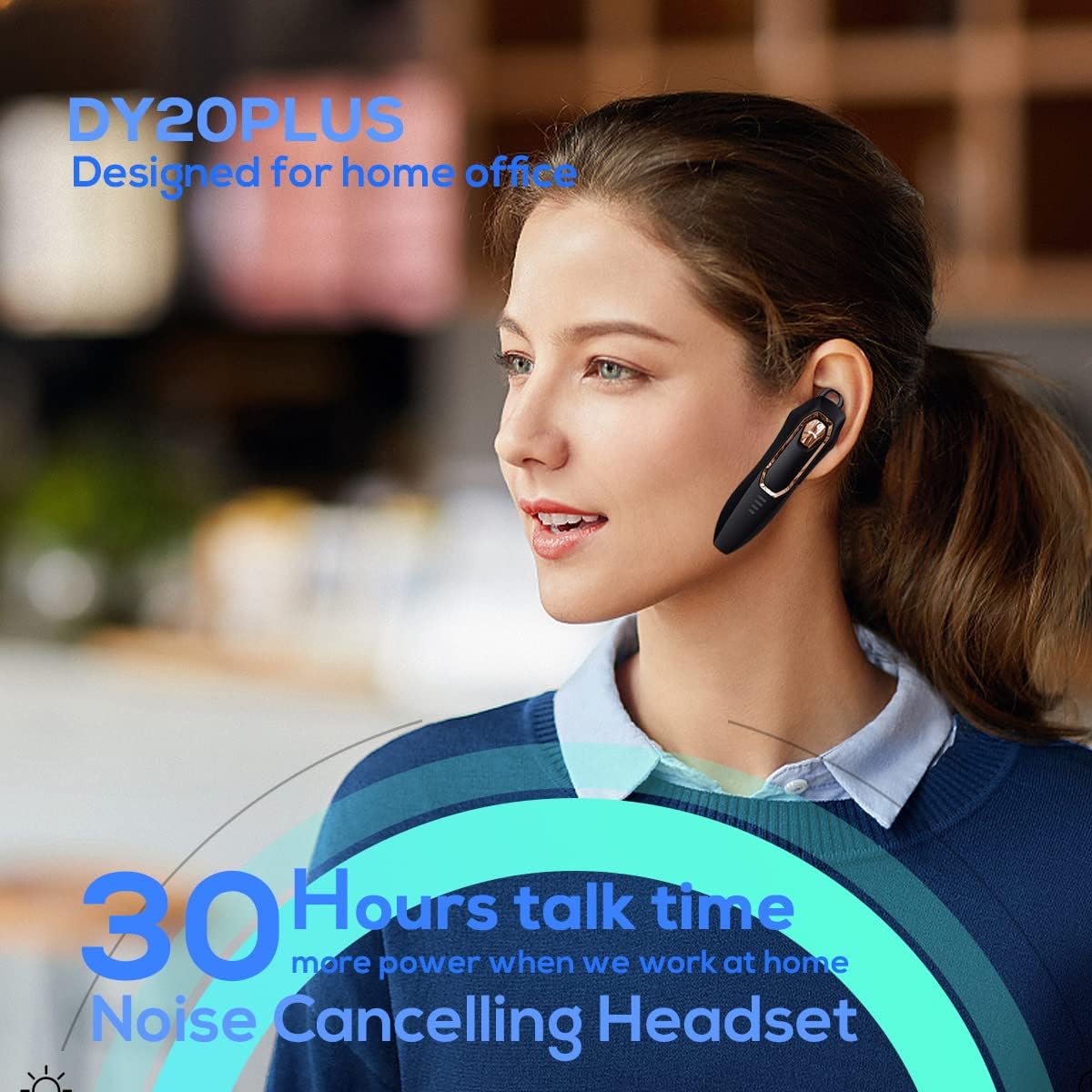
Figure 1: Micool DY20PLUS Bluetooth Earpiece
비디오 1: 끝view of Micool Bluetooth Headset features, including noise cancellation and long battery life.
2. 패키지 내용
다음 품목이 패키지에 포함되어 있는지 확인하세요.
- Micool DY20PLUS Bluetooth Earpiece
- USB 충전 케이블
- Ear Hooks (various sizes)
- 사용자 설명서
3. 제품 오버view
Familiarize yourself with the buttons and indicators on your Micool DY20PLUS earpiece:

Figure 2: Earpiece controls and functions.
- MFB(다기능 버튼): 전원 켜기/끄기, 재생/일시 중지, 전화 받기/통화 종료.
- 볼륨 높이기(+): 볼륨을 높이거나 다음 트랙으로 이동하려면 길게 누르세요.
- 볼륨 낮추기(-): 볼륨 줄이기, 이전 트랙 재생(길게 누르기).
- 음소거 버튼: Mute/unmute microphone during a call.
- LED 표시등: 전원, 페어링 및 충전 상태를 표시합니다.
- 충전 포트: 충전 용 USB 포트.
4. 설정
4.1 Charging the Earpiece
Before first use, fully charge the earpiece. Connect the provided USB charging cable to the earpiece's charging port and a USB power source. The LED indicator will show charging status and turn off when fully charged. A full charge provides up to 30 hours of talk time.
4.2 블루투스 페어링
To connect your Micool DY20PLUS earpiece to your mobile phone or other Bluetooth-enabled device:
- Ensure the earpiece is turned off.
- Press and hold the MFB until the LED indicator flashes red and blue alternately, indicating pairing mode.
- 기기에서 Bluetooth를 활성화하고 사용 가능한 기기를 검색하세요.
- Select "DY20PLUS" from the list of devices.
- 연결되면 LED 표시등이 파란색으로 천천히 깜박입니다.
The earpiece supports connecting to two devices simultaneously. After pairing with the first device, disable Bluetooth on it, then pair with the second device. Re-enable Bluetooth on the first device, and both should connect.
Video 2: Demonstrates Bluetooth pairing and setting up the "Speak Caller's Name" function using the RealTTS app.
5. 사용 설명서
5.1 전원 켜기/끄기
- 전원 켜기: LED 표시등이 파란색으로 깜빡일 때까지 MFB 버튼을 약 3초간 길게 누르세요.
- 전원 끄기 : LED 표시등이 빨간색으로 깜빡인 후 꺼질 때까지 MFB 버튼을 약 3초간 길게 누르십시오.
5.2 통화 관리
- 전화 받기: MFB 버튼을 한 번 짧게 누르세요.
- 통화 종료: 통화 중에 MFB 버튼을 한 번 짧게 누르세요.
- 전화 거부: MFB를 2초 동안 길게 누릅니다.
- 음소거/음소거 해제: Short press the dedicated Mute button during a call.
- Switch Call Audio: During a call, you can switch the audio output between the earpiece and your phone. Refer to your phone's call interface for this option.
5.3 음악 재생
- 재생/일시 중지: MFB 버튼을 한 번 짧게 누르세요.
- 다음 트랙: 볼륨 높이기(+) 버튼을 길게 누릅니다.
- 이전 트랙 : 볼륨 낮추기(-) 버튼을 길게 누릅니다.
5.4 볼륨 조절
- 볼륨 증가: 볼륨 높이기(+) 버튼을 짧게 누르세요.
- 볼륨 감소: 볼륨 낮추기(-) 버튼을 짧게 누르세요.
5.5 음성 어시스턴트
Double-tap the MFB to activate your device's voice assistant (Siri, Cortana, Bixby, Google Assistant, etc.). This allows for hands-free control of your connected device.
6. 유지관리
- Keep the earpiece dry. Do not expose it to extreme temperatures.
- Clean the earpiece with a soft, dry cloth. Avoid using harsh chemicals.
- Store the earpiece in a cool, dry place when not in use.
- Avoid dropping or subjecting the earpiece to strong impacts.
7. 문제 해결
| 문제 | 가능한 원인 | 해결책 |
|---|---|---|
| 전원을 켤 수 없습니다 | 배터리 부족 | Charge the earpiece fully. |
| 기기와 페어링할 수 없습니다 | Earpiece not in pairing mode; Bluetooth off on device; too far apart. | Ensure earpiece is in pairing mode (flashing red/blue). Turn on Bluetooth on your device. Keep devices within 1 meter during pairing. |
| 소리가 나지 않거나 음질이 좋지 않음 | Volume too low; earpiece not selected as audio output; interference. | Adjust volume on both earpiece and device. Check device's audio output settings. Move away from sources of interference. |
| Caller's name not announced | RealTTS app not installed or permissions not granted. | Download and install the "RealTTS" app. Ensure Bluetooth and contact access permissions are granted to the app. |
8. 사양
| 특징 | 세부 사항 |
|---|---|
| 모델명 | DY20PLUS |
| 상표 | 미쿨 |
| 블루투스 버전 | 5.0 |
| 무선 범위 | 최대 50미터(150피트) |
| 통화 시간 | 최대 30시간 |
| 소음 제어 | Active Noise Cancellation (2 Microphones) |
| 무게 | 12g (초경량) |
| 호환성 | Bluetooth-enabled devices (phones, laptops, tablets) |
| 재료 | 플라스틱 |
| 한국어: | 768399519588 |
9. 보증 및 지원
Micool products come with a standard manufacturer's warranty. For specific warranty details, please refer to the warranty card included in your product packaging or visit the official Micool website. If you encounter any issues or require technical assistance, please contact Micool customer support through their official channels.