
소개
The oneisall Automatic Pet Feeder is designed to provide precise and convenient feeding for your cat or dog. With WiFi connectivity and app control, you can manage your pet's meal schedule from anywhere. This manual provides detailed instructions for setup, operation, maintenance, and troubleshooting to ensure optimal performance of your feeder.

Image: The oneisall Automatic Pet Feeder in use, with a cat eating from the stainless steel bowl.
제품 특징
- 정확한 양 조절: Schedule 1-12 meals per day via the mobile application, with 1-30 portions per meal. Each portion is approximately 7 grams, depending on kibble size.
- Optimal Food Freshness: Equipped with a unique rotor at the bottom of the container, a sealed lid, an integrated desiccant, and a triple freshness seal to keep dry food fresh and crunchy.
- 관대한 수용 인원: The 3.5-liter (approximately 1.2 kg of dry food) capacity can feed an adult cat for up to 12 days or a puppy for 8 days.
- 이중 전원 공급 장치: Operates with a 5V adapter (included) or backup batteries (not included) to ensure continuous feeding even during power outag에스.
- 막힘 방지 설계: Features a uniform fin distribution and a wide food outlet to prevent kibble from getting stuck.
- 내구성 있는 소재: Constructed from ABS plastic with a food-grade 304 stainless steel bowl, ensuring safety and easy cleaning.
설치 지침
1. 포장 풀기 및 조립
- 포장에서 모든 구성 요소를 조심스럽게 제거합니다.
- 스테인리스 스틸 그릇을 피더 베이스 앞쪽의 지정된 슬롯에 놓으세요.
- Ensure the food container is securely seated on the base.
2. 급식기 전원 공급
이 급수기는 두 가지 전원 옵션을 지원합니다.
- AC 어댑터 : Connect the Type-C USB cable to the feeder and plug the adapter into a standard wall outlet.
- 백업 배터리: 전원을 위해tage protection, insert 3 D-cell batteries (not included) into the battery compartment at the bottom of the feeder. It is recommended to use both power sources.

Image: The feeder illustrating its dual power supply options: AC adapter and battery compartment.
3. 음식 용기 채우기
- 음식 용기의 뚜껑을 여세요.
- Pour dry pet food into the container. Ensure kibble size is between 2-12mm to prevent clogging.
- 음식의 신선도를 유지하려면 뚜껑을 꼭 닫으세요.

Image: Visual guide for compatible kibble sizes (up to 12mm diameter) for the feeder.
4. 앱 설치 및 WiFi 연결
- Download the "oneisall" app from your smartphone's app store (iOS or Android).
- 앱을 열고 화면의 지시에 따라 계정을 만들고 기기를 추가하세요.
- Ensure your feeder is powered on and your smartphone is connected to a 2.4 GHz WiFi network.
- Follow the app's prompts to connect the feeder to your home WiFi network.

Image: The feeder being controlled via the mobile application, showing the WiFi connection icon.
작동 지침
1. 급식 시간표 설정
Use the oneisall app to customize your pet's feeding schedule:
- 앱을 열고 사료통을 선택하세요.
- "식사 계획" 섹션으로 이동하세요.
- Add new feeding times and specify the number of portions (1-30) for each meal.
- 일정을 저장하세요. 급식기가 프로그래밍된 시간에 자동으로 사료를 공급합니다.

Image: The mobile app interface showing a programmed feeding schedule with multiple meal times and portion sizes.
2. 수동 급지
To dispense food instantly:
- 앱을 통해: On the app's main screen, tap the "Quick Feed" button and select the desired number of portions.
- 피더 버튼을 통해: Press the manual feed button on the feeder itself to dispense one portion.
3. Slow Feeding Setting
To prevent your pet from eating too quickly, activate the slow feeding option in the app settings. This will dispense food gradually over a longer period.

Image: A table outlining recommended daily food quantities in cups, corresponding portions, and grams for a single pet.
유지
1. 사료통 청소
Regular cleaning ensures hygiene and proper functioning:
- 스테인레스 스틸 그릇: The bowl is detachable and dishwasher-safe for easy cleaning.
- 식품 용기: Wipe the inside of the food container with a damp cloth. Ensure it is completely dry before refilling.
- 피더 베이스: Wipe the exterior of the feeder base with a dry or slightly damp 옷감. 베이스를 물에 담그지 마십시오.

Image: The removable 304 BPA-free stainless steel bowl, highlighting its ease of cleaning.
2. 건조제 교체
The integrated desiccant helps maintain food freshness. Replace it periodically (e.g., every 1-2 months) for best results. The desiccant packet is located under the lid.

Image: The feeder's lid, illustrating the location of the desiccant packet and the security lock for freshness.
문제 해결
| 문제 | 가능한 원인 | 해결책 |
|---|---|---|
| 급지기에서 음식이 나오지 않습니다. | Low food level, clogged dispenser, power issue. | Check food level and refill. Ensure kibble size is appropriate. Check power connection and battery status. |
| 와이파이 연결이 불안정하거나 연결이 끊어졌습니다. | Feeder too far from router, 5GHz WiFi network, temporary network issue. | Ensure feeder is within range of a 2.4 GHz WiFi network. Restart feeder and router. Reconnect via app. |
| App not controlling feeder. | No internet connection on phone, app glitch, feeder offline. | Check phone's internet connection. Restart app. Verify feeder's WiFi status. |
| 음식이 신선하지 않아요. | Lid not sealed, old desiccant. | Ensure lid is securely closed. Replace desiccant packet. |

Image: The feeder's ability to continue dispensing food during a power outage when equipped with backup batteries.
명세서
| 특징 | 세부 사항 |
|---|---|
| 모델 번호 | PFD-001 |
| 용량 | 3.5리터(건조사료 약 1.2kg) |
| 제품 치수 | 16.85 x 16.85 x 28.9cm |
| 무게 | 1.61kg |
| 재료 | ABS, 304 스테인리스 스틸 |
| 전원 공급 장치 | 5V DC Adapter (included), 3 x D-cell batteries (not included) |
| 연결성 | 와이파이 2.4GHz |
| 추천 키블 크기 | 직경 2-12mm |
| 제조업체 | 원이솔 |
| 원산지 | 중국 |

Image: Detailed product dimensions and specifications of the feeder.
보증 및 지원
보증 정보
This oneisall Automatic Pet Feeder comes with a 2년 보증 구매일로부터 보증하며, 정상적인 사용 중 발생한 제조상의 결함 및 고장에 한합니다. 보증 청구를 위해 구매 증빙 서류를 보관해 주십시오.
고객 지원
For any questions, technical assistance, or warranty claims, please contact oneisall customer service. We offer 24시간 고객 지원 귀하에게 도움이 되고자 합니다.
- Refer to the contact information provided in your product packaging or on the official oneisall web대지.
- For returns or issues with products purchased on Amazon, please consult Amazon's return policy and contact their customer service for assistance within the specified return period.
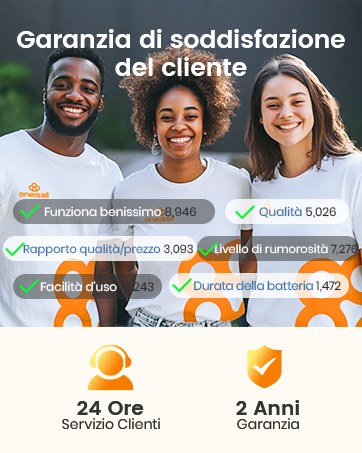
Image: Customer satisfaction guarantee details, including 24-hour customer service and a 2-year warranty.