
HOCO HB29 - Metal Grey
Hoco HB29 Multi-Function Hub Converter User Manual
Model: HB29 - Metal Grey
소개
Thank you for choosing the Hoco HB29 Multi-Function Hub Converter. This device is designed to expand the connectivity of your Type-C enabled notebooks, allowing you to connect to HDMI and VGA displays simultaneously. Please read this manual carefully to ensure proper use and optimal performance of your device.

Image: The Hoco HB29 Multi-Function Hub Converter, showcasing its compact design and Type-C cable, HDMI port, and VGA port.
제품 특징
- 재료: Constructed from durable aluminum alloy and ABS for longevity.
- 컴팩트한 사이즈: Dimensions of 109*28.8*11.6mm with a wire length of 150±5mm, weighing only 40g, making it highly portable.
- 인터페이스: Features a Type-C male connector for input, and HDTV (HDMI) plus VGA ports for output.
- HDMI 출력: Supports 4K resolution at 30Hz, providing synchronized audio and video.
- VGA 출력: Supports 1080P resolution. Please note that VGA does not support audio output.
- 동시 출력: When both HDMI and VGA ports are used simultaneously, the output resolution is 1080P.
- 폭넓은 호환성: Designed for Type-C notebooks and compatible with most operating systems, including Windows and Mac OS, for connection to projectors, TVs, and monitors.
설치 지침
- 허브를 장치에 연결하세요: Insert the Type-C male connector of the Hoco HB29 into the Type-C port of your notebook, laptop, or compatible smartphone.
- 디스플레이에 연결(HDMI): For HDMI connection, use a standard HDMI cable (not included) to connect the HDMI port on the Hoco HB29 to the HDMI input on your TV, monitor, or projector. Ensure the display device is powered on and set to the correct HDMI input source.
- Connect to Display (VGA): For VGA connection, use a standard VGA cable (not included) to connect the VGA port on the Hoco HB29 to the VGA input on your monitor or projector. Ensure the display device is powered on and set to the correct VGA input source.
- 동시 연결: You can connect both an HDMI and a VGA display simultaneously. The output resolution will be 1080P for both displays.
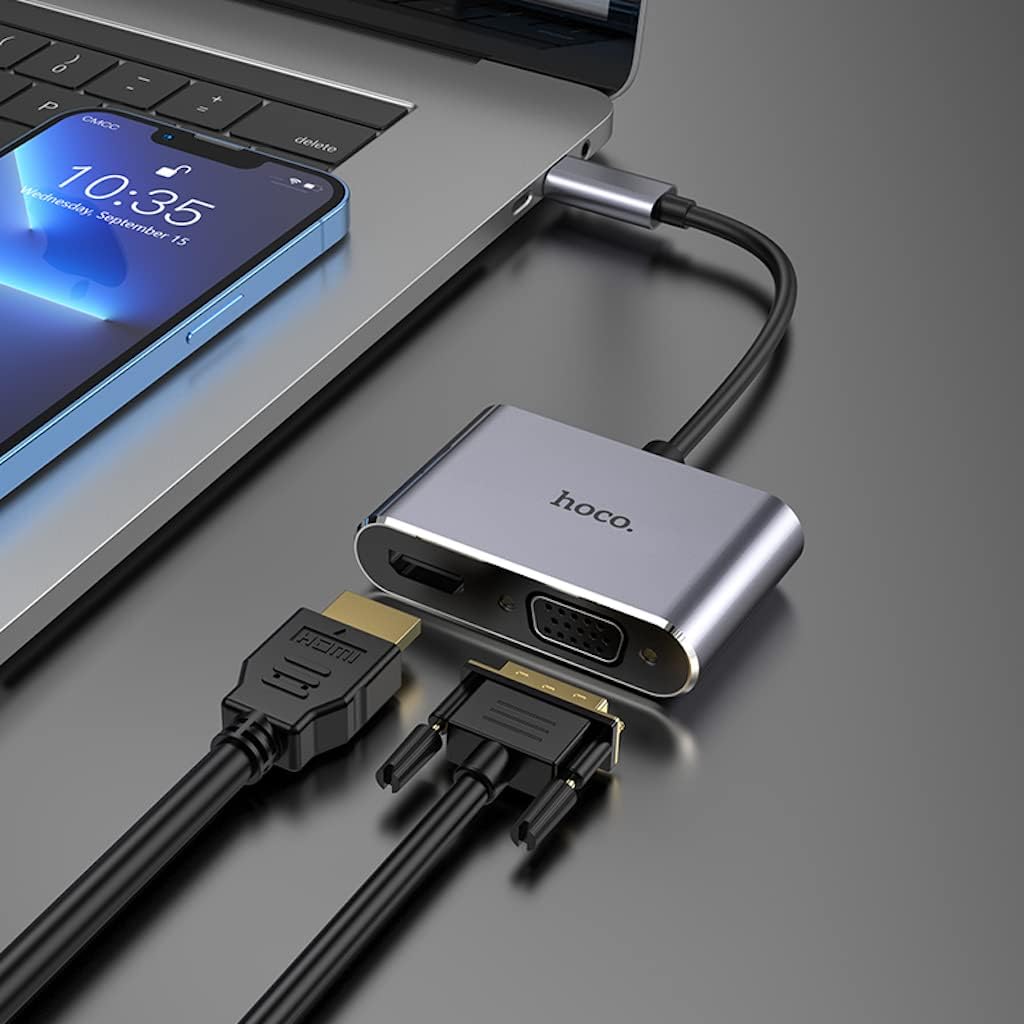
Image: The Hoco HB29 converter connected to a laptop, demonstrating how to plug in both HDMI and VGA cables for dual display output.
작동 지침
Once connected, your operating system should automatically detect the external display(s). You may need to adjust display settings within your operating system.
- Windows OS :
- Right-click on your desktop and select "Display settings" or "Screen resolution".
- You can choose to "Duplicate these displays" (mirror your primary screen), "Extend these displays" (use the external display as an extension of your desktop), or "Show only on 1/2" (use only one display).
- 필요에 따라 해상도와 방향을 조정하십시오.
- 맥 OS:
- Go to "System Preferences" > "Displays".
- In the "Arrangement" tab, you can arrange your displays, mirror them, or extend your desktop.
- In the "Display" tab, you can adjust resolution and refresh rate.

Image: A laptop connected via the Hoco HB29 converter to two external monitors, demonstrating an extended desktop setup for increased productivity.
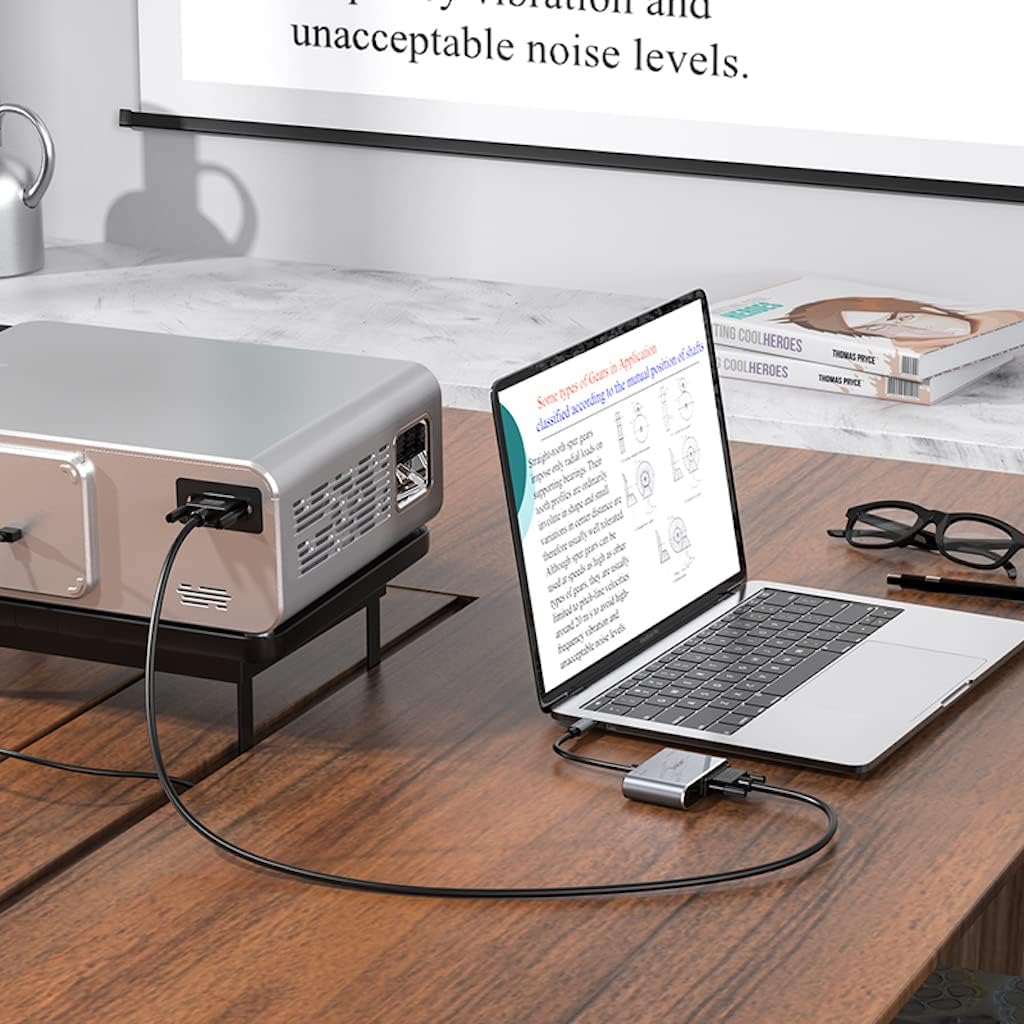
Image: The Hoco HB29 converter facilitating a connection between a laptop and a projector, ideal for presentations or larger screen view주고받음.
유지 보수 및 관리
- 청소: Use a soft, dry cloth to clean the surface of the converter. Avoid using liquid cleaners or aerosols.
- 저장: 본 기기는 직사광선과 극한의 온도를 피해 시원하고 건조한 곳에 보관하세요.
- 손질: Avoid dropping the converter or subjecting it to strong impacts. Do not bend the cable excessively.
- 연결성: 케이블을 삽입하고 제거할 때는 항상 조심스럽게 다루어 포트가 손상되지 않도록 하십시오.
문제 해결
| 문제 | 가능한 원인 / 해결책 |
|---|---|
| 디스플레이 출력이 없습니다. |
|
| No audio from HDMI. |
|
| VGA output has no audio. | VGA is a video-only interface and does not transmit audio. Audio must be routed separately from your source device. |
| Resolution is not 4K (HDMI) or 1080P (VGA). |
|
명세서
| 특징 | 세부 사항 |
|---|---|
| 모델 번호 | HB29 - Metal Grey |
| 재료 | 알루미늄 합금 + ABS |
| 치수(길이 x 너비 x 높이) | 10.9 x 2.88 x 1.16cm |
| 와이어 길이 | 150 ± 5mm |
| 무게 | 40g |
| 입력 인터페이스 | C형 남성 |
| 출력 인터페이스 | HDTV (HDMI), VGA |
| HDMI Resolution Support | Up to 4K @ 30Hz (Audio and Video Sync) |
| VGA 해상도 지원 | Up to 1080P (Video Only, No Audio) |
| Simultaneous Output Resolution | 1080P for both HDMI and VGA |
| 호환되는 운영 체제 | Windows, Mac OS, and other Type-C enabled systems |
| 제조업체 | 호코 |
| 첫 번째 이용 가능 날짜 | 18년 2023월 XNUMX일 |
보증 및 지원
보증 정보 및 기술 지원에 대해서는 HOCO 공식 웹사이트를 참조하십시오. web사이트를 방문하거나 판매점에 문의하세요. 보증 청구를 위해 구매 영수증을 보관하세요.
추가 지원이 필요하면 다음을 방문하세요. HOCO official web대지.
Ask a question about this manual
Ask about setup, troubleshooting, compatibility, parts, safety, or missing instructions. Manuals+ will review the question and use this page’s manual context to help answer it.