소개
The Sight Bulb Security Camera is a versatile and easy-to-use smart camera designed for both indoor and outdoor surveillance. It features 1080P HD video, 360-degree omni-directional views, motion detection, infrared night vision, and two-way audio communication. This manual provides detailed instructions for installation, operation, and maintenance to ensure optimal performance and security.
안전 정보
- Ensure the power is off before installing or removing the camera from any light socket.
- Do not expose the camera to extreme temperatures, humidity, or direct water immersion. The camera has an IP65 rating, indicating protection against dust and low-pressure water jets, but it is not designed for submersion.
- Use only in standard E27 light sockets.
- 어린이의 손이 닿지 않는 곳에 보관하세요.
- Avoid placing the camera in direct sunlight or near strong light sources, as this may affect image quality.
- 카메라를 직접 분해하거나 수리하려고 하지 마십시오. 자격을 갖춘 전문가에게 서비스를 의뢰하십시오.
패키지 내용
패키지에 모든 품목이 들어 있는지 확인하세요.
- Sight Bulb Security Camera (Model: CF26-54ST-ST-E300)
- 사용자 설명서
- Mounting Accessories (if applicable, for wall mount option)
- SD Memory Card (64GB, may be pre-installed or included separately)
제품 끝view
Familiarize yourself with the components of your Sight Bulb Security Camera:

영상: Labeled diagram of the Sight Bulb camera, showing the E27 light socket, enhanced WiFi module, microphone, white & IR LEDs, HD lens, light sensor, speaker, reset button, and memory card slot.
- E27 전구 소켓: Standard screw-in base for power and installation.
- 향상된 WiFi 모듈: For stable wireless connectivity to your home network.
- 마이크 : 양방향 통신과 녹음을 위해 오디오를 캡처합니다.
- 백색 및 적외선 LED: Provide illumination for night vision and alarm functions.
- HD 렌즈: Captures 1080p video footage.
- 조도 센서: Detects ambient light levels to automatically switch between day and night modes.
- 스피커: Outputs audio for two-way communication and alarm.
- 재설정 버튼: 카메라를 공장 설정으로 재설정하는 데 사용됩니다.
- 메모리 카드 슬롯: For inserting a microSD card (up to 64GB recommended) for local video storage.
설정
1. 물리적 설치
The Sight Bulb camera is designed for easy installation into any standard E27 light socket. Ensure the power to the socket is turned off before proceeding.

영상: The Sight Bulb camera being screwed into a light socket, demonstrating its easy installation. Another inset shows a hand inserting a memory card into the camera's slot.
- Locate a suitable E27 light socket where you wish to install the camera. This can be indoors or outdoors, provided the location is protected from direct heavy rain or extreme weather.
- 전원을 끄세요 to the light socket at the circuit breaker to prevent electrical shock.
- Carefully screw the Sight Bulb camera into the E27 light socket until it is snug. Do not overtighten.
- Turn the power back on at the circuit breaker. The camera will power on and initiate its startup sequence.
2. 앱 다운로드 및 계정 생성
제어하고 view your camera, you need to download the official Sight Bulb smartphone application.
- 검색 the "Sight Bulb" app in your device's app store (available for iOS and Android).
- 응용 프로그램을 다운로드하여 설치하십시오.
- Open the app and follow the on-screen instructions to create a new user account. You will typically need to provide an email address and create a password.
3. Wi-Fi에 연결하기
The camera connects to your home Wi-Fi network for remote access and functionality.

영상: A visual representation of the Sight Bulb camera wirelessly connecting to a home Wi-Fi network, with a smartphone displaying the camera's live feed and controls.
- Ensure your smartphone is connected to the 2.4GHz Wi-Fi network you intend to connect the camera to. The camera supports 2.4GHz Wi-Fi only.
- In the Sight Bulb app, tap on "Add Device" or the '+' icon.
- Select the camera type (e.g., "Smart Camera" or "Light Bulb Camera").
- Follow the in-app prompts to connect the camera to your Wi-Fi. This usually involves scanning a QR code generated by the app with the camera's lens, or entering your Wi-Fi password.
- Once connected, the camera will indicate successful pairing (e.g., a voice prompt or LED indicator change).
4. SD 카드 설치 (선택 사항)
For local video storage and backup, you can install a microSD card.
- Locate the memory card slot on the camera (refer to the Product Overview 도표).
- Gently insert the microSD card into the slot with the gold contacts facing down, until it clicks into place.
- The camera supports up to 64GB microSD cards.
- Format the SD card through the camera settings in the app for optimal performance.
카메라 작동
1. 라이브 View 및 원격 제어
Access the live video feed and control the camera's pan/tilt functions from your smartphone.

영상: The Sight Bulb camera rotating to provide a 360-degree view, with a smartphone displaying the 1080p HD live video feed and controls.
- Open the Sight Bulb app and select your camera from the device list.
- The live video feed will appear. Use the on-screen controls to pan (left/right) and tilt (up/down) the camera for a 360-degree view.
2. 양방향 대화
내장 마이크와 스피커를 사용하여 카메라 근처에 있는 사람들과 소통하세요.

영상: The Sight Bulb camera highlighting its two-way talk microphone, with an illustration of sound traveling both ways. An additional image shows a person talking into a phone, and another shows a person being deterred by an alarm.
- 라이브 중 view앱에서 마이크 아이콘을 탭하세요.
- Speak into your phone's microphone. Your voice will be projected through the camera's speaker.
- You can also hear audio from the camera's environment through your phone.
3. 동작 감지 및 알림
카메라는 움직임을 감지하고 스마트폰으로 알림을 보낼 수 있습니다.
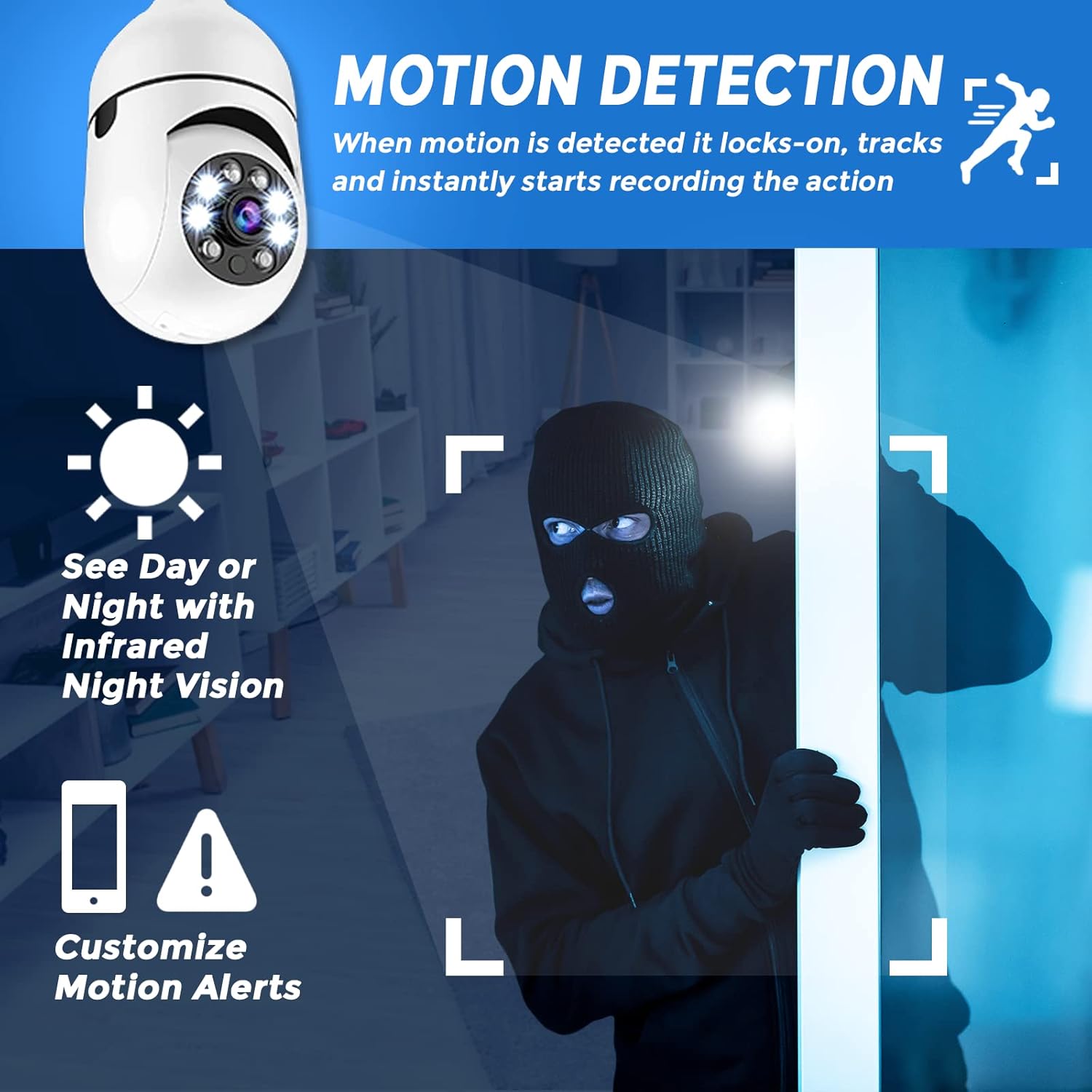
영상: The Sight Bulb camera detecting motion, with an intruder highlighted. Icons represent night vision capability and customizable motion alerts on a smartphone.
- 앱 내 카메라 설정에서 동작 감지 기능을 활성화하세요.
- When motion is detected, the camera will automatically track the movement and begin recording.
- You will receive customized motion alerts on your smartphone. Ensure app notifications are enabled on your phone.
4. 야간 투시경
The camera is equipped with infrared night vision for clear monitoring in low-light or no-light conditions.
- The camera automatically switches to night vision mode when ambient light is insufficient.
- Infrared LEDs provide illumination for clear black-and-white video in the dark.
5. 녹음 및 재생
레코드 푸tage continuously or based on motion detection to the installed SD card.
- Configure recording settings (continuous, motion-triggered) in the app.
- 기록된 foo에 액세스tage via the "Playback" or "Event History" section in the app.
- You can download recorded clips to your smartphone.
6. 알람 기능
Activate an audible alarm to deter intruders.
- 라이브 중 view, locate the alarm icon in the app.
- Tap the icon to activate a loud alarm sound from the camera's speaker.
7. 다중 카메라 모니터링
Monitor multiple Sight Bulb cameras from a single smartphone application.
- Add up to 4 cameras to your Sight Bulb app account.
- View multiple live feeds simultaneously or switch between cameras easily.
- Receive customized motion alerts from each connected camera.
유지
- 청소: 부드럽고 마른 천으로 카메라 렌즈와 본체를 부드럽게 닦으세요. 강한 화학 물질이나 연마성 세척제는 사용하지 마세요.
- 펌웨어 업데이트: 최적의 성능과 보안을 유지하려면 앱의 펌웨어 업데이트가 있는지 주기적으로 확인하십시오.
- SD 카드 관리 : 중요한 음식을 정기적으로 백업하세요tage from the SD card and format it periodically to maintain recording efficiency.
문제 해결
| 문제 | 가능한 원인 | 해결책 |
|---|---|---|
| 카메라 전원이 켜지지 않습니다. | No power to the light socket; camera not screwed in properly. | Check circuit breaker; ensure camera is securely screwed into the E27 socket. |
| Wi-Fi에 연결할 수 없습니다. | 와이파이 비밀번호가 잘못되었습니다. 카메라가 공유기에서 너무 멀리 떨어져 있습니다. 5GHz 와이파이 네트워크를 사용하고 있습니다. | Verify Wi-Fi password; move camera closer to router; ensure you are connecting to a 2.4GHz network. |
| Motion detection not working or inconsistent. | Sensitivity settings too low; camera placement; app notifications disabled. | Adjust motion detection sensitivity in the app; ensure camera has a clear view of the area; enable app notifications. |
| SD 카드에 녹화되지 않습니다. | SD card not inserted correctly; card full or corrupted; not formatted. | Reinsert SD card; check card status in app; format the SD card via app settings. |
| 야간 화질이 좋지 않습니다. | Infrared reflection from nearby surfaces (e.g., fixture, glass). | Adjust camera angle or position to minimize reflections from surrounding objects. |
명세서
| 특징 | 세부 사항 |
|---|---|
| 모델 번호 | CF26-54ST-ST-E300 |
| 실내/실외 사용 | 실내, 실외 (IP65 등급) |
| 비디오 캡처 해상도 | 1080p, 720p |
| View잉 각도 | 360 Degrees (Omni-directional) |
| 연결 기술 | 무선(Wi-Fi 2.4GHz) |
| 전원 | Corded Electric (E27 Light Socket) |
| 호환 장치 | 스마트폰 (iOS, 안드로이드) |
| 플래시 메모리 유형 | SD 카드 (최대 64GB) |
| 품목 치수(L x W x H) | 2.7 x 2.7 x 6 인치 |
| 품목 무게 | 7.2 온스 |
| 저조도 기술 | 야간 색상(적외선 야간 투시) |
| 경고 유형 | 모션 전용 |
| 국제 보호 등급 | IP65 |
보증 및 지원
For warranty information, technical support, or service inquiries, please refer to the official Sight Bulb website or contact their customer service directly. Details regarding warranty periods and support channels are typically provided with your purchase documentation or on the manufacturer's official online resources.
보증 청구를 위해 구매 증빙서류를 보관하세요.