
JAIOT A013A-W-PRO-EN
JAIOT 2K 듀얼 렌즈 실내 보안 카메라 사용 설명서
Model: A013A-W-PRO-EN
1. 설정 가이드
1.1 상자 내용물
- 1 x JAIOT 2K 4MP Indoor Security Camera
- 전원 어댑터
- 장착 액세서리
- 사용자 설명서
1.2 카메라 전원 켜기
Connect the provided power adapter to the camera's power input port and then plug it into a wall outlet. The camera will initiate its startup sequence.
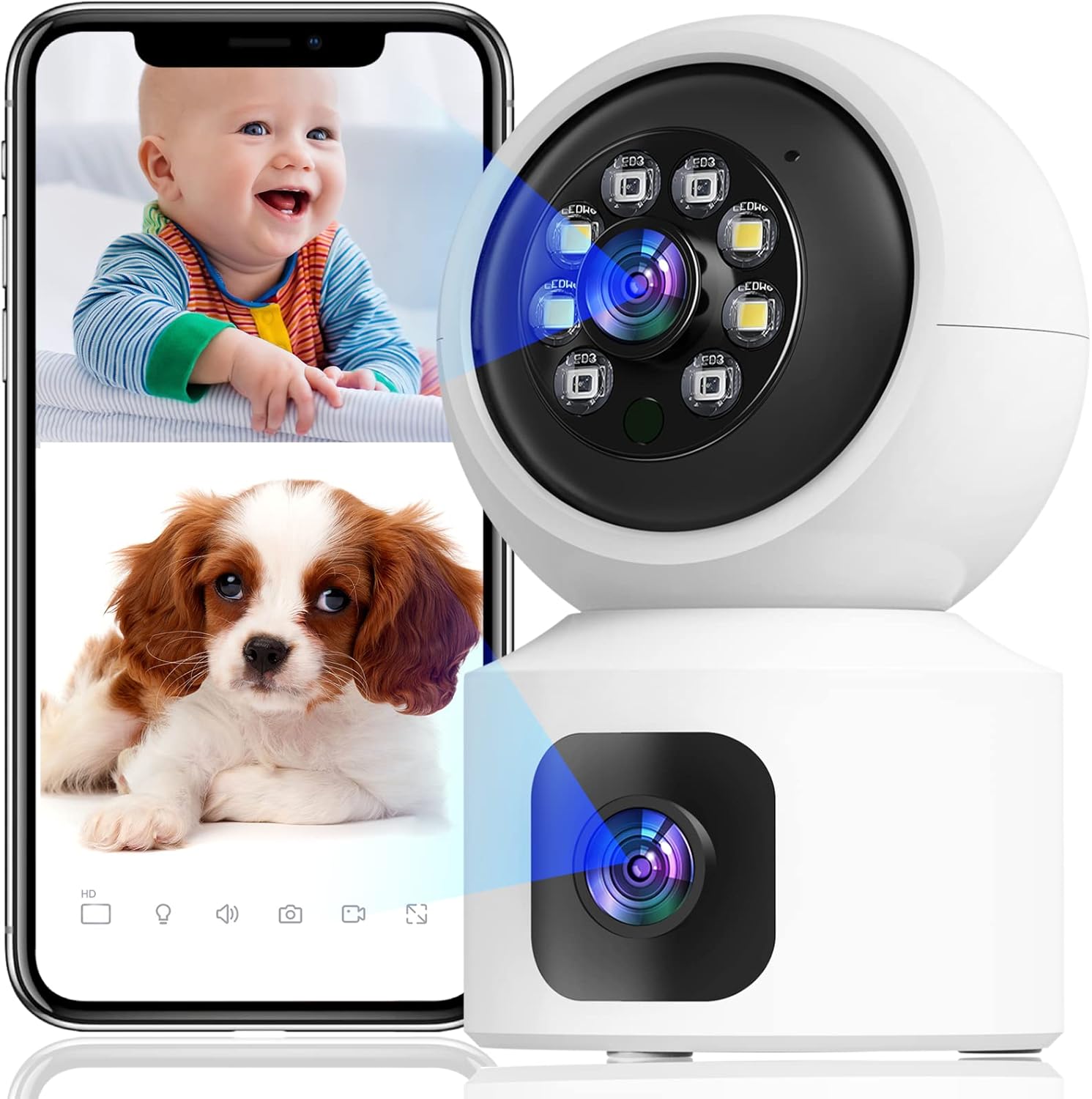
Image: The JAIOT 2K Dual Lens Indoor Security Camera, a white device with a spherical top housing the main lens and a square base with a secondary lens. A smartphone displays a split screen showing live feeds of a baby and a puppy, demonstrating the camera's monitoring capabilities.
1.3 App Installation and Network Configuration
To set up your JAIOT camera, download the "iSee Home" app from your device's app store (available on App Store or Google Play). Follow these steps for network configuration:
- Plug in the power to the camera.
- After the camera emits light to automatically identify the network, open the iSee Home APP for network configuration.
- Click the '+' icon on the Home page of the app.
- Ensure your phone's Wi-Fi is connected to a 2.4GHz network (5GHz networks are not supported) and Bluetooth is turned on.
- Select the correct device within the app based on the Product ID and then tap "Add".
- Once the network configuration is successful, the device name can be added successfully.
Video: This video demonstrates the initial setup process for the JAIOT 2K 4MP Dual Lens Security Camera, including plugging in the power, the camera's self-identification process, and connecting it to the iSee Home mobile application via Wi-Fi and Bluetooth.

Image: A close-up of a smartphone screen displaying the iSee Home application interface, guiding the user through the camera setup process. The screen shows options for adding a new device and configuring network settings.
2. 카메라 작동
2.1 Dual Lens and Pan/Tilt Functionality
The JAIOT camera features a unique dual-lens design, allowing it to monitor two different areas simultaneously. One lens is fixed to cover a primary area, while the other is a Pan/Tilt/Zoom (PTZ) camera that can rotate 355° horizontally and 114° vertically, providing 360° surveillance coverage without blind spots.

Image: A side-by-side comparison illustrating the JAIOT Dual Lens 4MP camera versus a generic single lens 2MP camera, highlighting the advantage of dual lenses for broader coverage and higher resolution.

Image: A diagram contrasting the monitoring capabilities of the JAIOT Dual Lens Camera, which simultaneously covers two distinct areas (one with PTZ, one fixed), against a normal single-lens camera that leaves a significant blind spot.

Image: The JAIOT 2K 4MP HD Security Camera mounted on a wall, with arrows indicating its 355-degree horizontal pan and 114-degree vertical tilt capabilities, demonstrating its extensive coverage.
Video: This video highlights the dual-lens functionality, motion detection, and two-way audio features of the JAIOT 4MP Indoor Security Camera, showcasing its ability to monitor multiple areas and interact with subjects.
2.2 2K 4MP Full HD and Color Night Vision
The camera delivers a 2K 4MP Super HD live stream, capturing clear and detailed video. It supports infrared, full-color, and auto night vision modes, ensuring visibility even in low-light conditions.

Image: A visual comparison demonstrating the superior clarity and detail of a 4MP image captured by the JAIOT camera compared to a 1080P image from another device, focusing on a dog's fur.
2.3 양방향 오디오
Equipped with a built-in microphone and speaker, the camera enables two-way communication. You can speak to and hear from individuals near the camera through the iSee Home app.

Image: A mother and child are shown playing, with a smartphone displaying a live feed of the mother. Speech bubbles indicate a two-way conversation, illustrating the camera's two-way audio capability.
2.4 동작 감지 및 알림
The camera features built-in motion detection sensors. Upon detecting human or general motion, it automatically tracks the movement and sends instant alerts to your phone. A 90dB siren can also be activated via the iSee Home app to deter intruders.

Image: A security camera is depicted detecting a burglar in a home setting, with icons representing human detection, real-time alerts, sound alarms, and customized alarm notifications, highlighting the camera's security features.

Image: Two children are shown playing, with a smartphone displaying a notification from the iSee Home app indicating motion detection. This illustrates the camera's PIR motion detection and siren alarm capabilities.
2.5 Storage Options: SD Card and Cloud
이 카메라는 24시간 내내 연속 녹화를 지원합니다. 비디오 정보tage can be stored locally on a Micro SD card (not included, up to 256GB) or via optional cloud storage. Cloud data is stored at local base stations in the U.S. for privacy and security.
Image: A visual representation of the camera's 24/7 recording and playback features, showing options for both SD card storage (not included, for continuous record) and cloud storage (optional, for event record), with a smartphone displaying playback footage.
3. 유지관리
To ensure optimal performance and longevity of your JAIOT security camera, regular maintenance is recommended:
- 청소: 부드럽고 마른 천으로 카메라 렌즈와 본체를 부드럽게 닦아 먼지와 얼룩을 제거하세요. 강한 화학 물질이나 연마재는 사용하지 마세요.
- 펌웨어 업데이트: Periodically check the iSee Home app for available firmware updates. Keeping your camera's firmware up-to-date ensures you have the latest features, security enhancements, and bug fixes.
- 놓기: 카메라를 직사광선, 극한 온도, 높은 습도를 피해 안정적인 장소에 두십시오. 이러한 환경은 카메라의 성능과 수명에 영향을 미칠 수 있습니다.
4. 문제 해결
If you encounter issues with your JAIOT security camera, refer to the following common problems and solutions:
| 문제 | 가능한 원인 | 해결책 |
|---|---|---|
| Camera won't connect to Wi-Fi / Frequent disconnections | Incorrect Wi-Fi password, 5GHz Wi-Fi network, weak signal, network congestion. | Ensure you are connecting to a 2.4GHz Wi-Fi network. Verify Wi-Fi password. Move camera closer to router. Restart camera and router. |
| Live video not showing / Black screen in app | Network issue, camera offline, app glitch. | Check camera's power and network connection. Restart the iSee Home app. Re-add the device in the app if necessary. Ensure stable internet connection. |
| 양방향 오디오가 작동하지 않음 | Microphone/speaker muted in app, app permissions, network latency. | Check audio settings in the iSee Home app. Ensure app has microphone permissions. Verify stable network connection. |
| Motion detection not triggering alerts | Detection sensitivity too low, alert settings disabled. | Adjust motion detection sensitivity in the app. Ensure alert notifications are enabled in both the app and your phone's settings. |
| Pan/Tilt movement is slow or unresponsive | Network latency, app issue. | Ensure a strong and stable Wi-Fi connection. Restart the iSee Home app. |
문제가 지속되면 추가 지원을 받으려면 보증 및 지원 섹션을 참조하세요.
5. 사양
| 특징 | 세부 사항 |
|---|---|
| 모델 번호 | A013A-W-PRO-EN |
| 실내/실외 사용 | 실내 |
| 비디오 캡처 해상도 | 2K (4MP 유효 정지 이미지 해상도) |
| 연결 프로토콜 | Wi-Fi(2.4GHz만 해당) |
| 전원 | 유선 전기 (5볼트, 3.1와트) |
| 장착 유형 | 벽걸이형 |
| 색상 | 하얀색 |
| 채널 수 | 2 (듀얼 렌즈) |
| 저조도 기술 | 밤의 색깔 |
| 경고 유형 | 오디오 및 모션 |
| 저장 옵션 | Micro SD 카드(최대 256GB, 포함되지 않음), 클라우드 스토리지 |
| 제어 방법 | App (iSee Home) |
| 품목 무게 | 12 온스 |
| 패키지 크기 | 6.54 x 5.67 x 3.66 인치 |
| 한국어: | 734730519630 |
6. 보증 및 지원
JAIOT is committed to providing high-quality products and customer satisfaction. For any warranty claims, technical assistance, or product-related inquiries, please contact JAIOT customer support directly. Refer to the product packaging or the official JAIOT web최신 연락처 정보는 사이트에서 확인하세요.
보증을 위해 구매 증빙서류를 보관하세요.
Ask a question about this manual
Ask about setup, troubleshooting, compatibility, parts, safety, or missing instructions. Manuals+ will review the question and use this page’s manual context to help answer it.