
소개
This manual provides essential instructions for the installation, operation, maintenance, and troubleshooting of your HIKSEMI Hikvision Wave SATA 3.0 512GB Solid State Drive. Please read this manual thoroughly before using the product to ensure proper functionality and longevity.
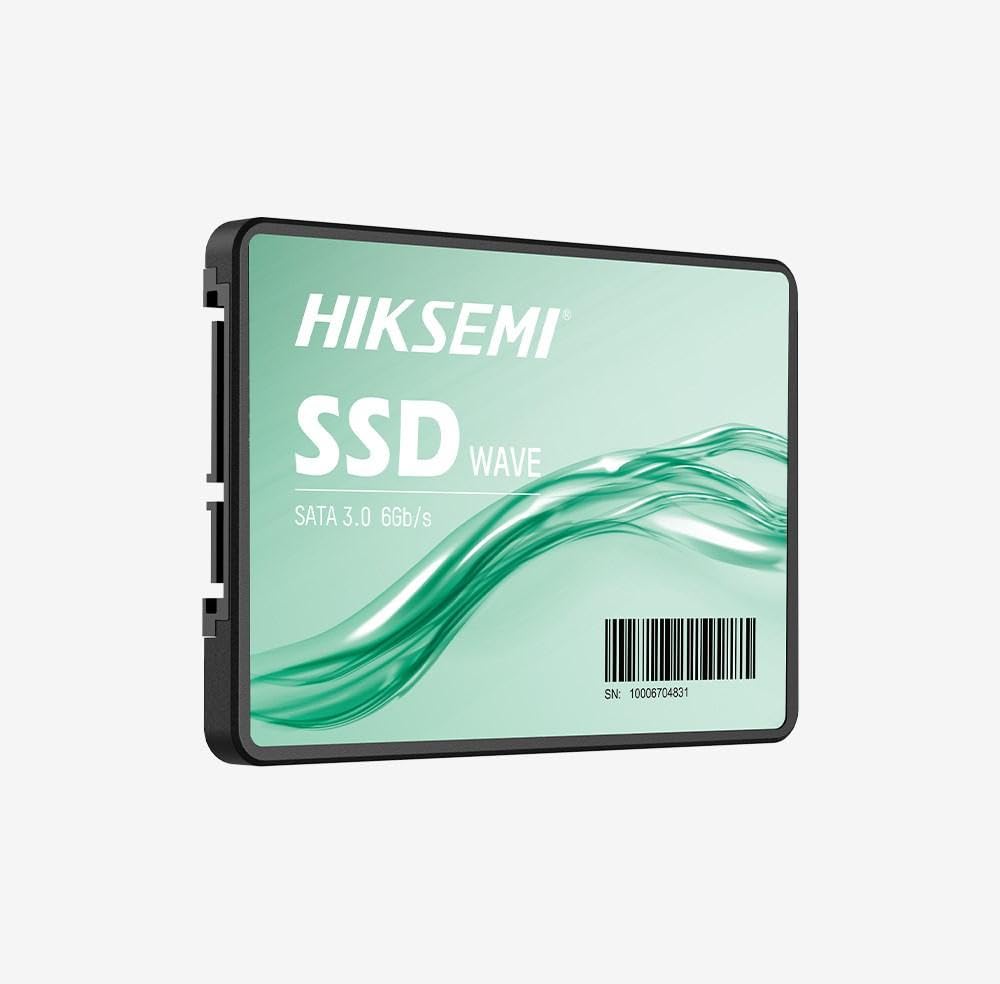
Image: HIKSEMI Hikvision Wave SATA 3.0 512GB Solid State Drive. This image displays the compact 2.5-inch form factor of the SSD, highlighting its sleek design and standard SATA interface connectors.
안전 정보
Observe the following safety precautions to prevent damage to the drive or injury to yourself:
- Always handle the SSD by its edges to avoid touching the circuit board or connectors.
- 설치하기 전에 컴퓨터 전원이 꺼져 있고 전원 케이블이 뽑혀 있는지 확인하십시오.
- SSD를 다루기 전에 접지된 금속 물체를 만져 정전기를 방전시키십시오.
- SSD를 습기, 극한 온도 또는 강한 자기장에 노출시키지 마십시오.
- SSD를 분해하거나 개조하지 마십시오. 그렇게 하면 보증이 무효화됩니다.
패키지 내용
패키지에 모든 품목이 들어 있는지 확인하세요.
- HIKSEMI Hikvision Wave SATA 3.0 512GB Solid State Drive (HS-SSD-WAVE-S-512G)
- 빠른 시작 가이드(포함된 경우)
Note: SATA data and power cables are typically not included and must be purchased separately if not already present in your system.
설정 및 설치
1. Physical Installation (Desktop PC)
- 시스템을 준비하세요: 컴퓨터 전원을 끄고 전원 코드를 뽑으세요. 컴퓨터 케이스를 여세요.
- 드라이브 베이 찾기: Find an available 2.5-inch drive bay. If only 3.5-inch bays are available, you may need a 2.5-inch to 3.5-inch adapter bracket (not included).
- SSD를 마운트하세요: Secure the SSD into the drive bay using screws.
- 케이블 연결 :
- SATA 데이터 케이블의 한쪽 끝을 SSD에 연결하고 다른 쪽 끝을 마더보드의 사용 가능한 SATA 포트에 연결합니다.
- 파워서플라이(PSU)에서 SSD로 SATA 전원 케이블을 연결하세요.
- 케이스 종료: Reassemble your computer case and reconnect the power cord.
2. Physical Installation (Laptop)
- Prepare your laptop: Power off your laptop, unplug the power adapter, and remove the battery (if removable). Consult your laptop's manual for specific instructions on accessing the drive bay.
- Remove old drive (if applicable): 기존 하드 드라이브 또는 SSD를 조심스럽게 제거하십시오.
- SSD 설치: Insert the HIKSEMI Wave SSD into the drive bay. Secure it with any screws or brackets that held the previous drive.
- 재조립: Close the drive bay cover, reinsert the battery, and reconnect the power adapter.
3. Initializing and Formatting the SSD (Windows)
- 컴퓨터를 부팅하세요: 컴퓨터의 전원을 켭니다.
- 디스크 관리 열기: Right-click on the Start button (Windows 10/11) or search for "Disk Management" (Windows 7/8). Select "Disk Management".
- Initialize the disk: A "Initialize Disk" window should appear automatically for new drives. Select GPT(GUID 파티션 테이블) for drives larger than 2TB or for UEFI-based systems, or MBR(마스터 부트 레코드) for older systems or drives 2TB or smaller. Click "OK".
- 새로운 단순 볼륨을 생성합니다: Locate your new SSD (it will likely show as "Unallocated Space"). Right-click on the unallocated space and select "New Simple Volume...".
- Follow the wizard: Follow the on-screen prompts to assign a drive letter, choose a file 시스템(Windows에서는 NTFS를 권장)을 선택하고 빠른 포맷을 수행합니다.
- Your SSD is now ready for use.
SSD 작동 방법
Once installed and formatted, your HIKSEMI Wave SSD functions like any other storage drive. You can use it for:
- 운영 체제 설치: Install your operating system (Windows, macOS, Linux) for faster boot times and overall system responsiveness.
- 애플리케이션 저장소: Install frequently used applications and games to benefit from quicker loading times.
- 데이터 저장: 문서, 사진, 비디오 및 기타 파일을 저장하세요. files.
The SSD utilizes the SATA 3.0 interface, providing theoretical transfer speeds up to 6 Gbps. Actual performance may vary based on your system hardware, software, and workload.
유지
SSDs require less maintenance than traditional hard drives, but a few practices can help ensure optimal performance and longevity:
- TRIM 활성화: Ensure your operating system has TRIM enabled. TRIM helps the SSD manage deleted data blocks efficiently, maintaining performance over time. Modern operating systems (Windows 7+, macOS 10.6.8+, most Linux distributions) typically enable TRIM by default.
- 조각 모음을 피하세요: Do not defragment an SSD. Defragmentation is unnecessary for SSDs and can reduce their lifespan by increasing write cycles.
- 펌웨어 업데이트: Periodically check the HIKSEMI official website for firmware updates for your specific SSD model. Firmware updates can improve performance, stability, and compatibility. Follow the manufacturer's instructions carefully when performing updates.
- 여유 공간을 유지하세요: While not strictly necessary, keeping some free space (e.g., 10-15%) on your SSD can help maintain performance, especially for drives with smaller capacities.
- 데이터 백업: 중요 데이터는 정기적으로 다른 저장 장치에 백업하십시오. SSD는 안정적이지만, 어떤 저장 장치도 고장에서 완전히 자유로울 수는 없습니다.
문제 해결
If you encounter issues with your HIKSEMI Wave SSD, refer to the following common troubleshooting steps:
- SSD가 감지되지 않음:
- SATA 데이터 및 전원 케이블의 연결 상태를 모두 확인하십시오. 케이블이 단단히 고정되어 있는지 확인하십시오.
- Try a different SATA port on your motherboard and a different SATA power connector from your PSU.
- Verify that the SATA controller mode in your system's BIOS/UEFI is set to AHCI (Advanced Host Controller Interface).
- Check Disk Management (Windows) or Disk Utility (macOS) to see if the drive is detected but uninitialized/unformatted.
- 느린 성능:
- Ensure TRIM is enabled (as described in the Maintenance section).
- Verify that the SSD is connected to a SATA 3.0 (6 Gbps) port on your motherboard, not an older SATA 2.0 (3 Gbps) port.
- 시스템 리소스를 소비하는 백그라운드 프로세스를 확인하세요.
- Ensure your system drivers (especially chipset drivers) are up to date.
- Operating System Errors/Crashes:
- 디스크 검사 유틸리티를 실행하세요(예:
chkdskin Windows) to scan for file 시스템 오류. - Consider reinstalling the operating system if issues persist after checking hardware connections and drivers.
- 디스크 검사 유틸리티를 실행하세요(예:
명세서
| 특징 | 사양 |
|---|---|
| 모델 번호 | HS-SSD-WAVE-S-512G |
| 디지털 저장 용량 | 512GB (XNUMX기가바이트) |
| 하드 디스크 인터페이스 | Serial ATA (SATA 3.0) |
| 폼 팩터 | 2.5 인치 |
| 읽기 속도(최대) | 초당 560메가바이트 |
| 쓰기 속도(최대) | 초당 490메가바이트 |
| 호환 장치 | 데스크탑, 노트북 |
| 특징 | 가벼움 |
| 품목 무게 | 0.02 킬로그램 |
| 제조업체 | 항주 Hikvision 디지털 기술 유한 회사 |
보증 정보
The HIKSEMI Hikvision Wave SATA 3.0 512GB Solid State Drive comes with a 3년 한정 보증 from the date of purchase. This warranty covers defects in materials and workmanship under normal use. It does not cover damage caused by misuse, accident, modification, unauthorized repair, or improper installation.
보증 청구를 위해 구매 증명서를 보관하십시오.
고객 지원
For technical assistance, warranty claims, or further inquiries, please visit the official HIKSEMI support web사이트 또는 고객 서비스 부서에 문의하세요. 제품 포장 또는 공식 web최신 연락처 정보는 사이트에서 확인하세요.
Online resources may include FAQs, driver downloads, and firmware updates.
폐기 정보
This product contains electronic components and should not be disposed of with household waste. Please follow local regulations for the proper disposal of electronic waste. Recycling helps protect the environment and human health.