
소개
The Dyson Solarcycle Morph Desk Lamp is engineered to intelligently track your local daylight, transforming and adjusting its light output to provide optimal illumination throughout the day. This advanced LED lamp offers versatile lighting modes and is controlled via the Dyson Link app, adapting to your environment and personal preferences.
주요 특징은 다음과 같습니다.
- Task light: Focused illumination for detailed work.
- Indirect light: 은은하고 부드러운 조명으로 편안한 분위기를 연출합니다.
- Feature light: Highlights architectural features or artwork.
- 주변광: Reduces eye strain and creates a comfortable environment.
- Magnetic touch-glide docking for seamless transitions.
- Control via the Dyson Link app for personalized settings and daylight tracking.
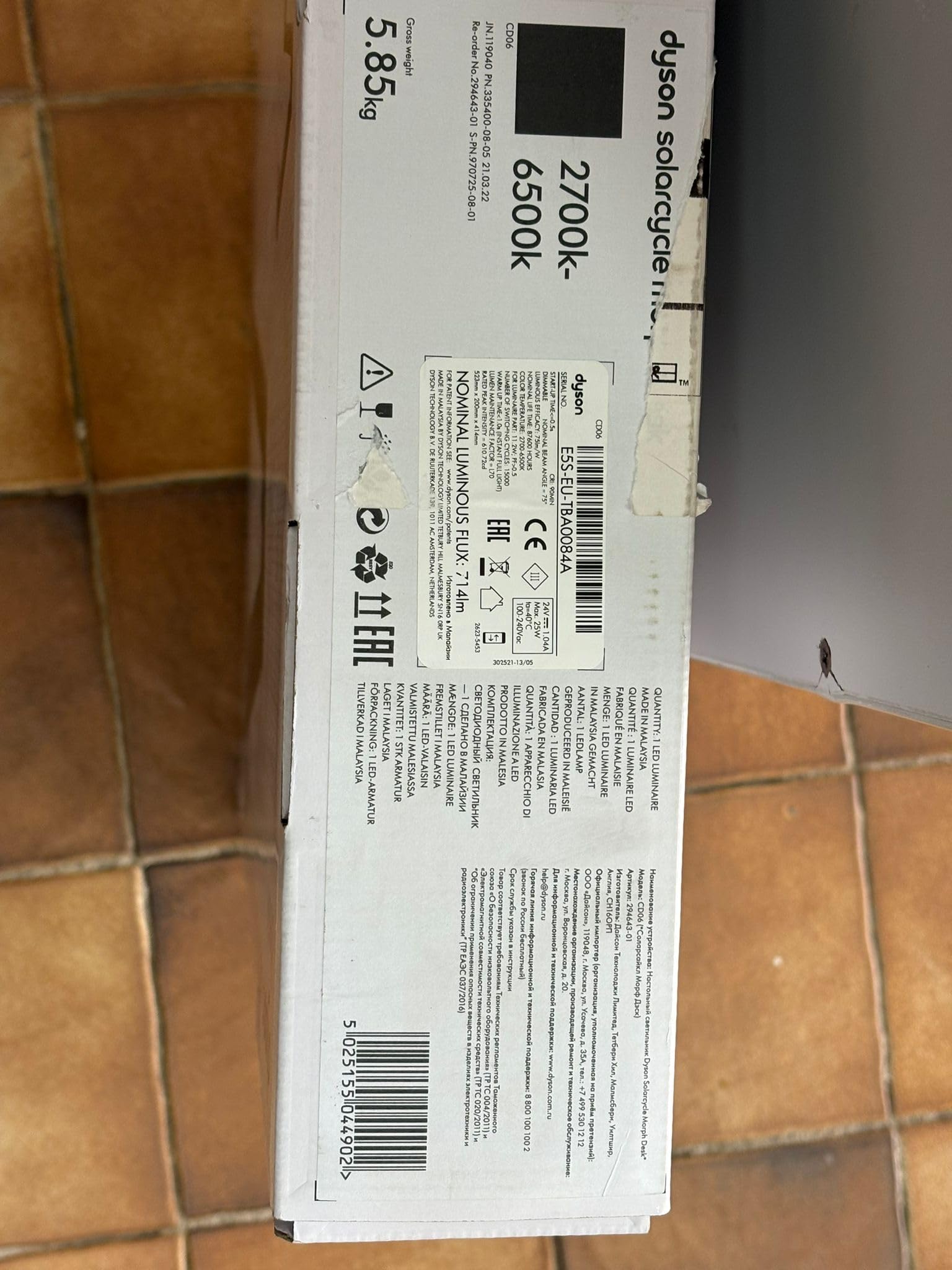
Image: The Dyson Solarcycle Morph Desk Lamp, illustrating its sleek design and adjustable components.
상자 안에 무엇이 들어있나요?
Carefully unpack all components from the packaging. Ensure all items are present before proceeding with setup.
- Dyson Solarcycle Morph Desk Lamp 단위
- 전원공급장치
- 사용 설명서 및 보증 정보
설정
- 놓기: l 위치amp on a stable, flat surface. Ensure there is adequate space for the lamp's adjustable arm to move freely.
- 전원 연결: Connect the power supply unit to the lamp's power input port. Plug the power supply into a suitable electrical outlet (100-240V compatible).
- 초기 전원 켜기: 난amp should illuminate upon connection to power. If not, press the power button located on the lamp 머리.
- Dyson Link App Setup:
- Download the Dyson Link app from your device's app store.
- 앱을 열고 화면의 지시에 따라 계정을 만들거나 로그인하세요.
- Select 'Add Machine' and choose the Dyson Solarcycle Morph Desk Lamp.
- Follow the app's pairing instructions to connect your lamp via Bluetooth. This enables intelligent daylight tracking and advanced control features.

이미지: 앞면 view l의amp, ready for placement and power connection.
작동 지침
수동 제어
- 전원 버튼: 를 눌러 l을 돌립니다.amp 켜기 또는 끄기.
- 밝기 조절: l의 터치 감지 컨트롤을 사용하세요amp head to adjust light intensity.
- 색온도 제어: Adjust the light's color temperature (from 2700K warm white to 6500K cool white) using the dedicated controls.
- Magnetic Touch-Glide Docking: 난amp head can be magnetically docked to the stem for ambient light mode, or undocked and adjusted for task, indirect, or feature lighting.
Dyson Link App Controls
The Dyson Link app unlocks the full potential of your Solarcycle Morph lamp:
- Daylight Tracking: 난amp intelligently adjusts its brightness and color temperature based on your local daylight conditions, providing consistent illumination.
- 개인 설정: Customize light modes, brightness, and color temperature to suit your activities and preferences.
- 일정: Set schedules for your lamp to turn on/off or change modes automatically.
- 수면 모드 : Gradually dims the light to help prepare for sleep.
- 외출 모드 : Randomly turns the light on and off to simulate occupancy when you are away.

이미지: 측면 view l의amp demonstrating its flexible articulation for various lighting positions.
유지
The Dyson Solarcycle Morph Desk Lamp is designed for minimal maintenance. The integrated LEDs have an exceptionally long lifespan of approximately 181,000 hours.
- 청소: l을 청소하려면amp, ensure it is unplugged from the power outlet. Use a soft, dry, lint-free cloth to wipe down surfaces. Do not use abrasive cleaners, solvents, or harsh chemicals, as these can damage the finish.
- 먼지 제거: Gently remove any dust from the light head and arm using a soft brush or a dry cloth.
문제 해결
Lamp 켜지지 않음
- Check if the power supply is securely plugged into both the lamp 그리고 벽면 콘센트.
- 다른 장치로 테스트하여 벽면 콘센트가 작동하는지 확인하세요.
- l의 전원 버튼을 누르세요.amp head firmly.
앱 연결 문제
- 모바일 장치에서 Bluetooth가 활성화되어 있는지 확인하십시오.
- 당신의 l을 확인하십시오amp is within range of your mobile device.
- Restart the Dyson Link app.
- 모바일 기기를 재시작해 보세요.
- If issues persist, try unpairing and re-pairing the lamp 앱 설정을 통해서.
Light Flickering or Incorrect Output
- l을 확인하세요amp is receiving stable power. Avoid connecting to outlets with other high-power devices.
- Check for any physical obstructions around the light sensor if daylight tracking is enabled.
- Perform a soft reset by unplugging the lamp for 30 seconds and then plugging it back in.
명세서
| 특징 | 사양 |
|---|---|
| 모델 번호 | Dyson Solarcycle Morph |
| Product Dimensions (HxLxW) | 523 x 414.4 x 200.2mm(높이 20.59인치 x 깊이 16.31인치 x 너비 7.88인치) |
| 품목 무게 | 3.5kg |
| 광원 유형 | 주도의 |
| 색온도 범위 | 2700K - 6500K (undocked), 1800K - 3400K (docked) |
| 광 출력 | 850 lm |
| 정격 전력 | 11.2와트 |
| 입력 Voltage | 100-240V(전기) |
| 빈도 | 50/60Hz |
| LED 수명 | 181,000시간 |
| 제어 방법 | App (Dyson Link), Push Button |
| 연결 프로토콜 | 블루투스 |
| 재료 유형 | 알류미늄 |
| 그늘 소재 | 금속 |
| 색상 | 검은색 |

이미지: 후면 view l의amp, showing the minimalist design and power connection area.
보증 정보
Dyson products typically come with a manufacturer's warranty. Please refer to the warranty card included with your product for specific terms and conditions. You can also find detailed warranty information and product registration options on the official Dyson web대지.
지원하다
For further assistance, product registration, or to contact customer support, please visit the official Dyson support web사이트에서 FAQ와 추가 자료를 찾아보실 수도 있습니다.
다이슨 공식 스토어: Amazon의 Dyson Store를 방문하세요