
1. 제품 오버view
The Samsung Galaxy Tab S9 is a powerful and versatile Android tablet designed for both productivity and entertainment. Featuring a durable design, a vibrant AMOLED screen, and advanced AI capabilities, it's built to enhance your daily digital experience.
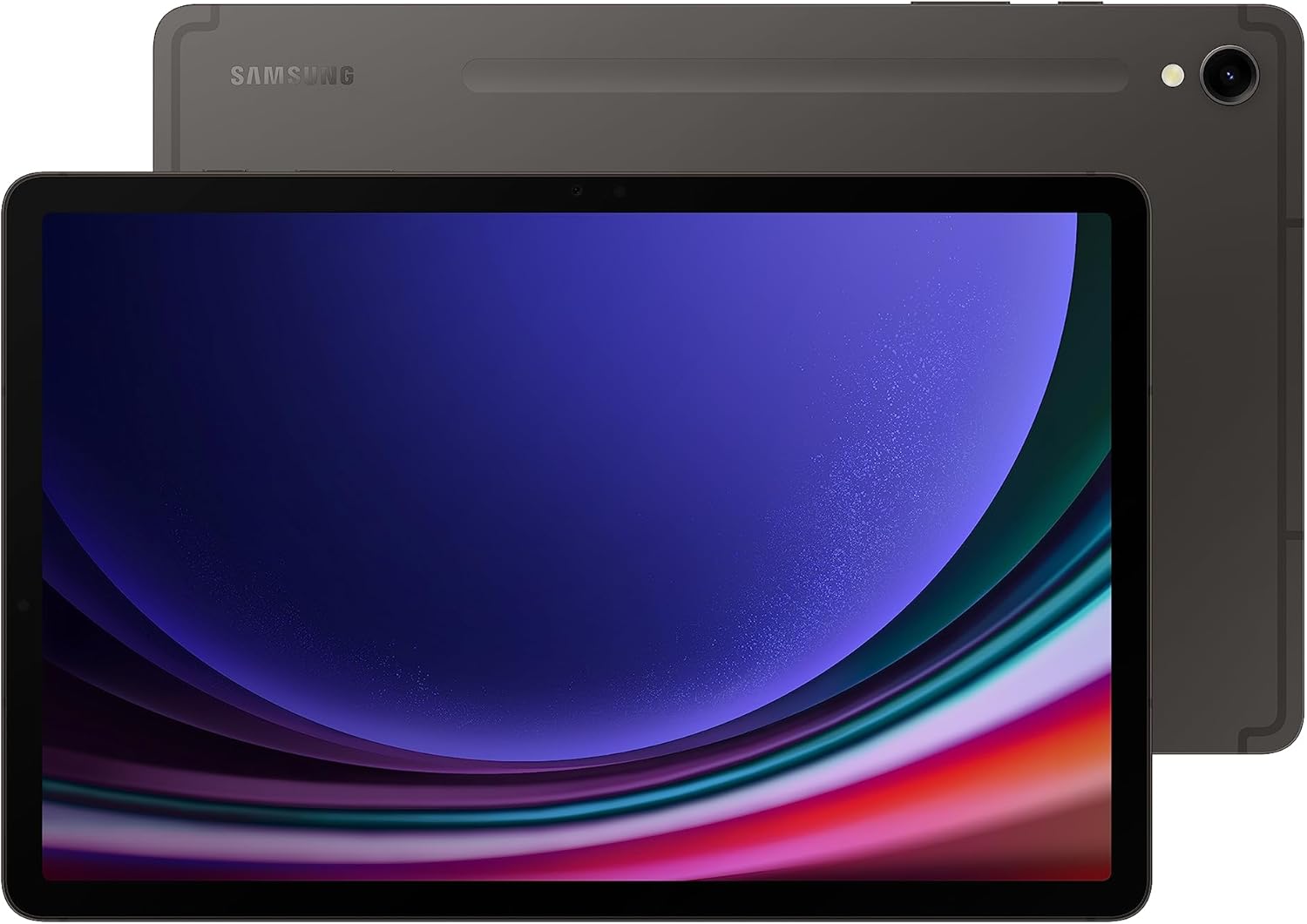
그림 1: 앞면과 뒷면 view of the Samsung Galaxy Tab S9.
2. 설정
2.1 상자 내용물
- Galaxy Tab S9+ (Tablet)
- S펜
- 배출핀
- 데이터 케이블(USB-C)

Figure 2: Included items in the Galaxy Tab S9 packaging.
2.2 Initial Power-On and S Pen Setup
- Press and hold the Power button located on the side of the tablet until the Samsung Galaxy logo appears.
- 화면 안내에 따라 언어를 선택하고, Wi-Fi 네트워크에 연결한 다음, Google 및 Samsung 계정에 로그인하세요.
- The included S Pen can be attached magnetically to the back of the tablet for charging and storage. Ensure it is properly seated to pair and charge.
3. 사용 설명서
3.1 디스플레이 및 시각적 경험
The Galaxy Tab S9 features an 11-inch Dynamic AMOLED 2X screen with a resolution of 2560 x 1600 pixels. The Vision Booster technology automatically adjusts brightness and contrast for optimal view다양한 조명 조건에서 작동합니다.

Figure 3: Display dimensions of the Samsung Galaxy Tab S9.
3.2 성능 및 멀티태스킹
Equipped with a superfast Snapdragon 8 Gen 2 processor, the tablet delivers powerful performance for all your tasks, from demanding games to creative projects. It supports seamless multitasking and smooth operation.
DeX Mode
Transform your tablet into a PC-like experience with DeX Mode. This feature allows you to multitask with multiple windows and folders, work from a taskbar, and easily drag and drop files. A compatible keyboard cover (sold separately) can further enhance this experience.

Figure 4: Galaxy Tab S9 in DeX Mode with an optional keyboard cover.
3.3 갤럭시 AI 기능
The Galaxy Tab S9 integrates advanced AI features to streamline your workflow and creativity:
- 검색하려면 동그라미를 치세요: 검색 anything on your screen by simply circling it, without switching apps.
- 대본 지원: Automatically transcribe and summarize recorded lectures and meetings.
- 노트 지원: Format your notes into clear summaries and organize them instantly.
- 사진 지원: Effortlessly edit and enhance your photos, including relocating objects.

그림 5: 이상view of Galaxy AI capabilities on the Tab S9.
3.4 카메라 및 오디오
The tablet features a high-resolution front camera with Auto-Focus for clear video calls. Quad speakers with Dolby Atmos surround sound provide rich and immersive audio.
4. 유지관리
4.1 내구성 및 보호
The Galaxy Tab S9 is built with an Armor Aluminum frame, providing protection against bumps. It also boasts an IP68 rating, making it resistant to dust and water. For optimal protection, consider using a protective case.

Figure 6: The durable Armor Aluminum back of the tablet.
4.2 배터리 관리
To maximize battery lifespan, avoid extreme temperatures and prolonged exposure to direct sunlight. Utilize Super Fast Charging for quick power-ups when needed.
5. 문제 해결
5.1 일반 문제
- 장치가 응답하지 않음: 태블릿이 반응하지 않으면 전원 버튼과 볼륨 낮추기 버튼을 동시에 약 7초간 길게 눌러 강제로 다시 시작하세요.
- 앱 충돌: 설정 > 앱에서 문제가 있는 앱의 캐시와 데이터를 삭제하세요. 문제가 지속되면 앱을 다시 설치하세요.
- 느린 성능: Close unused apps, clear device cache, and ensure sufficient storage space. Consider performing a factory reset as a last resort (back up your data first).
5.2 연결 문제
- Wi-Fi 연결 문제: Wi-Fi 공유기와 태블릿을 재시작하세요. 태블릿 설정에서 네트워크를 삭제한 후 다시 연결하세요.
- 블루투스 페어링 문제: Ensure both devices are in pairing mode and within range. Restart Bluetooth on both devices.
6. 사양
| 특징 | 세부 사항 |
|---|---|
| 상표 | 삼성 |
| 모델명 | S9 |
| 품목 모델 번호 | SM-X710NZAAXAR |
| 운영 체제 | 안드로이드 13 |
| 스탠딩 스크린 디스플레이 크기 | 11 인치 |
| 화면 해상도 | 2560 x 1600 픽셀 |
| 최대 화면 해상도 | 2560 x 1600 픽셀 |
| 프로세서 | 3.36 GHz (Qualcomm Snapdragon 8 Gen 2) |
| 메모리 저장 용량 | 128GB (XNUMX기가바이트) |
| 무선형 | 802.11ax (Wi-Fi 7 호환) |
| 평균 배터리 수명(시간) | 18시간 |
| 품목 무게 | 1.65파운드 |
| 제품 치수 | 0.83 x 7.26 x 10.78 인치 |
| 색상 | 석묵 |
| 뒤쪽 Web캠 해상도 | 12 MP |
| 전원 | 배터리 구동 |
| SD 카드 슬롯 | 사용할 수 없음 |
| 이어폰 잭 | 사용할 수 없음 |
7. 보증 및 지원
The Samsung Galaxy Tab S9 comes with a standard manufacturer's warranty. For specific warranty details, terms, and conditions, please refer to the documentation included with your product or visit the official Samsung support web대지.
For additional protection plans, such as Samsung Care+, please check the product listing or Samsung's official channels.
For further assistance, troubleshooting, or to access support resources, please visit the 아마존 삼성 스토어 또는 삼성 공식 지원 센터에 문의하세요. web대지.