
1. 서론
Thank you for choosing the LD Systems MAUI 28 G3 Compact Cardioid Column PA System. This system is designed to deliver powerful, clear, and precise sound for a variety of applications, including live music, DJ sets, and public address. Its compact design and advanced acoustic features make it an ideal solution for professionals seeking high-quality audio performance and ease of use.
This manual provides essential information for the safe and efficient operation of your MAUI 28 G3 system. Please read it thoroughly before initial use and keep it for future reference.
2. 안전 지침
감전, 화재 또는 제품 손상을 방지하기 위해 다음 안전 수칙을 준수하십시오.
- 전원: 지정된 용량의 AC 전원 콘센트에만 기기를 연결하십시오.tage.
- 접지: 감전을 방지하기 위해 장치가 제대로 접지되었는지 확인하십시오.
- 수분: 기기를 비나 습기에 노출시키지 마십시오. 기기 위에 액체가 담긴 물건을 올려놓지 마십시오.
- 통풍: 충분한 환기를 유지하세요. 환기구를 막지 마세요.
- 열: 제품을 열원 근처나 직사광선이 비치는 곳에 두지 마십시오.
- 서비스: 직접 기기를 수리하려고 하지 마십시오. 모든 수리는 자격을 갖춘 기술자에게 맡기십시오.
- 케이블 : 전원 코드가 밟히거나 끼지 않도록 보호하세요.
- 안정: 넘어지는 것을 방지하기 위해 시스템을 안정적이고 수평인 표면에 놓으세요.
3. 패키지 내용
패키지에 모든 구성품이 들어 있는지 확인하세요.
- 1 x MAUI 28 G3 Subwoofer
- 2 x MAUI 28 G3 Column Elements
- 1 x 전원 케이블
- 1 x 사용자 매뉴얼(이 문서)
4. 제품 오버view
The MAUI 28 G3 system consists of a powerful subwoofer and two column elements that integrate seamlessly to form a compact and high-performance PA system.
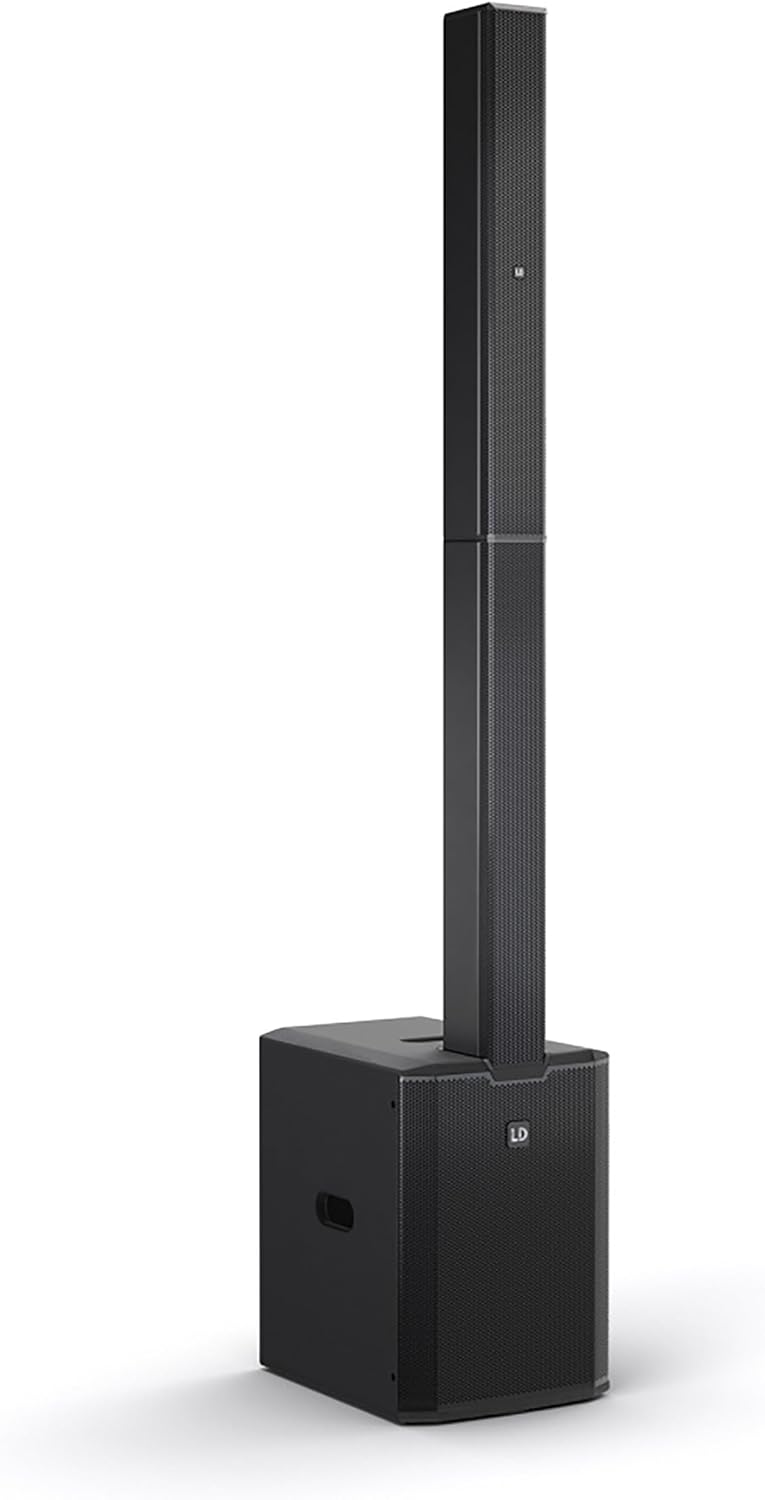
This image displays the complete LD Systems MAUI 28 G3 PA system, showing the subwoofer base with the two column elements securely mounted on top, forming a single, integrated unit.
4.1. 서브우퍼
서브우퍼에는 메인 스피커가 내장되어 있습니다. amplifier, power supply, and all input/output connections and controls. It provides robust bass frequencies for a full-range sound experience.

A direct, clear view of the MAUI 28 G3 subwoofer's control panel, detailing all labels for inputs, outputs, and adjustment knobs for main, sub, and cardioid settings.
Subwoofer Rear Panel Controls:
- MAIN Level: 시스템의 전체 출력 볼륨을 조정합니다.
- SUB Level: Adjusts the volume of the subwoofer independently.
- Cardioid ON/OFF: Activates or deactivates the cardioid dispersion mode for the subwoofer, reducing rearward sound radiation.
- Input L/R: XLR/TS combo jacks for connecting audio sources (e.g., mixer, instrument).
- THRU L/R: XLR outputs for linking to additional PA systems or monitors.
- 서브 아웃: XLR output for connecting an external subwoofer.
- 전원 스위치: 장치를 켜거나 끕니다.
- 전원 인렛: AC 전원 케이블을 연결하기 위한 것입니다.

An angled close-up of the subwoofer's rear panel, showing the various input and output connectors, level controls, and mode switches.
4.2. Column Elements
The two column elements contain 12 x 3.5-inch midrange drivers and 2 x 1-inch tweeters, designed for even sound distribution and constant horizontal dispersion. They connect directly to the subwoofer.

자세한 view of the protective metal grille covering the speakers within one of the MAUI 28 G3 column elements.

A close-up image of the base of a column element, highlighting the multi-pin connector and alignment pins used to secure it to the subwoofer or another column element.
5. 설정
Follow these steps to assemble and connect your MAUI 28 G3 system:
- 구성 요소 풀기: 모든 구성품을 포장에서 조심스럽게 꺼내세요.
- 서브우퍼 위치: Place the subwoofer on a stable, level surface in your desired location.
- Assemble Column Elements:
- Take the first column element and align its base connector with the top connector of the subwoofer. Gently push down until it clicks into place.
- Take the second column element and align its base connector with the top connector of the first column element. Gently push down until it clicks into place.
- 오디오 소스 연결: Connect your mixer, instrument, or other audio source to the Input L/R XLR/TS combo jacks on the subwoofer's rear panel.
- 전원 연결: Plug the supplied power cable into the power inlet on the subwoofer and then into a suitable AC power outlet.

The subwoofer and the two column elements are shown individually, positioned to demonstrate how they connect to form the complete PA system.

This image illustrates the three main components of the MAUI 28 G3 system: the subwoofer base and the two distinct column elements, shown detached and ready for assembly.
6. 운영
- 전원 켜기: Ensure all connections are secure, then switch the power button on the subwoofer to the 'ON' position.
- 레벨 조정: 로 시작하세요 MAIN Level 그리고 서브 레벨 knobs set to their minimum positions. Gradually increase the MAIN Level to your desired overall volume. Adjust the 서브 레벨 to balance the bass frequencies with the rest of the sound.
- 카디오이드 모드: If you wish to reduce sound radiation behind the subwoofer, activate the Cardioid ON switch. This can help minimize stage rumble and improve sound clarity in certain environments.
- Monitoring/Linking: 사용하세요 L/R을 통해 outputs to send the audio signal to additional PA systems or stage monitors if required. The 서브 아웃 can be used to connect an external subwoofer for enhanced bass.
- 전원 끄기 : Before disconnecting power, turn down all level controls to minimum, then switch the power button to 'OFF'.
7. 유지관리
- 청소: Use a soft, dry cloth to clean the exterior surfaces of the system. Do not use abrasive cleaners or solvents.
- 저장: When not in use, store the system in a dry, dust-free environment. If transporting, use appropriate protective covers or cases.
- 점검: 주기적으로 모든 케이블과 커넥터에 마모 또는 손상 흔적이 있는지 점검하십시오.
8. 문제 해결
| 문제 | 가능한 원인 | 해결책 |
|---|---|---|
| 전원이 없습니다 | Power cable disconnected; Power outlet faulty; Unit switched off | Check power cable connection; Test power outlet; Ensure power switch is ON |
| 사운드 출력이 없습니다 | Input cables disconnected; Volume levels too low; Source device not playing | Check all audio cable connections; Increase MAIN/SUB levels; Verify audio source is active |
| 왜곡된 소리 | Input signal too high; Volume levels too high; Faulty cable | Reduce input signal level from source; Lower MAIN/SUB levels; Try a different audio cable |
| 서브우퍼가 작동하지 않음 | SUB Level too low; Cardioid mode affecting perception | Increase SUB Level; Test with Cardioid mode OFF |
9. 사양
| 특징 | 세부 사항 |
|---|---|
| 모델 번호 | 마우이 28 G3 |
| 전원 | 코드식 전기 |
| 재료 | 알류미늄 |
| 품목 무게 | 60 파운드 |
| 채널 수 | 2 |
| 오디오 입력 | XLR/TS, 1/4'' (for line-level sources) |
| 연결 기술 | XLR |
| 색상 | 검은색 |
| 장착 유형 | 플러그 마운트 |
| 호환 장치 | Headphone, Keyboard, DVD Player, Headset, Guitar, Smartphone, Television, Drum, Tablet, Laptop, Piano, MP3 Player |
10. 보증 및 지원
LD Systems products are manufactured to high-quality standards and come with a manufacturer's warranty. For specific warranty terms and conditions, please refer to the warranty card included with your product or visit the official LD Systems web대지.
For technical support, service, or inquiries, please contact your authorized LD Systems dealer or visit the LD 시스템 web대지 연락처 정보는 다음과 같습니다.