
1. 서론
구매해주셔서 감사합니다asing the Hoco BS55 Wireless Outdoor Speaker. This manual provides important information regarding the setup, operation, and maintenance of your speaker. Please read it carefully before using the product to ensure proper function and to extend its lifespan. Keep this manual for future reference.
2. 제품 오버view
2.1 패키지 내용
- Hoco BS55 Wireless Outdoor Speaker
- 충전 케이블
- 오디오 케이블(AUX)
- Wired Microphone (may vary by package)
- 사용 설명서
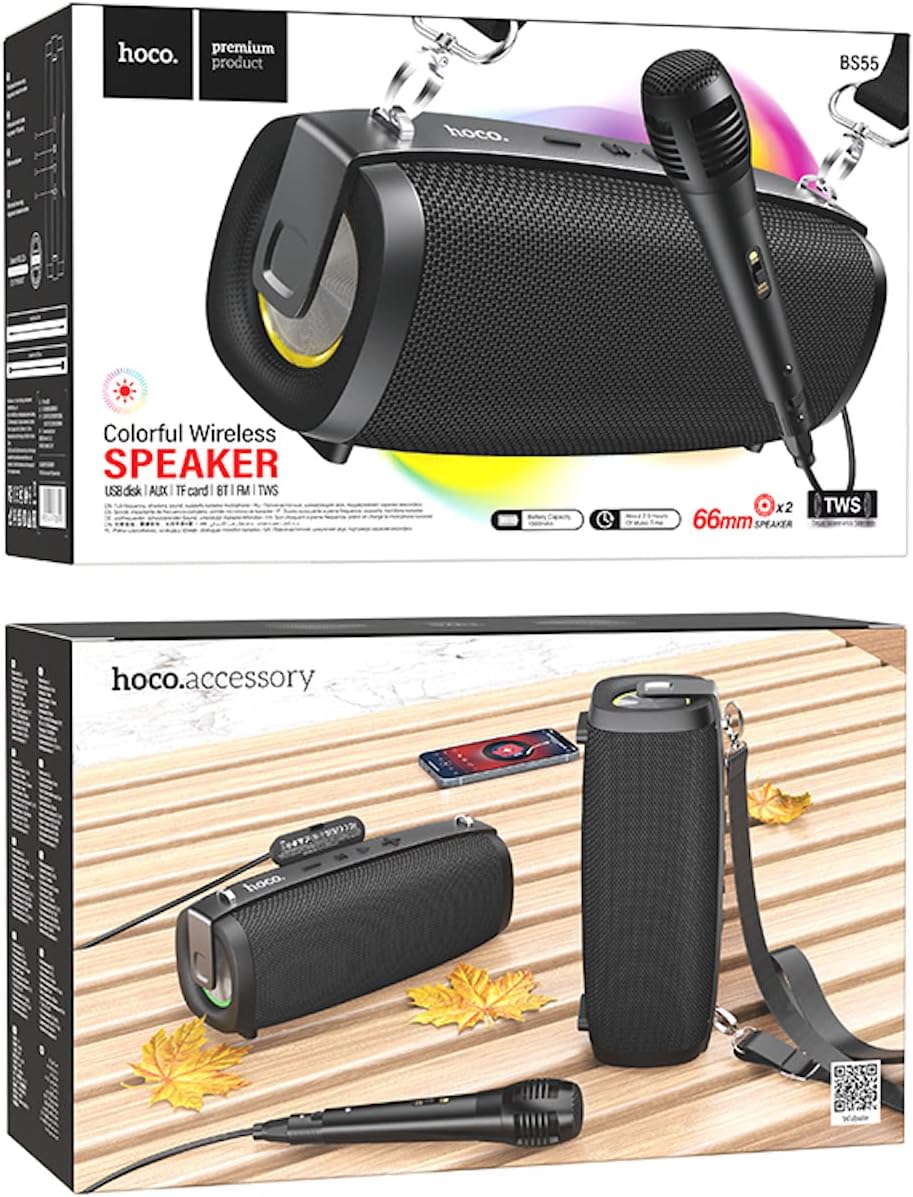
Image: Hoco BS55 Speaker packaging, illustrating the speaker, a wired microphone, and connecting cables.
2.2 스피커 구성 요소 및 컨트롤

Image: The Hoco BS55 speaker, highlighting its control panel with buttons and various input ports.
- 전원 버튼: Press and hold to turn the speaker ON/OFF. Short press to switch between modes.
- '-' 버튼: 짧게 누르면 이전 트랙으로 돌아갑니다. 길게 누르면 볼륨이 감소합니다.
- 'M'(모드) 버튼: Short press to cycle through input modes (Bluetooth, FM Radio, TF Card, AUX, USB).
- '>' (Play/Pause) Button: 음악을 재생하거나 일시 중지하려면 짧게 누릅니다.
- '+' 버튼: 짧게 누르면 다음 트랙으로, 길게 누르면 볼륨이 커집니다.
- USB 포트: USB 플래시 드라이브 재생용입니다.
- TF 카드 슬롯 : TF(MicroSD) 카드 재생용.
- 보조 입력: 3.5mm 오디오 케이블을 통해 외부 오디오 장치를 연결합니다.
- 마이크 입력: 유선 마이크 연결용입니다.
- 충전 포트: 스피커의 내장 배터리를 충전합니다.
3. 설정
3.1 스피커 충전
Before first use, fully charge the speaker. Connect the charging cable to the speaker's charging port and the other end to a USB power adapter (not included) or a computer's USB port. The charging indicator light will illuminate during charging and turn off when fully charged. Charging time is approximately 2 hours.
3.2 전원 켜기/끄기
를 누르고 계세요 전원 버튼 for a few seconds to turn the speaker ON. You will hear an audible prompt. To turn OFF, press and hold the 전원 버튼 다시.
4. 사용 설명서
4.1 블루투스 모드
- 스피커를 켜세요. 그러면 자동으로 블루투스 페어링 모드로 진입하며, 표시등이 깜빡이고 음성 안내가 나옵니다.
- 모바일 기기(스마트폰, 태블릿 등)에서 Bluetooth를 활성화하세요.
- 검색 "Hoco BS55" in the list of available Bluetooth devices and select it to pair.
- 페어링이 성공적으로 완료되면 확인음이 들립니다. 이제 기기의 오디오를 스피커를 통해 재생할 수 있습니다.
- 사용하세요 '+' 그리고 '-' buttons for volume control, and the '>' button for play/pause. Short press '+' or '-' for next/previous track.
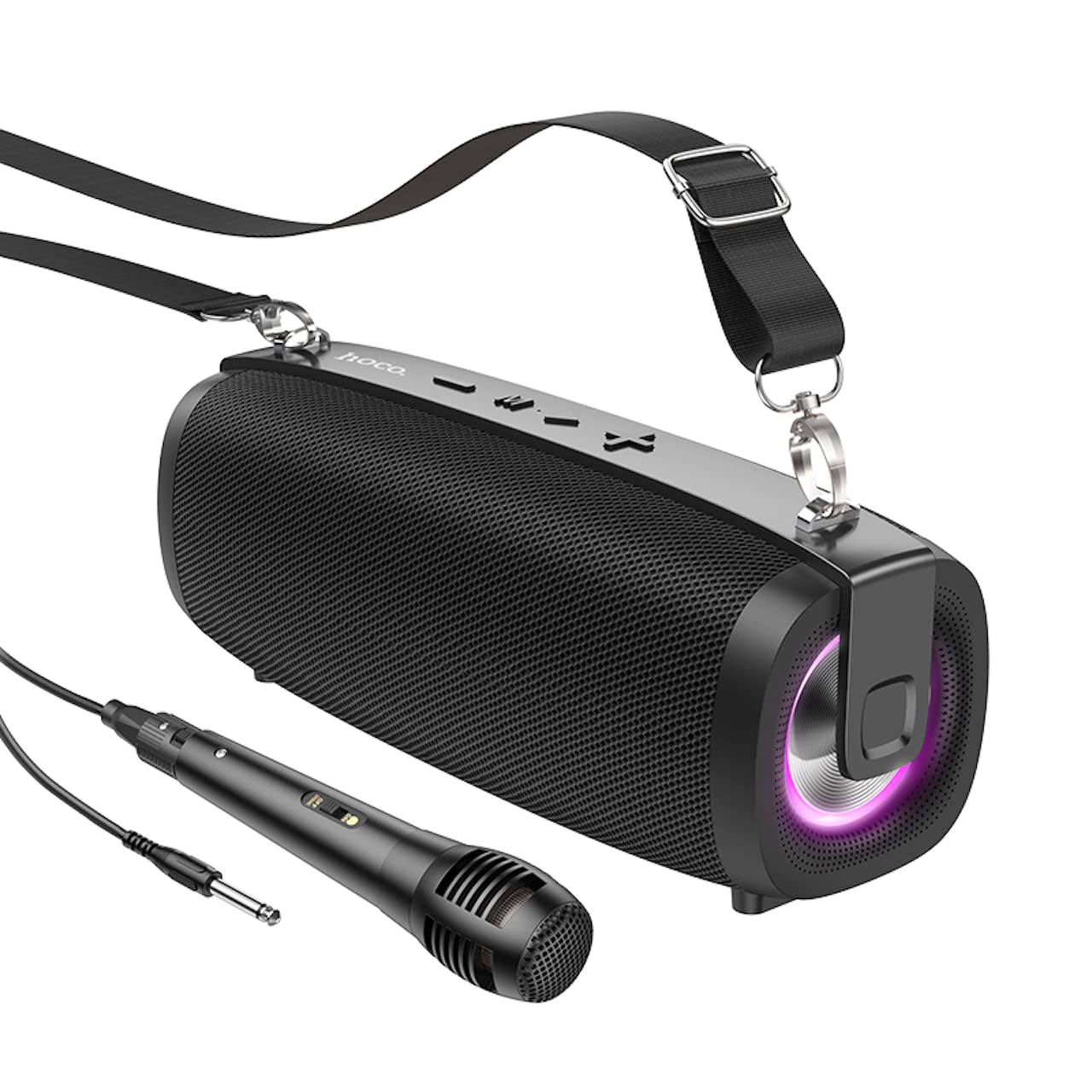
Image: The Hoco BS55 Wireless Outdoor Speaker, ready for use.
4.2 FM 라디오 모드
- 짧게 누르세요 'M'(모드) 버튼 until you hear the FM radio prompt.
- 사용 가능한 방송국을 자동 검색하고 저장하려면 길게 누르세요. '>' (Play/Pause) Button스피커는 자동으로 방송국을 검색하고 저장합니다.
- 짧게 누르세요 '+' or '-' buttons to switch between saved FM stations.
4.3 TF Card / USB Flash Disk Mode
- Insert a TF (MicroSD) card or a USB flash disk into the corresponding slot.
- The speaker will automatically switch to TF Card or USB mode and begin playing audio files. If it doesn't, short press the 'M'(모드) 버튼 올바른 모드를 선택하세요.
- 사용하세요 '+' 그리고 '-' buttons for volume control, and short press them for next/previous track. Use the '>' 재생/일시정지 버튼.
4.4 AUX 입력 모드
- Connect one end of the 3.5mm audio cable to the speaker's AUX input port and the other end to the audio output of your external device (e.g., MP3 player, computer).
- 짧게 누르세요 'M'(모드) 버튼 until you hear the AUX mode prompt.
- Control playback and volume primarily from your external device. The speaker's volume buttons will also function.
4.5 TWS(True Wireless Stereo) 기능
The TWS function allows you to pair two Hoco BS55 speakers together for a stereo sound experience.
- Ensure both BS55 speakers are turned ON and are not connected to any Bluetooth device.
- 스피커 중 하나(기본 스피커)에서 길게 누르세요. 'M'(모드) 버튼 페어링 음이 들릴 때까지.
- The two speakers will automatically search and pair with each other. Once connected, you will hear a confirmation sound.
- 이제 4.1절에 설명된 대로 블루투스를 통해 모바일 기기를 메인 스피커에 연결하세요. 두 스피커에서 스테레오로 오디오가 재생됩니다.
4.6 유선 마이크 사용법
If your package includes a wired microphone, connect it to the speaker's dedicated microphone input port. The speaker will automatically detect the microphone. Adjust the volume as needed using the speaker's volume controls or your connected device.
5. 유지관리
- 청소: 부드럽고 마른 천으로 스피커를 닦으세요. 연마성 세제나 용제는 사용하지 마세요.
- 저장: 스피커는 직사광선과 극한의 온도를 피해 시원하고 건조한 곳에 보관하세요.
- 배터리 관리 : 배터리 수명을 연장하려면 사용하지 않을 때에도 스피커를 정기적으로 충전하십시오. 배터리를 자주 완전히 방전시키지 마십시오.
- 방수 기능: The Hoco BS55 speaker is 방수가 안 됨. Avoid exposing it to water, rain, or excessive moisture to prevent damage.
- 충격 방지: 스피커를 떨어뜨리거나 강한 충격을 가하지 마십시오.
6. 문제 해결
| 문제 | 해결책 |
|---|---|
| 스피커가 켜지지 않습니다. | 스피커가 충전되어 있는지 확인하십시오. 전원에 연결한 후 다시 시도하십시오. |
| 소리가 나지 않습니다. | 스피커와 연결된 기기의 볼륨 레벨을 확인하세요. 올바른 입력 모드가 선택되었는지 확인하십시오. |
| 블루투스로 페어링할 수 없습니다. | 스피커가 블루투스 페어링 모드인지 확인하세요. 기기에서 블루투스를 껐다가 다시 켜세요. 스피커를 기기 가까이로 이동하세요. 스피커에 다른 기기가 연결되어 있지 않은지 확인하세요. |
| FM 라디오 수신 상태가 좋지 않습니다. | 스피커 위치를 조정해 보세요. 자동 스캔을 다시 실행해 보세요. |
| TWS 페어링이 실패합니다. | Ensure both speakers are not connected to any other Bluetooth device. Try restarting both speakers and repeating the TWS pairing process. |
7. 사양
| 특징 | 사양 |
|---|---|
| 모델 | BS55 |
| 치수(길이 x 너비 x 높이) | 202 x 89.5 x 71.4mm(20.2 x 7.1 x 9cm) |
| 무게 | 810g |
| 블루투스 버전 | 5.3 |
| 블루투스 칩 | JLAC6965E |
| 배터리 용량 | 1500mAh |
| 충전 시간 | 약 2시간 |
| 음악 재생 시간 | 최대 2.5시간 |
| 스피커 유닛 크기 | 66mm * 2 |
| 출력 전력 | 5W * 2 (총 10W) |
| 연결 옵션 | Bluetooth, FM Radio, TF Card, AUX, USB Flash Disk, TWS |
| 마이크 지원 | 유선 마이크 입력 |
| 방수성 | 방수가 안됨 |
| 색상 | 검은색 |
8. 보증 및 지원
Hoco products are designed and manufactured to the highest quality standards. For warranty information and customer support, please refer to the warranty card included with your purchase or contact your local Hoco distributor or retailer. Keep your proof of purchase for any warranty claims.