
호코 HC5
Hoco HC5 Cool Enjoy Sports Wireless Speaker User Manual
모델: HC5
소개
구매해주셔서 감사합니다asing the Hoco HC5 Cool Enjoy Sports Wireless Speaker. This manual provides important information regarding the setup, operation, and maintenance of your new speaker. Please read this manual thoroughly before using the product to ensure proper function and to extend its lifespan.
안전 정보
- 스피커를 극한의 온도, 직사광선 또는 높은 습도에 노출시키지 마세요.
- 스피커를 떨어뜨리거나 강한 충격을 주지 마십시오.
- 스피커를 직접 분해, 수리 또는 개조하지 마십시오. 자격을 갖춘 서비스 담당자에게 문의하십시오.
- 스피커를 물이나 기타 액체로부터 멀리 두십시오.
- 지정된 충전 케이블과 어댑터만 사용하세요.
- 부드럽고 마른 천으로 스피커를 닦으세요. 강한 화학 물질이나 연마성 세제는 사용하지 마세요.
패키지 내용

Image: Hoco HC5 speaker in its retail packaging, showing the speaker and its accessories.
포장 내용물을 꼼꼼히 확인해 주세요. 누락되었거나 손상된 품목이 있는 경우 판매점에 문의하세요.
- Hoco HC5 Wireless Speaker
- USB 충전 케이블
- AUX 케이블
- 어깨끈
- 사용 설명서 (본 문서)
제품 끝view
Familiarize yourself with the various parts and controls of your Hoco HC5 speaker.

이미지: 앞면 view of the Hoco HC5 speaker, showcasing its cylindrical design, speaker grilles, and attached shoulder strap.

이미지: 클로즈업 view of one end of the Hoco HC5 speaker, highlighting the speaker driver and the robust casing.
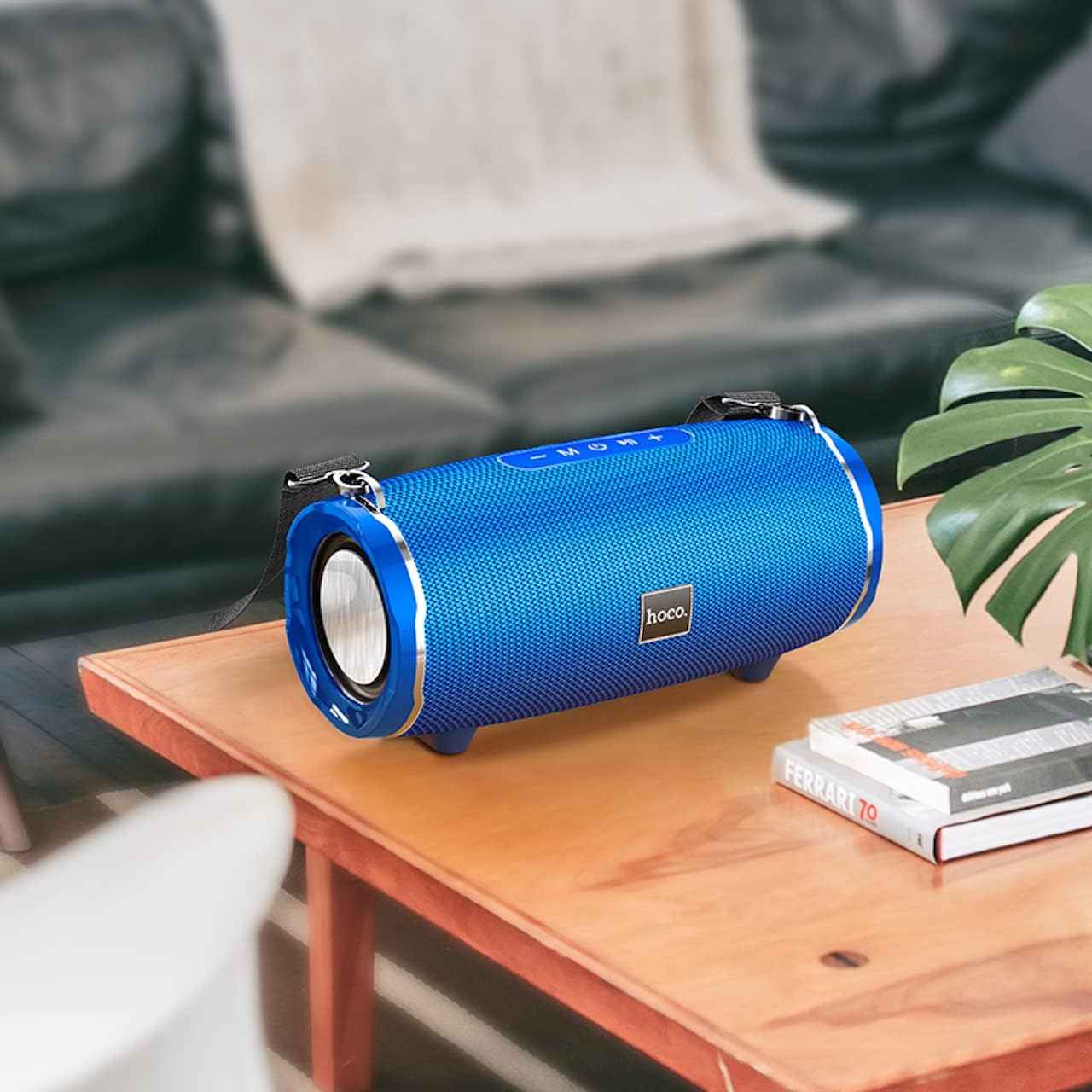
Image: The Hoco HC5 speaker placed on a wooden table, demonstrating its size and how it might appear in a home setting.
Control Panel (Top/Rear)
- 전원 버튼: 길게 누르면 켜거나 끌 수 있습니다.
- 모드 버튼(M): Short press to switch between Bluetooth, TF Card, USB, AUX, and FM modes.
- 재생/일시정지 버튼(▶⏸): Short press to play or pause music. In FM mode, short press to auto-scan and save stations.
- 볼륨 낮추기 / 이전 트랙 (-): 짧게 누르면 이전 트랙으로 돌아갑니다. 길게 누르면 볼륨이 감소합니다.
- 볼륨 높이기 / 다음 트랙 (+): 짧게 누르면 다음 트랙으로, 길게 누르면 볼륨이 커집니다.
포트(후면/측면)
- USB 포트: USB 플래시 드라이브 재생용입니다.
- TF 카드 슬롯 : TF(MicroSD) 카드 재생용.
- AUX 포트 : 3.5mm 오디오 케이블을 통해 외부 오디오 장치를 연결합니다.
- 충전 포트: 스피커의 내장 배터리를 충전합니다.
설정
스피커 충전하기
- USB 충전 케이블을 스피커의 충전 포트에 연결합니다.
- USB 케이블의 다른 쪽 끝을 USB 전원 어댑터(5V/1A 권장) 또는 컴퓨터의 USB 포트에 연결하십시오.
- 충전 중에는 충전 표시등이 켜지고, 완전히 충전되면 꺼집니다.
- 완전 충전에는 약 3.5시간이 걸립니다.
전원 켜기/끄기
- 전원을 켜려면: Press and hold the Power button for a few seconds until you hear a power-on prompt.
- 전원을 끄려면: Press and hold the Power button again for a few seconds until you hear a power-off prompt.
작동 지침
블루투스 모드
- 스피커를 켜세요. 자동으로 블루투스 페어링 모드로 전환되며, LED 표시등이 깜빡입니다.
- 기기(스마트폰, 태블릿 등)에서 Bluetooth를 활성화하세요.
- 검색 "HC5" in the list of available Bluetooth devices and select it to connect.
- Once connected, the LED indicator will stop flashing, and you will hear a connection tone.
- 이제 스피커를 통해 기기의 오디오를 재생할 수 있습니다.
- Use the Play/Pause, Volume Up/Down, and Previous/Next Track buttons on the speaker or your device to control playback.
TF Card / USB Mode
- Insert a TF (MicroSD) card or USB flash drive into the corresponding slot on the speaker.
- The speaker will automatically switch to TF Card or USB mode and begin playing audio files. If not, short press the "M" (Mode) button to switch.
- 오디오를 보장하세요 file파일 형식은 호환 가능한 형식(예: MP3)이어야 합니다.
- Use the Play/Pause, Volume Up/Down, and Previous/Next Track buttons to control playback.
AUX 모드
- Connect one end of the 3.5mm AUX cable to the speaker's AUX port.
- 다른 쪽 끝을 외부 장치(예: MP3 플레이어, 컴퓨터)의 오디오 출력 잭에 연결합니다.
- The speaker will automatically switch to AUX mode. If not, short press the "M" (Mode) button to switch.
- Audio will now play through the speaker. Control playback from your external device.
FM 라디오 모드
- Short press the "M" (Mode) button until you enter FM radio mode.
- To auto-scan and save available FM stations, short press the Play/Pause button. The speaker will scan and store stations automatically.
- Use the Previous/Next Track buttons to navigate between saved stations.
TWS (True Wireless Stereo) Function (If Supported)
The Hoco HC5 speaker supports TWS function, allowing you to pair two HC5 speakers together for a true stereo sound experience.
- HC5 스피커 두 대 모두 전원이 켜져 있고 블루투스 장치에 연결되어 있지 않은지 확인하십시오.
- On one of the speakers (this will be the primary speaker), long press the Play/Pause button until you hear a prompt indicating TWS pairing mode.
- 두 스피커가 자동으로 서로를 검색하여 연결합니다. 연결되면 확인음이 들립니다.
- Now, connect your device to the primary speaker via Bluetooth as described in the "Bluetooth Mode" section.
- 이제 두 스피커를 통해 오디오가 스테레오로 재생됩니다.
유지
- 청소: 스피커 표면은 부드럽고 마른 보풀 없는 천으로 닦아주십시오. 액체 세척제, 에어로졸 또는 용제를 사용하지 마십시오.
- 저장: 장시간 사용하지 않을 경우, 스피커를 직사광선과 극한의 온도를 피해 서늘하고 건조한 곳에 보관하세요.
- 배터리 관리 : 배터리 수명을 연장하려면 배터리를 자주 완전히 방전하지 마세요. 스피커를 사용하지 않을 때에도 정기적으로 충전하세요.
문제 해결
| 문제 | 가능한 원인 | 해결책 |
|---|---|---|
| 스피커가 켜지지 않습니다. | 배터리가 부족하거나 방전되었습니다. | 스피커를 완전히 충전하세요. |
| Bluetooth 장치와 페어링할 수 없습니다. | 스피커가 페어링 모드에 있지 않습니다. 기기의 Bluetooth가 꺼져 있습니다. 스피커가 이미 다른 기기에 연결되어 있습니다. | Ensure speaker is in pairing mode (flashing LED). Turn off and on Bluetooth on your device. Disconnect from other devices. |
| 스피커에서 소리가 나지 않습니다. | 볼륨이 너무 낮습니다. 잘못된 모드를 선택했습니다. 오디오 소스에 문제가 있습니다. | Increase speaker and device volume. Press "M" button to select correct mode. Check audio source. |
| FM 라디오 수신 상태가 좋지 않습니다. | 신호가 약함; 환경적 간섭. | Relocate the speaker. Re-scan for stations. |
명세서
| 특징 | 세부 사항 |
|---|---|
| 모델 | HC5 |
| 블루투스 버전 | 5.0 (JL chip) |
| 스피커 크기 | 76mm * 2 |
| 스피커 전원 출력 | 15W * 2 (총 30W) |
| 배터리 용량 | 3600mAh |
| 충전 시간 | 약 3.5시간 |
| 음악 / 토크 시간 | 최대 4시간 |
| 연결 옵션 | Bluetooth, TF card, USB, AUX, FM, TWS |
| 제품 치수 | 292 x 139 x 132mm |
| 제품 무게 | 1.5kg |
| 오디오 출력 모드 | 둘러싸다 |
| 장착 유형 | 테이블탑 |
보증 및 지원
The Hoco HC5 speaker comes with a standard manufacturer's warranty. Please refer to the warranty card included in your package for specific terms and conditions. For technical support, troubleshooting assistance, or warranty claims, please contact the retailer where you purchased the product or visit the official HOCO web연락처 정보 사이트.
제조업체: 호코
원산지: 중국
Ask a question about this manual
Ask about setup, troubleshooting, compatibility, parts, safety, or missing instructions. Manuals+ will review the question and use this page’s manual context to help answer it.