
LeeKooLuu LeeKooLuu-A3221A4AM47EU
LeeKooLuu 1Din 블루투스 차량용 라디오 사용 설명서
Model: LeeKooLuu-A3221A4AM47EU
소개
This manual provides detailed instructions for the installation, operation, and maintenance of your LeeKooLuu 1 Din Bluetooth Car Radio. This device features a 7-inch manual flip-out screen, wireless Apple CarPlay, Android Auto, Bluetooth 5.1, FM radio, Mirror Link, SWC (Steering Wheel Control) support, AUX, TF card, and USB connectivity, along with a rear camera input. Please read this manual thoroughly before using the product to ensure proper functionality and safety.
제품 특징
- 7-inch HD digital LCD folding touch screen with manual flip-out mechanism.
- Wireless and wired Apple CarPlay compatibility for seamless iPhone integration.
- Wireless and wired Android Auto compatibility for Android smartphone integration.
- Mirror Link function to synchronize smartphone display to the car stereo screen (compatible with latest iPhones and most Android phones, excluding Samsung).
- Bluetooth 5.1 for stable wireless music streaming and hands-free calling.
- Integrated FM radio tuner (87.5-108.0MHZ) for live broadcasts.
- Multiple playback modes: Bluetooth, USB, AUX, TF card.
- High-speed USB 2.0 interface compatible with various U disks and removable hard drives.
- Support for Steering Wheel Control (SWC) for convenient operation while driving.
- Includes a waterproof night vision rear camera and a 6-meter video cable for reverse input.
- Built-in microphone and support for external microphone for clearer hands-free calls.
- Customizable colorful button lights (7 key light color changes).
- 오디오 amplifier: 7388, Output power: 4*45W.
- Supported audio formats: MP3/WMA/WAV/APE/FLAC.
- Supported video formats: MKV/AVI/TS/TP/MP4/M4V (Max transmission speed 50Mbps-80Mbps).
패키지 내용
포장을 개봉하신 후, 모든 구성품이 있는지, 그리고 양호한 상태인지 확인해 주십시오.
- 1 x 1 Din Single Play Car Radio Unit
- 1 x 백업 카메라
- 1 x 전원 케이블
- 1 x 원격 제어
- 분해용 키 2개
- 1 x 사용자 설명서
이미지: 이상view of the package contents, showing the main head unit, AHD rear camera, power cable, speaker cable, remote control, and mounting brackets.
설치 및 설정
치수 및 핏
The car radio unit has an installation size of 188mm x 58mm (7.4 x 2.28 inches). The 7-inch screen measures 175mm in width and 113mm in height when extended. Please ensure your vehicle's dashboard opening is compatible with these dimensions before proceeding with installation.
Image: Detailed dimensions of the car radio unit, including the main body and the 7-inch flip-out screen.
배선 연결
Refer to the included wiring diagram for proper connection of the power cable, speaker cable, and other accessories. Incorrect wiring can damage the unit or your vehicle's electrical system. It is recommended to have this unit installed by a professional.
- 전원 케이블 : 그림에 따라 차량의 전원 공급 장치에 연결하십시오.
- 스피커 케이블: Connect to your vehicle's speakers. Ensure correct polarity.
- Rear Camera Input (CVBS): Connect the provided backup camera to this input. The screen will automatically display the camera feed when the vehicle is in reverse gear.
- 외부 마이크: Connect the external microphone for improved call clarity.
- USB 인터페이스: Use for media playback or charging.
- 보조 입력: 외부 오디오 장치를 연결합니다.
- TF 카드 슬롯 : 미디어 재생을 위해 TF 카드를 삽입하세요.
작동 지침
일반 운영
The unit operates via its 7-inch touch screen and physical buttons. The screen is manually flipped out for use. Navigate through menus by touching the icons on the screen. Adjust volume using the rotary knob or remote control.

Image: The main interface of the car radio, showing the 7-inch manual flip-out screen with various application icons, and the physical controls below.
무선 Apple CarPlay
To use Wireless Apple CarPlay, pair your iPhone with the car stereo via Bluetooth. Once connected, CarPlay will automatically launch, allowing you to access navigation, music, calls, and messages directly from the car stereo screen. Siri voice control is supported.

Image: Illustration of the car radio screen displaying the Apple CarPlay interface, with icons for various applications like iHeartRadio, Telegram, SiriusXM, NPR One, Waze, Spotify, MLB, and WhatsApp.
무선 안드로이드 오토
For Wireless Android Auto, connect your Android smartphone to the car stereo via Bluetooth. This enables true wireless screen projection, providing access to music, GPS navigation, calls, and messages. Google Assistant voice control is supported.

Image: Illustration of the car radio screen displaying the Android Auto interface, with icons for applications such as Exit, Map, Phone, Messages, NetEase Music, Spotify, TikTok, and YouTube.
미러 링크 기능
The Mirror Link function allows you to synchronize your smartphone's display with the 7-inch HD screen of the car stereo. This enables you to view and interact with your phone's content, such as maps, movies, and music. This feature is compatible with the latest iPhones (14 Pro or below) and most Android phones (Samsung not supported).
블루투스 5.1
The unit features Bluetooth 5.1 for stable and efficient wireless connectivity. Use Bluetooth for hands-free calling and audio streaming. The system supports auto-pairing and offers lower power consumption. An external microphone is included for clearer call quality.

Image: The car radio screen showing the Bluetooth interface, including options for music playback and hands-free calling, with a visual representation of stable signal and auto-pairing.
FM 라디오
Access the FM radio function to listen to your favorite stations. The radio frequency range is 87.5-108.0MHZ (Europe). Use the touch screen or physical buttons to tune to stations and save presets.
멀티미디어 재생(USB/TF/AUX)
The car radio supports various multimedia playback options:
- USB: Insert a USB drive into the USB 2.0 port for audio and video playback.
- TF 카드: 미디어 재생을 위해 지정된 슬롯에 TF(microSD) 카드를 삽입하십시오.
- 보조: AUX 입력 단자를 사용하여 외부 오디오 장치를 연결하십시오.

Image: The car radio screen displaying icons for different media sources such as Radio, PhoneLink, USB, USB2, AV IN, CCD, and Calculator, along with visual representations of Type-C, TF, AUX, and USB inputs.
스티어링 휠 컨트롤(SWC)
If your vehicle supports Steering Wheel Control, you can connect the unit to your vehicle's SWC system. This allows you to control various functions of the radio, such as changing music tracks, adjusting volume, and switching modes, directly from your steering wheel for enhanced convenience and safety.

Image: The car radio screen showing the Steering Wheel Control setup interface, with options to map steering wheel buttons to various functions like volume, track skip, and mode selection.
후방 카메라 기능
The included waterproof night vision rear camera connects to the unit's CVBS reverse input. When the vehicle is shifted into reverse gear, the car radio screen will automatically display the rear view, assisting with parking and maneuvering. The camera provides an HD image with a wide-angle view.
Image: The car radio screen showing a simulated backup camera view with parking guidelines, along with icons indicating night vision, waterproof, HD image, and wide angle features of the camera.
다채로운 버튼 조명
The unit features customizable button backlighting. You can select from 7 different key light colors to match your vehicle's interior or personal preference, enhancing the aesthetic appeal of the car radio.
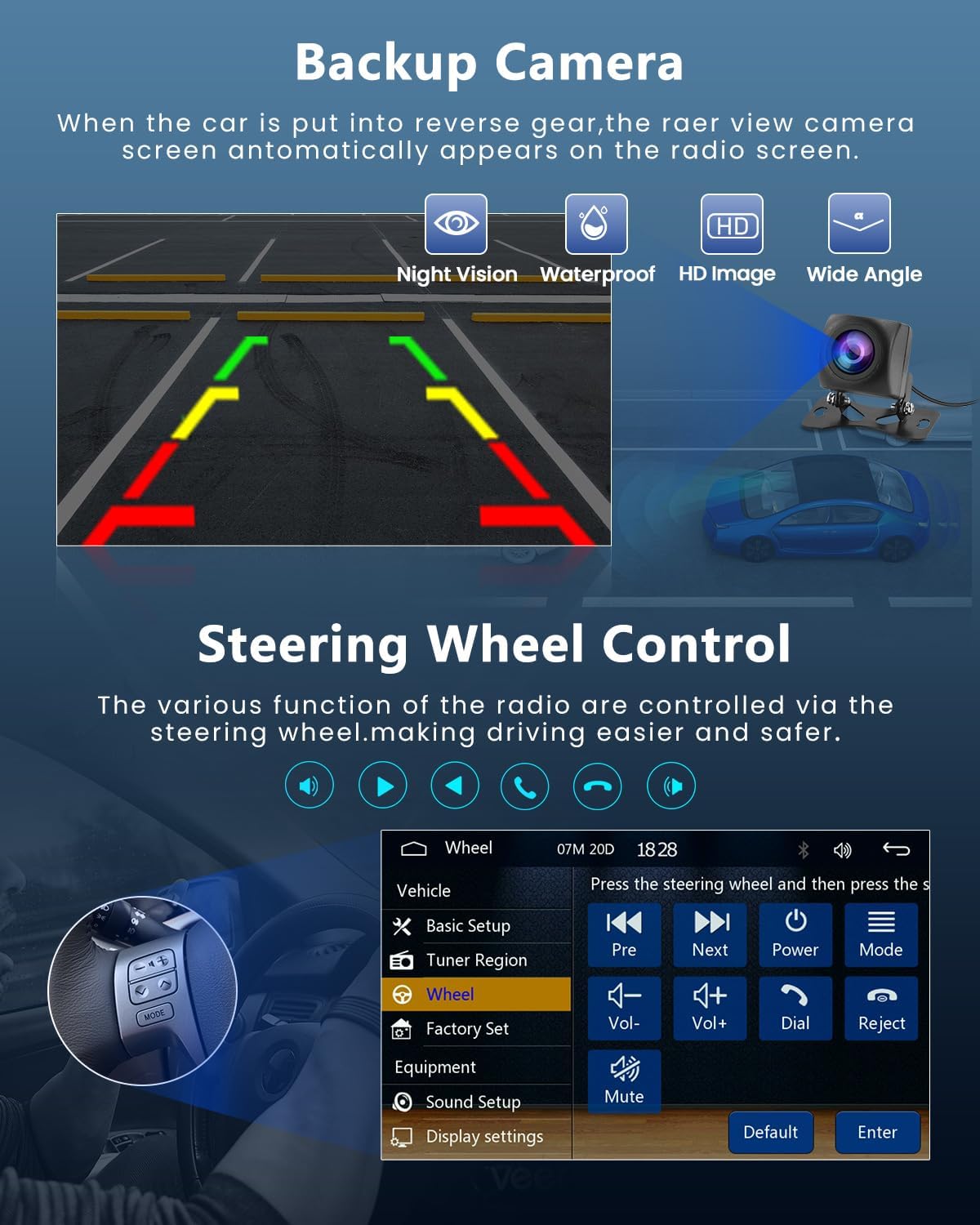
Image: The car radio's physical buttons illuminated in various colors, demonstrating the customizable colorful button lights feature.
유지
- 청소: 부드럽고 마른 천으로 화면과 본체를 닦으십시오. 연마성 세척제나 용제를 사용하지 마십시오.
- 스크린 관리: Avoid pressing the screen with sharp objects. When flipping the screen out or in, do so gently.
- 온도: Operate the unit within the specified working temperature range of -20°C to 70°C.
- 펌웨어 업데이트: 제조사 확인해보세요 web최적의 성능과 호환성을 보장하기 위해 사용 가능한 펌웨어 업데이트가 있는지 사이트를 방문하세요.
문제 해결
| 문제 | 가능한 원인 | 해결책 |
|---|---|---|
| 장치의 전원이 켜지지 않습니다. | Incorrect power wiring; Blown fuse; Vehicle battery issue. | Check power cable connections. Verify vehicle's fuse box and battery. Consult a professional for wiring inspection. |
| 스피커에서 소리가 나지 않습니다. | 스피커 배선이 잘못되었거나, 볼륨이 너무 작거나, 음소거 기능이 활성화되어 있습니다. | Check speaker connections and polarity. Increase volume. Deactivate mute. |
| 블루투스 연결 문제. | Device not in pairing mode; Interference; Out of range. | Ensure both devices are in pairing mode. Move closer to the unit. Restart Bluetooth on both devices. |
| CarPlay/Android Auto가 연결되지 않습니다. | Incorrect phone settings; Incompatible phone model; Bluetooth not connected. | Ensure Bluetooth is connected. Check phone settings for CarPlay/Android Auto permissions. Verify phone compatibility (Samsung not supported for Mirror Link). |
| 후방 카메라가 표시되지 않습니다. | Camera not connected; Incorrect wiring; Vehicle not in reverse. | Check camera cable connection to the CVBS input. Ensure reverse gear is engaged. Verify camera power supply. |
| FM 라디오 수신이 좋지 않습니다. | 안테나가 연결되지 않았습니다. 신호가 약한 지역입니다. 간섭이 있습니다. | Ensure car antenna is properly connected. Try tuning to a stronger station. |
If the problem persists after attempting these solutions, please contact LeeKooLuu customer support or a qualified technician.
명세서
| 특징 | 세부 사항 |
|---|---|
| 체계 | F133 |
| 모델 | 9601C |
| 화면 크기 | 7.0인치 |
| 화면 해상도 | 1024*600 |
| 권tage | 12V |
| 오디오 Amp리퍼 | 7388 |
| 블루투스 버전 | 5.1 |
| 출력 전력 | 4*45W |
| USB 인터페이스 | USB2.0 |
| 역입력 | 영어: CVBS(미국) |
| 무선 범위 | FM 87.5-108.0MHz (유럽) |
| 외부 마이크 | 지원됨 |
| 다채로운 조명 | 지원됨 |
| 작동 온도 | -20도 ~ 70도 |
| 공장 초기 설정 키 | 113266 |
| 오디오 포맷 지원 | MP3 / WMA / WAV / APE / FLAC |
| 비디오 형식 지원 | MKV/AVI/TS/TP/MP4/M4V (Max 50-80Mbps) |
| 제품 치수 | 9.5 x 21.5 x 26cm; 1.58kg |
| 품목 모델 번호 | LeeKooLuu-A3221A4AM47EU |
보증 및 지원
For warranty information and technical support, please refer to the contact details provided with your purchase or visit the official LeeKooLuu web사이트. 보증 청구를 위해 구매 증빙 자료를 보관하세요.
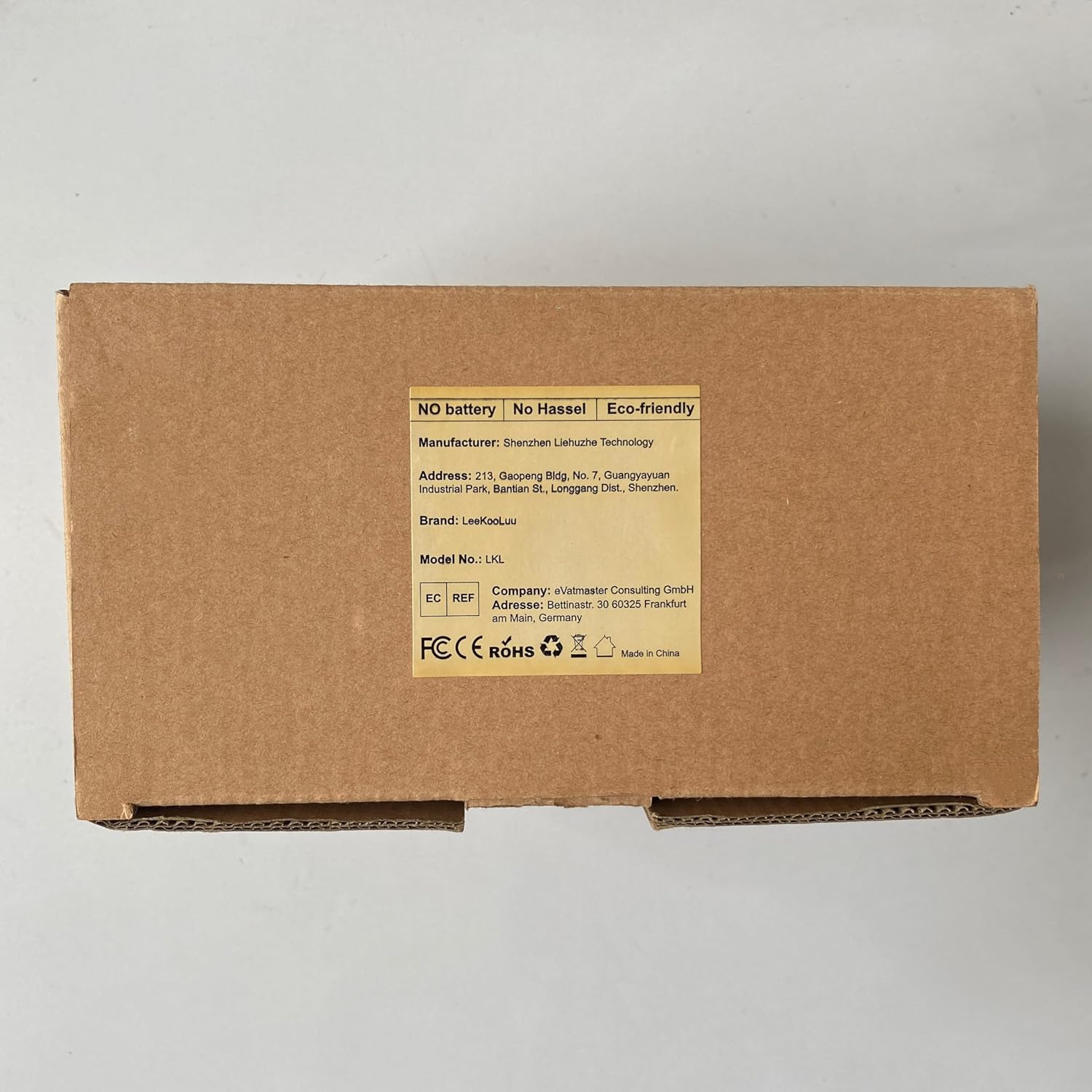
제조업체: 리쿠루
ASIN: B0C3XMC45P
Ask a question about this manual
Ask about setup, troubleshooting, compatibility, parts, safety, or missing instructions. Manuals+ will review the question and use this page’s manual context to help answer it.