
소개
The Insta360 GO 3 is a compact and versatile action camera designed for capturing hands-free point-of-view 푸tage and creative angles. Weighing only 35g, the GO 3 camera offers advanced stabilization, 360-degree horizon lock, and a multifunctional Action Pod for extended battery life and remote control. This manual provides essential information for setting up, operating, and maintaining your Insta360 GO 3.
상자 안에 무엇이 들어있나요?
- 인스타360 GO 3 카메라 1개
- 액션 포드 1개
- 자석 펜던트 1개
- 이지 클립 1개
- 1x 피벗 스탠드
- 렌즈 보호대 1개
These accessories provide various mounting and usage options for diverse shooting scenarios.
설정
구성 요소 이상view
The Insta360 GO 3 system consists of the small GO 3 camera and its accompanying Action Pod. The camera is magnetic and can be used independently or docked into the Action Pod.

The compact Insta360 GO 3 camera, shown in white, featuring its lens and indicator light.

The Insta360 GO 3 camera docked into its Action Pod, with the flip-up screen displaying a live preview. Various accessories like the Magnet Pendant, Easy Clip, and Pivot Stand are also visible.
초기 충전
Before first use, ensure both the GO 3 camera and the Action Pod are fully charged. Connect the provided USB-C cable to the Action Pod's charging port. The GO 3 camera charges automatically when docked in the Action Pod.
앱 연결
Download the official Insta360 app on your smartphone (compatible with iPhone SE 2 and newer, various iPad models, and select Android devices). Power on the GO 3 camera and Action Pod, then follow the in-app instructions to connect your device via Bluetooth and Wi-Fi for full functionality and live preview.
펌웨어 업데이트
It is crucial to keep your Insta360 GO 3's firmware updated for optimal performance and access to new features. If an update is available, the app will prompt you. Ensure your device is fully charged before initiating a firmware update. If app updates fail, connect the camera to a computer via USB-C, download the latest firmware from the official Insta360 website, and follow the provided instructions to copy the firmware file to the camera's root directory. Power on the GO 3 in the Action Pod to initiate the update.
카메라 작동
GO 3 Camera Controls
- 전원 버튼: 전원을 켜거나 끄려면 길게 누릅니다.
- 셔터 버튼: Press once to start/stop recording video or take a photo.
- 빠른 메뉴 버튼: Access quick settings or switch modes.
Action Pod Controls & Display
The Action Pod features a flip touchscreen display, allowing for remote control, live preview, and easy selfie/vlogging. The screen can be flipped up for convenient self-monitoring during recording.
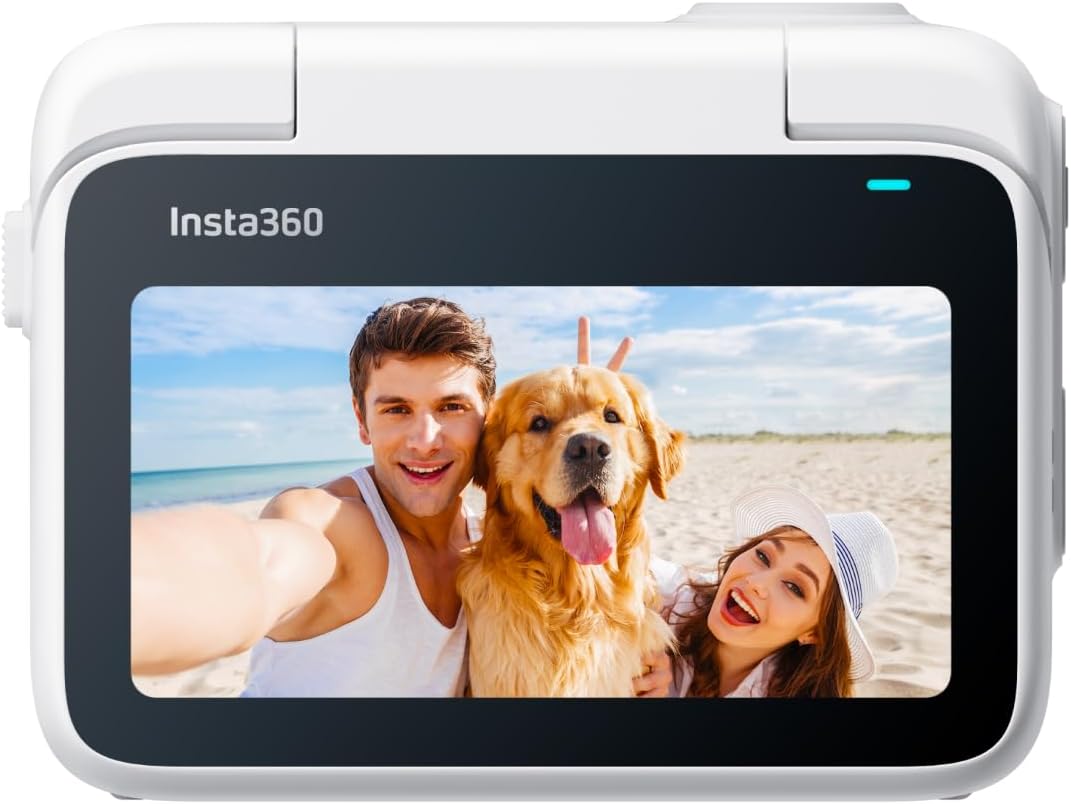
The Insta360 GO 3 Action Pod with its flip-up touchscreen displaying a live preview of a couple and their dog on a beach.
Shooting Modes & Features
- FlowState 안정화 및 360도 수평 잠금: Ensures smooth, stable footage by removing shakes and keeping the horizon level, regardless of camera orientation.
- 비디오 해상도: Records video at 2.7K resolution.
- 크리에이티브 모드 : Explore TimeShift (hyperlapse), PureShot HDR Photo (enhanced dynamic range), and Timelapse for unique visual effects.
- AI 기반 편집: The Insta360 app can automatically find highlights, generate reels, and even match music to your footage.
- Export in Any Ratio: Flexibility to export videos in various aspect ratios (1:1, 16:9, 9:16) for different platforms.
오디오
The GO 3 features 2 built-in microphones for crisp, clear, and immersive audio, suitable for vlogging and sports.
Web캠 모드
Utilize the Insta360 GO 3 as a webcam for 1080p resolution video calls with auto-tracking capabilities.
장착 옵션
Versatile Magnetic Design
The GO 3 camera's magnetic design allows it to be mounted almost anywhere, offering creative possibilities for unique angles.
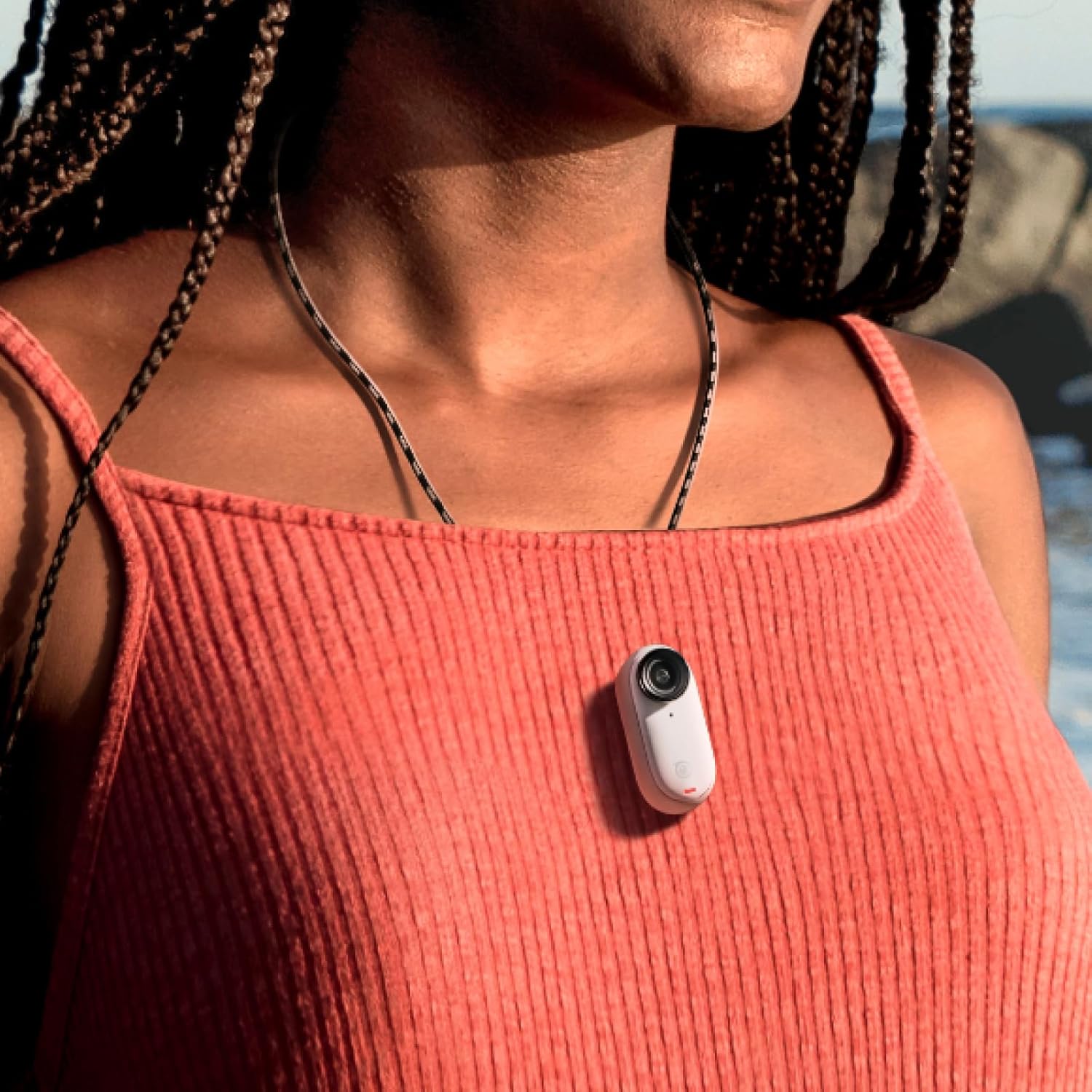
The tiny Insta360 GO 3 camera magnetically attached to a person's shirt, demonstrating its hands-free POV capability.
포함된 액세서리
- 자석 펜던트: Wear the GO 3 for easy first-person POV shots.
- 이지 클립: Clip the camera onto a cap or other surfaces for various angles.
- 피벗 스탠드: Stick it to flat, dry, and clean surfaces to capture unique angles.
- 렌즈 보호대: Protects the camera lens from scratches and is required for underwater use.
옵션 액세서리
- Monkey Tail Mount: A flexible mount to wrap around objects for new angles.
- Mini 2-in-1 Tripod: 셀카봉과 삼각대 두 가지 기능을 모두 갖추고 있습니다.
- 스크린 보호기: Essential for keeping the Action Pod screen safe from scratches.
Waterproofing & Durability
- GO 3 Camera: The GO 3 camera itself is waterproof down to 5m (16ft). Ensure the Lens Guard is installed for underwater use.
- 액션팟: The Action Pod is IPX4 splashproof, meaning it is resistant to splashes and light rain, but should not be submerged in water.
유지
- Always use the Lens Guard when taking the GO 3 camera underwater.
- Clean the camera and Action Pod with a soft, dry cloth after use, especially after exposure to water or dirt.
- Ensure the Action Pod is dry and clean before placing the GO 3 camera inside.
문제 해결
- 연결 문제: If the camera disconnects or fails to connect to the Action Pod or app, ensure the GO 3 is within Bluetooth range of the Action Pod. Restarting both devices and the app can often resolve connection problems.
- 펌웨어 업데이트 오류: If app-based firmware updates fail, try connecting the camera to a computer and updating via the official Insta360 web대지.
- 과열: In some conditions, the camera may overheat, especially during prolonged recording or in hot environments. This can cause recording to stop. Allow the camera to cool down.
- 저장 공간 문제: 만약 당신이 마주치면 file corruption or storage errors, navigate to the camera settings in the Action Pod or app and select the option to format the camera storage.
명세서
| 상표 | 인스타360 |
| 모델 번호 | CINSABKA_GO306 |
| 비디오 캡처 해상도 | 2.7K |
| 이미지 안정화 | 흐름 상태 안정화 |
| 방수 레벨 | Waterproof (GO 3 cam to 5m) |
| 품목 무게 | 130그램 |
| 배터리 평균 수명 | 170 minutes (with Action Pod) |
| 연결 기술 | 와이파이, 블루투스 |
| 화면 크기 | 2 Inches (Action Pod) |
| 플래시 메모리 유형 | SD (internal, not expandable) |
보증 및 지원
The Insta360 GO 3 comes with a 1-year Limited Warranty. For further support, please refer to the official Insta360 web사이트를 방문하거나 고객 서비스에 문의하세요.
비디오에 대한 중요 참고 사항
No official seller-provided instruction videos were available in the provided product data. For visual guides, please refer to the official Insta360 web사이트 또는 YouTube 채널.