
1. 중요한 안전 정보
Please read all safety instructions carefully before using the BYINTEK P70 Smart WiFi Projector. Keep this manual for future reference.
- 전원: 제공된 전원 어댑터만 사용하세요. 볼륨을 확인하세요.tage는 프로젝터의 요구 사항을 충족합니다.
- 배터리 안전: The projector contains a built-in lithium-ion battery. Do not expose to extreme temperatures, puncture, or disassemble.
- 통풍: 프로젝터의 과열을 방지하기 위해 적절한 환기가 이루어지도록 하십시오. 통풍구를 막지 마십시오.
- 열: 프로젝터는 작동 중에 따뜻해질 수 있습니다. 이는 정상적인 현상입니다. 사용 직후에는 렌즈나 통풍구를 만지지 마십시오.
- 빛 노출: l을 사용할 때 프로젝터 렌즈를 직접 쳐다보지 마십시오.amp 밝은 빛은 눈의 피로나 손상을 유발할 수 있으므로 켜져 있어야 합니다.
- 물과 습기: 프로젝터를 물, 비, 과도한 습기로부터 멀리하십시오. 젖은 손으로 작동하지 마십시오.
- 청소: 청소하기 전에 전원을 분리하세요. 부드럽고 마른 천을 사용하세요. 액체 또는 에어로졸 세척제는 사용하지 마세요.
- 어린이들: 프로젝터와 부속품은 어린이의 손이 닿지 않는 곳에 보관하십시오.
2. 제품 오버view
The BYINTEK P70 is a portable smart DLP projector designed for versatile entertainment and presentation needs. It features an 8000mAh built-in battery, Android 9.0 operating system, auto-focus, and 3D support.
2.1 패키지 내용
- BYINTEK P70 Projector x 1
- 원격 제어 x 1
- 전원 어댑터 x 1
- 미니 삼각대 x 1
- 보관 가방 x 1
- 사용 설명서 x 1
2.2 주요 특징
- 휴대성 있는 디자인: 소형이고 가벼워서 이동이 편리합니다.
- 내장 배터리: 8000mAh battery provides 1.5 to 3 hours of playback.
- 스마트 안드로이드 OS: Android 9.0 for app downloads, online streaming, and gaming.
- 자동 초점: 선명한 이미지를 위한 자동 초점 조절 기능.
- 6D 키스톤 보정: Advanced keystone correction for flexible placement.
- 3D 지원: 몰입감 넘치는 3D 콘텐츠를 즐겨보세요.
- 무선 연결 : Supports wireless screen mirroring from Android, iOS, and PC devices.
- 유선 연결: USB data cable sync for iOS and select Android devices.
- 대형 투사 크기: Up to 200 inches.
- 4K 재생: Supports up to 4K video input.
- 긴 LED Lamp 삶: 30,000시간.
- 듀얼 스테레오 스피커: Integrated 2x5W speakers for clear audio.

Image: Infographic detailing the BYINTEK P70's features including 4K support, DLP display, 6D keystone, 8000mAh battery, 3D, Type-C charge, 2G+32G memory, Android OS, and stereo speakers.
3. 설정
3.1 프로젝터 충전하기
Before first use, fully charge the projector. Connect the provided power adapter to the projector's Type-C port and plug it into a power outlet. The charging indicator will show the charging status.

Image: The BYINTEK P70 projector connected to a power bank via a Type-C cable, illustrating its portable charging capability.
3.2 초기 배치
프로젝터를 안정적이고 평평한 표면에 놓으십시오. 최적의 성능을 위해서는 viewing, position it directly in front of your projection screen or wall. The included mini tripod can be used for angle adjustments.
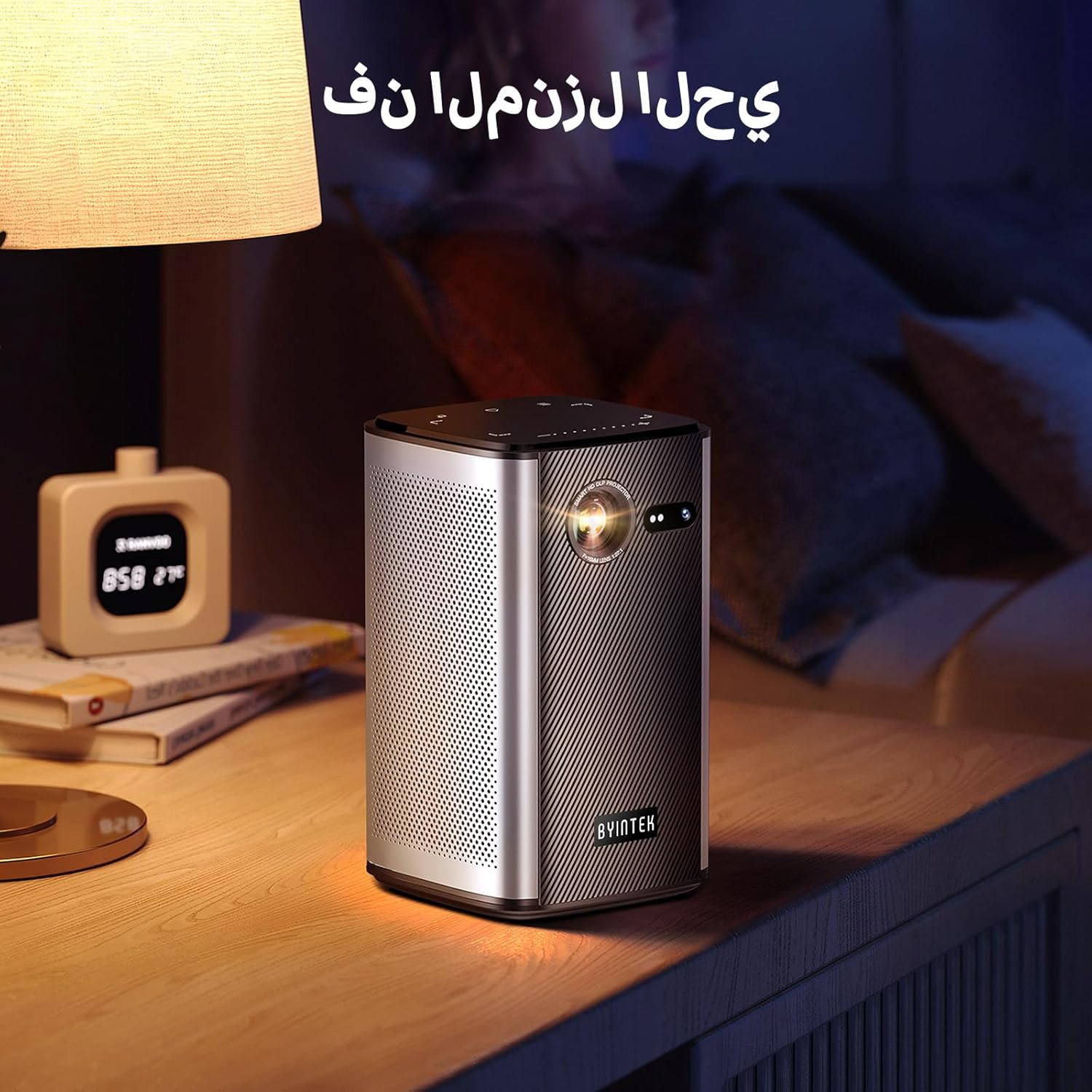
Image: The BYINTEK P70 projector placed on a bedside table, ready for indoor use.
3.3 전원 켜기/끄기
Press and hold the power button on the projector or remote control to turn the device on or off.
3.4 초점 및 키스톤 보정
The BYINTEK P70 features automatic focus. For keystone correction, navigate to the settings menu using the remote control. The 6D keystone correction allows for precise image adjustment, even with side projection.

Image: A visual representation of the projector's auto-focus feature, showing a clear image projected onto a wall.
4. 사용 설명서
4.1 안드로이드 OS 탐색하기
Use the remote control to navigate the Android 9.0 interface. The home screen provides access to pre-installed apps and settings. You can download additional applications from the app store.

Image: The projector displaying its Android operating system interface with various application icons like Miracast, Settings, AirPlay, Market, File Explorer, YouTube, and Netflix.
4.2 무선 화면 미러링
The projector supports wireless screen mirroring for Android, iOS, and PC devices. Access the 'Miracast' or 'AirPlay' app on the projector's home screen and follow the on-screen instructions to connect your device.
4.3 Wired Screen Mirroring
For iOS devices and some Android devices, you can use a USB data cable for wired screen synchronization. Connect your device to the projector's USB port using its original data cable.
4.4 3D 재생
The BYINTEK P70 supports 3D content. To enjoy 3D movies, ensure your media file is in a compatible 3D format (e.g., Blu-ray 3D, SBS, TNB) and use active shutter 3D glasses (sold separately).

Image: A family wearing 3D glasses, enjoying a 3D movie projected by the BYINTEK P70, showcasing its 3D capability.
4.5 디지털 줌
Adjust the image size from 50% to 100% using the digital zoom function on the remote control. This allows you to fit the image perfectly to your screen without moving the projector.
5. 유지관리
5.1 렌즈 청소
광학 렌즈 전용으로 제작된 부드럽고 보풀 없는 천으로 프로젝터 렌즈를 살살 닦아주세요. 연마성 재질이나 독한 화학 약품은 사용하지 마십시오.
5.2 외부 청소
프로젝터 외부를 부드럽고 마른 천으로 닦으십시오. 액체 세척제나 스프레이를 기기에 직접 사용하지 마십시오.
5.3 보관
사용하지 않을 때는 프로젝터를 서늘하고 건조한 곳에 직사광선과 극한 온도 변화를 피해 보관하십시오. 제공된 보관 가방을 사용하여 먼지와 긁힘으로부터 보호하십시오.
5.4 배터리 관리
배터리 수명을 연장하려면 배터리를 자주 완전히 방전하지 마십시오. 장기간 보관할 경우 배터리를 약 50%까지 충전하고 몇 달에 한 번씩 재충전하십시오.
6. 문제 해결
| 문제 | 가능한 원인 | 해결책 |
|---|---|---|
| 이미지가 투영되지 않았습니다 | Projector not powered on; input source not selected; cable not connected. | Ensure projector is on. Select correct input source (HDMI, USB, Wireless). Check cable connections. |
| 이미지가 흐릿함 | Out of focus; projector too close/far from screen; lens dirty. | 자동 초점 기능을 사용하여 초점을 맞추세요. 프로젝터 거리를 조정하세요. 렌즈를 청소하세요. |
| 리모컨이 작동하지 않습니다 | Batteries low/dead; remote not paired; obstruction. | Replace remote batteries. Ensure line of sight to projector's IR receiver. Re-pair remote if necessary (refer to specific pairing instructions in the full manual). |
| 소리가 나지 않습니다 | 볼륨이 너무 낮습니다. 외부 오디오 장치가 연결되어 있습니다. 지원되지 않는 오디오 형식입니다. | Increase projector volume. Disconnect external audio devices. Check audio format compatibility. |
| Wireless mirroring issues | Poor Wi-Fi signal; device compatibility; firewall settings. | Ensure strong Wi-Fi signal. Check device compatibility with Miracast/AirPlay. Disable firewalls temporarily for testing. |
| 프로젝터가 과열됩니다 | Blocked ventilation; prolonged use in hot environment. | Ensure vents are clear. Operate in a well-ventilated area. Allow projector to cool down. |
7. 사양
| 특징 | 사양 |
|---|---|
| 상표 | 바이인텍 |
| 모델 번호 | 피70 |
| 제품 치수 | 8.2 x 8.2 x 14.2cm |
| 품목 무게 | 1.58 킬로그램 |
| 배터리 | 1 Lithium Ion battery (included), 8000mAh, 29.6 Wh |
| 운영 체제 | 기계적 인조 인간 |
| 디스플레이 해상도 | 960 x 540 |
| 최대 디스플레이 해상도 | 4K Ultra HD Megapixel |
| 연결 기술 | 와이파이 |
| 특별 기능 | Auto-focus, 3D Ready, Built-in Wi-Fi Receiver |
| 추천 용도 | 홈시네마 |
| 디스플레이 유형 | 디엘피(DLP) |
| 폼 팩터 | 가지고 다닐 수 있는 |
| 장착 유형 | 삼각대 마운트 |
| USB 3.0 포트 | 1 |
| HDMI 포트 | 1 |
| 권tage | 12 볼트 |
| 왓tage | 25 와트 |
| 전원 | AC 및 배터리 |
8. 보증 및 지원
The BYINTEK P70 Smart WiFi Projector comes with a standard manufacturer's warranty. For specific warranty details, please refer to the warranty card included in your product packaging or contact BYINTEK customer support.
If you encounter any issues or have questions regarding your projector, please contact BYINTEK customer support through their official website or the contact information provided in your product documentation. Please have your model number (P70) and purchase details ready when contacting support.